
Every skill file in a shared team library needs three things: one named owner, an entry on a one-page index, and a review date. That is the governance model. Without it the library forks and drifts; with it, a team's AI skills compound the way any managed asset does.
Part 6 of The Skill File Series: ten reusable AI skills for Australian professional teams, two for every domain we cover. This part builds on the decision memo skill from Part 1 and assumes the workspace foundations from LM-S01: Set Up Your AI Command Centre.
Why a shared skill library drifts
One person's skill file stays sharp because its author uses it daily. A colleague copies it and improves the method; a third copy gets renamed and grows a different output format. Nobody announces anything, because nobody owns anything. Two quarters later the team runs four versions of the same skill, and nobody can say which one produced the document a stakeholder just queried.
Drift follows a predictable arc. In the first month the copies are near identical and the differences look like taste: a reworded guardrail here, an extra heading there. By the second month the differences are structural. One copy has grown an input field its author needed once; another has quietly dropped a guardrail that felt like friction. By the third month the copies produce documents that no longer look like siblings, and nobody comparing two outputs could name the standard they both came from. Every edit was an improvement for the person who made it. The library decayed because improvement without an announcement channel is indistinguishable from fragmentation.
The fix is custodianship, not goodwill. If your team's AI norm set the behavioural baseline, the library is that norm turned into artefacts, and artefacts need owners. The distinction matters because behaviour gets coached in the moment while artefacts persist unattended, and anything that persists unattended needs a custodian. An artefact degrades silently, in a file nobody has opened for a quarter, and the correction never arrives unless somebody is responsible for making it.
The six-part skill file, recapped
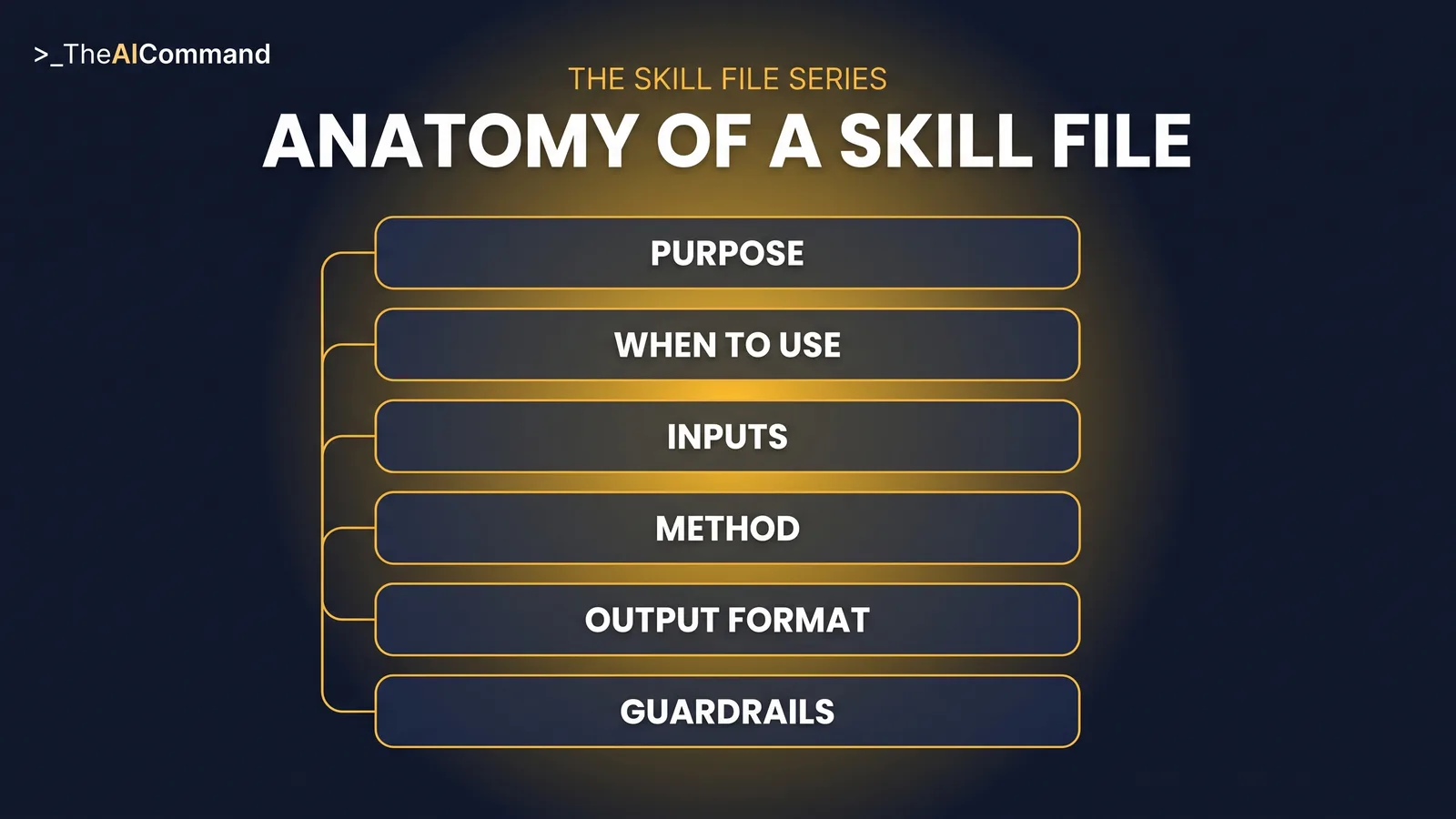
Arriving at Part 6 first? A skill file is a platform-neutral markdown instruction file a team writes once and reuses, as ChatGPT or Claude project instructions, as a native skill where your plan supports Skills, or adapted to Microsoft Copilot. The house anatomy has six parts: Purpose, When to use, Inputs required, Method, Output format and Guardrails. Part 1 teaches the anatomy in full; this part assumes it.
Five governance patterns for a team library
Name skills one way
Pick one convention and hold it: lowercase, hyphenated, task-first. So team-brief and decision-memo, never a personal name with a FINAL-v2 suffix. The name states the task, not the author, because authors move on and tasks stay.
The convention earns its keep at retrieval time, not creation time. A leader who needs the delegation skill should be able to guess its name without asking, and a new starter scanning the index should be able to infer what each skill does from its name alone. Personal names and version suffixes fail both tests: they say who wrote the file and when it last felt final, and neither answers what it is for.
Keep a one-page index
The index is the library; the files are just the shelves. Five columns: skill name, what it produces, owner, last reviewed, where installed. The last column is how an update reaches every copy.
One page is a discipline, not a limit. If the index stops fitting on a page, the team holds more skills than it can govern, and the honest response is consolidation or retirement rather than a second page. The index also gives the review cadence something to run against: a column listing where each skill lives turns an update from a hopeful broadcast into a checklist.
Give every skill one named owner
One person, not a working group, not necessarily the author. The owner fields suggestions, applies changes, announces versions and keeps the index row current. Shared ownership is no ownership: when nobody must answer for the file, drift is invisible until it ships.
Single ownership works because it converts a vague collective duty into a specific personal one. In a shared library every member has a weak reason to fix a stale file and a stronger reason to assume somebody else will. Naming an owner removes the assumption. What the role buys is a person who notices, which is the one thing a leaderless library never has.
Review on a cadence, retire without ceremony
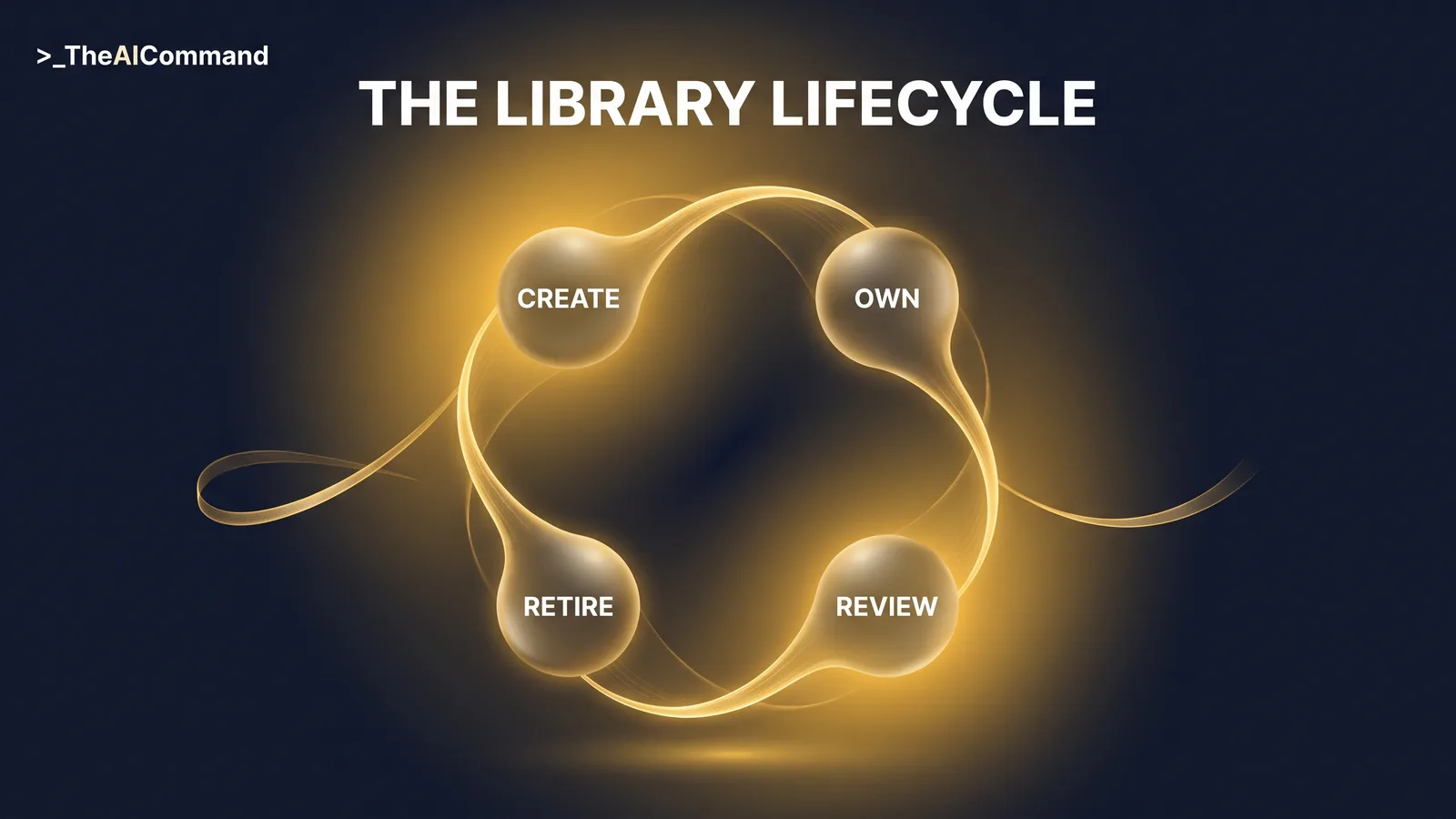
Quarterly is enough for most teams. The owner runs the maintain prompt, checks the file against how the team works now, then keeps, updates or retires it. Retirement is a virtue: a stale skill standardises yesterday's process with today's confidence. Archive the file, mark the index row, remove installed copies.
The cadence matters more than the interval. A review that happens whenever somebody remembers is a review that stops happening the first busy month; a review with a date on it survives contact with the calendar. Retirement deserves equal standing with creation because libraries accrete by default: every workshop adds a skill and nothing removes one, so without a deliberate retirement step the index grows until the useful skills sit buried among the abandoned ones.
Onboard with the library
A governed library is the fastest induction document a team has. Point new starters at the index in week one and have them run two skills on practice tasks first. The induction test doubles as a quality signal in reverse: if a new starter cannot produce a passable output from a skill and its index entry alone, the file is leaning on context the team carries in its heads, and that gap belongs on the owner's fix list.
The anchor skill: a team brief on demand
The anchor skill solves a delegation problem older than AI: briefs that live in the leader's head. Its most important section is decision rights, stated explicitly every time.
The three-way split does the real work. Listing what the team decides alone removes the permission-seeking that slows delegated work to the pace of the leader's inbox. Listing what escalates protects the team from discovering a boundary by crossing it. And the unassigned list is the most valuable of the three, because it names the decisions nobody has considered yet while they are still cheap to assign. Many a delegation failure traces back to a decision that sat in that third category without anyone writing it down.
A worked example: four drifted docs become five owned skills
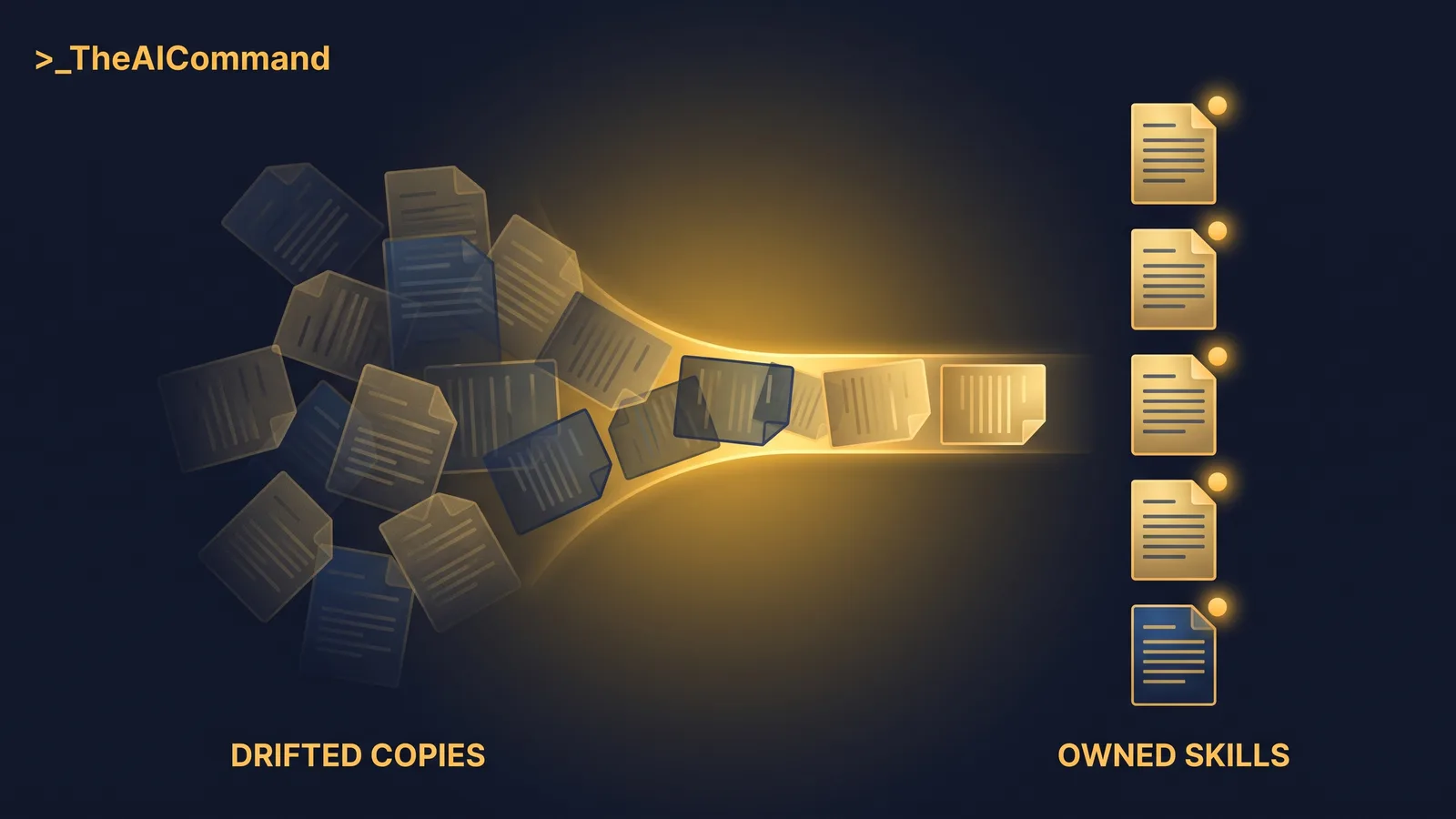
A de-identified operations team of six had accumulated four prompt documents: two competing delegation templates, a meeting summary prompt and a project update prompt, copied between personal workspaces, two contradicting each other on the escalation list. New starters used whichever version their buddy did; quality tracked the prompt's author, not the leader's standard.
The cost showed up in small, steady ways before anyone called it a problem. A stakeholder queried an escalation that one template said the team owned and the other said the leader did. Two project updates written in the same week arrived in different shapes, and the manager reading both spent the meeting reconciling formats instead of acting on content. The team's most experienced member had become the informal help desk for which document to use, a role no governed index would ever have needed.
The fix took one workshop: five named skills, team-brief, decision-memo, meeting-actions, project-update and stakeholder-note, each on the six-part anatomy with one owner, all on one index with a quarterly review date. The workshop was mostly triage, and the contradicting escalation lists were resolved by finally deciding the question the contradiction had been hiding. At the first review one skill was retired, its process now in a workflow tool, and its index row says so.
Build it with the five-prompt chain
Paste each prompt in order.
Prompt 1 interviews the leader:
Prompt 2 drafts the file:
Prompt 3 stress-tests it:
Prompt 4 refines it:
Prompt 5 maintains it each quarter:
Install and share it on your platform
Both vendors now ship a native Skills feature built on the convention this series teaches, so the library is portable: install it natively where your plan supports Skills, and run it as project instructions plus knowledge files everywhere else.
The ChatGPT path. Projects are available on every ChatGPT plan, including Free, and each takes its own project instructions, which override account-level custom instructions inside it. ChatGPT's native Skills feature (July 2026) is generally available on Business, Enterprise, Healthcare and Edu: shareable workflows built as a folder with a SKILL.md manifest, loaded only when relevant. On individual plans, project instructions plus uploaded markdown files are the way to get skill-file behaviour today.
The Claude path. A Claude skill is a folder with a SKILL.md file: YAML frontmatter carrying a name and description, instructions below. Claude reads only the name and description up front and loads the full instructions when a request matches, so the description must say what the skill does and when to use it. Skills are available across Claude plans, including Free per the Claude help centre, with code execution enabled: turn on Code execution and file creation under Settings, then Capabilities, and upload the folder as a ZIP via Customize, then Skills. Uploaded skills are private to the account: on Team and Enterprise an organisation owner can provision skills for everyone, while on other plans the shared markdown file is the source of truth and each member installs their own copy.
If your organisation runs Microsoft 365 Copilot instead, the same file adapts directly: paste its contents into an agent's Instructions field in Agent Builder, which caps at 8,000 characters, noting Copilot's uploaded knowledge accepts .txt and .docx but not .md.
Guardrails for leaders
The library standardises structure, never judgement. A skill file can hold the shape of a good brief; it cannot decide what work matters, who gets it, or whether the goal is right. Those calls stay with the leader.
Nothing about individual performance belongs in a shared artefact; the anchor skill refuses it by design and the owner enforces it at review. The brief supports delegation and never replaces the conversation; the closing line makes a skipped one visible. Owning a skill file is maintenance, not accountability: the owner keeps the file current; the leader stays answerable for what ships.
Bottom line
A shared skill library without governance drifts into four versions of everything. The fix fits on a page: a naming convention, a one-page index, one owner per skill, a quarterly review, and onboarding from the library.
Do this Monday:
- List every prompt document your team reuses, including the copies.
- Consolidate duplicates into named skills on the six-part anatomy.
- Create the index: skill, what it produces, owner, last reviewed, where installed.
- Assign one owner per skill and book the first quarterly review.
- Build the team brief skill and use it on the next delegation.
The first pass does not need to be complete. A library of three governed skills beats a pile of ten ungoverned documents, and the index makes the gaps visible so the next skill gets added deliberately rather than accreted. Expect the consolidation conversation to surface disagreements the drifted copies were quietly absorbing; resolving them is the point, not a detour.
Take it with you
The blank template and the five prompts.
- Prompt 1, Interview: capture the team's workflow, then confirm the summary.
- Prompt 2, Draft: turn the confirmed answers into the six-section file.
- Prompt 3, Test: run the skill on a sample task and audit the weaknesses.
- Prompt 4, Refine: fix each weakness and add a version line.
- Prompt 5, Maintain: keep, update or retire each quarter, and correct the index.
The Skill File Series
Ten skills, two for every domain we cover, publishing 27 July to 7 August 2026. Links go live as each part publishes.
- The decision memo skill file (leadership)
- The policy-grounded HR query skill file (HR)
- The reg-change impact assessment skill file (GRC)
- The safety comms skill file (WHS)
- The claim chronology skill file (workers compensation)
- Team skill library governance (leadership, this article)
- The investigation chronology skill file (HR)
- Skill files as controlled documents (GRC)
- The incident notification triage skill file (WHS)
- The determination evidence-check skill file (workers compensation)
TheAICommand. Intelligence, At Your Command.