
A skill file that shapes work a regulator cares about is not a productivity hack. It is a controlled document, and the discipline that name carries, version control, named ownership, approval before use, retained evidence and scheduled review, is the difference between an AI capability an auditor can rely on and one they will write up.
Part 8 of The Skill File Series: ten reusable AI skills for Australian professional teams, two for every domain we cover.
This part builds on A Skill File for Regulatory Change, the GRC foundation article that teaches the six-part anatomy in full, and assumes the workspace setup covered in LM-S01: Set Up Your AI Command Centre.
When does a skill file become a controlled document?
The test is the output, not the tool. A skill file that drafts a personal meeting summary can drift, duplicate and die in peace. The moment a skill file's drafts feed a board pack, an obligations register entry, a compliance report or a breach assessment, the file has crossed a line. Its instructions now shape what a committee reads and what a regulator may one day examine, and an instruction set with that reach cannot live as an unversioned text file in one analyst's downloads folder.
Two APRA signals frame the point for regulated entities. The 30 April 2026 letter to industry on AI names, among the minimum practices APRA expects, an inventory of AI tooling and use cases, and ownership and accountability across the AI lifecycle. A skill file is AI tooling by any honest reading of that phrase. And Prudential Standard CPS 230 Operational Risk Management, in force since 1 July 2025, puts the processes those files support squarely inside the operational risk frame. Neither document mentions skill files. Both describe the discipline they now need.
The anatomy, in one paragraph
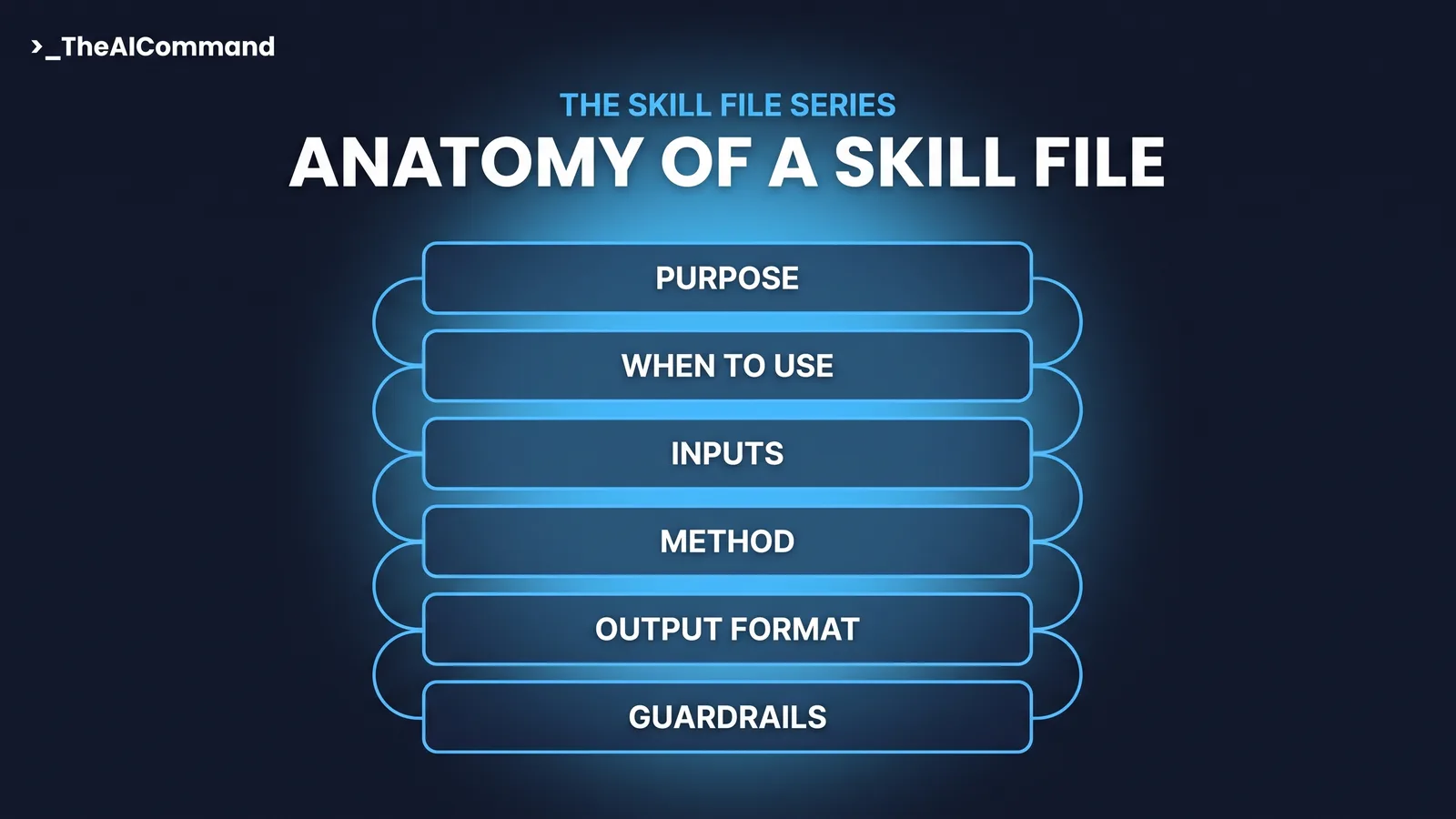
Every skill in this series uses the same six-part anatomy: Purpose (what the skill produces and for whom), When to use (triggers and exclusions), Inputs required, Method (numbered steps the AI follows), Output format, and Guardrails (what the skill must never do). Part 3 teaches it in full for GRC work. The controlled-document move adds a control block on top of the six: version, owner, approver, approval date and a change log, so the file carries its own governance wherever it is installed.
Six controls that turn a skill file into a controlled document
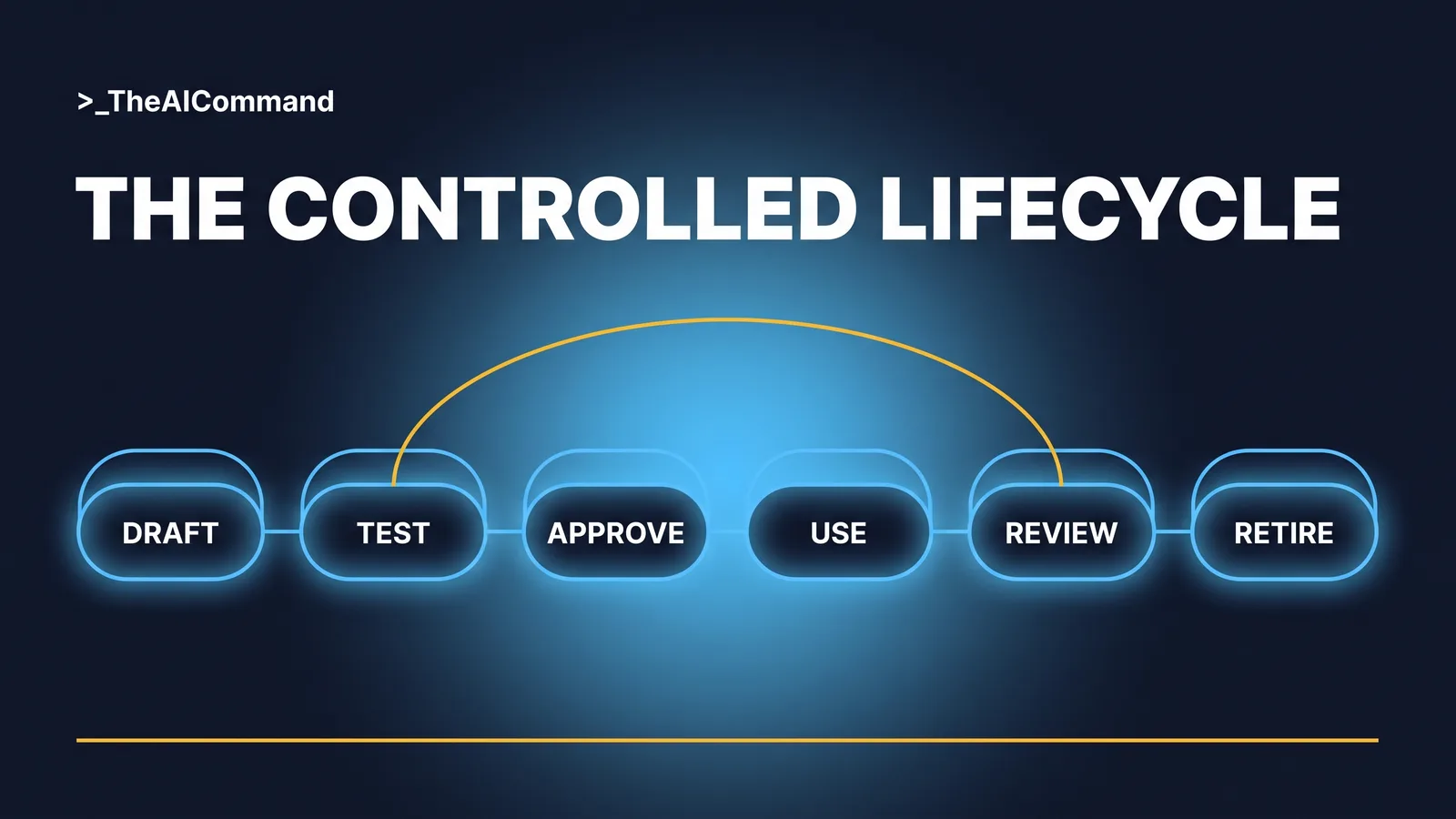
1. Version numbers and a change log inside the file. Not in a wiki, not in an email thread. The file is the artefact, so the file carries its own history. Every revision gets an entry: date, what changed, why. When a committee member asks why this quarter's module reads differently, the answer is a line in the change log, not an archaeology project.
2. A named owner and a named approver. The owner maintains the file and proposes changes. The approver authorises its use in a regulated process and records the approval date. Nothing regulated runs on an unapproved file. In a small team the roles sit close together, but the approval step is the moment the organisation, not an individual, stands behind the instruction set.
3. Retained testing evidence. Before approval, the file is run against a wholly fictional matter and the outputs are kept on file with the version they tested. When someone asks how the team knows the skill behaves, the answer is a document, not an assurance.
4. Review on a schedule and on triggers. A quarterly cycle is a floor, not the control. The control is the trigger list: any change to an obligation, reporting line, committee structure or source system the file assumes forces a review, because a skill file is a set of frozen assumptions and assumptions expire.
5. A register of approved skills. One line per skill: name, version, owner, approver, where it is installed, next review date. This is the move that lines up with APRA's stated expectation that regulated entities keep an inventory of AI tooling and use cases. The register is also where duplication dies, because two teams cannot both own version 1.0 of the same idea.
6. Retirement and rollback. Superseded versions are retained, so a bad revision rolls back to the last approved version rather than to memory. Retired skills come off every surface they were installed on, and the register records the retirement, because an orphaned skill file still answers prompts long after everyone has forgotten who wrote it.
The anchor: a board-reporting skill file
Board reporting is the right place to practise this discipline, because it is where drafting meets accountability. Every number in a pack has an owner, every statement has a source, and the chair's questions arrive without notice. The complete file below is ready to adapt. The guardrails live inside the file itself, and the control block at the top makes it a controlled document from its first day.
Worked example: six months of quiet drift
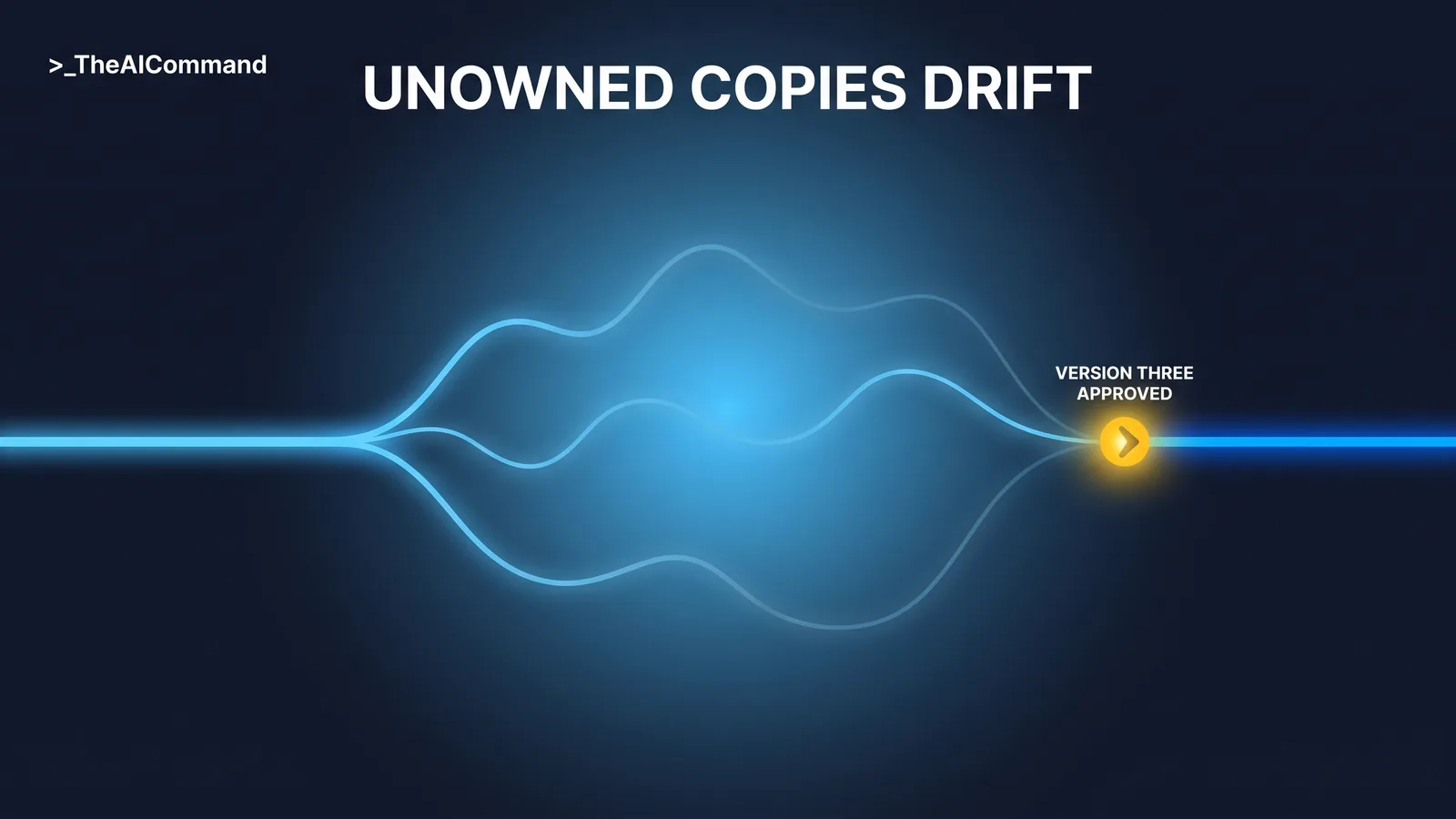
Consider a de-identified risk team at [ORGANISATION]. In January the team's board-pack skill produced clean, consistent modules. Then three analysts saved private copies and improved them. By June, one variant had dropped the evidence trail for length, another summarised metrics from memory of earlier packs, and the committee chair asked why a number in the pack did not match the source report. Nobody could say which variant had drafted the module, or when the evidence trail had disappeared.
The fix was not a better model. The team consolidated to a single version 3 with a change log recording exactly what the variants had silently altered, named an owner and an approver, retained the test outputs, and entered the skill in a one-page register. The next module was drafted from the approved file and verified against its evidence trail, and when the chair's question came again, the answer took one minute and cited the change log.
Build it: the five-prompt chain
The chain below builds the board-reporting skill from your team's actual standard. Run the prompts in order, in your approved AI workspace, with fictional test material only.
Prompt 1: interview.
Prompt 2: draft.
Prompt 3: test.
Prompt 4: refine.
Prompt 5: maintain.
Install it where your team works
Both major vendors now ship a native Skills feature built on the convention this series teaches: a folder with a SKILL.md file, its name and description read up front and the full instructions loaded only when a request matches. Install the file natively where your plan supports Skills, and run it as project instructions plus knowledge files everywhere else.
On ChatGPT, the native Skills feature is generally available on Business, Enterprise, Healthcare and Edu plans: reusable, shareable workflows that can include instructions, examples and code, created in chat, in the Skills editor, or uploaded, with OpenAI's format being a folder with a SKILL.md manifest. On individual plans, the way to get skill-file behaviour today is a project: every plan supports projects, each project takes its own instructions that override account-level custom instructions, and new projects can be set to project-only memory. Because ChatGPT uses project files as retrieval-based reference material rather than guaranteed full reads, keep the operative instructions in the project instructions field and the file in knowledge as the reference copy.
On Claude, a skill is a folder with a SKILL.md file whose YAML frontmatter carries a name and description, matched against requests through progressive disclosure, so the description must say what the skill does and when to use it. To install, enable Code execution and file creation under Settings, then upload the folder as a ZIP through the Skills section of settings. Skills are available across Claude plans, including Free per the Claude help centre, with code execution enabled. The governance-relevant feature is provisioning: on Team and Enterprise plans an organisation owner can provision skills for everyone, which distributes one approved version instead of tolerating ten private copies. The same format works across the Claude apps, Claude Cowork, Claude Code and the API, but each surface installs separately with no sync between them, which is precisely the version-drift risk the change log and register exist to manage.
If your organisation runs Microsoft 365 Copilot instead, the same file adapts directly: paste its contents into an agent's Instructions field in Agent Builder, which caps at 8,000 characters, noting Copilot's uploaded knowledge accepts .txt and .docx but not .md.
The guardrails that make it defensible
The GRC discipline running through this article is the same one that turns any AI practice into audit evidence: a human in the loop at every consequential step, records that show the loop operated, and an evidence trail from output back to source. The skill file drafts; the owner verifies; the approver stands behind the file; the register proves the organisation knows what is running. That chain is what an internal auditor, and increasingly a supervisor, will trace, and it is the same logic explored in From Voluntary AI Guardrails to Audit Evidence for external frameworks. A skill file with no owner, no version and no test record produces work nobody can stand behind, however polished it looks.
The bottom line
A skill file that touches regulated work is a controlled document from the moment it starts shaping what committees and regulators read. The controls are old and familiar: version it, own it, approve it, test it, review it, register it, retire it. The artefact is new. The discipline is not, and a risk team that applies it gets something rare: an AI capability that speeds up the work and survives an audit.
Do this Monday
- List the skill files already in regulated use. Every standing prompt, project instruction or skill that shapes a board pack, register entry or report. If nobody can produce the list, that is the finding.
- Pick the one closest to the board and control it. Add a control block and a change log, set the version to 1.0, and record today as the approval date once the owner has read it end to end.
- Name the owner and approver. One person maintains, one person approves. Write both names into the file.
- Start the register. One page, six columns: skill, version, owner, approver, installed where, next review. Add the first row today and take it to your next risk forum.
Take it with you
The blank template and the five build prompts, ready for the next skill your team brings under control.
The five prompts, in order: Interview (extract the team's standard before drafting anything), Draft (turn the answers into the six-part file with a control block, at version 0.1), Test (run the file against fictional inputs and keep the outputs as evidence), Refine (turn every miss into a tighter rule and log the change), Maintain (review currency, drift and the register entry on schedule and on triggers).
The Skill File Series
Parts publish from 27 July to 7 August 2026. Links go live as each part publishes.
- Your First Skill File: A Decision Memo On Demand
- An HR Skill File That Answers From Your Policies, Not the Internet
- A Skill File for Regulatory Change: Impact Assessment On Demand
- The Safety Comms Skill File: Alerts Workers Actually Read
- A Claim Chronology Skill File Built for De-Identification
- Who Owns Your Team's Skill Library?
- An Investigation Chronology Skill File With Fairness Built In
- Skill Files Are Controlled Documents. Treat Them Like It (this article)
- An Incident Triage Skill File That Never Decides Notifiability
- A Determination Evidence-Check Skill File Under Section 14
Content disclaimer: This article is for general educational and informational purposes only. It does not constitute legal advice, regulatory guidance, or a substitute for professional compliance judgement. Regulatory obligations vary by entity type, licence, and circumstance. Always refer to primary source guidance from APRA or the relevant regulatory authority.
Primary sources
- APRA, Letter to Industry on Artificial Intelligence (AI), 30 April 2026. https://www.apra.gov.au/news-and-publications/apra-letter-industry-artificial-intelligence-ai
- APRA, Prudential Standard CPS 230 Operational Risk Management, in force from 1 July 2025. https://www.apra.gov.au/operational-risk-management
TheAICommand. Intelligence, At Your Command.