
A safety comms skill file is a short markdown instruction file that captures your team's standard for safety alerts, toolbox talk introductions and bulletins once: plain language, site-specific facts only, one clear action, no blame, and a hard stop at the health and safety representative (HSR) and a competent person before release. Load it into your AI workspace and every draft starts at that standard, not at a blank prompt.
Part 4 of The Skill File Series: ten reusable AI skills for Australian professional teams, two for every domain we cover. The advanced WHS sibling, an incident triage skill file that never decides notifiability, lands on 6 August, and LM-S01 covers the workspace this file lives in.
Why do safety alerts get ignored?
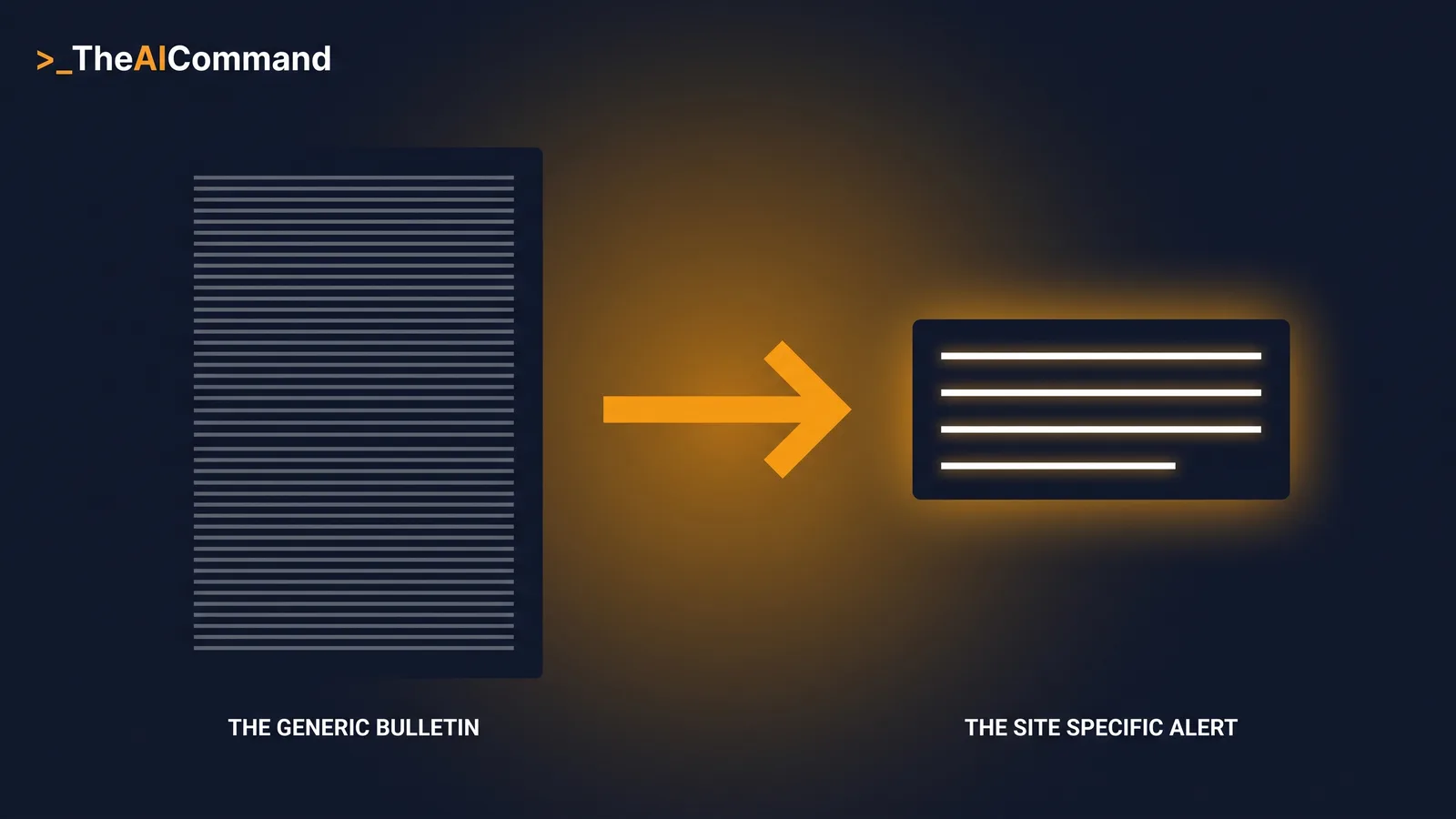
Because most of them earn it: filler first, the learning buried, the action hidden in the last line, and a flavour of blame throughout. The same generic-content trap behind copy-paste SWMS documents produces unread alerts, and a model pointed at the job without a standard defaults to exactly that register. The fix is a standard written once and enforced on every draft. That is a skill file.
The cost is not just an unread notice. Every generic alert trains workers in what reporting earns them. When a near miss becomes a wall of filler with no visible change, the lesson learned is that speaking up produces paperwork, not protection. When the alert carries a flavour of blame, the lesson is sharper: the person who reported is the person who failed. Both lessons quietly shrink what gets raised next time, and a consultation system only works on what workers are willing to bring to it. Comms quality is not a polish problem. It sits upstream of the information every other control depends on.
What is a skill file, and why does it beat re-prompting?
A skill file is a plain markdown file that tells an AI assistant how your team does one specific job: the task, when it applies, the inputs, the method, the output shape, and what it must never do.
Re-prompting cannot hold a standard: it drifts with every retelling, disappears on leave, and cannot be reviewed. A file can be versioned, checked by the HSR, handed to a new starter, and corrected in one place. The format is now native: both OpenAI and Anthropic ship a Skills feature built on the convention this series teaches, a folder holding a SKILL.md instruction file loaded when the request matches.
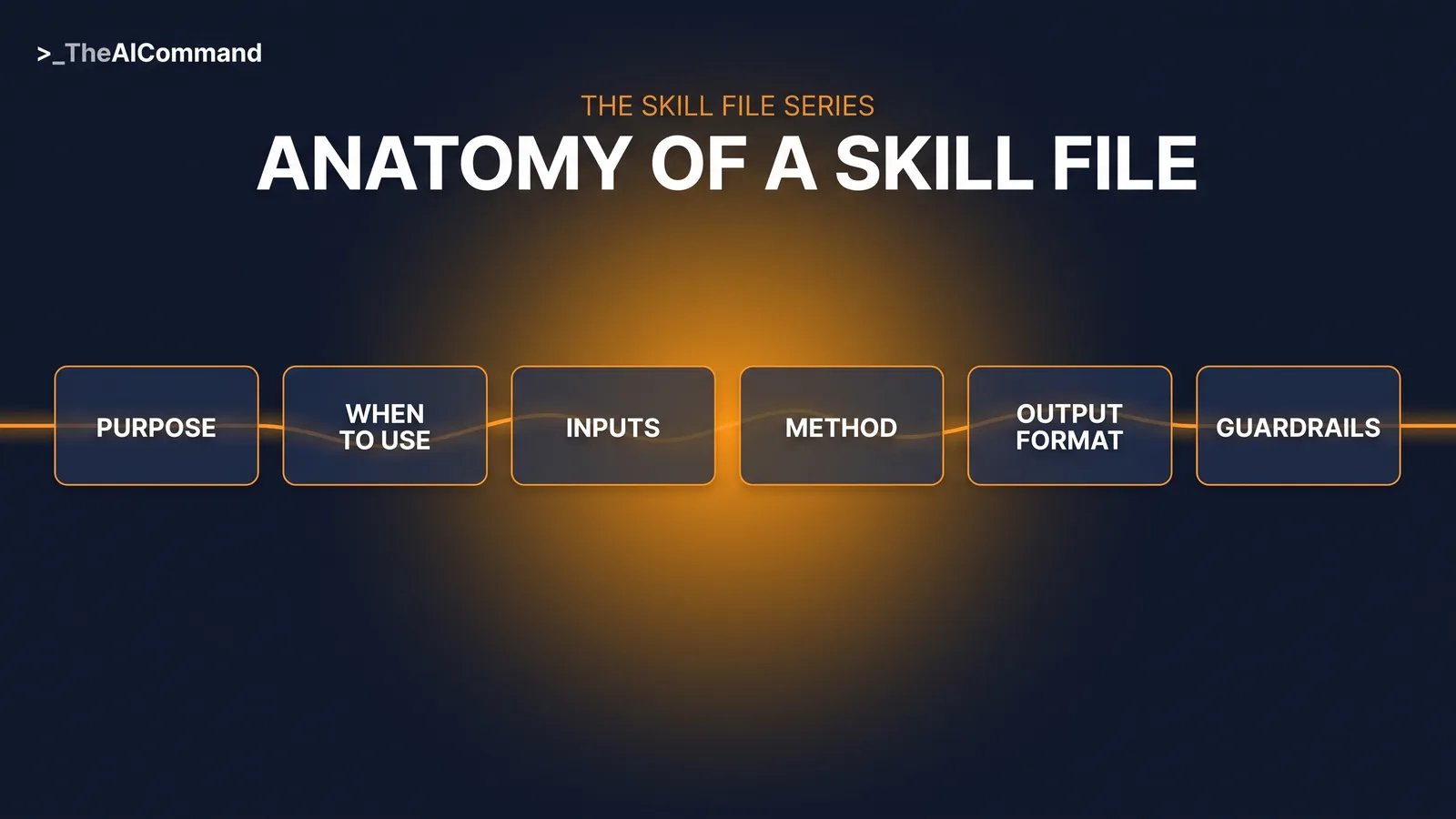
The six-part anatomy
Every skill file in this series uses six sections. Purpose states what the skill produces and for whom. When to use sets the triggers and the exclusions: a task the skill refuses is a task that cannot go wrong inside it. Inputs required forces de-identification by asking for roles rather than names, a stronger control than stripping identifiers afterwards. Method is the numbered steps the AI follows. Output format locks the four-line shape workers will actually read. Guardrails is the never-do list, travelling with the file instead of one person's memory.
Each part has a recognisable failure mode, and knowing them is most of the craft. A Purpose that lists three jobs is really three skills wearing one name, and the drafts will wander between them. A When to use section without exclusions invites the file into work it was never tested for; the exclusions are where most of the safety lives. Inputs required goes wrong when the fields are vague: a field asking for details of the incident will collect names, while a field asking for what happened, de-identified, roles not names, will not. Method steps that read like values statements, be clear and be concise, give the model nothing to follow; steps that read like instructions to a capable new starter do. Output format fails when it describes a tone instead of a shape; four named lines are checkable in seconds, keep it brief is not checkable at all. And a Guardrails list written as encouragement, avoid blame where possible, is not a guardrail. The never-do items are absolute, short, and written so a reviewer can verify each one against a draft at a glance.
The safety comms skill file, complete
Copy it, or rebuild it with the five prompts below.
Worked example: the forklift near miss
Before the skill file, a fictional distribution site handled a forklift near miss with a 240-word bulletin: filler first, cautious prose noting the operator failed to maintain awareness, and four actions with the one that mattered last.
Walk the event through the file's inputs and the discipline starts before drafting does. The supervisor's first attempt at the LEARNING field named the operator, but the field asks for roles, so the name never entered the tool. The AUDIENCE field narrowed the alert to the sites sharing that racking layout, and the ACTION field carried the one settled control, stop and sound the horn before reversing out, while a second control still being assessed stayed out of the draft.
The CHANNEL field did its own quiet work. The team wanted an alert for the noticeboard and a toolbox intro for the next pre-start, so the file produced both from the same inputs, each at its own cap, rather than one document trying to be both and doing neither well. The CONTACT field forced a decision the old bulletin had dodged: who actually answers questions about this? Naming the supervisor and the HSR in the draft made that answer real before the alert went anywhere. None of this is clever drafting. It is a form doing what forms do, refusing to move forward on missing or unsafe inputs.
The same de-identified learning through the skill file:
What happened: A forklift reversed out of a racking aisle at [SITE] as a pedestrian crossed behind it. Nobody was struck. What it means on this site: The exit of that aisle is a blind spot from the operator's seat. What to do now: Stop and sound the horn before reversing out of any racking aisle, every time. Who to contact: Your supervisor or your HSR, [CONTACT_NAME].
>
DRAFT ONLY: for HSR and competent person review before release.
Four lines, one action, no blame, and the toolbox variant adds two discussion questions. Both drafts still go to the HSR and a competent person, and the HSR adds what the model could not know: the aisle came up in a walkway consultation three months earlier. Released straight from the draft, the alert would have been accurate, well shaped, and blind to that context.
Build it in five prompts
The file above carries one site's opinions. Build your own, one prompt per step:
Where to install it
ChatGPT. Projects exist on every plan, including Free, and each takes its own project instructions: paste the skill file there. A copy uploaded as a project file is retrieval-based reference, not a guaranteed full read, so the operative rules belong in the instructions. Business, Enterprise, Healthcare and Edu plans also get the native Skills feature ChatGPT shipped in July 2026: a folder with a SKILL.md manifest loaded only when relevant.
Claude. A Claude skill is a folder with a SKILL.md file: YAML frontmatter carrying a name and description, then the instructions. Claude reads only the name and description up front and loads the rest when a request matches, so the description must say what it does and when to use it. Enable code execution and file creation under Settings > Capabilities, then upload the folder as a ZIP via Customize > Skills; skills are available across Claude plans, including Free per the Claude help centre, with code execution enabled.
Microsoft 365 Copilot. If your organisation runs Microsoft 365 Copilot instead, the same file adapts directly: paste its contents into an agent's Instructions field in Agent Builder, which caps at 8,000 characters, noting that Copilot's uploaded knowledge accepts .txt and .docx but not .md.
What stays human
The skill drafts. The legitimacy stays with people.
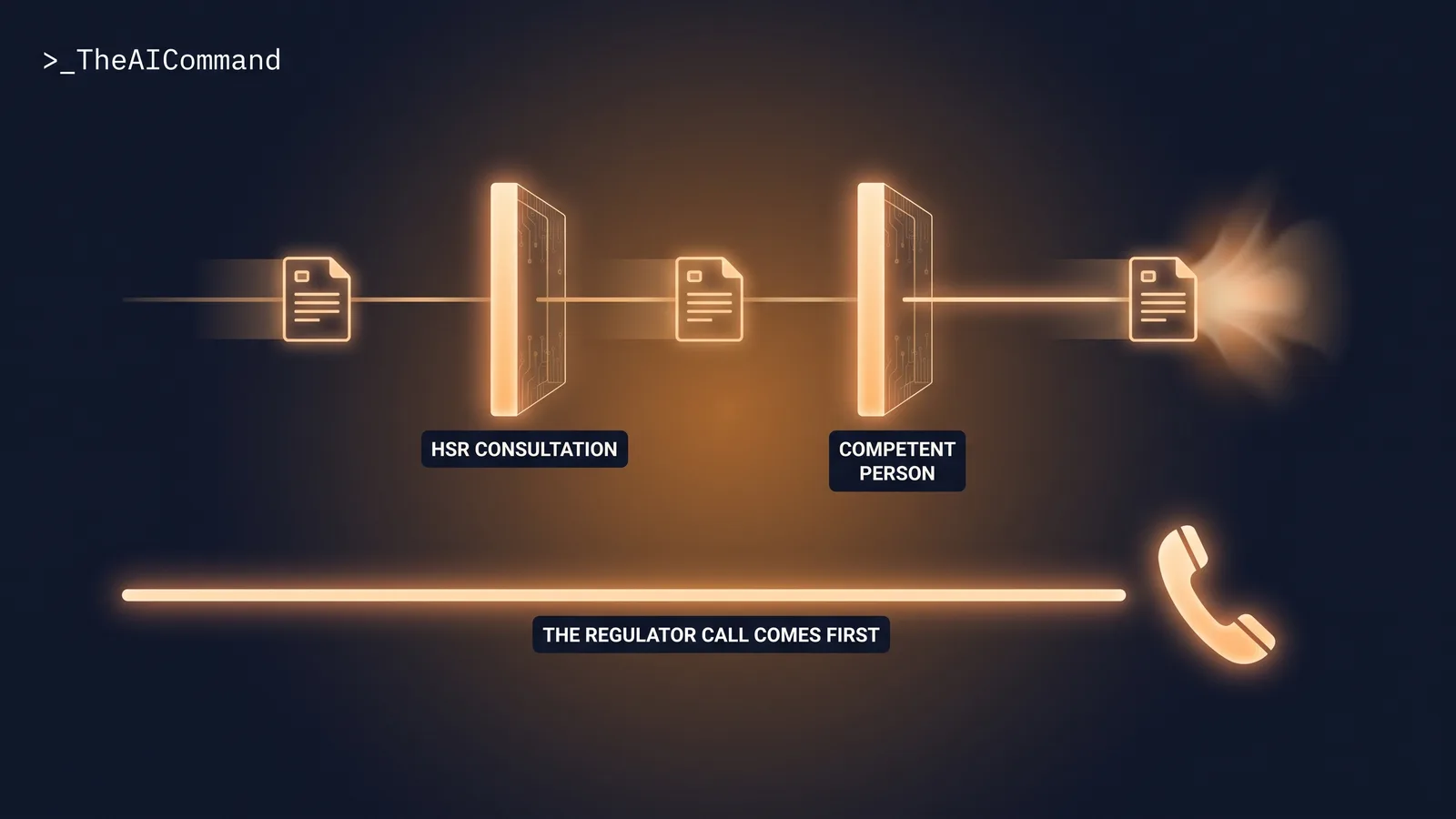
Safe Work Australia's guidance is that a PCBU must consult workers in managing work health and safety risks, including when "proposing changes that might affect workers' health and safety" (Safe Work Australia). A drafted alert is an input to that consultation, not a substitute for it: workers hold knowledge no drafting tool reaches, so the HSR sees the draft before workers do, and what the HSR knows routinely changes the content.
That is also why the gate sits before release rather than after it. Consultation that happens once the alert is already on the noticeboard is not consultation, it is announcement, and workers can tell the difference. The forklift example shows the mechanism plainly: the walkway history lived with the HSR, not in any input field, and no amount of refinement to the skill file would have surfaced it.
Competent-person review is the second gate, because a draft reads with the same confidence whether its facts are right or wrong, and a well-written wrong instruction is more dangerous than a clumsy right one. The competent person checks what the file cannot encode: the control, the facts, and the register. Fluency is the specific hazard here. A human drafter who is unsure writes like someone unsure, and the hesitation itself invites a check before release. A model never hesitates. The competent-person gate exists because the usual signal of doubt is missing from the page, so the check has to be structural rather than triggered by tone.
Notifiability is not this skill's territory. It is a human judgement, made first, and Part 9 builds a triage skill around that boundary. Notification is discharged by notifying, not by describing, so a polished draft in a review queue is not the duty done. Drafting never delays the phone call.
The reason that guardrail is written into the file, rather than left to judgement on the day, is timing. A drafting tool makes producing the communication feel like progress, and progress on the wrong task is exactly how an urgent obligation slips. Keeping the rule inside the skill means the reminder surfaces at the moment the temptation does, in the tool, in front of the person about to draft instead of dial.
Bottom line
Safety alerts fail when they are generic, long and blame-flavoured. A safety comms skill file encodes the plain-language, site-specific standard once: de-identified facts in, four lines and one clear action out, HSR consultation and competent-person sign-off on every draft, and a standing guardrail that drafting is never notification. The build is five prompts, and the real effort is the interview, where the standard finally gets written down.
Do this Monday:
- Pull your last three alerts and mark the filler, buried actions and blame language.
- Run the five-prompt build chain with your channels and review chain.
- Install it as project instructions, or natively where your plan supports Skills.
- Test it on a de-identified past incident and take the draft to your HSR.
- Name an owner and book the first review.
None of the Monday steps needs a budget or a rollout plan. The first one takes minutes and usually settles the argument on its own: three recent alerts, marked up honestly, will show the team exactly what its standard has been in practice. The rest of the list is simply writing down the standard the team would defend to its own workers, then giving that standard somewhere durable to live.
Take it with you
The blank template, and the five prompts.
The five prompts, in order. Interview: extract the team's standard. Draft: turn the answers into the six-part file, guardrails included. Test: run a fictional near miss through it. Refine: close every gap the test exposed. Maintain: scheduled review against site and channel changes.
The Skill File Series
Ten reusable skills, two per domain, publishing 27 July to 7 August 2026; links go live as each part publishes.
- The Decision Memo Skill File
- A Policy-Grounded HR Query Skill File
- A Reg-Change Impact Assessment Skill File
- The Safety Comms Skill File (this article)
- The Claim Chronology Skill File
- Who Owns Your Team's Skill Library?
- The Investigation Chronology Skill File
- Skill Files Are Controlled Documents
- An Incident Notification Triage Skill File
- A Determination Evidence-Check Skill File
This article is general information for Australian workplaces, not legal or work health and safety advice. Confirm your duties against the WHS or OHS law and codes of practice that apply in your jurisdiction. Never paste real personal, health, or incident data into a model that is not an approved enterprise instance.
TheAICommand. Intelligence, At Your Command.