LM-S01 · ai-setup · Practitioner tier
Set Up Your AI Command Centre
Workspace setup for ChatGPT Enterprise and Claude Cowork: voice profiles, role playbooks, and a second brain
What you'll be able to do
- 1.Configure a persistent AI workspace with custom instructions, a voice profile and a markdown source library on ChatGPT Enterprise or Claude
- 2.Build a reusable writing-style.md file by running a structured AI-led voice interview and compiling the transcript
- 3.Design role-specific project spaces for workers compensation, WHS, GRC, HR and leadership work, including mandatory de-identification controls
- 4.Apply prompt chaining to decompose recurring processes into research, structure, draft and review steps with human checkpoints
- 5.Construct a second brain using PARA and CODE on either the ChatGPT Projects path or the Claude Cowork and Obsidian path, and maintain it with a weekly review
- 6.Evaluate AI outputs and workspace practices against governance guardrails: enterprise data controls, de-identification and the human decision boundary
4 lessons · read straight through, or use lesson view once the page loads.
Most professionals use AI the same way every time: open a blank chat, type a request, get a generic answer, then spend ten minutes correcting the tone, the structure and the assumptions. The next day they open another blank chat and pay the same tax again. The model never learns your role, your reader or your standards, because nothing you taught it yesterday survived the session.
An AI command centre is the fix. It is a configured workspace where the AI already knows your voice, your role, your sources and your boundaries before you type a word. The configuration lives in a small set of plain-text files and standing instructions: a voice profile built from a structured interview, a custom-instruction block that travels with every chat, a library of markdown files holding your templates and terminology, and a set of prompt chains for the work you repeat. Set it up once and every future session starts warm.
The difference compounds. A practitioner who has invested two or three hours in setup gets first drafts that sound like them, follow their templates and cite their sources. An ad hoc user gets a competent stranger. Over a year of daily use, the gap is measured in working weeks, and it shows up in quality as well as speed, because a configured workspace enforces the checks a rushed human forgets.
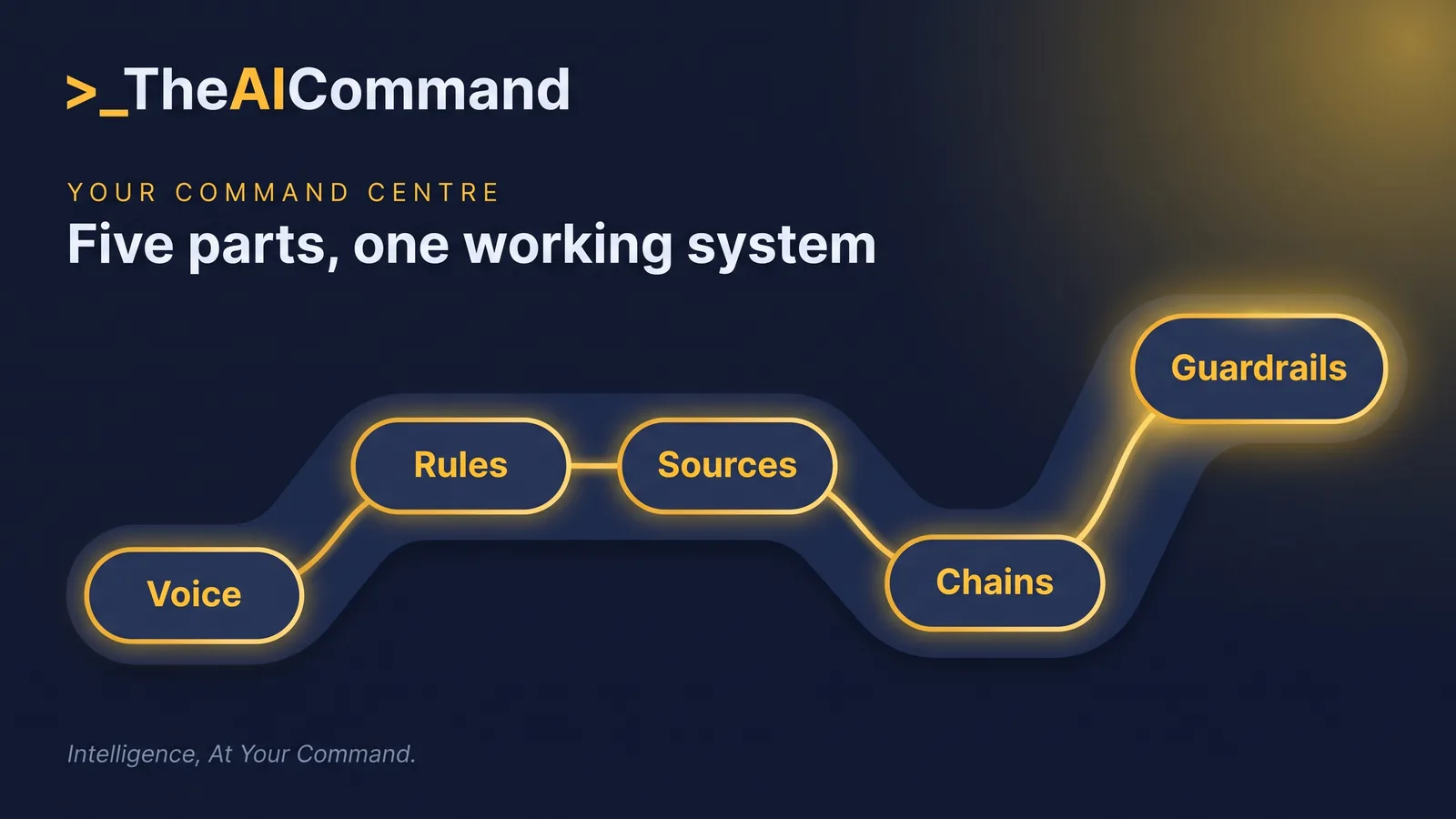
This module builds your command centre in four parts. Part 1 is the universal method: a voice-profile interview, custom-instruction blocks, a markdown source library, prompt chaining and process mapping, all platform-neutral. Part 2 turns the method into five role playbooks for workers compensation, WHS, GRC, HR and leadership work. Part 3 extends the workspace into a second brain that outlives any single chat, on either the ChatGPT Enterprise path or the Claude and Obsidian path. Part 4 sets the governance guardrails that keep the whole thing defensible. A 30-question assessment at the end checks what stuck.
Part 1: The universal method
Everything in this part works on any capable AI platform. The examples name ChatGPT and Claude because they are two of the most widely deployed enterprise AI platforms and the two this module has verified against current vendor documentation, but the method is the point: interview, instruct, file, chain, map. You can run all five steps this week, in order, in a few hours total.
Step 1. The voice-profile interview
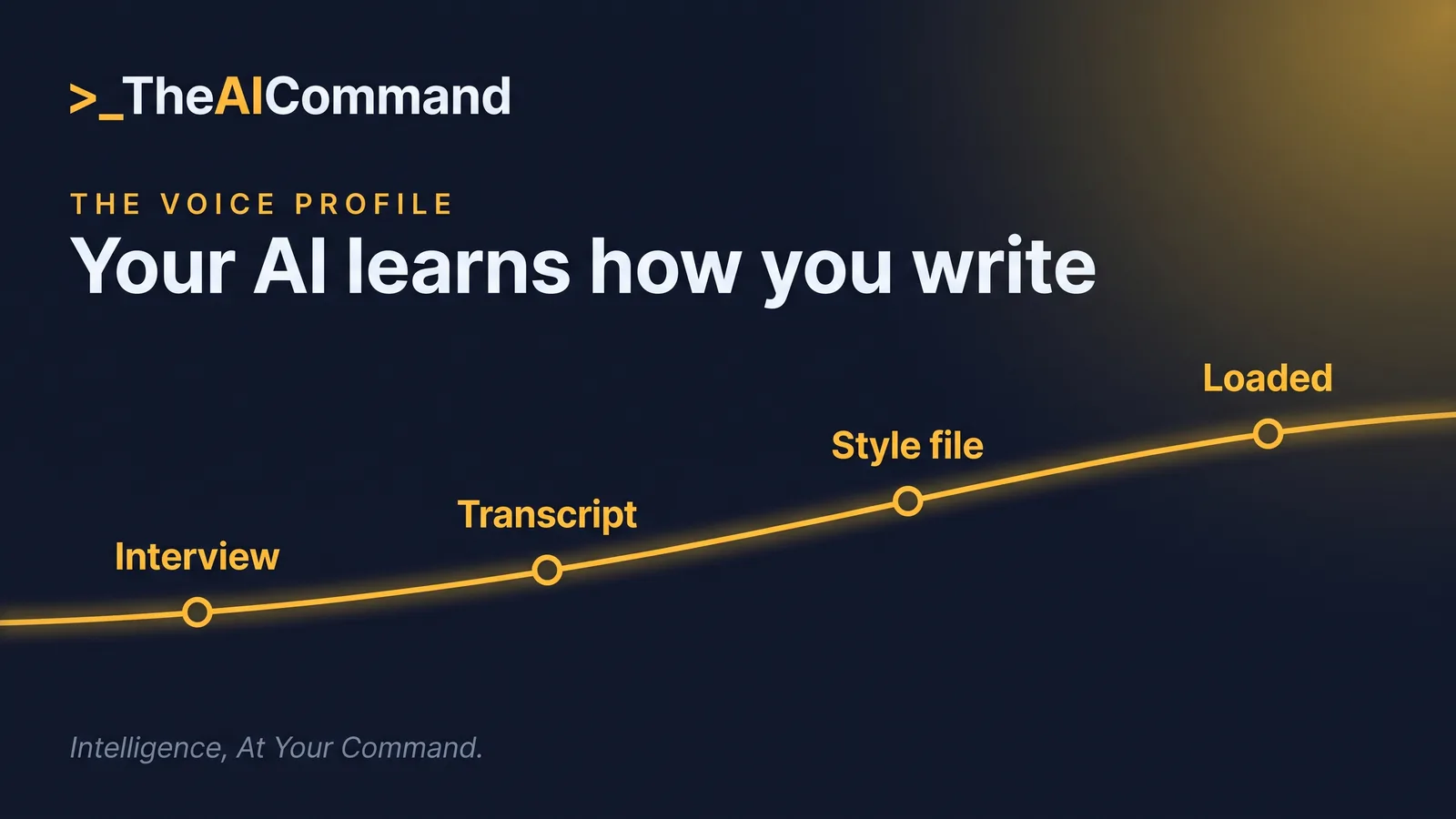
Generic AI output fails first on voice. The fastest fix is not to describe your style from memory; it is to let the AI interview you, then compile what it heard. An interview surfaces preferences you would never think to write down, and it captures real example sentences, which teach a model more than any adjective can.
Run the prompt below in a fresh chat. Answer honestly and paste real writing samples when asked. The profile is only as good as the evidence you feed it.
When the interview finishes, run the second prompt in the same chat. It converts the transcript into a file you will reuse everywhere.
Save the output as writing-style.md. This file is the foundation stone of the command centre: it will be uploaded to your ChatGPT project, placed in your Claude working folder, and referenced by every prompt chain you build. Expect to refine it after the first week of use. The first version always over-weights how you think you write and under-weights how you actually write, so keep correcting it against real drafts until the gap closes.
Step 2. Custom-instruction blocks
Custom instructions are the standing brief the platform injects into every conversation. On ChatGPT they are available on every plan and apply immediately to all chats; the longer form fields have a 1,500 character limit, roughly 250 words, so every sentence has to earn its place. On Claude, the equivalents are project instructions inside a claude.ai project, and in Claude Cowork on the desktop, standing instructions that apply to every session plus folder instructions that add context when you connect a local folder.
One behaviour matters more than any other on the ChatGPT side: inside a project, project instructions apply only in that project and override your global custom instructions. So write the two layers to different jobs. Global instructions carry who you are everywhere; project instructions carry the rules of one workspace. Written that way, they never fight.
Use the fill-in template first, then read the worked example to calibrate the level of specificity that actually works.
Notice what the worked example does not contain: no task, no confidential detail, no politeness padding. Custom instructions are for stable facts and standing rules. Tasks go in individual prompts; knowledge goes in files. That three-way split is the whole discipline.
Step 3. The writing-style file and the source library
The third layer is a small library of markdown files holding the knowledge your instructions cannot fit. Four files cover most professionals:
- writing-style.md: the voice profile you built in Step 1.
- key-sources.md: the documents, registers, legislation and internal pages you rely on, each with a one-line note on what it is authoritative for.
- glossary.md: your organisation's terms, acronyms and preferred usage, so the AI stops calling a determination a verdict.
- stakeholders.md: your recurring audiences and what each needs. The committee wants the finding first; the operations team wants the steps.
On ChatGPT, upload the library to a Project: Enterprise workspaces support 40 files per project, file types include documents, spreadsheets and text files (which covers markdown), and ChatGPT searches and references what you upload when it answers. On Claude, place the same files in the local folder you connect to Cowork, or add them to a claude.ai project knowledge base, which automatically switches to a retrieval mode on paid plans when the knowledge grows large. Same library, either platform.
Quality in these files means density, not length. A good key-sources.md entry looks like this: "Obligations register (SharePoint, Risk team page): the authoritative list of our regulatory obligations, owners and linked controls. Update cadence monthly. If a draft conflicts with this register, the register wins." One line of description, one line of authority ranking. Ten entries written that way outperform a fifty-page knowledge dump, because the AI can tell what to trust when two sources disagree, and so can the colleague who inherits your setup.
Step 4. Prompt chaining
A single mega-prompt asks the model to research, organise, write and check in one pass, which is where quality quietly dies. A chain breaks the work into steps with a checkpoint after each: research, then structure, then draft, then review. You approve the output of each step before the next begins, so an error in step one never contaminates step four.
The pattern generalises to almost any document. Here is a complete three-step chain that turns a regulator media release into a one-page team briefing. Run it inside your project space so writing-style.md is available to the AI, and paste one step at a time, approving each before the next.
Two habits make chains work. First, forbid the model from running ahead: each step ends by waiting for your approval, which is where your judgement enters the process. Second, make the review step check the draft against named criteria rather than a vague "improve this". A chain with an explicit review step catches most of what a tired human reviewer would miss at 4.55pm on a Friday.
Step 5. Mapping and combining processes
The final step of the universal method is deciding where to aim all this. Inventory your recurring work, score it, and template the top three processes only. Frequency multiplied by time saved, discounted where the cost of an error is high, is the ranking that works: a monthly report that takes four hours beats a daily email that takes four minutes.
Template the winners as prompt chains, save them into your library (an ai-prompts folder, or a single prompt-chains.md), and resist templating anything else until the first three run smoothly. The discipline matters: three working chains change your week; fifteen half-built ones change nothing.
Part 2: Five role playbooks
The universal method gets specific fast once a role is attached. The five playbooks below share one anatomy: a role-tuned interview to gather your context, a project-space blueprint you paste as instructions, a starter pack of markdown files, and two or three prompt chains for the artefacts the role actually produces. Build the playbook nearest your role this week; borrow from the others as your scope grows.
Playbook 1: Workers compensation
Workers compensation is the highest-stakes playbook in this module, because the inputs are personal injury information and the outputs affect entitlements. The payoff is real: determination briefs, RTW plan summaries and file notes are structured, repeatable documents that AI drafts well. The risk is real too, which is why this playbook starts with a rule rather than a prompt.
Starter pack for the WC space:
- writing-style.md: your voice profile.
- wc-legislation-map.md: the sections you use most, each with a one-line plain-language summary and the tests it sets.
- determination-brief-template.md: your team's brief structure, headings and evidence table.
- rtw-plan-summary-template.md: the fields a return to work summary must cover.
- de-identification-checklist.md: what gets replaced, with the placeholder for each item.
- glossary.md: scheme terminology and your organisation's preferred usage.
Chains worth building first:
- Determination brief chain: extract the de-identified evidence and map each item to the relevant legislative test, then structure the brief against determination-brief-template.md and approve the skeleton, then draft in deterministic language with a For human review list for the delegate.
- RTW plan summary chain: extract obligations, milestones and review dates from the de-identified plan, then structure them against rtw-plan-summary-template.md, then draft the summary and flag any milestone at risk.
- File note chain: paste de-identified call or meeting notes, then structure them into facts, actions and follow-ups, then draft the note in your register's required format.
Playbook 2: Work health and safety
WHS work produces three artefacts on repeat: incident summaries, hazard register updates and toolbox talk outlines. All three are structured documents with known fields, which makes them ideal chain material. The discipline this playbook adds is separating observed fact from inference, because an incident summary that blurs the two is worthless in any later proceeding.
Starter pack: writing-style.md, whs-duties-map.md (the duties and codes you work under, in plain language), incident-summary-template.md, hazard-register-fields.md (exact field names and allowed values), and toolbox-talk-format.md.
Chains worth building first:
- Incident summary chain: extract the timeline and facts from de-identified reports, then structure them per the template with facts and inferences separated, then draft and review that no legal characterisation crept in.
- Toolbox talk chain: pick the hazard theme and a recent de-identified example, then structure the talk per toolbox-talk-format.md, then draft the outline with three discussion questions for the crew.
- Hazard register chain: extract hazards from inspection notes, then map each to the register fields, then draft entries ready to paste into the register.
Playbook 3: Governance, risk and compliance
GRC work rewards a command centre more than any other role in this module, because its artefacts are dense with citations: control testing summaries, obligation mapping and board paper skeletons all fail on a single wrong clause reference. The blueprint therefore makes verification a standing rule rather than a request, and it forces the distinction between design effectiveness and operating effectiveness that reviewers look for first.
Starter pack: writing-style.md, obligation-register-extract.md (a de-identified slice of the register: obligation, source, owner, controls), control-testing-template.md, board-paper-skeleton.md, glossary.md, and regulator-watchlist.md (which regulators you track and what each has signalled recently).
Chains worth building first:
- Control testing summary chain: extract results and exceptions from working papers, then structure them against control-testing-template.md, then draft with every rating justified and a For human review list of claims to verify.
- Obligation mapping chain: paste an obligation extract, then map each obligation to the business processes and controls that address it, then draft a gap table with owners and next steps.
- Board paper chain: extract findings from the control testing summaries, then structure against board-paper-skeleton.md, then draft with citations back to the obligation register and review against your board's known send-back triggers.
Playbook 4: Human resources
HR sits closest to the governance guardrails in Part 4, because so much of its raw material is personal information about employees. The playbook splits the work cleanly: structural artefacts (position descriptions, policy comparisons, consultation packs) belong in the project space; case work about named individuals does not enter it at all.
Starter pack: writing-style.md, pd-template.md, policy-index.md (every policy you touch, with its current version date and owner), consultation-pack-checklist.md, and glossary.md covering your instruments and classification language.
Chains worth building first:
- Position description chain: run a short question set with the hiring manager and paste the answers, then structure them against pd-template.md, then draft the PD and run an explicit bias and genuineness check over every requirement.
- Policy comparison chain: extract the clauses from both versions, then build the clause-by-clause comparison table, then draft a one-page briefing on what changed and who needs to know.
- Consultation pack chain: extract the scope and rationale of the change, then structure the pack against the checklist, then draft with every affected role named and every open question listed.
Playbook 5: Leaders
People leaders produce a different artefact set: team communications, one-on-one preparation and decision memos. The command centre earns its keep here on consistency: the same decision-memo skeleton every time makes decisions comparable months later, and a comms rhythm file stops the weekly note drifting in tone. The privacy rule is simpler than HR's but just as firm: nothing about an individual's performance, health or personal circumstances enters the space.
Starter pack: writing-style.md, team-context.md (what the team does, current priorities, standing constraints), decision-memo-template.md, comms-rhythm.md (what you send, to whom, how often, in what format), and achievements-log.md (a running record of wins, updated weekly, which quietly becomes the best input to recognition, reporting and your own performance review).
Chains worth building first:
- Decision memo chain: paste the context and the options on the table, then structure them against decision-memo-template.md, then draft with the risks accepted stated plainly and a closing line on what evidence would change the decision.
- Team comms chain: state the single purpose of the message and paste the raw points, then structure with the action first, then draft in the register set by writing-style.md and cut it by a third.
- One-on-one prep chain: paste the agenda points and relevant team-context.md extracts, then structure into themes, then draft open questions for each theme rather than conclusions.
A note on combining playbooks: the five spaces share their foundations deliberately. writing-style.md is written once and copied into every space, and glossary.md into every space that works with organisational terminology, so a correction made during the weekly review propagates everywhere on the next sync. If your role spans two playbooks, a WHS practitioner who also manages claims, or a leader who owns an HR portfolio, build two separate project spaces rather than one hybrid. Separate spaces keep the rules clean: the WC space enforces claimant de-identification without exception, and blending it with softer rule sets is how exceptions creep in.
Part 3: The second brain
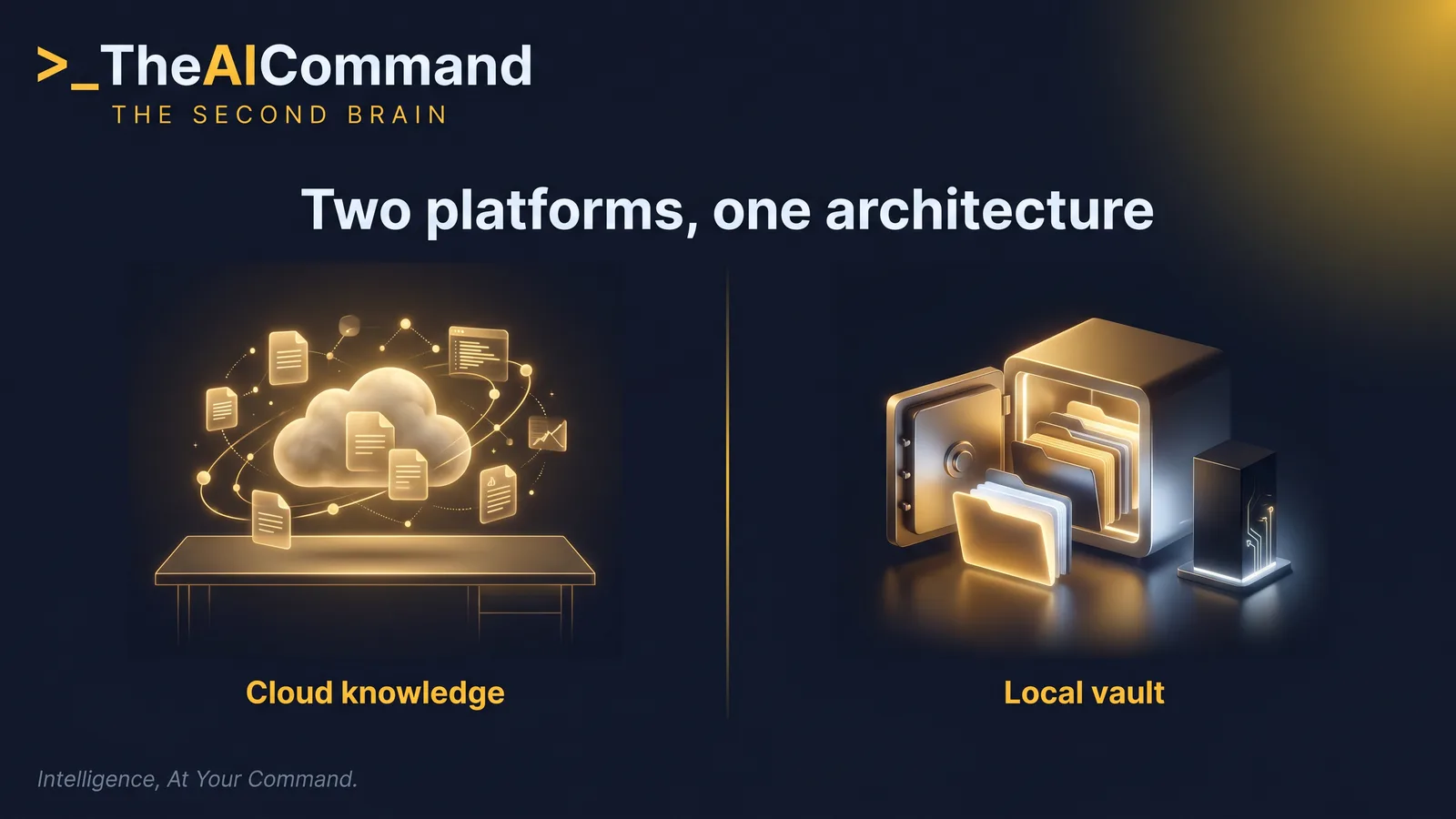
Everything so far configures the conversation. A second brain goes one layer deeper: it is persistent, organised, retrievable knowledge that outlives any single chat, any project and, if built properly, any platform. Chats are ephemeral. Platform memory features help, but they are platform-bound and largely opaque. A folder of well-organised markdown files is yours, forever, and both major platforms can work from it.
Two frameworks from Tiago Forte give the structure. PARA organises everything you keep into four categories: Projects (short-term efforts with a defined goal), Areas (parts of your work and life that need ongoing attention), Resources (topics you are interested in and learning about) and Archives (inactive material from the other three, kept for reference). CODE describes the flow through it: Capture what is valuable, Organise it into usable pieces, Distil what matters for your current goals, and Express it as output. PARA is the filing cabinet; CODE is what your hands do.
Here is a concrete PARA tree for a compliance professional. The numbers force the sort order, the inbox gives capture a home, and the ai-prompts folder keeps your chains inside the system they serve.
Build A: the ChatGPT Enterprise path
ChatGPT has no local-folder mount, so the second brain lives as a folder on your machine and mirrors into Projects. Create one project per major Area or live Project, and upload the relevant slice of your tree: Enterprise supports 40 files per project, with unlimited projects and up to 10 files per upload batch. Set the project instructions to name the uploaded files and what each is authoritative for, and ChatGPT searches and references them when answering.
Memory needs one deliberate decision at project creation: default memory or project-only memory. In Enterprise and Edu workspaces, project chats are contained within the project either way; they cannot reference conversations outside it, and outside conversations cannot reference them. Sharing a project with your team switches it to project-only memory automatically and permanently, and shared projects never access any member's personal memories or custom instructions. For a second brain, that containment is a feature: each project accumulates its own working context without bleeding into the rest of your account.
The one operational habit this path demands: the local folder stays the source of truth, and the project holds a mirror. When a file changes, re-upload it. Fold that into the weekly review below and the mirror never drifts far.
Build B: the Claude path (Cowork plus Obsidian)
Claude Cowork removes the upload step entirely. Cowork reads from and writes to files in folders you connect, so you point it at the second-brain folder and it works on the files in place: reading your sources, drafting new documents into the right subfolder, updating your logs. It runs on the Claude Desktop app (macOS, Windows, and Linux in beta) on paid plans, the app must stay open while it works, and folder instructions carry the standing context for the folder, which Claude can update itself during a session. Cowork projects bind a folder, instructions and memory together, with memory scoped per project and stored locally.
Pair the folder with Obsidian and you get a proper reading and linking interface over the same files. Obsidian stores notes locally as plain-text markdown, is free without limits for personal use, and has been free for commercial use since 20 February 2025, with the commercial licence now an optional way to support development. Make your Obsidian vault the same folder Cowork connects to: because the vault is just plain-text files, Cowork reads and writes it directly, while you browse, link and search it in Obsidian. Two tools, one set of files, no sync step.
If you work on Claude through the browser rather than the desktop app, claude.ai projects are the fallback: upload the relevant slice of your tree as project knowledge, set project instructions, and let the automatic retrieval mode handle scale. Memory on claude.ai is available on every plan, with a memory summary synthesised from your chats and a separate memory space per project, so each workspace accumulates its own context there too. The trade-off against Cowork is the same as ChatGPT's: uploads instead of a live folder, so the weekly re-sync habit applies.
The weekly rhythm
A second brain decays without maintenance, and the fix is older than AI. David Allen's Getting Things Done names the weekly review as the critical behaviour that makes personal organisation real, done at least once a week. Tiago Forte rebuilt it as a 15 to 30 minute operating system for digital work. Adapted for the command centre, the checklist is:
- Capture: sweep loose notes, downloads and meeting scraps into 00-inbox, then empty the inbox into the right folders.
- File: move new documents into projects, areas or resources; delete duplicates and dead drafts.
- Update: add the week's wins to achievements-log.md if you keep one (the performance review module, LM-S02, builds a full system on that file); correct key-sources.md and glossary.md if anything changed.
- Archive: move finished or stalled projects to 40-archive so live folders stay lean.
- Re-sync: re-upload changed files to your ChatGPT projects; the Claude folder needs no sync step.
- Refresh (monthly): skim writing-style.md against your latest approved drafts and correct any drift.
Thirty minutes on a Friday afternoon keeps the whole system honest. Skip it for a month and the glossary is stale, the inbox is a landfill, and the AI is confidently citing last quarter's version of your sources.
Part 4: Governance and privacy guardrails
The command centre only works if it is defensible, and defensibility rests on three rules. Rule one: workplace data belongs in employer-approved enterprise tools, never in personal consumer accounts. The enterprise tier is not a cosmetic upgrade; OpenAI does not train its models on ChatGPT Enterprise business data by default, covering conversations, uploaded files and project content, and workspace admins control retention. Claude's Team and Enterprise plans carry their own organisation-level admin controls over capabilities and connectors. But contractual and technical controls are configured by your organisation, not by you, so the practical rule is simple: check the approved-tool list and your organisation's AI policy before you build anything in this module, and build inside whatever it approves. When you read the policy, look for four specific answers: which tools are approved, which data classifications may enter them, whether AI-assisted outputs must be disclosed or labelled, and who signs off on new use cases. If the policy is silent on any of these, ask the question in writing before proceeding rather than after.
Rule two: de-identification is a default habit, not a WC-only rule. Any individual's personal information (a worker, an employee, a complainant, a customer) gets placeholders before it enters an AI tool, even an enterprise one, because training exclusion reduces one risk while the disclosure itself remains another. The habit costs seconds and removes an entire category of exposure.
Rule three: verification is part of the job, not an optional extra. Every blueprint in Part 2 bans invented citations and forces unverified claims to be labelled, and every chain ends with a review step against named criteria. Keep those lines in your instructions even when they feel repetitive. They are the difference between a command centre a risk function can sign off and a productivity hack it has to shut down.

What you have built
Finish this module's exercises and you own a working command centre: a voice profile compiled from a real interview, custom instructions that carry your standing rules into every chat, a markdown library any platform can read, chains for your three highest-value processes, a role project space with de-identification built into its instructions, a second brain organised by PARA and maintained by a weekly review, and guardrails a risk function would recognise. The blank chat box is gone, and everything you configured is in plain-text files you control.
The 30-question assessment below tests the method, the platform mechanics and the guardrails. Take it now, note the tier you land in, and come back after four weeks of running the system to see how far the practice has moved you.
Practical takeaways
Do this Monday
- Check the AI policy first. Confirm which tools your organisation approves, which data classifications may enter them, whether AI-assisted outputs must be disclosed, and who signs off on new use cases. Build inside whatever the policy allows, and ask in writing where it is silent.
- Run the voice-profile interview. Open a fresh chat in your approved tool, paste the Step 1 interview prompt, answer honestly with real writing samples, then compile the transcript into writing-style.md. Budget 45 minutes.
- Set your custom instructions. Fill in the Step 2 template: who you are, how to respond, and the three standing rules. Keep it inside the 1,500 character field on ChatGPT, or paste it as project instructions on Claude.
- Build the four-file library. Draft key-sources.md, glossary.md and stakeholders.md alongside writing-style.md, ten dense entries beating fifty thin ones, then upload them to a project or place them in your Cowork folder.
- Run the process inventory. Use the Step 5 prompt to score your recurring work, pick the top three processes, and template the first one as a research, structure, draft and review chain.
The setup checklist
- writing-style.md compiled from a real interview, not from memory, and corrected against real drafts after the first week of use.
- Custom instructions split cleanly: global instructions carry who you are everywhere; project instructions carry the rules of one workspace.
- The four-file library (writing-style.md, key-sources.md, glossary.md, stakeholders.md) saved as markdown, with an authority ranking on every key-sources.md entry.
- Every project-space blueprint ends substantive drafts with "For human review:" and the highest-risk points a reviewer should verify.
- De-identification applied at the source: [CLAIMANT_NAME], [CLAIM_NUMBER] and [DATE_OF_BIRTH] placeholders before any material is pasted, even in an enterprise workspace.
- Prompt chains stop and wait for approval after every step, and the review step checks the draft against named criteria rather than a vague improve-this.
- Only the top three processes templated as chains; nothing else until those three run smoothly.
- The second brain organised by PARA, with numbered folders forcing the sort order and an 00-inbox giving capture a home.
- The weekly review booked as a recurring 15 to 30 minute slot: capture, file, update, archive, re-sync.
- Workplace data only ever in employer-approved enterprise tools, never in a personal consumer account.
Your prompt library
Every prompt box in this module is built to be lifted as-is: the voice-profile interview, the role interviews, the blueprints, the worked chain and the process inventory. Copy each one into the ai-prompts folder inside 30-resources, or into a single prompt-chains.md, so your prompts live in the same second brain they help you run and survive any platform change.
Test your knowledge
LM-S01 assessment. 30 questions
25-30 minutes. One question per screen. Your progress is saved locally for 30 days, so you can pick up where you left off. Submit anytime to see your score, tier, and per-question rationale.
Related library
Skip the blank page: ready-to-paste platform configurations
This module teaches the set-up method; the configuration library packages it per platform and profession. Each page carries the instruction text to paste, the files to attach, the first three prompts, and what never goes into that platform, verified against the platform's own data-handling documentation.
Browse the configurationsWorking in workers compensation? Benchmark your practice with the free, anonymous WC Self-Assessment.
Read next

Corporations Act 2001 (Cth)
The Corporations Act 2001 (Cth) is the consolidated statute governing companies, financial product issuers and distributors, and the directors who oversee them. The Act sits at the apex of the Australian financial services regulatory hierarchy. The Australian Securities and Investments Commission (ASIC) is the lead reg
Read article
Privacy Act 1988 (Cth) and the Australian Privacy Principles
The Privacy Act 1988 (Cth) is the principal Commonwealth statute governing personal information handling in Australia. It binds APP entities, including all Australian financial services providers because of the financial services carve-out from the small business exemption. The 13 Australian Privacy Principles (APPs) s
Read article
Anti-Money Laundering and Counter-Terrorism Financing Act 2006 (Cth)
The Anti-Money Laundering and Counter-Terrorism Financing Act 2006 (Cth) (the AML/CTF Act) is the Commonwealth statute that obliges Australian reporting entities to detect, deter, and disrupt the movement of illicit funds and the financing of terrorism. The Act is administered by the Australian Transaction Reports and
Read articleGeneral information and education only. Not legal, compliance, financial, or professional advice. Verify any time-sensitive obligation against the primary source.
TheAICommand. Intelligence, At Your Command.