




Practical AI at Work, free to download
Six short parts with worked examples, exercises and checklists: choosing the task, checking sources, drafting, spreadsheets, accessible outputs and workflows your team can repeat.
Get the manual →Start here
What do you want to do?
Catch up on AI
Analysis and short AI Updates on what changed and why it matters at work.
Apply AI in my profession
Workers compensation, WHS, GRC, HR and leadership, each with its own track.
Build a skill or workflow
Skills, workflow recipes, platform set-ups, manuals and templates, filtered by task.
Choose an AI tool
Seven AI apps: plans in AUD, connected workflows and published evals, explained for your work.
Check my readiness
A free quick check or a full assessment with a 90-day plan for your role.
Read the monthly Brief
The month in AI for professionals, in one free read.
Most recent
Latest articles

The Person Who Built the Workflow Is Away. What Happens Next?
Give another authorised person the inputs, instructions, dependencies, checks and recovery route needed to operate the workflow. Then exercise that handover in a safe environment. Include a missing dependency and confirm that work stops correctly. Documentation alone does not prove continuity, and sharing the builder's credentials is not an acceptable shortcut.
Read article
What the Next Case Manager Needs to Pick Up the Claim
Give the receiving claims manager, often called the case manager, a source-linked current position, an action list and visible unresolved matters. Use AI only to organise approved material. Keep conflicting notes separate, identify who must clarify them and verify the draft against the file. The handover must not make decisions about liability, capacity or entitlement.
Read articleFeatured this week
More from this week.

Inspection Notes Need a Clear Route to Action
Preserve each inspection observation, then draft a source-linked follow-up with the missing details visible. A competent person confirms urgency, the appropriate response and evidence needed. AI can organise repeated notes and prepare questions. It cannot perform the inspection, establish an unobserved cause, choose controls autonomously or certify their effectiveness.

What Counts as Evidence That an Audit Action Is Closed?
Closure needs evidence matched to the agreed action and the organisation's closure methodology, followed by an authorised human decision. Implementation records and evidence of operation answer different questions. AI can assemble a comparison and identify gaps. It cannot turn an owner's progress statement into proof or decide that residual risk is acceptable.
Read article
Build, Buy or Stop: Make the AI Workflow Decision Explicit
Compare the work before comparing products. Describe the outcome, establish a manual baseline and assess building, buying and stopping the proposed automation. Include preparation, checking, maintenance and exit effort. Commit only when the evidence supports the option and someone can maintain it. An attractive demonstration does not establish ongoing value.
Read article
Which AI Subscription Fits a Week of Your Work?
Choose from a written week of tasks, then check the smallest plan that can support them. Compare permitted inputs, required tools, usage limits, review effort and the amount actually payable. Start with free access where suitable. Buy additional access only against a specific unmet need, with a review date.
Read article
What Needs to Happen After the Noise Report Arrives?
Turn each report recommendation into a traceable draft action while retaining its location, conditions and limitations. Keep specialist questions separate from implementation work. A human confirms priorities, owners and review evidence. AI can organise the report; it cannot measure noise, choose a safe exposure level or declare the workplace safe.
Read article
Your First Testable Project in Codex Desktop
Start with a synthetic follow-up register that has a few visible behaviours: show recommendations, retain their source references, expose missing information and export the current records. Write acceptance cases before asking Codex to build it. A convincing screen is a preview; a recorded comparison of expected and actual behaviour is evidence.
Read article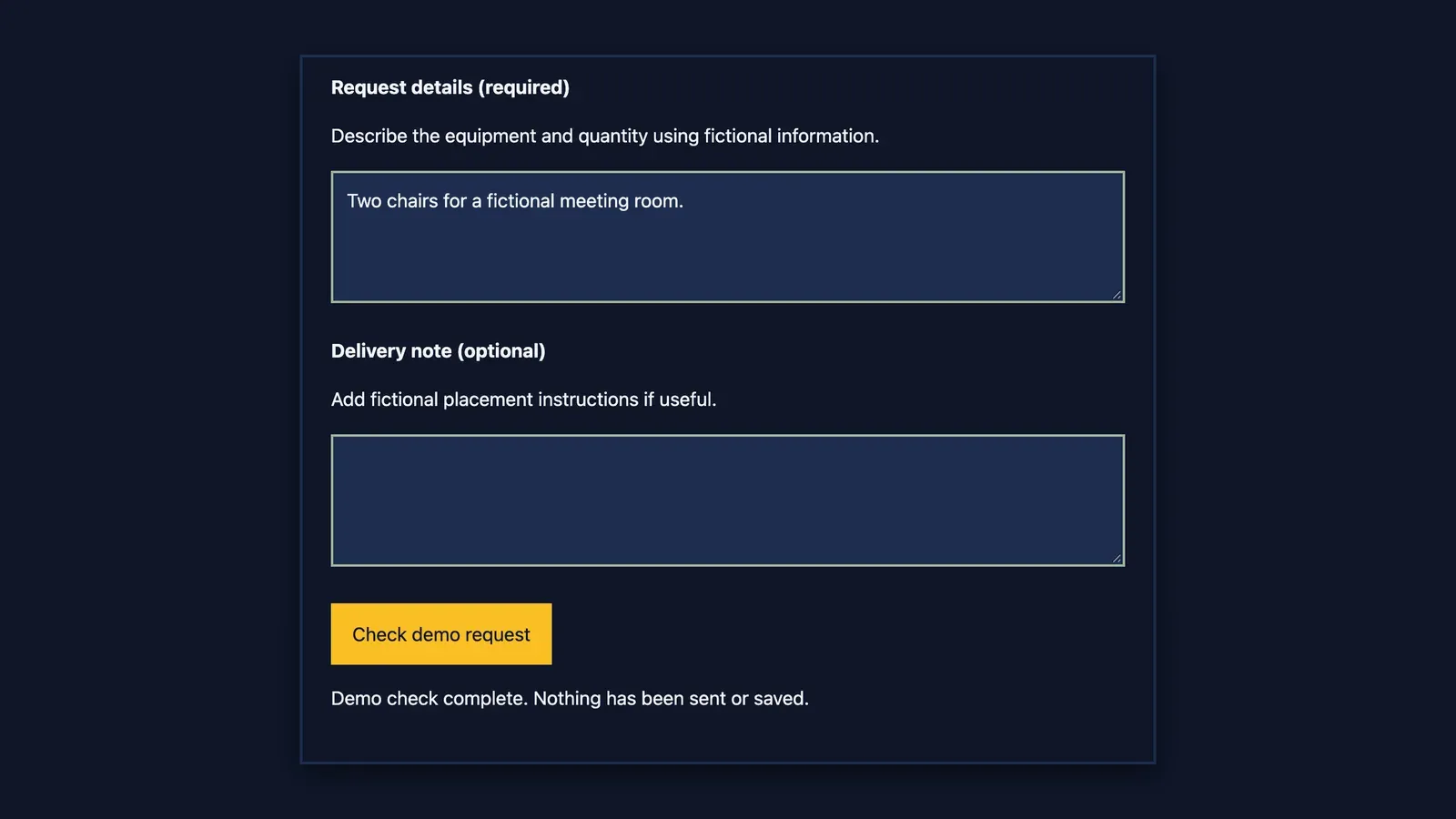
From a Plain-Language Brief to a More Accessible Form
Turn the brief into a small field specification before asking AI for code. Use persistent labels, associated instructions and a clear recovery path. Run the form locally with fictional values, then inspect keyboard and error behaviour. The demonstration here has no submission service. Further accessibility testing remains necessary before any operational use.
Read articleFor practitioners
Pick your practice area.

WC & AI
AI applications in workers compensation under the SRC Act and Comcare scheme.

WHS & AI
Operational, psychosocial and assurance work in workplace health and safety.

GRC
AI governance and everyday assurance work for compliance and risk professionals.

HR & AI
Practical HR operations with AI, from policy drafting to reporting.

Leadership
Leading teams through AI adoption with clear decisions and safe habits.
AI tool comparison
Seven AI apps, compared on the evidence.
Four of the seven below. The full comparison adds Codex, Copilot and Grok, plans in AUD, and 647 published eval scores at each effort level, each with its source. No overall winner: the right tool depends on the task.
OpenAI
Scheduled tasks from the Go plan up.
Anthropic
Connectors and file creation on every plan, including Free.
Gemini in Gmail, Docs and Sheets on the higher plans.
Perplexity
Research and search are the core of the product.
AI Readiness Assessment
Find out where you actually stand, and exactly what to do next.
Two ways in. Take the quick check for an at-a-glance read on your role's AI maturity, or unlock the full assessment for a deeper diagnostic, a 90-day plan, and a Personalised Prompt Pack.
Quick check (15 questions)
A 5 minute pulse on your role's AI readiness. Tier badge, one to two prompts, downloadable PDF. No email needed.
Start the quick check →Free, deeper diveFull assessment (~25 questions)
A complete diagnostic across four dimensions. Radar chart, 90 day action plan, three to five prompt Personalised Prompt Pack with full setup, risk and rubric notes.
Start the full assessment →Our method
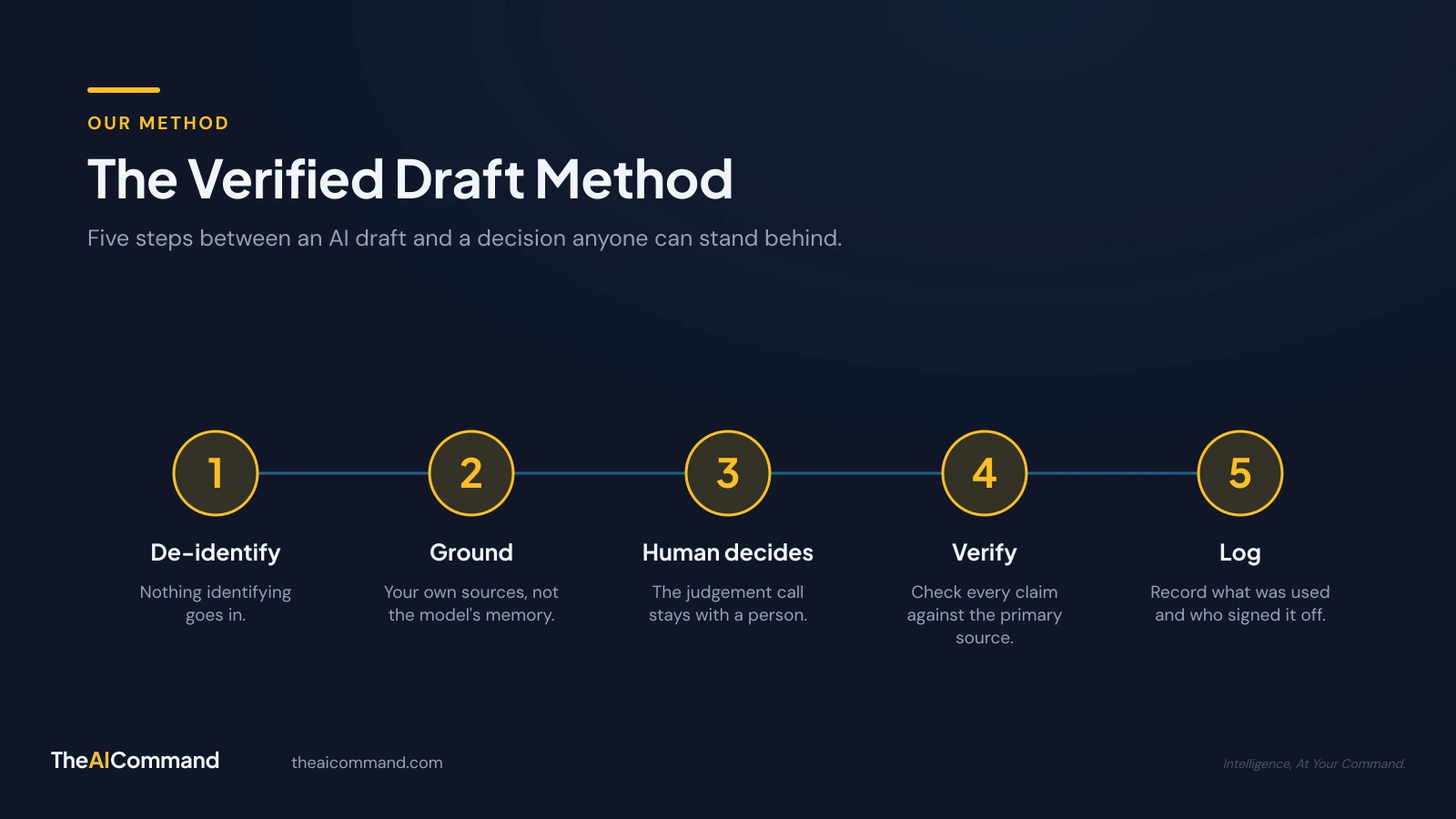
Five steps between an AI draft and a decision.
TheAICommand works to the Verified Draft Method: de-identify the inputs, ground the model in your own source material, keep a person at the decision point, verify against the primary source, and log what happened.
Workers Compensation & AI
Where AI meets the SRC Act, written peer-to-peer.
Practical guides, governance explainers, and ART case-law briefings. Written peer-to-peer for case managers, claims officers, and scheme advisors. Educational only, never legal advice.
Leveraging AI to assist dissecting the SRC Act Review.
A practitioner workflow for employers to dissect the December 2025 SRC Act Review with AI tooling, end to end.
The De-Identification Toolkit for Case Managers Working With AI.
A practical de-identification framework for claim narratives before any retrieval call leaves your perimeter.
Take the WC Self-Assessment
Map your SRC Act practice capability, with AI leverage woven through. An educational self-reflection tool with a personalised PDF report: radar chart, 90-day plan, prompt pack, and risk heatmap.
Follow
Follow TheAICommand.
Short reels, carousels and threads on the same practical AI topics, on four platforms.