Strip the identifiers before you paste anything. De-identification means clearing five categories of identifier from any workers compensation text, replacing each with a consistent bracketed placeholder set, and re-identifying the AI output only at the final write step inside your case management system.
Why this is non-negotiable
Workers compensation files contain sensitive personal information. Case managers handle medical records, claim histories, employer correspondence, and treating practitioner reports as a matter of routine. Most AI tools, including the major commercial ones, process input at minimum on external infrastructure that sits outside the scheme operator's privacy boundary.
The principle is simple. The information that travels into the AI tool should not be capable of identifying any individual claimant. Every paragraph in this toolkit serves that principle.
The regulator agrees. The OAIC's Guidance on privacy and the use of commercially available AI products recommends, as a matter of best practice, that organisations "do not enter personal information, and particularly sensitive information, into publicly available generative AI tools", and confirms that privacy obligations apply to any personal information input into an AI system as well as to AI output that contains personal information. Workers compensation files are dense with sensitive information, so the toolkit below treats that recommendation as the operating baseline.
What are the five identifier categories to clear?
Every piece of text destined for an AI tool needs to be cleared of five identifier categories. The categories are intentionally broader than the strict legal definition of personal information because the goal is robustness, not minimum compliance. They also mirror the structure of the OAIC's guide De-identification and the Privacy Act, which describes de-identification as removing direct identifiers and then removing or altering other information that could be used to re-identify an individual. Categories one and three below are the direct identifiers; categories two, four and five are the "other information".
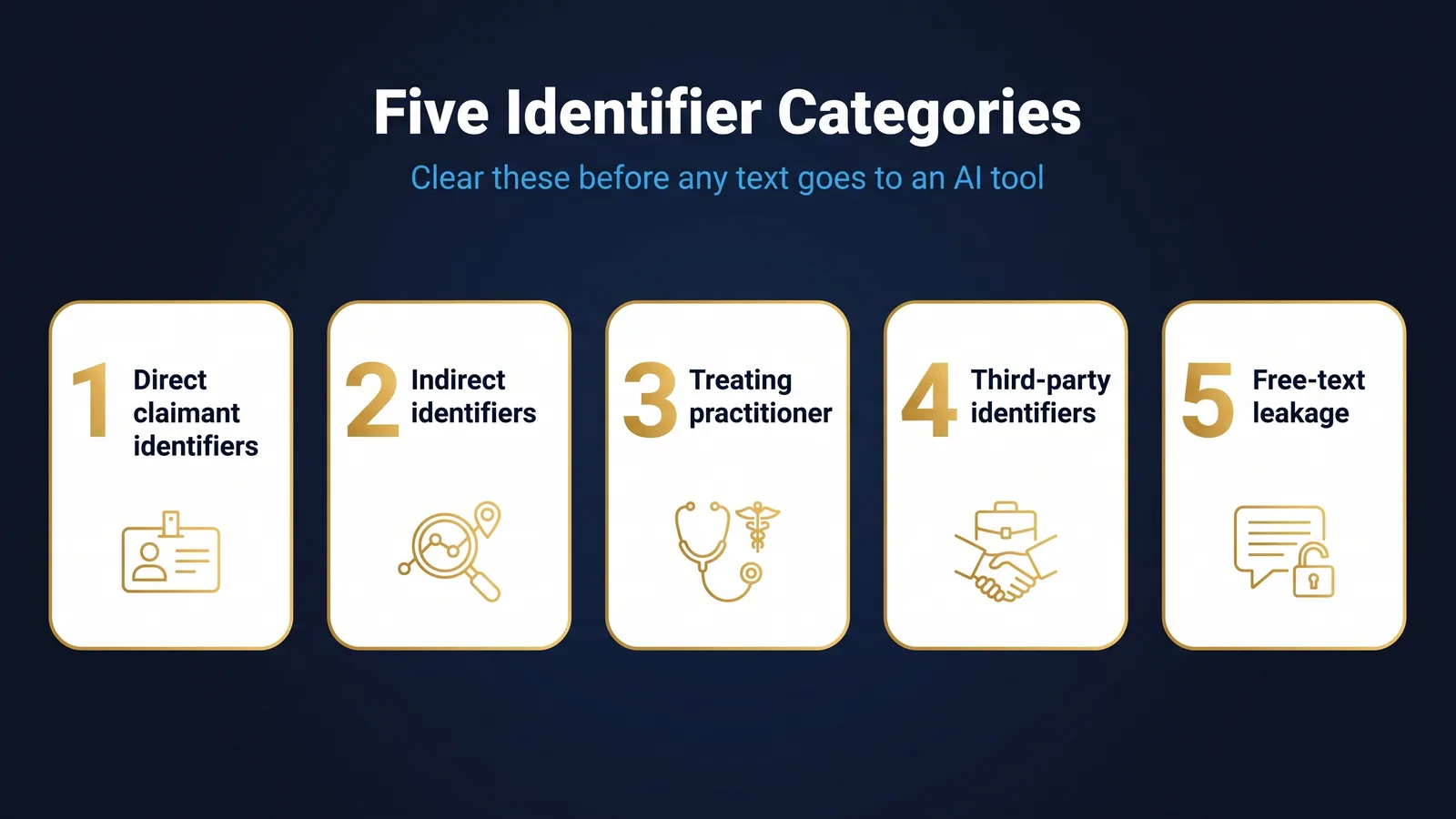
Category one. Direct claimant identifiers. Name, date of birth, residential address, claim number, scheme reference, employee identifier, payroll number. Replace with [CLAIMANT_NAME], [CLAIM_NUMBER], [DATE_OF_BIRTH], [ADDRESS], [EMPLOYEE_ID].
Category two. Indirect identifiers. Specific job title where the role is small enough to identify the person, branch or site name, immediate manager name, very specific dates that combine to single out a person. Replace with [JOB_TITLE], [SITE], [MANAGER_NAME], [INJURY_DATE].
Category three. Treating practitioner identifiers. Name, practice name, suburb of practice. Replace with [TREATING_PRACTITIONER], [PRACTICE].
Category four. Third-party identifiers. Witness names, family member names, IME provider names, lawyer names. Replace with [WITNESS_1], [FAMILY_MEMBER], [IME_PROVIDER], [LEGAL_REPRESENTATIVE].
Category five. Free-text leakage. Distinctive phrases, signature blocks, letterhead text, file metadata. These are the trickiest because they hide in plain sight. Strip them entirely.
The placeholder convention
Use a consistent placeholder convention so that AI outputs come back in a form you can find-and-replace at the end. Square brackets, capital letters, no spaces. The five most common placeholders, alphabetised:
- [CLAIM_NUMBER]
- [CLAIMANT_NAME]
- [CONDITION]
- [INJURY_DATE]
- [TREATING_PRACTITIONER]
If you need additional placeholders, build them on the same pattern. The point is that any case manager looking at the redacted document can see exactly what each placeholder represents without needing context.
De-identification callout. This toolkit is a working control. It is not a substitute for your scheme operator's Privacy Impact Assessment, your organisation's privacy policy, or any specific legal advice. If you are unsure whether a particular tool is approved for use, ask before you paste.
What is the daily desk routine for de-identifying?
The fastest way to embed de-identification is to make it a desk habit rather than a project. The routine has four steps.
Step one. Open the source. Whatever you are working on, open the original document on your screen.
Step two. Save a working copy. File-Save-As, name it with a clear marker that signals it is the working copy. Some teams append wc_redacted to the filename. Others use a working folder. Either is fine, provided the original and the working copy are visibly different.
Step three. Run the five-category sweep. Use Find and Replace to scan for the most common identifier patterns. Names first, then dates, then locations, then treating practitioner details, then third parties.
Step four. Visual scan. Read the document on screen, paragraph by paragraph, looking for anything the sweep missed. Distinctive phrases. Signature blocks. Email footers. File metadata.
Once the working copy is clean, the document can be used inside the AI tool. The original stays untouched in the source system.
What to do with the output
When the AI tool returns its result, the output also contains placeholders. Two final steps protect the workflow.
Step five. Edit the output, still in placeholder form. All review and editing happens with placeholders intact. If you need to discuss the AI output with another team member, the placeholders make the discussion privacy-safe.
Step six. Re-identify only at the final write step. When you are ready to write the final text into the file, do a controlled find-and-replace from placeholders back to the real values. This is the last step, not the first. Do it inside your case management system, not in the AI tool.
A worked example
A case manager is preparing a section 16 medical treatment determination. The treating practitioner [TREATING_PRACTITIONER] has provided a report recommending [CONDITION] treatment. The case manager:
- Opens the report from the case management system.
- Saves a working copy with a redacted suffix.
- Runs Find and Replace for [CLAIMANT_NAME], [CLAIM_NUMBER], [DATE_OF_BIRTH], [TREATING_PRACTITIONER], [PRACTICE], [INJURY_DATE].
- Visual-scans for distinctive phrases.
- Pastes the working copy into the AI tool with a structured prompt.
- Reviews the output, still with placeholders intact.
- Re-identifies only when writing the final determination text into the case management system.
The substantive analysis happens with placeholders. The real names live in the source system. For a step-by-step version of this workflow applied to determination drafting, the recipe draft a determination with de-identification controls walks the same placeholder discipline through from source document to final text.
Common failure modes
Three failure modes come up in audits.
Lazy redaction. A name is redacted in the body of the document but appears in the email subject line, the filename, or the document properties. The fix is the visual scan in step four.
Re-identification at the wrong step. The case manager re-identifies the AI output before reviewing it, then sends the re-identified text in chat to a colleague to discuss. The fix is the rule that re-identification is the last step, not an intermediate one.
Tool drift. A team starts with one approved AI tool and individuals begin using others to compare outputs. The fix is a tool register and a clear list of approved tools.
Risks and guardrails
The privacy risks in AI assisted case management are not abstract. They are operational.
Privacy breach risk. The risk is that identifiable claim information ends up on external infrastructure. The control is the daily desk routine and the placeholder convention.
Re-identification by combination. The risk is that even with names removed, a combination of indirect identifiers can re-identify a claimant. The control is the broader treatment of category two identifiers above.
Output leakage. The risk is that AI outputs are shared in re-identified form before review. The control is the rule that all editing happens in placeholder form.
For practitioners
- Run the five-category sweep before pasting any text into a tool
- Use the standard placeholder set, not ad hoc names
- Keep a working copy and a master copy separate at all times
- Add a final visual scan before sending the prompt
- Save a clean redacted version on file as evidence of the step
For governance leads
- Make de-identification a documented control, not a guideline
- Audit a sample of working files to confirm the standard is being followed
- Brief your privacy officer on which AI tools are in use and where
- Maintain a register of any tool that has a Privacy Impact Assessment
- Treat any breach of de-identification as a notifiable internal incident
Building it into your team
The toolkit is most powerful when it stops being a project and starts being a habit. Three operational steps help.
Step one. Walk the team through it once together. A 30-minute team session where the toolkit is demonstrated on a real (de-identified) document is more valuable than any policy document. People learn this best by watching someone do it. Teams that want a structured version of that session can work through the learning module AI for SRC Act claims practice, which builds the de-identification discipline into a full claims workflow.
Step two. Build a desk reference. A one-page reference taped to the side of the monitor, listing the five identifier categories and the standard placeholder set, removes the friction of remembering. The reference does not need to be elaborate. It needs to be visible.
Step three. Build a quick check culture. Encourage team members to ask each other "did you redact" before any AI tool conversation. The question becomes muscle memory. The control becomes social, not just procedural.
How does de-identification connect to the SRC Act?
De-identification is not in itself an SRC Act requirement. The SRC Act governs decisions, not the tools used to draft them. But three SRC Act-adjacent considerations make de-identification a practical necessity.
Privacy obligations. Scheme operators carry privacy obligations under the Privacy Act 1988 (current compilation No. 104, C2026C00227, in force from 4 June 2026 as at 15 August 2026) and the Australian Privacy Principles. Sending identifiable claim information to external AI tools without proper assessment is, at best, a sub-optimal practice. At worst, it is a data breach that must be notified to affected individuals and the OAIC under the Notifiable Data Breaches scheme, which applies where a breach of personal information is likely to result in serious harm.
Procedural fairness. Determinations under section 14, section 16, and section 19 must be defensible at review. Where a determination has been drafted with the assistance of an external AI tool, the question of whether claimant information was protected during drafting is a relevant procedural fairness question.
Reasonable practice. The professional standards that apply to case managers, separate from the legal frameworks, expect a level of care with claimant information that is consistent with the de-identification toolkit above.
Common questions from the team
Five questions come up most often in training sessions on this toolkit.
Question one. Do I really need to de-identify if the tool is well known and widely used? Yes. Public profile of the tool is not the same as a documented privacy assessment. The toolkit applies regardless of vendor.
Question two. What if the AI tool's response references a placeholder unhelpfully? Adjust the prompt to be more explicit about what each placeholder represents. The AI typically handles placeholders well when the prompt frames them clearly.
Question three. How long does the redaction step take? With practice, two to three minutes per document. The first few documents take longer. Within a week, redaction is reflexive.
Question four. Can I use a single redacted version for multiple AI tasks? Yes. Once a document is de-identified, you can use it across as many AI tasks as the workflow requires. The redaction is the heavy step; reuse is cheap.
Question five. What if I miss something in the redaction? Treat it as a privacy near miss, follow your scheme operator's incident reporting process, and adjust the redaction routine to reduce the chance of recurrence. Honest reporting of near misses is the basis of a healthy privacy culture.
A note on tools that claim "no data leaves your environment"
Some AI tools market themselves on the basis that no data leaves the customer's environment. These claims are real for some products and partially real for others. Do not take the claim at face value. The questions to ask before relying on it:
- Is the inference model running locally or on a vendor's infrastructure?
- Is the input being logged anywhere, even in a "for product improvement" sense?
- Is the vendor able to certify, in writing, that input is not used for training?
- Does the deployment satisfy your scheme operator's Privacy Impact Assessment process?
If the answers are all confirmed, the tool may be safe enough to use without de-identification. If any answer is unclear, de-identify anyway. The cost of de-identifying is low. The cost of being wrong is high.
Putting it all together
The toolkit, in one paragraph. Five identifier categories: direct claimant, indirect, treating practitioner, third-party, free-text. One placeholder set: bracketed capital letters, no spaces, consistent across the team. One desk routine: open source, save working copy, run sweep, visual scan, paste into approved tool, edit in placeholder form, re-identify only at the final write step. Two failure modes to watch for: lazy redaction and re-identification at the wrong step. Three governance signals: tool register, audit cycle, training cadence. The whole thing fits on one page. The discipline is what makes it work.
A maturity ladder
Teams adopting this toolkit do not become uniformly disciplined overnight. The pattern in scheme operators that have done this well looks like a four-rung ladder.
Rung one. Awareness. The team knows the toolkit exists. Most case managers can name the five identifier categories. De-identification is happening, but inconsistently.
Rung two. Routine. The desk routine is being followed by most case managers most of the time. Working copies are saved, sweeps are run, placeholders are consistent. The team is competent.
Rung three. Reflex. The redaction step is reflexive. Case managers do not have to think about it. The placeholder convention is so embedded that it is faster than ad hoc names. Audit findings on de-identification are rare.
Rung four. Culture. The team's de-identification posture is part of its identity. New starters absorb it from peers. The culture protects the practice when management attention shifts. Privacy near misses are discussed openly and the routine is refined as a result.
Most operators land on rung two within a month and rung three within a quarter. Rung four takes longer and is the goal worth aiming for. If you want an honest read on where you and your team currently sit, the free WC Self-Assessment measures de-identification practice alongside the other capabilities that make AI use in claims work safe.
The bottom line
De-identification is the single highest-leverage control for AI use in workers compensation. It costs no money, requires no procurement cycle, and can be embedded as a desk habit in a week. Done well, it makes most AI use cases safe enough to scale. Done poorly, it makes every AI use case a privacy incident waiting to happen.
Strip the identifiers. Keep the workflow. Trust the routine.
Do this Monday
- Put the placeholder set where you work. The common placeholders on a single card beside the monitor removes the friction of remembering the convention halfway through a document.
- Agree the working-copy marker with the team. A filename suffix or a working folder, either is fine, provided the original and the working copy are visibly different at a glance.
- Run the five-category sweep on the next document you touch. Names, then dates, then locations, then treating practitioner details, then third parties, using Find and Replace rather than trusting yourself to read for them.
- Add the visual scan before the paste. Signature blocks, letterhead text, email footers, the filename and the document properties are where redaction leaks most often, and none of them show up in a sweep.
- Keep every review in placeholder form. Discuss, edit and circulate the output with placeholders intact, and re-identify only at the final write step inside the case management system.
- Write down which AI tools the team is actually using. Compare that list against the approved tools, because tool drift starts as an innocent comparison of outputs and ends as an unassessed vendor.
- Ask the question out loud before the next AI conversation. "Did you redact" costs nothing, and it moves the control from procedural to social, which is where it survives.
---
Content disclaimer: This article is for general educational purposes only and does not constitute legal advice, liability determination guidance, or a substitute for professional judgement. Workers compensation decisions must be made by appropriately qualified and authorised persons under the Safety, Rehabilitation and Compensation Act 1988. All AI outputs described in this article require human review before use in any claims management context.
TheAICommand. Intelligence, At Your Command.