
A workplace investigation is the worst place to improvise with AI, and one of the best places to use it well. The safe pattern is a skill file that gives the AI a structure-only role: it builds the event chronology and the allegation-evidence map from de-identified material, tracks the procedural fairness record, flags the gaps, and never makes a finding. This article ships that skill file, the five prompts that build and maintain it, and the three advanced disciplines that keep it safe over time: testing on a fictional matter before live use, versioning the file after every matter, and a handover contract for when the chronology feeds a separate drafting step.
Part 7 of The Skill File Series: ten reusable AI skills for Australian professional teams, two for every domain we cover. It builds on the policy-grounded HR query skill from Part 2 and assumes the workspace basics from LM-S01.
Why investigations punish sloppy AI use
An investigation report can end a career, ground an unfair dismissal claim, or land in front of a tribunal with every step of its process on display. Two failure modes matter here. The first is privacy: statements and records are among the most sensitive material HR holds, and pasting them into an AI tool with names intact is a breach waiting to be discovered. The second is judgement creep: ask a general-purpose model to summarise the evidence and it will happily tell you who seems credible, which is a finding, made by nothing that can be questioned about how it got there.
The fairness logic will be familiar from AI in performance management documents, but investigations raise the stakes. Procedural fairness in an investigation is concrete: allegations put to the respondent, a genuine opportunity to respond, a support person offered, an open mind held until the evidence is in. A skill file cannot hold the open mind. What it can do is make the structural work fast, and make the boundary explicit, in writing, every single time. That written boundary matters when the process is later examined, because it shows the organisation decided in advance what the AI would and would not touch, rather than leaving the line to each investigator's judgement under pressure.
The anatomy, in one paragraph
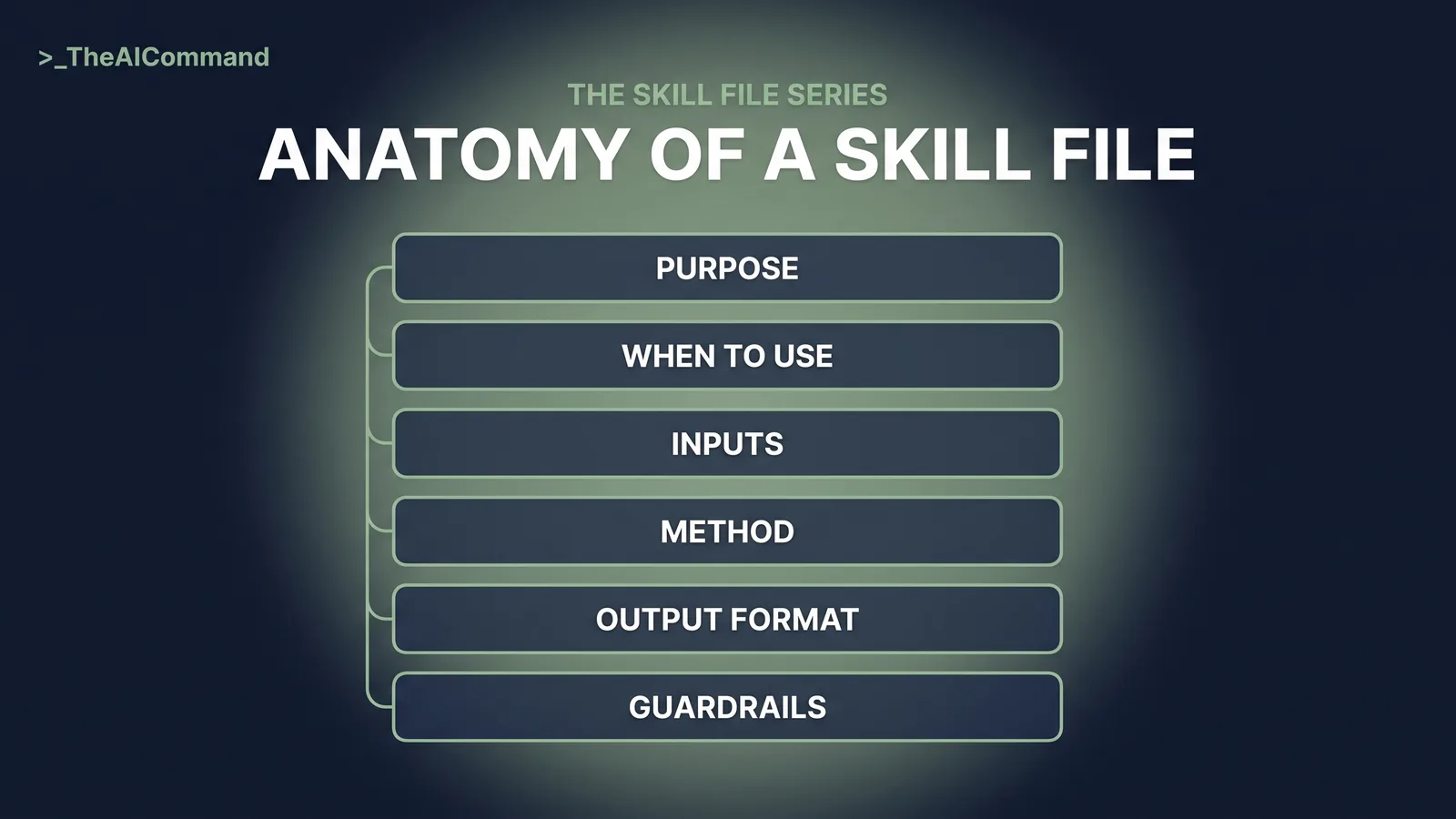
Every skill in this series uses the same six-part shape: Purpose (what it produces and for whom), When to use (and when not), Inputs required (as placeholder fields), Method (numbered steps in order), Output format (the exact deliverable structure) and Guardrails (what it must never do, plus escalation and verification rules). The guardrails live inside the file itself, so they travel with it to every platform and every user. Part 2 teaches the anatomy in full; here it goes straight to work.
The investigation chronology skill file
Here is the complete file. Copy it, adapt the placeholder conventions to your own, and keep every guardrail.
A worked example: two allegations, forty pages
A fictional matter. [COMPLAINANT] alleges that [RESPONDENT] repeatedly belittled them in team meetings over three months, and altered a roster to their disadvantage after they raised it. The file runs to forty pages: two statements, a bundle of emails, roster records.
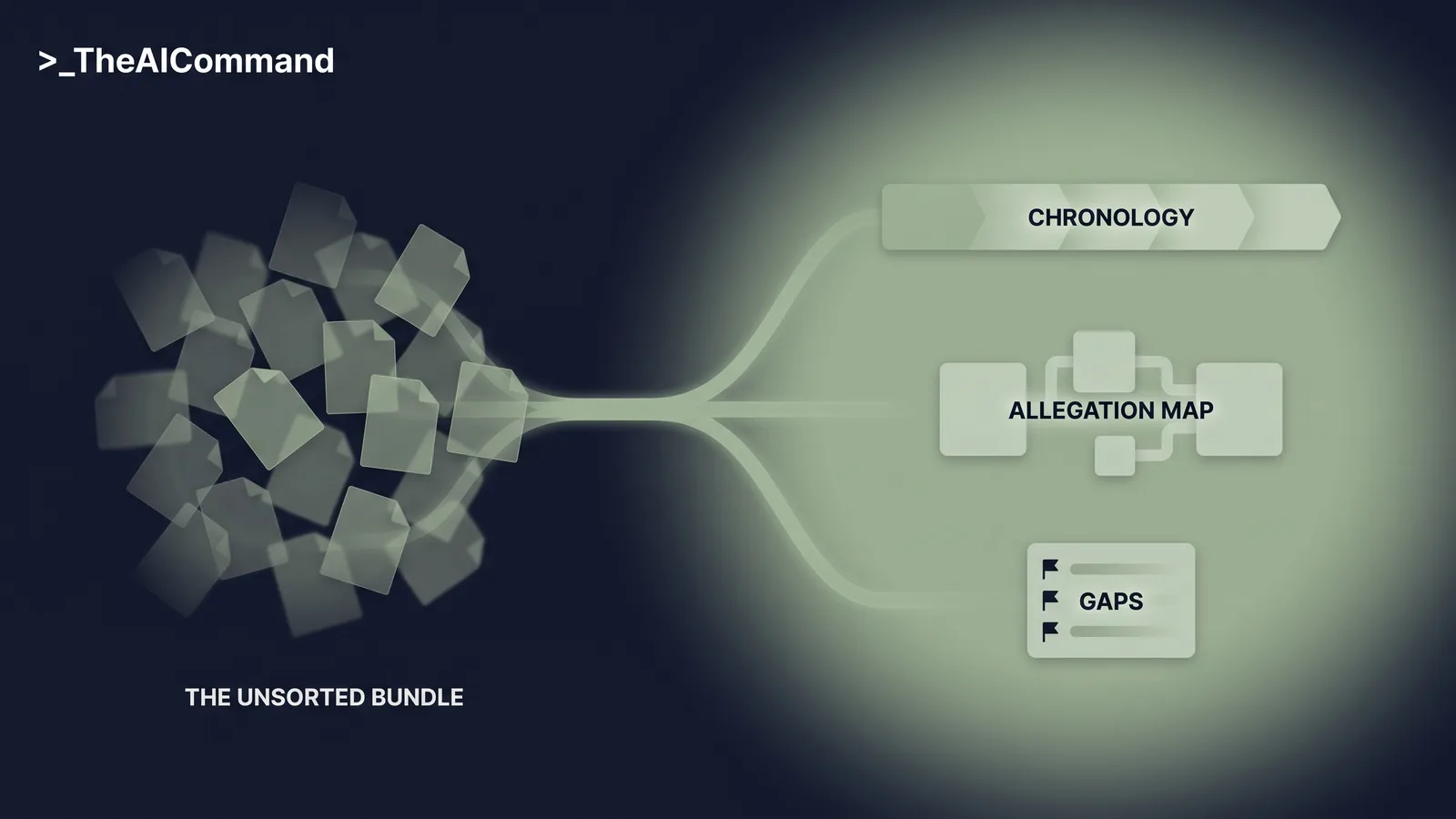
Without the skill, the investigator reads everything twice, keeps a timeline in a spreadsheet, and still walks into the first interview unsure which meeting dates the accounts actually disagree on. With the skill, the de-identified bundle goes in and a working map comes out: a chronology showing the two accounts date the third meeting a week apart, an allegation map showing allegation two rests on a roster export nobody has supplied, and three flagged gaps, including that [WITNESS_2] is named in both statements but has given no account, and that no record shows a support person was offered at the first meeting with [RESPONDENT]. The investigator now runs the interviews knowing exactly what to test. The AI structured the matter. Every judgement is still ahead, and still human.
Test it on a fictional matter before it sees a live one
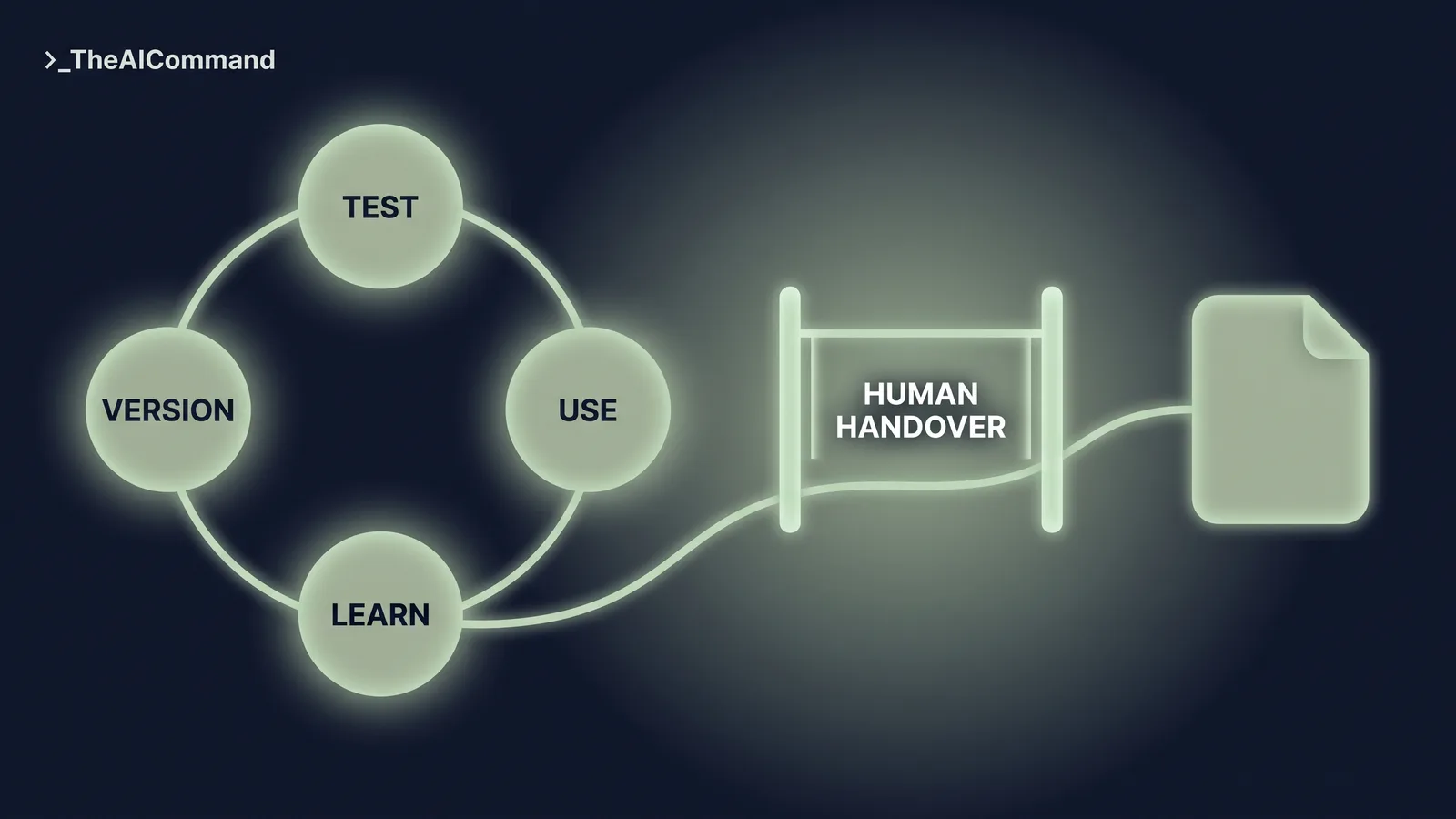
This is the first advanced discipline, and it is non-negotiable for investigation work. Before the skill touches a real matter, run it against a wholly invented one, seeded with the traps you most need it to handle: a date conflict between accounts, a document referenced but never supplied, a procedural checkpoint with no record. Prompt 3 below builds exactly this test. What you are looking for is not whether the output is tidy. It is whether the AI stayed inside its lane: did it resolve the date conflict instead of presenting both accounts, did it quietly rate anyone's credibility, did it fill a gap with an assumption? Every lapse is a wording problem in the file, and you fix it on fictional facts.
Version the file after every matter
Every completed matter teaches you something: a document type the inputs list did not anticipate, a checkpoint your team tracks that the method missed, a phrasing the AI misread. Fold those lessons in, bump the version number in the file header, and note the date and reason for the change. A skill file with a version history is one your team can trust and your governance colleagues can audit. One that silently drifts is just a prompt with ambitions. Prompt 5 makes the review a scheduled habit rather than a good intention. Keep the change log short and honest: version, date, what changed, why. Three lines per amendment is enough.
The handover contract
Some teams feed the chronology into a separate drafting step: a report writer, an external investigator, or a different skill. Write the handover as a contract. The chronology skill delivers exactly its five output sections, and the receiving step must treat them as unverified draft until the investigator signs off. The contract line worth writing down: nothing passes from the structuring step to the drafting step without human verification in between. Chained AI steps with no human gate is how a flagged gap becomes an unnoticed assumption in a final report.
The five-prompt build chain
Build your own version with these five prompts, in order. Each is complete and paste-ready.
Prompt 1: interview.
Prompt 2: draft.
Prompt 3: test.
Prompt 4: refine.
Prompt 5: maintain.
Installing it on your platform
Both vendors now ship a native feature built on the convention this series teaches: a folder with a SKILL.md file whose name and description are read up front, with the full instructions loaded only when a request matches. Install the file natively where your plan supports Skills, or run it as project instructions plus knowledge files everywhere else.
On ChatGPT, the native Skills feature is generally available on Business, Enterprise, Healthcare and Edu plans; skills can be created in chat, in the Skills editor, or uploaded. On individual plans, the way to get skill-file behaviour today is a project: projects are available on every ChatGPT plan, and each project takes its own instructions, which override account-level custom instructions inside that project. Markdown files upload as ordinary text files, but ChatGPT uses project files as retrieval-based reference material rather than guaranteed full reads, so paste this skill into the project instructions rather than leaving it in a file. For investigation work, note that new projects can be set to project-only memory, keeping the matter out of unrelated chats.
On Claude, a skill is a folder with a SKILL.md file: YAML frontmatter carrying a name and description, instructions below, and Claude reads the full instructions only when the request matches. Skills are available across Claude plans, including Free per the Claude help centre, with code execution enabled. In the Claude apps, enable Code execution and file creation under Settings, then Capabilities, and upload the skill as a ZIP with the folder at the ZIP root via Customize, then Skills. Write the description to say what the skill does and when to use it, because that is what Claude matches against. On Team and Enterprise, an organisation owner can provision the skill for the whole HR team.
If your organisation runs Microsoft 365 Copilot instead, the same file adapts directly: paste its contents into an agent's Instructions field in Agent Builder, which caps at 8,000 characters, noting Copilot's uploaded knowledge accepts .txt and .docx but not .md.
Guardrails that do not bend
- Humans make every finding. Fact, credibility, outcome: all three are the investigator's, and the file says so in writing.
- De-identification before input, always. Placeholders applied consistently, identifying details stripped, and the skill instructed to stop if real identifiers appear.
- Procedural fairness is tracked, not assumed. The checklist output exists so a missing checkpoint is visible in week one, not discovered by a tribunal.
- Privilege gets flagged, not handled. Whether legal counsel needs to be involved is a human question; the skill's job is only to raise it.
- Secure handling. Use a workspace your organisation has approved for confidential material, and keep the matter contained to it.
The bottom line
An investigation chronology skill file makes the structural third of investigation work fast and consistent while drawing a hard written line around the judgement work that must stay human. The discipline is in the guardrails, the fictional-matter test, the version history and the human gate before anything flows downstream.
Do this Monday. Take a closed, fully de-identified matter, or invent one. Run Prompt 1 with whoever leads investigations, draft the file with Prompt 2, and stress-test it with Prompt 3 before the week is out. If the test shows the AI staying inside its lane, version the file v1.0 and decide where it gets installed. If it does not, Prompt 4 is the fix, and you found out on fictional facts.
Take it with you
The blank template, ready for any skill your team builds next:
And the five prompts by name: interview (extract the team's real workflow before drafting anything), draft (turn the confirmed answers into the six-part file), test (stress it against a seeded fictional matter), refine (fix every weakness the test exposed, with a change log), and maintain (a scheduled review that keeps the file matching reality).
The Skill File Series
Ten reusable AI skills for Australian professional teams, publishing 27 July to 7 August 2026. Links go live as each part publishes.
- The decision memo skill file (Leadership)
- A policy-grounded HR query skill file (HR)
- A reg-change impact assessment skill file (GRC)
- The safety comms skill file (WHS)
- A claim chronology skill file (Workers Compensation)
- Who owns your team's skill library? (Leadership)
- An investigation chronology skill file with fairness built in (HR, this article)
- Skill files as controlled documents (GRC)
- An incident notification triage skill file (WHS)
- A determination evidence-check skill file (Workers Compensation)
TheAICommand. Intelligence, At Your Command.