
Graduate a workflow from a raw chat into a Custom Project once you run the same task more than two or three times in two weeks. Raw chat works. Custom Projects compound.
Why this matters
Most professionals use AI as a series of one-off chats. Open a tab, ask a question, close the tab. That works for occasional questions. For anything you do more than twice, Custom Projects (Claude Projects or ChatGPT Projects) make the same workflow faster, more consistent, and easier to share.
The difference is the difference between explaining yourself to a contractor every Monday morning and onboarding a permanent team member once. The contractor is fine. The team member is better.
This article tells you when to graduate a workflow from raw chat to a Custom Project, and how to do it in 10 minutes.
The mental model: chat is a conversation, a Project is a relationship
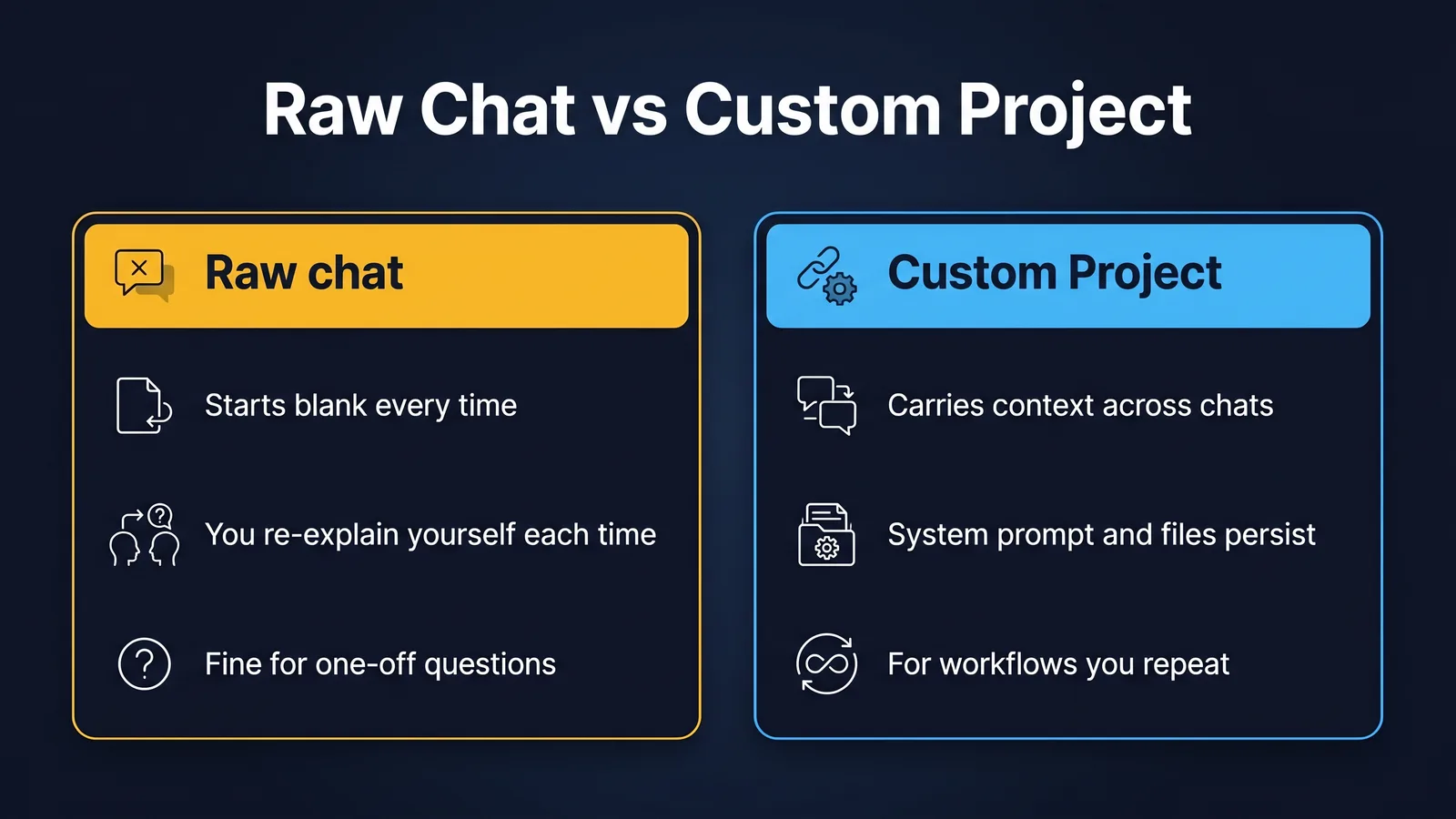
A raw chat starts blank every time. The model knows nothing about you, your role, your style, or your constraints. You teach it from scratch in every prompt. That overhead is fine for one-off work.
A Custom Project carries the relationship across conversations. Your role, your constraints, your files, and your style live in the project once. Every conversation inside the project inherits them. You stop reintroducing yourself.
That is the entire mental model. Everything below is mechanics.
When should you graduate a workflow into a Custom Project?
If you have run the same kind of task more than two or three times in two weeks, the workflow is ready to graduate.
Common candidates:
- A weekly status update template
- A meeting summary recipe
- A regulator-correspondence drafting pattern
- A board paper one-pager
- A code review style guide
- A claim file note structure (with de-identification rules baked in)
If you find yourself pasting the same setup paragraph into a fresh chat every Monday, you are paying a tax. The Project takes the tax away.
What goes into a Custom Project?
Three things. The mechanics differ slightly between Claude and ChatGPT, but the substance is the same.
1. The system prompt (always)
This is the persistent instruction that sits above every conversation. Put your role, your style, your constraints, and any house rules here.
Example for a workers compensation case manager:
You are an experienced workers compensation case manager assistant for an Australian Comcare-licensed scheme. Tone: clear, professional, plain English. Australian spelling and date format. Never invent claimant names, dates or claim numbers. If a piece of information is not in the source material I provide, say so and stop. Always respect the SRC Act 1988 framing in any decision-letter drafting. Always remind the user to de-identify before pasting raw claim data into this project.
That paragraph is now the floor of every conversation. You stop retyping it.
2. Files (optional but valuable)
Attach the documents the model should know about. A style guide. A glossary. A redacted template letter. The internal policy on AI use. The model can reference these in every conversation without you re-uploading them.
Useful files to attach:
- A house style guide (one page is plenty)
- A glossary of internal terms or sector terms
- One or two worked examples of the output you want
- The relevant section of a policy or framework
Resist attaching giant document libraries. Five small focused files beat a 100-file knowledge dump. If you genuinely need to query a large library, that is the RAG use case from a different article.
3. The starting message (optional)
Some projects benefit from a saved opening message that you tweak each time, rather than a clean blank page. A weekly status update project might start with:
Here are this week's notes. Produce my Friday update following the project rules.
You then paste the notes underneath.
How do you build a Custom Project in 10 minutes?
In Claude or ChatGPT, the path is similar.
- Click "New Project". Name it after the workflow ("Weekly Status Update", "WC Determination Drafting", "Board Paper One-Pager").
- Paste a one-paragraph system prompt covering role, tone, constraints and house rules. Take it from your existing recipe document.
- Attach two or three small files: a style guide, a worked example, and a glossary if relevant.
- Open a new conversation inside the project and run the workflow once. Tweak the system prompt if anything generic or wrong appears.
- Save the tweaked system prompt. Done.
Total time: 10 minutes once you have the recipe written. Time saved: 60 to 90 seconds every subsequent run, plus much higher consistency.
Common mistakes
Stuffing the system prompt with everything. The system prompt should be one or two short paragraphs. Long system prompts dilute attention. Push detail into attached files where the model can pull it on demand.
Forgetting to update the project. Workflows evolve. If a Project's system prompt was right in February and is now slightly wrong in April, fix it. Treat the system prompt the way you would treat a team member's job description.
Treating Projects as Sharepoint. A Project is not a document library. It is a tightly scoped working context. Five files is comfortable. Fifty is too many.
Building Projects for one-off work. If you genuinely run this once a quarter, raw chat is fine. The graduation pays off when the workflow is regular.
Pasting confidential data into a consumer Project. A Custom Project on a personal Claude or ChatGPT account is still consumer tier. The same regulated-data rules apply as in the privacy article. Tier 2 or Tier 3 deployment is the place for confidential workflows.
What changes when you graduate
Three things shift the moment a workflow moves into a Project, and they are the reason graduating pays off.
Consistency goes up. The model that wrote your first weekly status update from a raw chat is the same model that writes your tenth weekly status update from a Project. The difference is that the Project version always starts from the same setup. Your house style holds. Your audience framing holds. Your constraints hold. The variability that bothers you in raw chat ("why did it choose bullet points this week when I asked for paragraphs last week") drops by an order of magnitude.
Speed goes up. A Project saves the 60 to 90 seconds you used to spend reintroducing yourself. Across a year that is hours, not minutes. More importantly, it lets you start the work in the work, not the setup.
Audit and review get easier. Every conversation in the Project shares the same instructions. If a colleague asks "how do you draft these so quickly", you can show them the system prompt. If a manager asks "what controls are on your AI use", you can point at it. The Project becomes a shareable artefact in a way a chat never is.
Sharing a Project with a team
In the team and enterprise tiers of Claude and ChatGPT, Projects can be shared. This is the next level up from personal Projects. A whole team can graduate to the same Project, with the same system prompt and files, and produce consistent work across people.
Two notes on team Projects.
First, name an owner. The system prompt drifts if no one is responsible for keeping it current. The owner reviews it once a quarter.
Second, include a "house rules" line in the system prompt that explicitly references the team's documented AI policy. The Project is not a substitute for the policy. It is a tool that operates inside the policy.
A worked example
A People Leader runs a fortnightly one-on-one prep ritual. She pastes the last cycle's notes, the team member's recent achievements, and her three desired discussion topics into a fresh ChatGPT chat each fortnight. She types the same setup paragraph each time about her management style and the kind of question structure she likes.
She graduates the workflow into a Custom Project. The system prompt covers her management style, the structure she wants for prep notes, and her standing instruction to keep questions open and curious rather than evaluative. She attaches one file: a one-page house guide on what good 1:1 conversations look like in her team.
Every fortnight she now opens the Project, drops in the latest notes and the three topics, and gets a prep document tuned to her style on the first run. She still reviews and edits. She no longer reintroduces herself.
That is the graduation, in miniature.
Try this
Pick the no-code workflow you built in First AI Workflow Without Code and graduate it into a Custom Project in Claude or ChatGPT. Move the prompts into the system prompt. Attach one or two small files. Run it once and note what you no longer have to type each time.
Glossary
Raw chat. A standard conversation in a chat interface. No saved context.
Custom Project. A feature in Claude and ChatGPT that lets you save a system prompt, files, and a persistent context for a chat.
System prompt. A persistent instruction that sits above every conversation in a project.
Knowledge base. Files attached to a Custom Project that the model can reference in every conversation.
Where to go next
- First AI Workflow Without Code
- Prompt Engineering Fundamentals 2026
- Privacy-Safe AI for Regulated Work
Bottom line
Raw chat suits genuinely one-off questions. Once you run the same task more than two or three times in a fortnight, a Custom Project pays back fast: it saves a reusable system prompt, files and context, so consistency goes up, setup time drops, and the work becomes easier to review and share. Keep the system prompt to one or two short paragraphs, push detail into a few small files, and never paste confidential data into a consumer-tier Project.
Do this Monday:
- Pick one task you have run more than twice in the last fortnight.
- Click New Project and name it after that workflow.
- Paste a one-paragraph system prompt covering role, tone, constraints and house rules.
- Attach two or three small files: a style guide, a worked example, a glossary.
- Run it once inside a new conversation, tweak the system prompt, and save.
TheAICommand. Intelligence, At Your Command.