
Leaders re-explain their standards to AI every time they ask for a draft, and the output shows it. A skill file fixes that: a short markdown instruction file that captures the team's decision memo standard once, in six sections, so every memo after that starts at the standard instead of at a blank prompt. This article ships the complete file, the five prompts that build your own version, and the install steps for ChatGPT, Claude and Microsoft Copilot.
Part 1 of The Skill File Series: ten reusable AI skills for Australian professional teams, two for every domain we cover. This foundation part builds leadership's first skill; the advanced sibling on who owns your team's skill library follows in week two, and the workspace that houses these files is built in LM-S01: Set Up Your AI Command Centre.
What is a skill file, and why does it beat re-prompting?
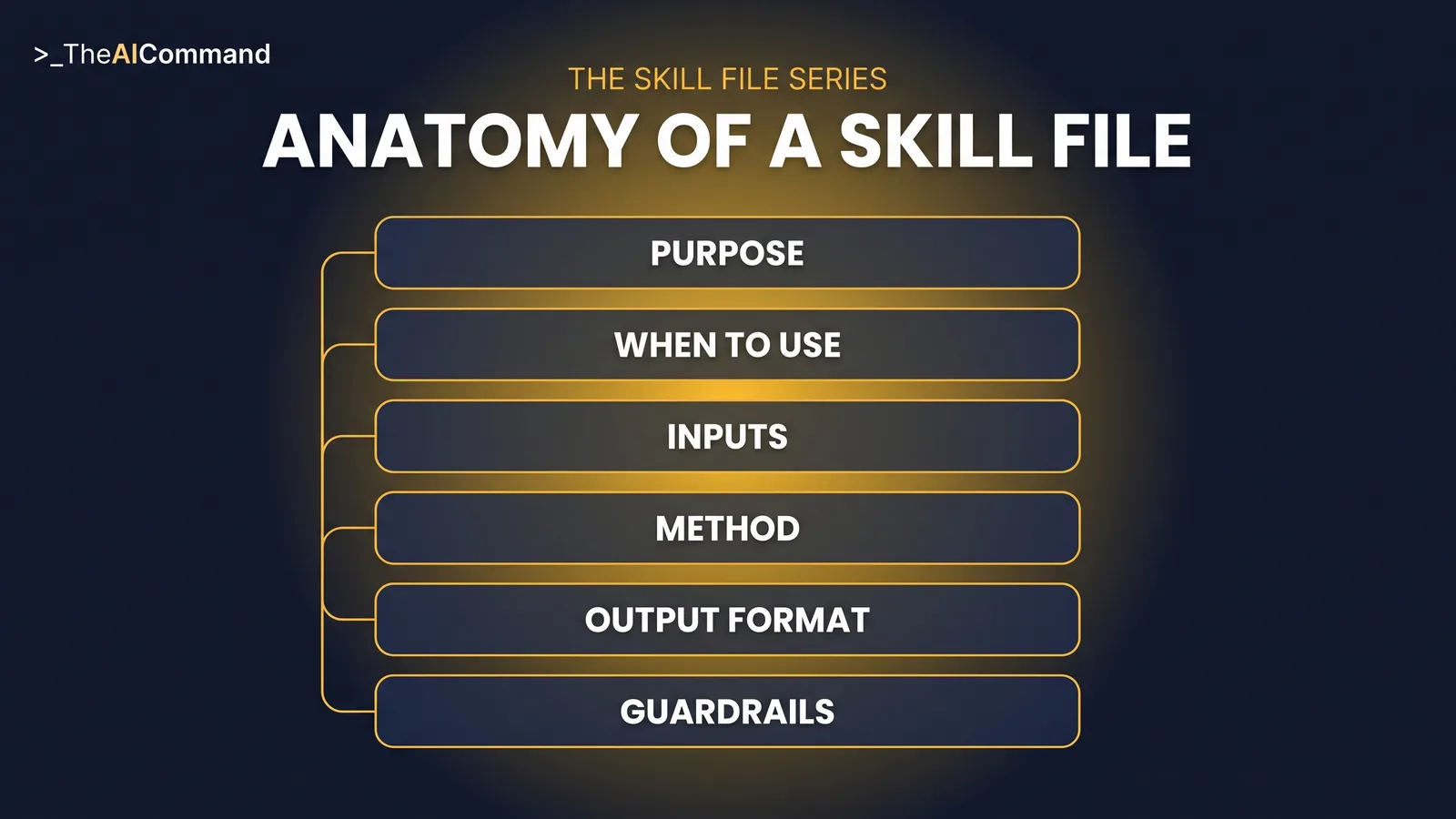
A skill file is a standing instruction set for one repeatable task. Not a prompt you paste, but a file the AI works from: what the task produces, when it applies, what inputs it needs, the method step by step, the exact output shape, and the guardrails that never bend. Write it once and the assistant meets the standard on the first draft rather than the fifth correction.
The difference from re-prompting is the difference between a recipe and a cook's memory. A good prompt is a performance. It depends on who is typing, what they remember of the last good version, and how much patience they have for correcting. The standard lives in heads and scattered chat histories, so it drifts, and when the person who wrote the best prompts leaves, it leaves with them. A skill file is the standard written down. It can be reviewed like any other document, improved after each use, handed to a new starter on day one, and installed wherever the team works.
The format is no longer a private convention either. Both OpenAI and Anthropic now ship a native feature built on the same idea this series teaches: a folder with a SKILL.md file, carrying a name and description up front and full instructions that are read only when a request matches. ChatGPT calls it Skills, and so does Claude. The six-part file taught here is deliberately platform neutral: install it natively where your plan supports Skills, or run it as project instructions plus knowledge files everywhere else. Either way the asset is the file, and the file is yours.
The six-part anatomy
Every skill in this series uses the same six sections, and the discipline of filling them in is most of the value.
Purpose states what the skill produces and for whom, in one paragraph. When to use sets the trigger conditions and, just as importantly, when not to use it. Inputs required lists what the user must supply as placeholder fields, which stops the assistant inventing what it was not given. Method is the numbered steps the AI follows, in order. Output format fixes the exact structure of the deliverable, so every memo looks like every other memo. Guardrails carry what the skill must never do, the escalation rules and the verification requirements, inside the file itself rather than in a policy document nobody opens.
Two of the six do most of the work. Inputs required keeps the assistant honest, because a model given nothing will invent something, while a model told exactly what it may use will ask for the rest. And because the guardrails travel with the skill, the rules apply on every use, in every chat, for every person on the team, without anyone having to remember them.
The decision memo skill file, complete
Here is the full file for leadership's first skill: a one-page decision memo on demand. The standards it encodes are the ones leaders otherwise repeat in every chat. Options always include doing nothing, evidence comes only from supplied material, gaps get named, and the recommendation is a draft for the decision-maker to test. Copy it as written, then adapt the bracketed fields and output headings to your house style.
What changes in practice
Consider a de-identified example. An operations leader is deciding whether to consolidate two team stand-ups into one. Without the skill, the chat runs long: a request for pros and cons, a generic list back, three follow-up corrections, and a summary that still buries the actual question. Twenty-five minutes in there is text, but no memo, and nothing anyone would file.
With the skill installed, the leader supplies the inputs: the decision question, the deadline, the constraint that neither team can lose daily coordination, the two options already on the table, and the last month of meeting notes. The first draft comes back in the memo shape. The question is sharpened to one sentence, three options appear including leaving both stand-ups in place, the evidence is drawn only from the notes, one gap is named (no attendance data for the overlapping half hour), reversibility is noted as easily reversed within a fortnight, the recommendation is labelled a draft, and the memo closes with a decision-sought line and a review date one quarter out. The leader now edits judgement, not structure, and the memo gets filed with the decision.
Build yours in five prompts
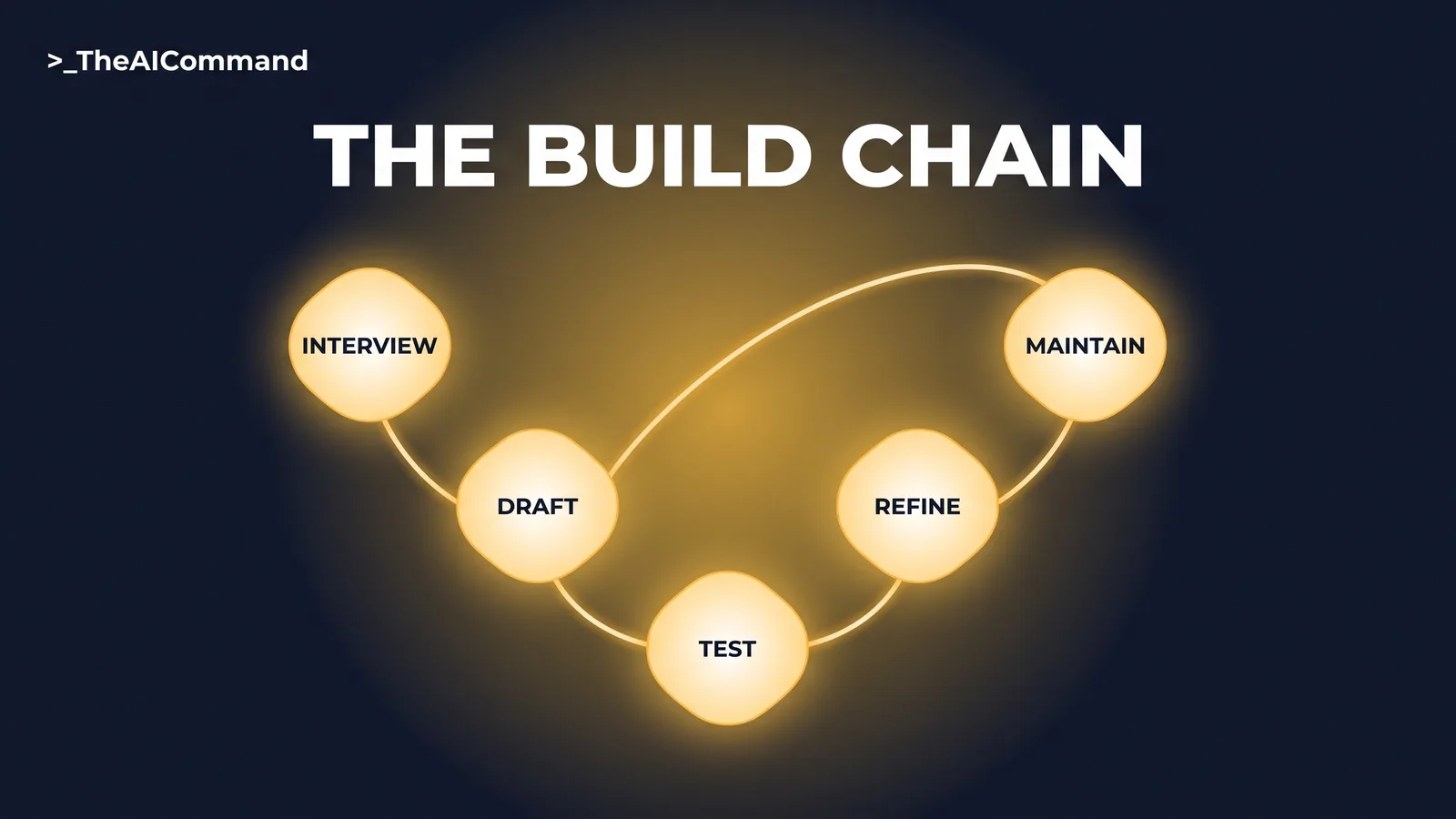
Do not adopt the file above unchanged. The value is a file that encodes your team's standard, and the chain below builds one in about an hour: interview, draft, test, refine, maintain.
Prompt 1, the interview. Run it in a fresh chat and answer as the team actually works, not as it ideally would.
Prompt 2, the draft. Turns the interview into the six-part file.
Prompt 3, the test. Stress-test against a real, de-identified decision before anyone relies on the file.
Prompt 4, the refine. Closes what the test exposed.
Prompt 5, the maintain. Book it in quarterly, because a skill file nobody reviews drifts like any other document.
Installing it in ChatGPT, Claude and Copilot
In ChatGPT, the native Skills feature is generally available on Business, Enterprise, Healthcare and Edu plans: OpenAI's format is a folder with a SKILL.md manifest loaded only when relevant, and skills can be created in chat, in the Skills editor, or uploaded. On individual plans (Free, Go, Plus and Pro), the way to get skill-file behaviour today is project instructions plus markdown files uploaded as project knowledge. Projects are available on every ChatGPT plan including Free, each project takes its own instructions that override account-level custom instructions inside that project, and file limits run from 5 files on Free through 25 on Go and Plus to 40 on Pro, Business, Enterprise and Edu. Paste the skill file into the project instructions rather than relying on an uploaded copy alone, because ChatGPT treats project files as retrieval-based reference material, not guaranteed full reads.
In Claude, a skill is natively a folder with a SKILL.md file: YAML frontmatter carrying a name and description, with the instructions below, plus optional bundled reference files. Claude reads only each skill's name and description up front and loads the full instructions when a request matches, so write the description to say what the skill does and when to use it. Skills are available across Claude plans, including Free per the Claude help centre, with code execution enabled: switch on Code execution and file creation under Settings, then Capabilities, and upload the skill folder as a ZIP via Customize, then Skills. The same format works across the Claude apps, Claude Cowork, Claude Code and the API, installed separately on each surface, and Anthropic's own skill-creator skill can run the interview and build the folder for you. Where a team is not ready for that, the same file runs as project instructions: projects exist on every Claude plan including Free, capped at five projects.
If your organisation runs Microsoft 365 Copilot instead, the same file adapts directly: paste its contents into an agent's Instructions field in Agent Builder, which caps at 8,000 characters, noting Copilot's uploaded knowledge accepts .txt and .docx but not .md.
Where the skill stops and the leader starts
For a decision memo, the guardrails section is not fine print; it is the point. A memo that quietly makes the decision has failed, however polished it reads, because the stakes of a decision, who it affects and whether it can be undone, are judgements about the business that no model reads off the text. The file enforces the boundary three ways: the recommendation always opens with draft language for the decision-maker to test, the assistant declines to state a final decision, and every claim traces to supplied material so the leader can see exactly what the recommendation stands on.
The boundary matters more as drafting gets cheaper. When a polished memo costs minutes, the temptation is to let the polish stand in for the thinking. Deciding which calls deserve a memo at all, weighing the evidence that never got written down, and carrying the outcome are human work, and the file is written so they stay that way.
That last rule has a second payoff. A memo built only from named evidence, with its gaps declared, doubles as the record of what was known when the call was made, the same discipline argued in trace the decision, not just the tokens. Six months later, when someone asks why the team chose as it did, the answer is on file.
Bottom line
Stop re-briefing AI on standards it should already hold. Capture the team's decision memo standard once as a six-part skill file, install it where the team works, and spend review time on judgement instead of structure. The memo supports the decision; the named leader makes it.
Do this Monday:
- Pick one decision your team will face this month that deserves a page.
- Run the interview prompt and capture your actual memo standard.
- Draft your file with Prompt 2, or adapt the complete file above.
- Test it against a de-identified past decision and refine what breaks.
- Install it as a Skill or as project instructions, name an owner, and book the quarterly maintain review.
Take it with you
The blank six-part template, ready for any skill your team builds next:
And the five build prompts by name:
- Interview: extract the team's real standard, one question at a time.
- Draft: turn the answers into the six-part file, under 600 words.
- Test: run the file against a de-identified sample decision and demand a test report.
- Refine: fix what the test exposed, cutting before adding.
- Maintain: review quarterly against the last three real outputs; the owner decides.
The Skill File Series
Ten parts, two for every domain we cover, publishing from 27 July to 7 August 2026. Links go live as each part publishes.
- Leadership: the decision memo skill file (this article)
- HR: a policy-grounded HR query skill file
- GRC: a reg-change impact assessment skill file
- WHS: the safety comms skill file
- Workers compensation: a claim chronology skill file
- Leadership: team skill library governance
- HR: an investigation chronology skill file
- GRC: skill files as controlled documents
- WHS: an incident notification triage skill file
- Workers compensation: a determination evidence-check skill file
TheAICommand. Intelligence, At Your Command.