
The right AI tool depends on your job: Claude for document-heavy, regulated work, ChatGPT for fast iteration and agentic tasks, Gemini if you live in Google Workspace, and Microsoft 365 Copilot when your organisation grounds it to your tenant data. Pick the tool that fits your job, not the one with the loudest launch.
Why this matters
The four main consumer AI tools (Claude, ChatGPT, Gemini, Microsoft 365 Copilot) have grown apart in 2026 rather than converging. Each one has settled into a strength. Picking the right one for your job is a five-percent productivity decision, not a 50-percent one, but the five percent compounds across every task you run.
This guide is for working professionals choosing a default tool. It is not a benchmark league table. The numbers move every quarter and most of the time it does not matter. What matters is which tool feels most natural in the work you actually do.
How do Claude, ChatGPT, Gemini and Copilot differ in 2026?
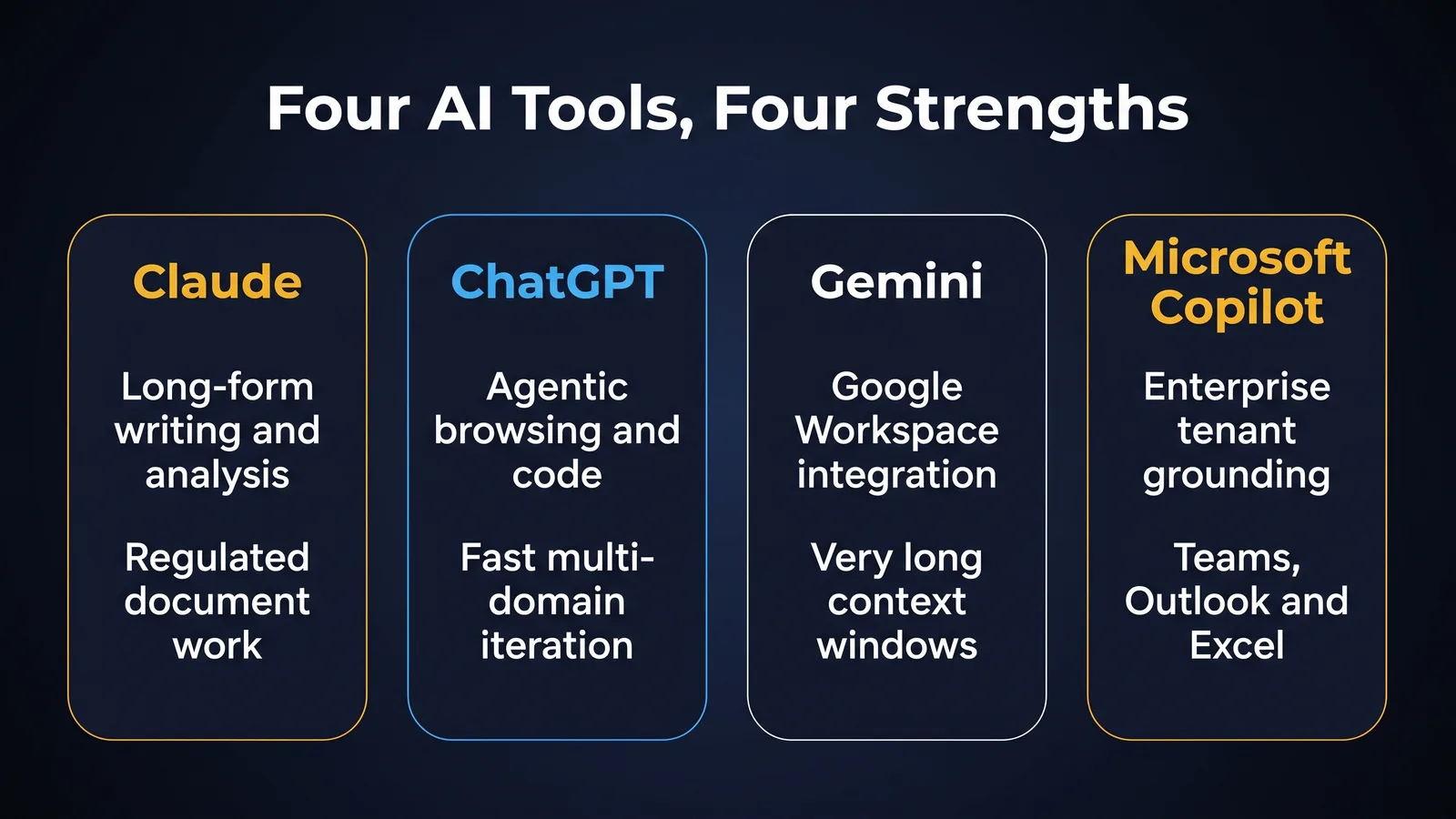
Across thousands of real workflows, four broad strengths have emerged. None is exclusive. Each tool can do most things. But the centre of gravity is different.
Claude (Anthropic)
Strongest at: long-form writing, analytical reasoning on documents, careful drafting in professional registers, code review and refactoring, regulated-sector workflows.
In 2026, Claude is the tool most professional readers describe as "the colleague who reads carefully and writes well". Its outputs are typically longer, more structured, and more thoughtful on first run. It is the strongest of the four for the kind of document work that compliance, legal, governance, HR and policy roles do every day. Reasoning budgets shipped in 2025 made Claude particularly strong on multi-step analysis.
Trade-off: less aggressive at agentic actions in the consumer interface than ChatGPT, smaller native ecosystem of integrations.
ChatGPT (OpenAI)
Strongest at: agentic browsing, code generation and debugging, image generation, voice mode, creative ideation, breadth of plug-ins and tooling.
ChatGPT is the most "do-everything" of the four and the best at agentic work in the consumer interface. If your job is fast iteration across many domains, prototyping, building scripts, generating images alongside text, ChatGPT is hard to beat.
Trade-off: outputs can be shorter and less structured by default than Claude. Personality varies more between sessions.
Gemini (Google)
Strongest at: native integration with Google Workspace, very long context windows, multimodal video and audio reasoning, search-grounded answers.
If you live in Gmail, Google Docs, Sheets and Drive, Gemini is the one tool that meets you in your existing files without effort. It also has the longest practical context window of the four for pasting whole reports.
Trade-off: less consistent on complex prose drafting than Claude. Quality of agentic work has improved but trails ChatGPT.
Microsoft 365 Copilot
Strongest at: enterprise grounding inside Microsoft 365, Teams meeting summaries, Outlook drafting, Excel formula help, SharePoint search, governance posture.
Copilot is the only one of the four that ships with enterprise grounding to your tenant by default. For employees of organisations that have committed to Microsoft 365, Copilot has access to your real documents, real calendar and real Teams transcripts. Nothing else competes on that ground.
Trade-off: weaker on raw generation and reasoning than the consumer-facing trio. Quality varies sharply by which underlying model is wired up that month.
Which AI tool should you use for your role?
A working decision guide for the audiences this site serves.
Workers compensation case management
Default: Claude.
Reason: Document-heavy work. Long file notes, treating practitioner reports, decision letters. Careful prose register. Reasoning across multiple documents. Claude's natural strengths line up. Use ChatGPT or Gemini as a secondary tool for one-off ideation. Use Microsoft Copilot if your firm is on Microsoft 365 for diary, email and meeting summaries.
WC-specific note: regardless of tool, de-identify all claim data before pasting. Do not put a real claimant name into any consumer tool.
Governance, risk and compliance
Default: Claude or Microsoft Copilot, depending on your organisation.
Reason: If you are in a Microsoft 365 enterprise, Copilot's grounding to your real policies, audits and risk register is uniquely valuable and cannot be replicated by pasting documents into a consumer tool. If your organisation has not deployed Copilot, Claude is the strongest standalone choice for the kind of structured analysis GRC work demands. ChatGPT is the right secondary tool for drafting board papers and regulator correspondence.
GRC-specific note: cite the primary source. Use the model to draft and analyse, not to source.
HR practice
Default: Microsoft Copilot if available, otherwise Claude.
Reason: HR sits at the intersection of documents (policies, contracts) and conversations (Teams, email). Copilot grounds both. Where Copilot is not available, Claude handles the document side better than ChatGPT. Gemini is strong for any HR team that lives in Google Workspace.
HR-specific note: never paste raw employee data into a consumer tool. De-identify or anonymise first.
People leaders and managers
Default: Microsoft Copilot for the daily inbox/calendar/Teams use case, ChatGPT or Claude for thinking work.
Reason: Day-to-day manager work is about your tenant data. The thinking work (one-on-one prep, performance review drafting, change comms) is where the consumer-facing models pull ahead.
General office professional
Default: ChatGPT or Claude. Pick by personal preference, switch when the task warrants.
Reason: Most general office work fits either tool. Pick the one whose outputs feel closer to your voice. Layer in Gemini if you live in Google Workspace.
How do you choose an AI tool without the marketing noise?
Vendor announcements are not a useful basis for choosing. Three better signals are.
Try the same task on each tool for two weeks. No spreadsheet. No benchmark league table. Just run your actual work through each free or paid tier you have access to. After two weeks of side-by-side use, your preference will sharpen on its own. The tool that feels closest to the way you think is usually the right default.
Read working-professional reports, not launch posts. Two weeks after a major launch, technical reviewers and working professionals publish honest accounts of how the model holds up on real work. These are far more useful than the launch coverage. The Anthropic, OpenAI, Google and Microsoft launches all generate enthusiastic week-one reactions and more measured week-three ones.
Check whether your organisation has an enterprise contract. Enterprise tier access is a meaningful upgrade on data handling, integrations, and audit. If your organisation has already paid for Claude for Enterprise, ChatGPT Enterprise or Microsoft 365 Copilot, that is the right starting point. The default tool decision is partly out of your hands and that is fine.
A note on cost
The four tools have similar headline pricing for personal accounts (around AUD 30 to 35 a month for Pro tiers in 2026). Enterprise pricing varies more and is contracted at the organisation level. The cost-per-output difference between tools is not where the productivity decision lives. For most professionals, the gain from picking the right tool for the work outweighs the cost difference by an order of magnitude.
The exception is Microsoft 365 Copilot, which adds per-user cost on top of an existing Microsoft 365 licence. For an organisation with thousands of staff, that adds up quickly. The right governance question is not "is Copilot worth the per-seat cost in isolation". It is "does Copilot's tenant grounding replace three or four other tools that staff would otherwise paste data into". For most large organisations the answer is yes, and the tenant grounding is the reason.
A note on Australian data residency
Each of the four vendors has had to address Australian data residency questions in 2025 and 2026. The current state in 2026:
- Anthropic offers data processing in Australia for enterprise tier. Consumer tier processes globally.
- OpenAI offers Australian data residency for ChatGPT Enterprise and Team tiers.
- Google offers Australian data residency for Gemini for Workspace under standard Google Cloud terms.
- Microsoft processes 365 Copilot data in line with the customer's Microsoft 365 tenant region. For tenants in the Australian region, this includes Australian processing for the prompts and completions.
For regulated work in Australia, this matters. The right tool decision is not separable from the data residency question. The Privacy-Safe AI for Regulated Work article walks through the wider assessment.
When a one-tool answer is wrong
For most professionals, owning two tools is more productive than owning one. The pattern that works:
- A primary tool for daily work (whichever default you picked above)
- A secondary tool for sanity checking on high-stakes outputs
If a board paper, a determination letter, or a risk register entry is going to leave your hands, it is worth running the same prompt on a second model and comparing the outputs. Where the two agree you can be more confident. Where they disagree you have flagged a thing worth thinking about yourself.
This is not paranoia. It is a 30-second cost for a meaningful quality and risk reduction.
Common mistakes
Picking the loudest launch. Vendor announcements describe peak capability, not typical performance. Wait two weeks after a launch and read the working professional reports.
Switching constantly. Tool fluency compounds. The professional who uses one tool well for six months will outperform the professional who used four tools for six weeks each.
Ignoring grounding. If you have access to Microsoft 365 Copilot through work and you are pasting Outlook content into ChatGPT, you are making the same task harder than it needs to be.
Treating free tier as ground truth. All four tools have meaningfully better paid tiers in 2026. The free experience is a starting point. The paid experience is the working tool.
A simple decision tree
If you want a one-page rule for picking, use this.
- Are you in a Microsoft 365 enterprise that has deployed Copilot? Use Copilot for any work that touches your tenant data (email, calendar, Teams, SharePoint). For thinking work, layer in Claude or ChatGPT.
- Do you spend most of your day in Google Workspace? Use Gemini for the in-document work. Layer in Claude or ChatGPT for thinking work.
- Is your work document-heavy, regulated, or compliance-adjacent? Use Claude as the default.
- Is your work fast-iteration creative or technical with an agentic flavour? Use ChatGPT as the default.
- None of the above? Pick Claude or ChatGPT by personal preference and revisit in 90 days.
The decision tree is a starting point, not a rule. Override it any time the work warrants. Most professionals settle on a primary tool and a secondary tool inside three months and do not look back.
A note on changing tools
Tool fluency compounds. The cost of switching tools is real. If you have been using ChatGPT for nine months and you are competent in it, the question is not "would Claude be marginally better today". The question is "is the marginal improvement worth six weeks of relearning". For most professionals the answer is no, unless your work has shifted (you moved into a regulated role, or you joined a Microsoft 365 enterprise that just deployed Copilot).
Switch when the work demands it. Stay otherwise.
Try this
Pick the same task you ran in the Prompt Engineering Fundamentals exercise. Run it on the free tier of two of the four tools (any two). Note three differences in the outputs. Decide which fits your work better. That is your default tool for the next 90 days.
Glossary
Frontier model. The newest, largest model in a vendor's lineup. Claude Opus, GPT-5, Gemini Ultra and the largest Copilot-backed model are the 2026 frontier set.
Context window. How much text the model can hold in memory at once.
Grounding. Forcing the model to answer using a defined source rather than its general training.
Agentic. When the model takes multi-step actions on your behalf.
Where to go next
Bottom line
The four main tools have grown apart in 2026, so the right default depends on your job rather than the loudest launch. Match Claude to document-heavy regulated work, ChatGPT to fast iteration and agentic tasks, Gemini to Google Workspace, and Microsoft 365 Copilot to work that touches your tenant data. Then run a primary tool for daily work and a secondary tool to sanity check high-stakes outputs.
Do this Monday:
- Pick your default with the decision tree: Copilot for Microsoft 365 tenant work, Gemini in Google Workspace, Claude for document-heavy or regulated work, ChatGPT for fast-iteration or agentic work.
- Run the same real task on two tools for two weeks before you commit, rather than trusting launch coverage.
- Add a secondary tool to check high-stakes outputs like board papers, determination letters and risk register entries.
- De-identify all claim or employee data before pasting it into any consumer tool.
- Check whether your organisation already holds an enterprise contract, and start there.
TheAICommand. Intelligence, At Your Command.