
HR fields the same questions every week, and a general AI chatbot answers them from the internet, confidently wrong about your workplace. The fix is a skill file that forces the AI to answer strictly from your organisation's own policy set, cite the policy and clause, quote the operative words, and escalate anything the policies do not cover to a named human. This article ships the file complete, plus the five prompts that build, test and maintain it.
Part 2 of The Skill File Series: ten reusable AI skills for Australian professional teams, two for every domain we cover. Part 7 brings the advanced HR instalment, an investigation chronology skill file. If the workspace for it does not exist yet, build the room first with LM-S01: Set Up Your AI Command Centre.
What is a skill file, and why does it beat re-prompting?
A general model has read the internet, not your intranet. Ask it an entitlement question and it assembles an answer from legislation summaries, law firm blogs and other jurisdictions' rules, in one assured tone. The HR failure mode is specific: the answer cites the wrong instrument, flattening the layered mix of internal policy, award or agreement, and the National Employment Standards your workplace actually runs on.
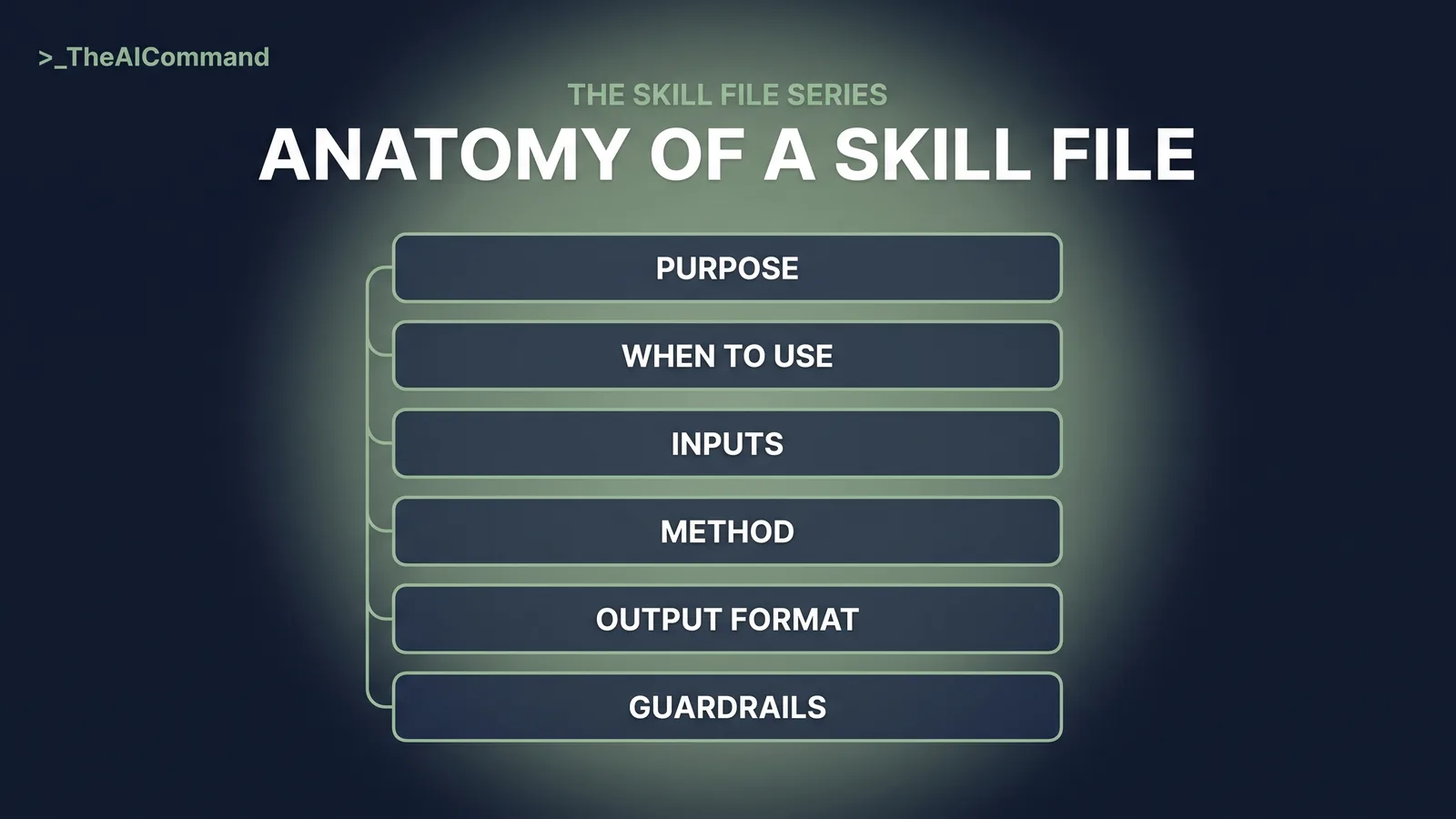
A skill file is the fix: a platform-neutral markdown instruction file a team writes once and reuses. It captures one repeatable task in six short sections, runs as ChatGPT or Claude project instructions or a native skill where supported, and adapts to Microsoft Copilot agents. The alternative is re-prompting: a good prompt lives in one chat history, colleagues rebuild worse versions, and the standard leaves with its author. A skill file is a named, versioned artefact the whole team runs; when a policy changes, one update reaches every answer after it.
The difference shows up under pressure. Re-prompting rewards whoever wrote the best prompt most recently; a skill file rewards the team that wrote the best process once. When a question lands late on a Friday afternoon, the person answering does not reconstruct the rules from memory. They run the file, and the file carries the caution that memory drops first: the citation requirement, the escalation rule, the refusal to guess. Consistency is the other half of the argument. Two team members asking the same question should produce the same clause-cited answer, and under a shared skill file they do.
The six-part anatomy
Every skill in this series uses the same six-part anatomy.
- Purpose. What the skill produces, and for whom.
- When to use. The triggers, and when not to use it.
- Inputs required. What the user supplies, as placeholder fields.
- Method. Numbered steps the AI follows, in order.
- Output format. The exact structure of the deliverable.
- Guardrails. What the skill must never do, escalation rules, verification requirements.
Each part earns its place by failing visibly when it is skipped. A vague Purpose produces a skill that drifts into general HR commentary. A missing When to use invites exactly the questions, complaints and named-employee matters, the skill must refuse. Inputs written as loose prose rather than placeholder fields get half-filled, so the answer arrives ungrounded. A Method without numbered order lets the AI cite before it searches, or answer before it checks coverage. An Output format left open returns a friendly paragraph with no clause, which reads well and verifies badly. And guardrails held in a colleague's head rather than written in the file disappear on their first day of leave.
The common mistakes run the other way too: long paragraphs of background where a numbered step should be, aspiration where a rule should be, three overlapping cautions where one testable prohibition would do. The working standard is simple. If a new team member cannot tell from the file alone what it produces, when to avoid it and what it must never do, the file is not finished.
The skill file: policy-grounded HR query
Replace the placeholders and this is ready to install.
The worked example: parental leave dates
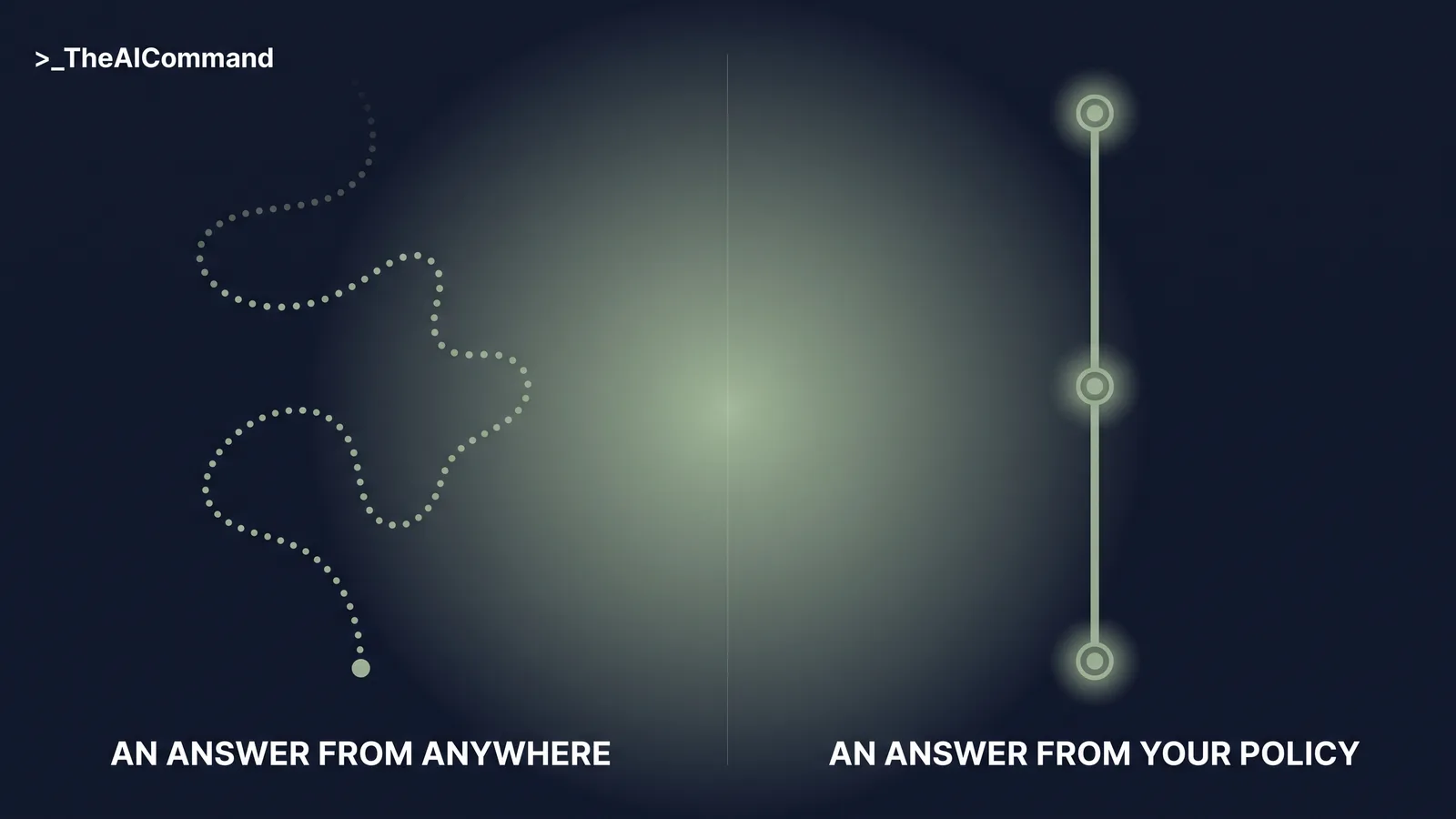
The before. A manager asks how an employee planning unpaid parental leave confirms dates, and a general chatbot recites a notice period attributed broadly to Australian workplace law, invents a documentation step from nowhere, and never mentions the organisation's own Parental Leave Policy. Authoritative tone, wrong workplace.
The after. The same question, framed as [EMPLOYEE_ROLE] with no name, runs through the skill. The answer: the policy states dates are confirmed in writing through the HR portal, per clause 4.2 of the Parental Leave Policy, version [POLICY_VERSION_DATE], operative words quoted. CONFIDENCE: GROUNDED. ESCALATION FLAG: AWARD/NES CHECK, because notice obligations also arise outside company policy. The one genuinely legal question is flagged for a human rather than guessed.
Read the two answers side by side and the difference is not tone, it is verifiability. The before answer cannot be checked without redoing the whole research task: which instrument, which version, which jurisdiction. The after answer is checkable in under a minute because the checking surface is small: open the Parental Leave Policy at clause 4.2, confirm the quoted words match, confirm the version date is current. If the quote does not match the clause, the answer is wrong and visibly so. That is the design goal. Not an AI that is always right, but an answer format in which being wrong is easy to catch.
The escalation flag does the second half of the work. The manager's question looked like one question; it was actually two. There is a process question the organisation's own policy answers, and a notice question that sits outside it, and the skill separated the pair instead of blending them into one confident paragraph. The manager gets a cited process answer immediately, and the part that needs a person reaches one.
Building it: the five-prompt chain
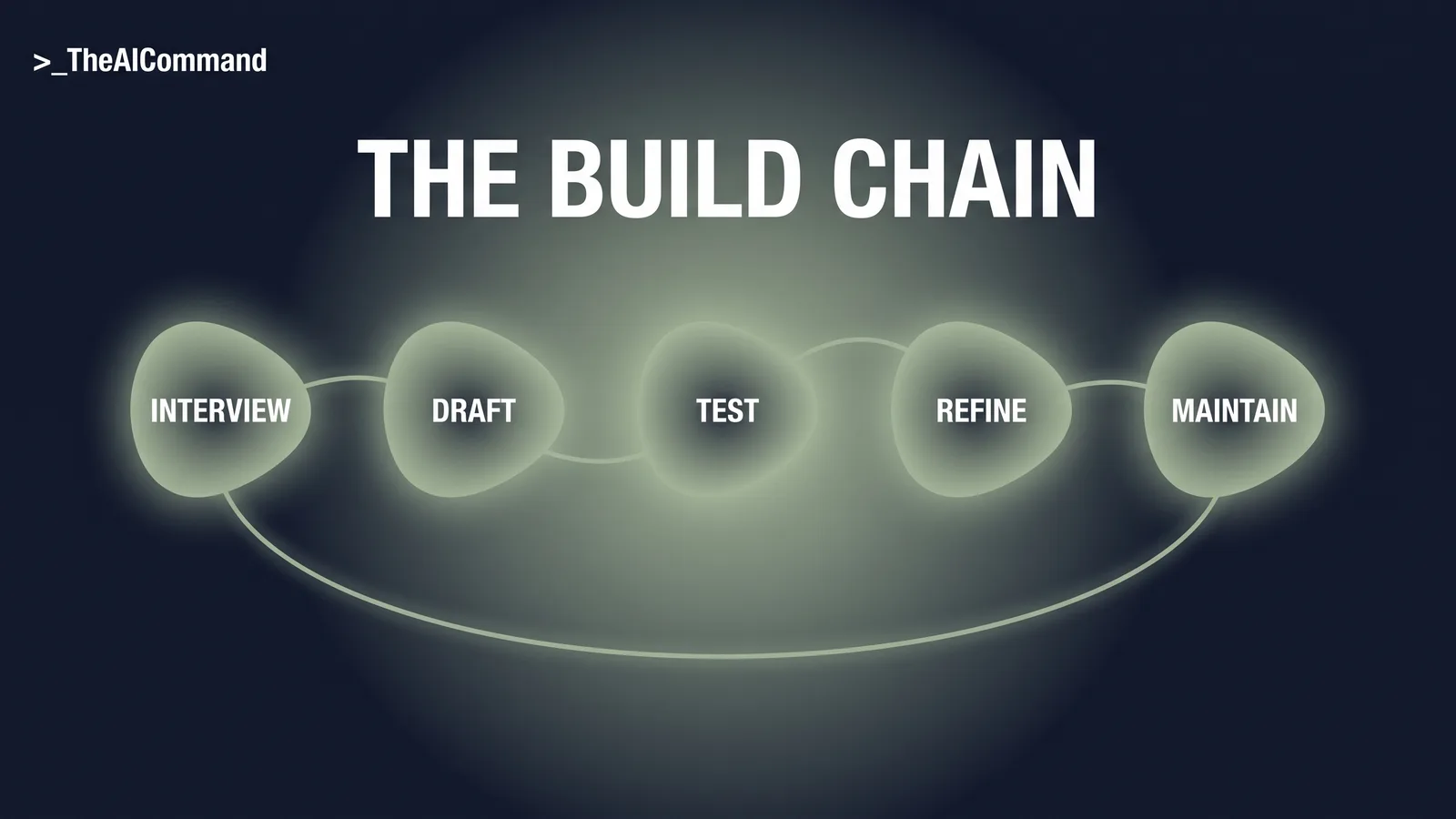
Do not adopt the file above unchanged. Run these five prompts in order.
Prompt 1: the interview.
Prompt 2: the draft.
Prompt 3: the test.
Prompt 4: the refine.
Prompt 5: the maintain.
Installing it in ChatGPT, Claude or Copilot
Both vendors now ship native Skills built on the SKILL.md convention: install the file natively where your plan supports it, and run it as project instructions plus knowledge files everywhere else.
The ChatGPT path. Projects are available on every ChatGPT plan, including Free. Paste the skill file into the project instructions and upload the policies as project files: 5 on Free, 25 on Go and Plus, 40 on Pro, Business, Enterprise and Edu. Because ChatGPT treats project files as retrieval-based reference rather than guaranteed full reads, the skill goes in instructions, the policies in knowledge. On Business, Enterprise, Healthcare and Edu, the native Skills feature, official as of July 2026, can carry the file itself.
The Claude path. A Claude skill is a folder with a SKILL.md file: YAML frontmatter carrying a name and description, instructions beneath. Claude reads only the name and description up front and loads the rest when a request matches, so the description must say what it does and when to use it. In the Claude apps, enable Code execution and file creation under Settings > Capabilities and upload the folder as a ZIP via Customize > Skills; the help centre lists skills as available across Claude plans, including Free, with code execution enabled. Without native skills, every Claude plan takes per-project instructions and knowledge uploads, with Free capped at five projects.
The Copilot adaptation. If your organisation runs Microsoft 365 Copilot instead, the same file adapts directly: paste its contents into an agent's Instructions field in Agent Builder, which caps at 8,000 characters, noting Copilot's uploaded knowledge accepts .txt and .docx but not .md.
Whichever path applies, the division of labour is the same. The skill file carries the rules; the policy documents carry the facts. The instructions layer is where the file lives, so its rules apply to every question, while the policies sit as knowledge for the skill to search and quote. Keeping the two apart is also what keeps maintenance cheap: when a policy is reissued, the knowledge file is replaced and the skill file does not change.
The guardrails that make this safe in HR
Four lines are non-negotiable, each written into the file rather than left to memory.
- No personal details, ever. Questions enter as roles and scenarios, not names; the skill refuses and asks for reframing when they slip through.
- Policies in, people matters out. Complaints, safety issues, performance matters and anything about a specific person belong in a human conversation; the only correct output is the escalation line.
- Instrument conflicts are human work. Where policy could sit differently against an award, agreement or the NES, the flag goes up; AI can read the award, not set the pay covers why.
- A person owns every answer. Procedural fairness means decisions made, explained and owned by people; a clause-cited draft supports that, an auto-sent answer undermines it.
Each of these lines exists because of how the failure would otherwise happen: quietly. Personal details slip into questions through helpfulness, not malice. A manager adds a name for context, the context becomes a record, and a routine policy query has turned into a note about an identifiable employee. Requiring roles and scenarios keeps the query abstract and the answer just as useful.
The people-matters exclusion protects the person asking as much as the person asked about. A complaint routed through a query tool arrives stripped of the care and confidentiality it deserves. The instrument-conflict rule exists because a policy can read clearly on its own and still not be the whole story, and the model has no way of knowing which layer prevails; a flag costs seconds, a wrong resolution costs far more. And the final guardrail, human ownership, keeps the other three honest. A person who must verify and send an answer actually reads it, and a person who reads it catches the citation that does not hold.
The bottom line
This skill file inverts the default: answers come only from your policy set, every answer carries its clause, silence is reported, not papered over, and questions that need a human get one immediately. None of this is legal advice, and the instruments that bind your workplace are your own: the skill exists to keep AI inside them.
Do this Monday
- List the ten HR questions your team answered more than once last month.
- Pull the current versions of those policies and record the version dates.
- Run Prompt 1 in a fresh chat and answer honestly, including the never-answer list.
- Run Prompts 2, 3 and 4, with last month's real questions, de-identified, as the test set.
- Install the refined file with the policies as knowledge, and name one owner.
- Set the first review date and put Prompt 5 in the calendar entry.
Pull the question list from wherever the questions actually arrive, the shared inbox or the ticket queue, rather than from memory: the questions people remember are rarely the ones that recur. And resist the urge to start at step 5. The file at the top of this article works, but it works because of what the earlier steps feed into it: your policies, your version dates, your never-answer list, your named escalation owner. Installed without the interview and the test, it is a well-structured guess. The interview and the draft are one sitting, the test and the refine another, and the install is minutes. What usually takes longest is pulling the current policy versions, itself a finding worth having.
Take it with you
The blank template:
The five prompts, by name:
- Interview. Extracts the policies, owners and never-answer list.
- Draft. Turns the interview summary into the six-part file.
- Test. Five adversarial questions hunting for wrong behaviour.
- Refine. Tightens instructions, keeps the change record.
- Maintain. Scheduled review against current policy.
The Skill File Series
Ten parts, two per domain, publishing 27 July to 7 August 2026. Links go live as each part publishes.
- The decision memo skill file
- A policy-grounded HR query skill file (this article)
- A reg-change impact assessment skill file
- The safety comms skill file
- A claim chronology skill file
- Team skill library governance
- An investigation chronology skill file
- Skill files as controlled documents
- An incident notification triage skill file
- A determination evidence-check skill file
TheAICommand. Intelligence, At Your Command.