
Every regulator release is different. The impact assessment method is not. That mismatch is why the same scramble repeats: the release is new each time, so the work feels new each time, even though the steps a good compliance team runs are nearly identical release after release. A skill file captures those steps once, in a plain markdown file the whole team reuses, so the next release starts at your standard instead of at a blank chat window.
Part 3 of The Skill File Series: ten reusable AI skills for Australian professional teams, two for every domain we cover.
This is the GRC foundation piece: it teaches the six-part skill file anatomy and ships a complete regulatory change impact assessment skill. Part 8 takes the advanced step of treating skill files as controlled documents, and if your AI workspace is not set up yet, build the room first with LM-S01: Set Up Your AI Command Centre.
What is a skill file, and why does it beat re-prompting?
A skill file is a platform-neutral markdown instruction file: one page that tells an AI exactly how your team performs one repeatable task. Write it once, load it into the platform your organisation runs, and every run of that task starts from the same method, the same output shape and the same guardrails.
The alternative is what most teams do now. A release lands, someone opens a chat and types a prompt from memory. Output quality tracks prompt quality, prompt quality tracks who typed it, and the method lives in heads. When that person is on leave, the standard goes on leave with them. Re-prompting also drifts quietly: small wording changes reshape the output until two assessments in the register look nothing alike.
The format is no longer a workaround, either. Both OpenAI and Anthropic now ship a native feature built on exactly this convention, a folder with a SKILL.md instruction file, so the artefact you write for your team is the same shape the platforms have standardised on. The install section below covers where each vendor supports it natively and how to run it everywhere else.
Regulatory change is the ideal first skill for a GRC team because the method is stable while the inputs churn. APRA's letter to industry on AI of 30 April 2026, a consultation paper, an amended standard: the releases differ, the assessment discipline does not.
The six-part anatomy
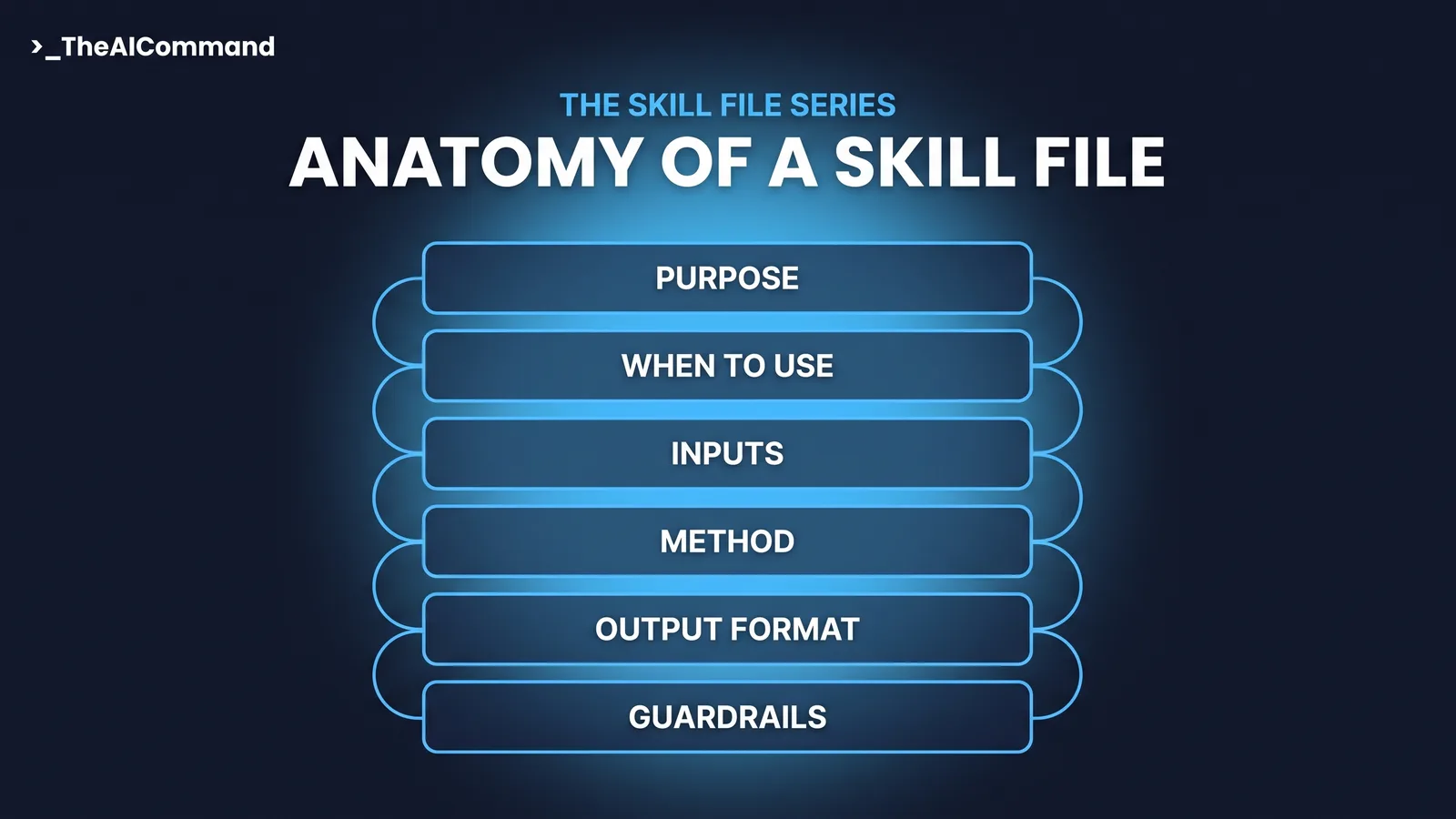
Every skill file in this series uses the same six sections, in the same order.
- Purpose. One paragraph: what the skill produces, and for whom.
- When to use. The trigger conditions, and just as importantly, when not to use it.
- Inputs required. What the user must supply, written as placeholder fields.
- Method. The numbered steps the AI follows, in order.
- Output format. The exact structure of the deliverable, so every run is comparable.
- Guardrails. What the skill must never do, when it stops and escalates, and what a human verifies.
The order is deliberate. Purpose and When to use are what the AI, and a colleague, read to decide whether the skill fits the request. Inputs, Method and Output format do the work. Guardrails sit inside the file rather than in a separate policy, because a rule the AI never sees is not a control.
The complete skill file
Here is the full skill, ready to adapt. Two inputs make it work: the release itself, and a small organisation context file listing your business lines, licence types, obligation register categories and control framework names. The context file is what turns a generic summary into an assessment of your obligations. Keep it short and current.
Note what the guardrails do. They force every claim back to the release text, ban legal conclusions, and make human validation a stated precondition for anything reaching the register. That is the human involvement APRA's AI letter expects for high-risk decisions, written into the tool itself rather than left in a procedure document nobody opens mid-task.
Before and after: the prudential letter test
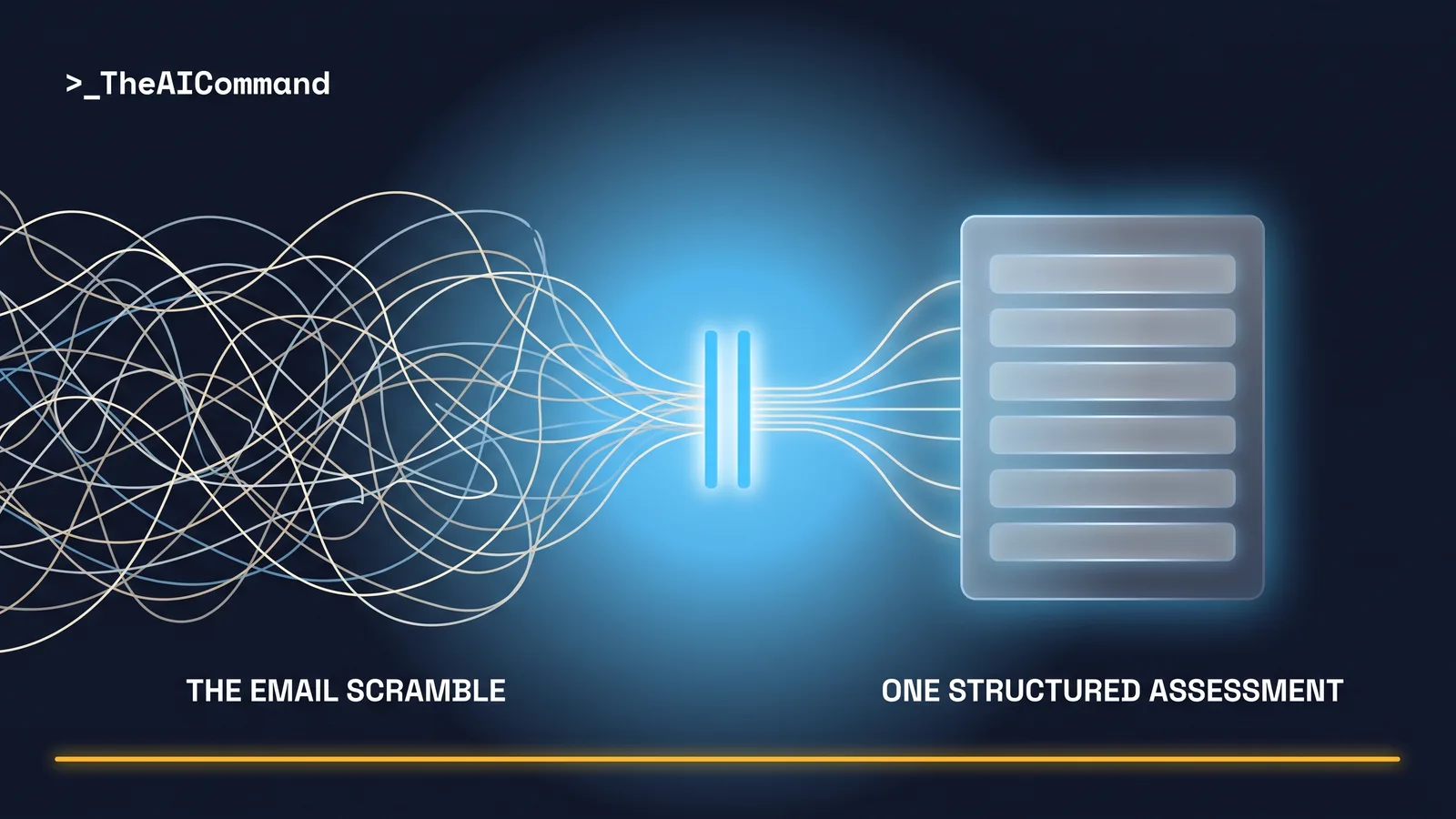
Consider a de-identified scenario. A prudential letter lands at [ORGANISATION], a mid-sized regulated entity, on a Tuesday morning. Under the old pattern, an analyst skims it for 40 minutes, sends a summary upward, the manager asks two clarifying questions by email, someone else searches the obligations register, and by Thursday there is a thread holding three partial views and no single document. Nothing cites the letter. Nothing is stamped.
With the skill installed, the analyst pastes the letter and the context file and runs it once. The draft comes back in the six-section shape: change summary, affected obligations, impacted controls, a gap assessment classifying each area, draft actions with owners marked TBD, and a sources section citing the letter paragraph by paragraph. The obligation owner validates it the same morning, downgrades one classification the model overcalled, upgrades another where it missed a licence condition, and the validated assessment enters the register with its citation trail and draft stamp intact.
The point is not that the AI got it perfectly right. It did not, and the file assumes it will not. The point is that the human spent the morning on two judgement calls instead of on assembling a document.
The five-prompt build chain
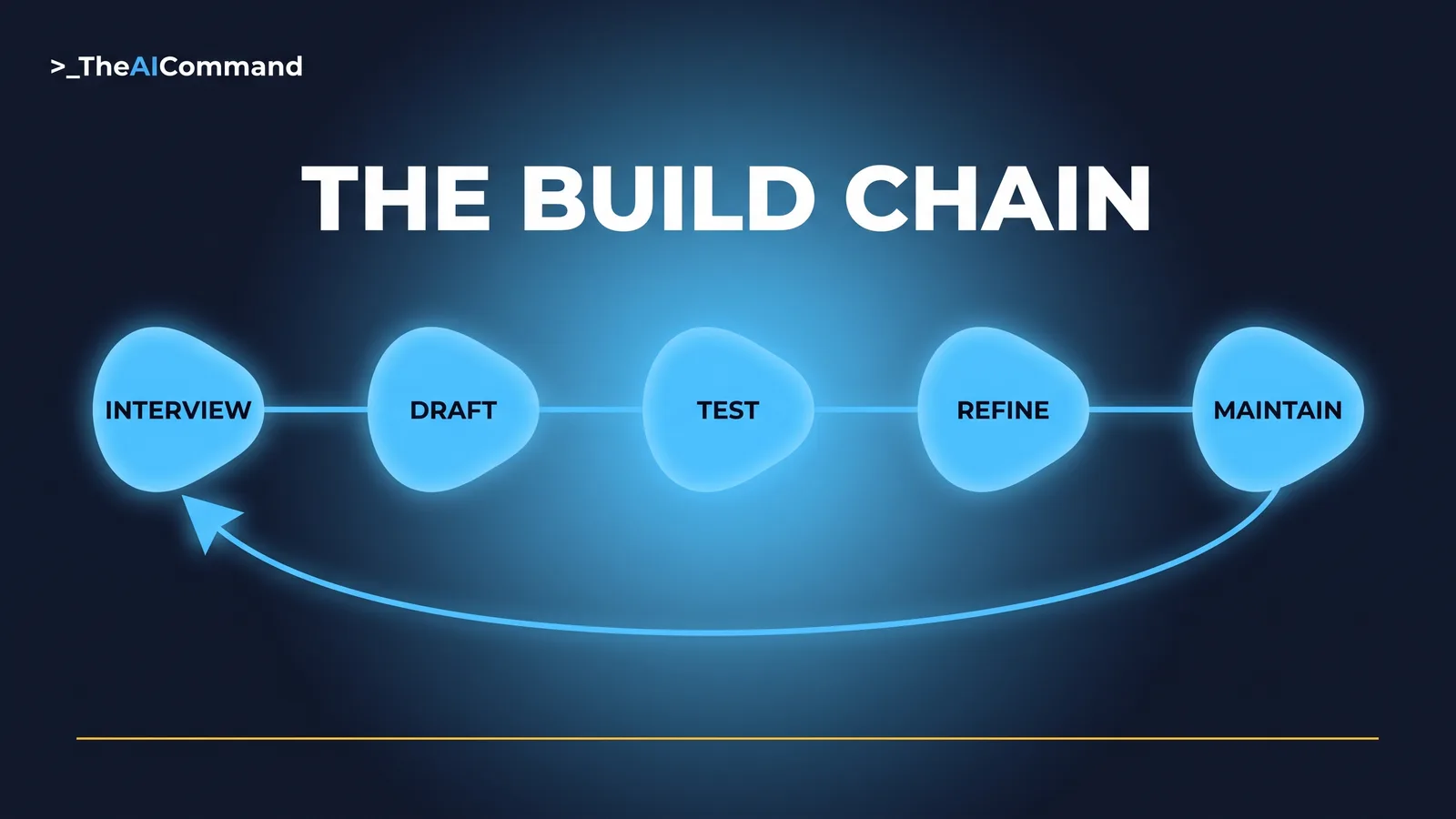
The file above is a strong start, but the version your team runs is the one built from your own workflow. These five prompts do that. Run them in order; each output feeds the next.
Installing it in ChatGPT and Claude
In ChatGPT, projects are available on every plan, including Free. Create a project for regulatory change, paste the skill file into the project instructions, which override account-level custom instructions inside that project, and upload the organisation context file as project knowledge. File limits run from 5 files on Free to 25 on Go and Plus and 40 on Pro, Business, Enterprise and Edu, and a new project can be set to project-only memory so the work stays separate from outside chats. One practical note: ChatGPT uses project files as retrieval-based reference material rather than guaranteed full reads, so the method and guardrails belong in the instructions field, with the context file as knowledge. On Business, Enterprise, Healthcare and Edu plans, ChatGPT also offers a native Skills feature as of July 2026: reusable, shareable workflows built as a folder with a SKILL.md manifest that loads only when relevant, created in chat, in the Skills editor, or uploaded.
In Claude, the same artefact installs as a first-class skill. A Claude skill is a folder with a SKILL.md file, YAML frontmatter carrying a name and description with the instructions below. Claude reads only the name and description up front and pulls in the full instructions when a request matches, so write the description to say what the skill does and when to use it. To install in the Claude apps, enable Code execution and file creation under Settings > Capabilities, then upload the skill folder as a ZIP, folder at the ZIP root, via Customize > Skills. Skills are available across Claude plans, including Free per the Claude help centre, with code execution enabled, and the same format works across the Claude apps, Claude Cowork, Claude Code and the API, installed separately on each surface. On Team and Enterprise plans an organisation owner can provision a skill for everyone, which is how a validated compliance skill becomes the team standard rather than one analyst's setup. Where a native install is not on offer, run it as a Claude project: projects exist on every plan, including Free with a cap of five, with a per-project instructions field and knowledge uploads.
If your organisation runs Microsoft 365 Copilot instead, the same file adapts directly: paste its contents into an agent's Instructions field in Agent Builder, which caps at 8,000 characters, noting Copilot's uploaded knowledge accepts .txt and .docx but not .md.
The guardrails that make it defensible
Three disciplines separate a defensible AI-assisted assessment from a liability.
Human in the loop, by design. The skill classifies; a person validates. The draft stamp restates it on every output, and no classification touches the register until an obligation owner confirms it. APRA's AI letter names human involvement for high-risk decisions among its minimum expectations, and an assessment that shapes register entries is squarely that kind of use.
An evidence trail per claim. Every statement cites the release section or page, and the output carries the release version and the date checked. When a release is reassessed after amendment, the stamps show which analysis saw which version. Retain the outputs: the validated assessment plus its citation trail is the record that the change was assessed, by what method, against what text.
The file itself is a record. Your skill file documents your method, so it belongs in the AI use-case inventory APRA's letter expects regulated entities to keep. And once a skill file shapes work a regulator cares about, it needs versioning, an owner and an approval step, which is Part 8's territory. For an entity subject to CPS 230, which commenced on 1 July 2025, the connection is direct: the assessment process this skill supports sits inside the operational risk and control environment that standard governs.
Bottom line
Regulatory change assessment is a stable method applied to unstable inputs, which makes it the best first skill file a GRC team can build. Encode the method once in the six-part anatomy, force citations and a draft stamp inside the file itself, keep a named human validating every classification, and build your own version with the five-prompt chain rather than adopting anyone else's file unexamined.
Do this Monday
- Write your organisation context file. One page: business lines, licence types, obligation register categories, control framework names. Thirty minutes, and it powers everything else.
- Adapt the skill file above. Change the classification labels and output sections to match how your register actually works, or run the five-prompt chain and build it from your team's answers.
- Test it on the last release you assessed. You already know what a good assessment of that release looks like, so compare the skill's draft against what your team produced and note every gap.
- Name the validator. Decide which obligation owner signs off assessments before register entry, and write that into your procedure, not just into the file's TBD field.
Take it with you
The blank template, and the five prompts that build any skill on it.
- Interview. One question at a time; extract the team's real method before anything gets drafted.
- Draft. Turn the confirmed answers into the six-part file; output only the file.
- Test. Apply the file to a sample release and make the AI report every rule it broke.
- Refine. Fix each numbered failure from the test; tighten wording rather than lengthening it.
- Maintain. A scheduled review that checks the file still matches your register categories, control names and labels.
The Skill File Series
Ten parts, two for every domain we cover, publishing 27 July to 7 August 2026. Links go live as each part publishes.
- Your First Skill File: A Decision Memo On Demand
- An HR Skill File That Answers From Your Policies, Not the Internet
- A Skill File for Regulatory Change: Impact Assessment On Demand (this article)
- The Safety Comms Skill File: Alerts Workers Actually Read
- A Claim Chronology Skill File Built for De-Identification
- Who Owns Your Team's Skill Library?
- An Investigation Chronology Skill File With Fairness Built In
- Skill Files Are Controlled Documents. Treat Them Like It
- An Incident Triage Skill File That Never Decides Notifiability
- A Determination Evidence-Check Skill File Under Section 14
Content disclaimer: This article is for general educational and informational purposes only. It does not constitute legal advice, regulatory guidance, or a substitute for professional compliance judgement. Regulatory obligations vary by entity type, licence, and circumstance. Always refer to primary source guidance from APRA or the relevant regulatory authority.
Primary sources
- APRA, Letter to Industry on Artificial Intelligence (AI), 30 April 2026. https://www.apra.gov.au/news-and-publications/apra-letter-industry-artificial-intelligence-ai
- APRA, Prudential Standard CPS 230 Operational Risk Management, commenced 1 July 2025. https://www.apra.gov.au/operational-risk-management
TheAICommand. Intelligence, At Your Command.