
A gold standard Claude workspace is a setup you build once so Claude carries your context, boundaries, voice, examples and repository instructions into every job, on the surface that fits it. Most people underuse Claude because they treat every conversation as a fresh start. They open a chat, paste a wall of background, get a half-right answer, then do the same thing again tomorrow. A gold standard setup ends that loop. It gives Claude its context, boundaries, voice, examples, lessons and repository instructions before the work begins. The principle behind the whole exercise is simple: set it up once, stop re-explaining.
This is harder than it sounds for an enterprise, because "set it up once" raises three questions that a personal user never has to answer. Which surface does the work belong on. What can safely live in shared context and what cannot. Who is allowed to change the rules everyone else inherits. Get those three right and the productivity follows. Get them wrong and you have built a fast way to leak data or contradict your own policies.
This guide is general guidance and education only, not professional, legal or compliance advice. Verify any setup decision, especially anything touching personal information, with the relevant people in your own organisation before you rely on it.
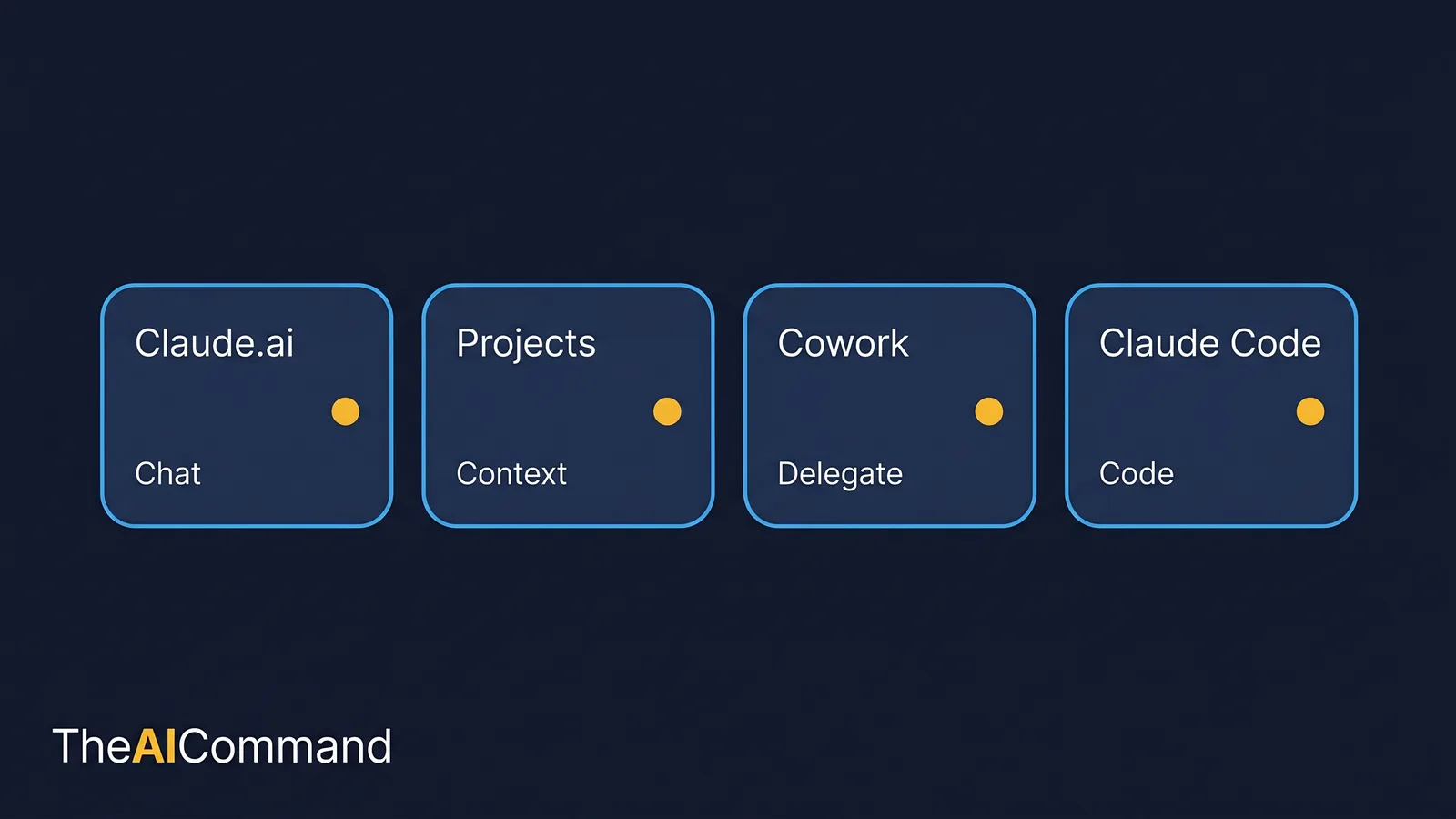
Which of the four Claude surfaces fits the job?
A common mistake is to pick a Claude surface by habit rather than by the job. The four main surfaces behave differently, and the setup that makes one useful is wasted effort on another.
Claude.ai is the standard chat interface. It suits ad hoc questions, quick drafts and one-off analysis where you carry the context in your head [1]. Projects sit on top of that chat interface. A Project is a self-contained workspace with its own chat histories and a knowledge base you can upload documents to, so Claude understands the context without you pasting it every time [2]. Cowork is for delegated work that runs across files and tasks, with a plan-and-approve gate before it acts [3]. Claude Code is the command-line interface for repository-aware work, where a CLAUDE.md file carries persistent instructions into every session [4].
The table below maps the common jobs to the surface that fits.
The blunt version: Claude.ai is for thinking out loud, Projects is for repeated work, Cowork is for delegated work, and Claude Code is for files. If you find yourself pasting the same brief into a fresh Claude.ai chat for the third time this week, that work belongs in a Project, and knowing when to graduate a workflow from raw chats to Projects is a judgement worth making on purpose.
A worked example: an Australian enterprise content workspace
Abstract advice rarely survives contact with real work, so here is a concrete one. Picture a mid-sized Australian organisation with a small internal communications and risk team. They produce regulatory explainers, internal training material and manager guidance. They want Claude to help, without re-teaching it their voice, their audience and their boundaries every single time.
Their gold standard setup has a clear shape. The Project knowledge base holds the stable material: a voice profile, a writing-styles file, domain packs for the areas they write about, a source-rules file, an examples folder and a lessons log. The code repository that builds their intranet pages holds a CLAUDE.md and a .claude/rules/ folder. Cowork is reserved for bounded, delegated jobs with explicit review checkpoints. The people on the team still review everything, but every surface now starts from the right mental model rather than a blank one.
The point of the example is not that Claude removes the work. It changes the shape of the work. Instead of staring at a blank page or tidying a messy table by hand, the team spends its time validating structure, improving evidence, asking sharper questions and deciding what an output is allowed to mean.
Which files make a Claude workspace useful?
A workspace is only as good as the files behind it. The set below is the gold standard core. Each file has one job, and splitting them this way is deliberate: coding rules and writing voice belong in different places, because they load into different surfaces.
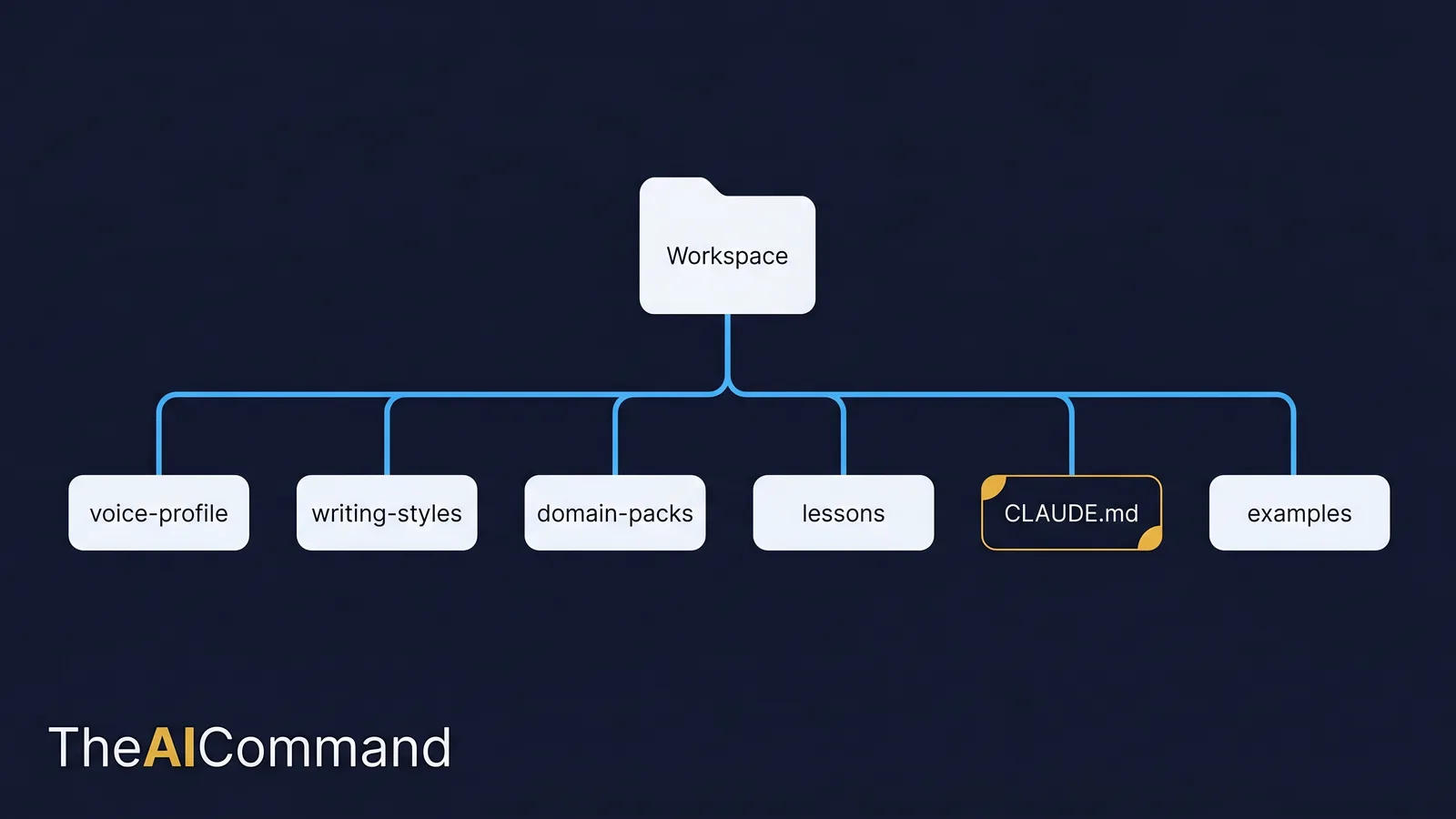
The file and folder table sets out where each artefact lives and when to update it.
The numbering is not magic. It just makes the hierarchy obvious so the most important context sits near the top. The next table sets out what actually goes inside each file, because "write a voice profile" is not an instruction anyone can act on.
Keep CLAUDE.md short. Anthropic's own guidance is to target under 200 lines, because longer files consume more context and reduce how reliably Claude follows them [4]. The best CLAUDE.md reads like a calm senior teammate explaining how work happens here, not a dumping ground for every preference anyone ever had.
How to build each file: an interview, not a blank page
Staff freeze at "create a voice profile" the same way they freeze at a blank document. The fix is to stop writing the file and start answering questions. Each core file can be produced by a short elicitation: Claude asks, you answer, Claude drafts, you correct. Set it up once, and the file is built.
For the voice profile, paste samples of writing the team likes and dislikes, then run a short interview prompt.
A short transcript shows how that plays out in practice:
That conversation produces a usable file in minutes, and it captures rules the team holds but would never have thought to write down. The same method builds the rest of the workspace.
For domain packs, the elicitation focuses on boundaries rather than tone.
For the repository file, the interview targets how the codebase actually behaves.
The lessons file is built by the review loop, not a one-off interview. After each serious review, convert the feedback into durable updates.
And once the workspace exists, it needs auditing for drift. This prompt does that.
The order here is the point. You narrow the task first, build or test the artefact in the middle, then review and prune at the end. That sequence reduces the chance of a polished but unsafe output.
What context belongs in the Project, and what belongs in the prompt?
The single most useful design decision is also the simplest: split context by how often it changes. Stable material goes into Project knowledge. Situational material goes into the prompt.
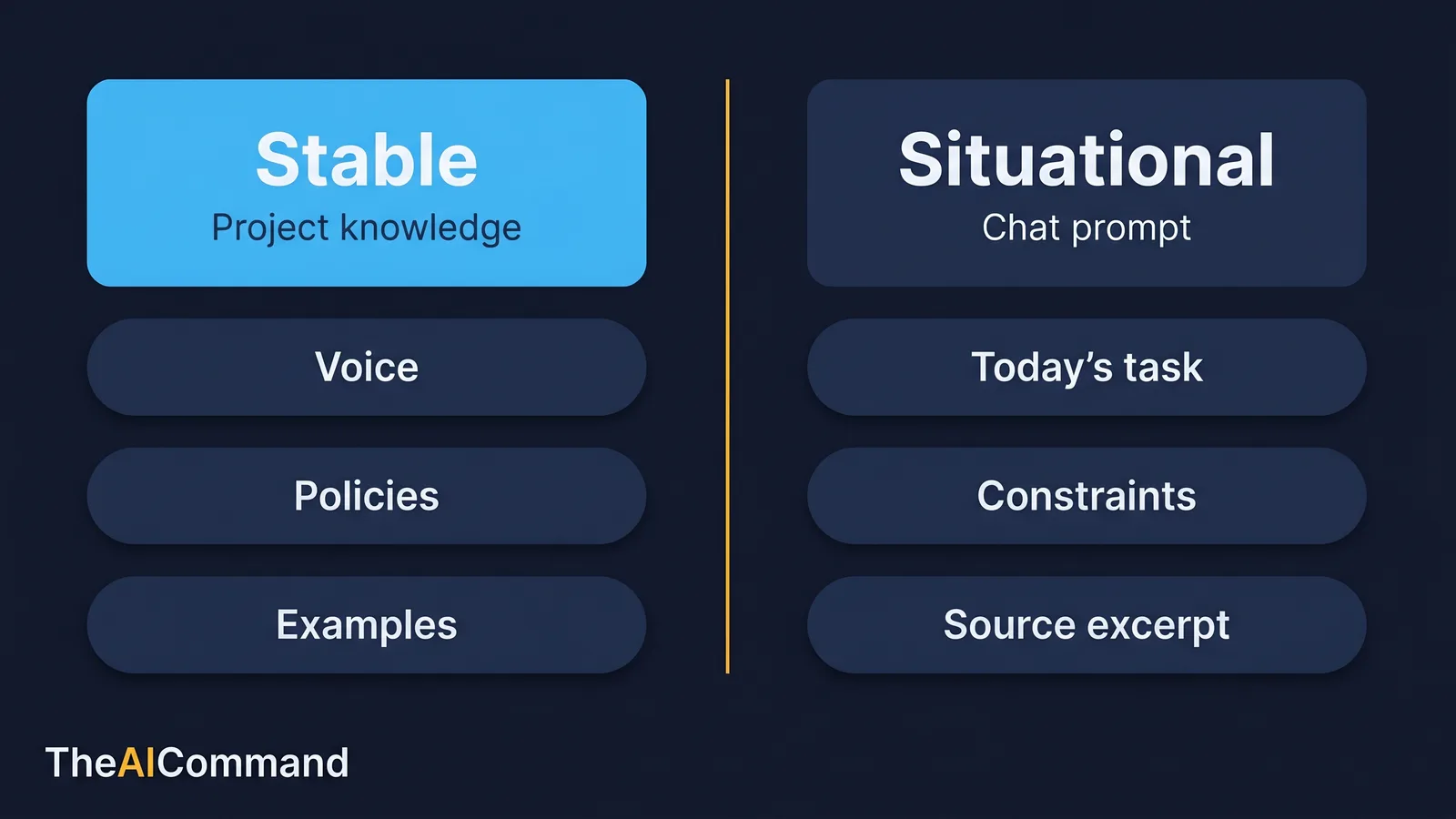
Stable means brand voice, source rules, templates, approved examples and policy extracts that hold across many tasks. Situational means today's specific task, the constraints that apply to it and the source excerpts in front of you right now. Project knowledge is the right home for the stable layer because, on paid plans, Claude retrieves from the knowledge base rather than asking you to paste it. When project knowledge approaches the context limit, paid plans expand capacity through retrieval [2].
This is where the enterprise question gets sharper than the personal one. The Project knowledge base is shared context. Anything you put there is visible to everyone who can open the Project, and on Team and Enterprise plans, Projects can be shared across members [2]. That makes it a brilliant home for a knowledge spine and a dangerous home for the wrong material.
The enterprise knowledge spine, the curated, governed body of stable context that feeds your AI work, is its own discipline. It is covered in depth in the companion piece on building an enterprise knowledge spine. The short version for this article: the spine is what you load into Project knowledge, and the rules for what is allowed in it are the rules below.
What is safe in Project knowledge, and what is not
Before any document goes into shared Project knowledge, it should pass a simple test. Stable material is safe. Personal information and live source data usually are not.
Safe to place in Project knowledge: brand and voice guidance, approved templates, published policy extracts, de-identified examples, and reference material that is already cleared for the people who can see the Project. Not safe by default: records containing personal information, anything subject to confidentiality obligations, and source data that should stay in the controlled system it came from.
For Australian organisations, the relevant baseline is the Australian Privacy Principles. APP 6 limits how personal information can be used and disclosed beyond the purpose it was collected for, and APP 11 requires reasonable steps to protect personal information from misuse and unauthorised access [5][6]. Loading a spreadsheet of personal information into a shared workspace so the wording reads better is exactly the kind of secondary use those principles are designed to catch. The safer pattern, and the heart of privacy-safe AI for regulated work, is to de-identify first, then place only the de-identified material in shared knowledge, and to keep live records in the system that already governs them.
The same caution scales up to the technical controls. Where the work is sensitive or the audience is broad, the surface and the plan matter:
- Plan tier. Sharing a Project across team members requires Team or Enterprise; individual paid plans give one person enhanced project knowledge but not shared access [2]. If several people need the same governed spine, that is a Team or Enterprise decision, not a workaround.
- Administration and identity. Enterprise-grade access, single sign-on and centrally managed accounts are administrative controls that sit above the workspace. Confirm with your IT or security team how Claude access is provisioned before you put organisational material into it.
- Data residency and handling. Where data is processed and stored, and under what contractual terms, is a procurement and security question. Settle it before, not after, you load anything that matters.
- Approval gates. Cowork is built around this. Before it acts, it shows you the plan and waits for your approval [3]. Treat that gate as a control, not a speed bump, especially for anything that sends messages, moves files or makes irreversible changes.
The governance rule that ties it together: decide what the model is not allowed to do, and make that boundary visible in the workflow, the prompt and the review checklist. If the only place a boundary lives is in one person's head, it will be missed under time pressure.
From fresh-start chats to a governed workspace
Maturity here is a ladder, not a switch. Most teams start at the bottom and most never need to reach the top. Knowing where you are tells you what to build next.
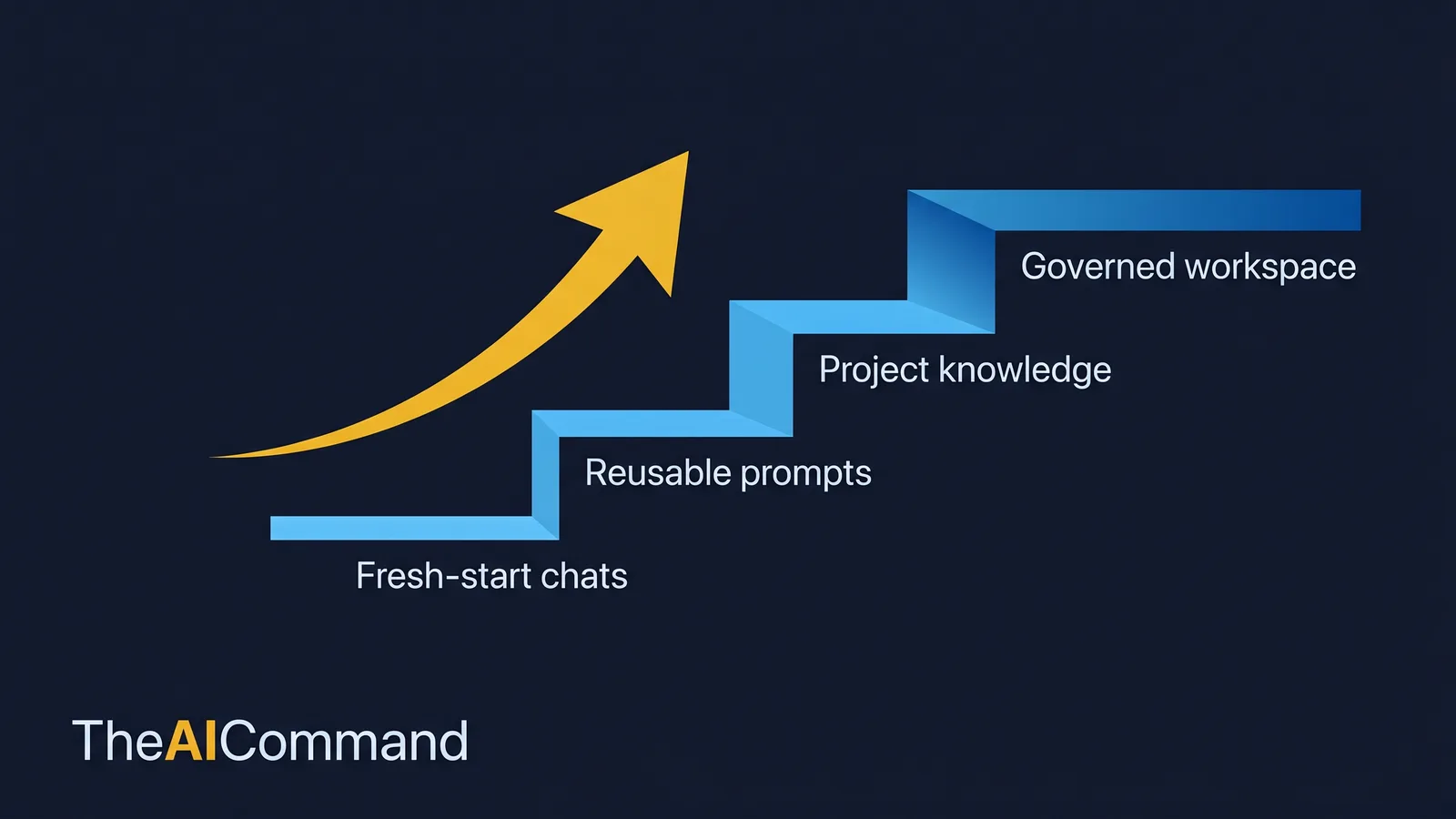
The bottom rung is fresh-start chats: every conversation begins with a wall of pasted context. One rung up, an individual builds a personal Project with a voice profile and a few examples, and the re-explaining stops for them alone. Higher still, a team shares a governed Project on Team or Enterprise, with named ownership of the voice and domain rules and a working lessons loop. The top rung adds repository-level instructions through Claude Code, delegated work through Cowork with approval gates, and the data-governance controls above applied as policy rather than habit.
A workspace at the top rung is not more complicated for the sake of it. It is the same idea, governed: set it up once, stop re-explaining, and make the boundaries inspectable so the whole team can rely on them.
Maintenance: a workspace is operating context, not a museum
Setup is never finished, because the work it supports keeps changing. The maintenance rhythm is light but non-negotiable.
After each major project, and monthly during active work, review the setup. Remove instructions that no longer apply. Promote repeated review comments into rules. Add one excellent example when a new format is approved, and delete weak ones. Every quarter, run a fuller reset: archive stale material, refresh domain packs, compress lessons into sharper rules, and check that Claude.ai, Projects, Cowork and Claude Code are still being used for the right jobs.
To make the rhythm stick, name three roles. The domain owner confirms meaning. The workspace owner maintains the files, prompts and surface choices. The reviewer checks that outputs are grounded, proportionate and safe to use. Small teams can combine the roles, but they should still name the hats, because shared AI setup without editorial ownership becomes noisy fast.
The signal that maintenance has lapsed is easy to read: Claude keeps using the wrong tone, asks for the same context, ignores recurring constraints, or misses known domain boundaries. Do not blame the model first. Check whether the right examples, rules and lessons are actually in the active context. Many output problems are setup problems wearing a model-quality costume.
A note on what is on shelf, as at 14 June 2026, and this status may change. The highest-capability Claude model currently available is Claude Opus 4.8, alongside Claude Sonnet 4.6 for a balance of speed and intelligence and Claude Haiku 4.5 for speed [1]. Claude Fable 5 and Claude Mythos 5 launched on 9 June 2026 but were suspended on 12 June 2026 after a United States export-control directive that bars access by any foreign national, which currently includes Australian users [7]. A workspace built on the files and surfaces in this guide is model-agnostic by design. The context layer does not change when the model on the shelf does, which is the whole point of setting it up once.
What to do next
Pick one workflow, one artefact and one review loop. Build the smallest useful version first. Use the interview prompts to draft your voice profile and one domain pack. Put only stable, cleared material into Project knowledge, and keep situational detail and source data in the prompt. Run the work, capture what failed, and convert each correction into a durable instruction, template or lesson. Then repeat with a slightly harder task.
If your work is mostly writing, this guide and the enterprise knowledge spine piece are the two halves of the same job: this one is the surfaces and files, that one is the knowledge layer they draw on. If your work is mostly with ChatGPT and Codex, the sibling guide on the gold standard ChatGPT and Codex setup applies the same thinking to those tools. Together they are a "set up AI for real work" cluster: the goal is not to make everyone a prompt engineer, but to make the organisation remember how it wants AI to behave.
Bottom line
A gold standard Claude workspace is not a bigger prompt, it is context set up once so each job starts on the right surface with the right files behind it. Match the surface to the job, keep stable material in Project knowledge and situational detail in the prompt, and gate personal information before anything is shared. Get the three enterprise questions right, which surface, what is safe to share, and who owns the rules, and the productivity follows without leaking data or contradicting your own policies.
Do this Monday:
- Pick one repeated task and move it off fresh-start chats onto the surface that fits: Claude.ai, Projects, Cowork or Claude Code.
- Use the interview prompts to draft a voice profile and one domain pack in minutes.
- Put only stable, cleared material into Project knowledge, and keep live records in the system that already governs them.
- De-identify anything containing personal information before it goes near shared knowledge, checking it against APP 6 and APP 11.
- Name a workspace owner, a domain owner and a reviewer so the setup has editorial ownership.
This article is general guidance and education only. It is not legal, privacy, compliance or professional advice, and nothing in it should be treated as a substitute for it. Privacy obligations, including the Australian Privacy Principles, apply to how personal information is handled, and the specifics depend on your organisation's circumstances. Plan tiers, surface capabilities and model availability change, so confirm current details against the official documentation and verify any setup decision, especially anything involving personal or confidential information, with the relevant privacy, security and compliance people in your own organisation before you rely on it.
For more practical AI workflow ideas, follow TheAICommand on Instagram at @the_aicommand and X at @TheAICommand.
References
- Anthropic. Claude models overview (current lineup and the Claude.ai chat interface). https://platform.claude.com/docs/en/about-claude/models/overview
- Anthropic Support. What are Projects? https://support.claude.com/en/articles/9517075-what-are-projects
- Anthropic. Claude Cowork. https://claude.com/product/cowork
- Anthropic. Claude Code memory (CLAUDE.md and auto memory). https://code.claude.com/docs/en/memory
- Office of the Australian Information Commissioner. Australian Privacy Principle 6, use or disclosure of personal information. https://www.oaic.gov.au/privacy/australian-privacy-principles/australian-privacy-principles-guidelines/chapter-6-app-6-use-or-disclosure-of-personal-information
- Office of the Australian Information Commissioner. Australian Privacy Principle 11, security of personal information. https://www.oaic.gov.au/privacy/australian-privacy-principles/australian-privacy-principles-guidelines/chapter-11-app-11-security-of-personal-information
- Anthropic. Update on access to Claude Fable 5 and Claude Mythos 5. https://www.anthropic.com/news/fable-mythos-access
TheAICommand. Intelligence, At Your Command.