
A gold standard ChatGPT and Codex setup treats both as one AI operating system rather than a pile of chats: give each surface a defined job, build each one by interview, and govern what may be pasted where. Most people get a fraction of the value out of ChatGPT because they run it as a pile of chats. They open a new conversation, paste a wall of background, accept a half-right answer, then start again from scratch tomorrow. Nothing carries over. The voice has to be re-taught, the rules re-pasted, the boundaries re-explained. A gold standard setup ends that loop by treating ChatGPT and Codex as one AI operating system: a small set of surfaces and files that hold context, rules and lessons so the work starts from a known state every time.
An AI operating system is the durable layer underneath the day's work. Define it crisply: it is the set of places where stable context lives (Projects, Custom GPTs, repository instructions, local files) plus the review loop that keeps them honest. A pile of chats forgets everything the moment you close the tab. An operating system remembers what your organisation has already decided, so the next task inherits it instead of rebuilding it.
This guide is general guidance and education only, not professional, legal or compliance advice. Verify any setup decision, especially anything touching personal information, with the relevant people in your own organisation before you rely on it.
This is the same discipline covered in the companion guide on the gold standard Claude workspace setup, applied to a different vendor. The surfaces have different names and the files load in different ways, but the three hard questions are identical. Which surface does the work belong on. What can safely live in shared context and what cannot. Who is allowed to change the rules everyone else inherits.
The four surfaces are not interchangeable
A common mistake is to pick a ChatGPT surface by habit rather than by the job. The surfaces behave differently, and the setup that makes one useful is wasted effort on another. Treating them as one undifferentiated chat box is exactly how a pile of chats forms.
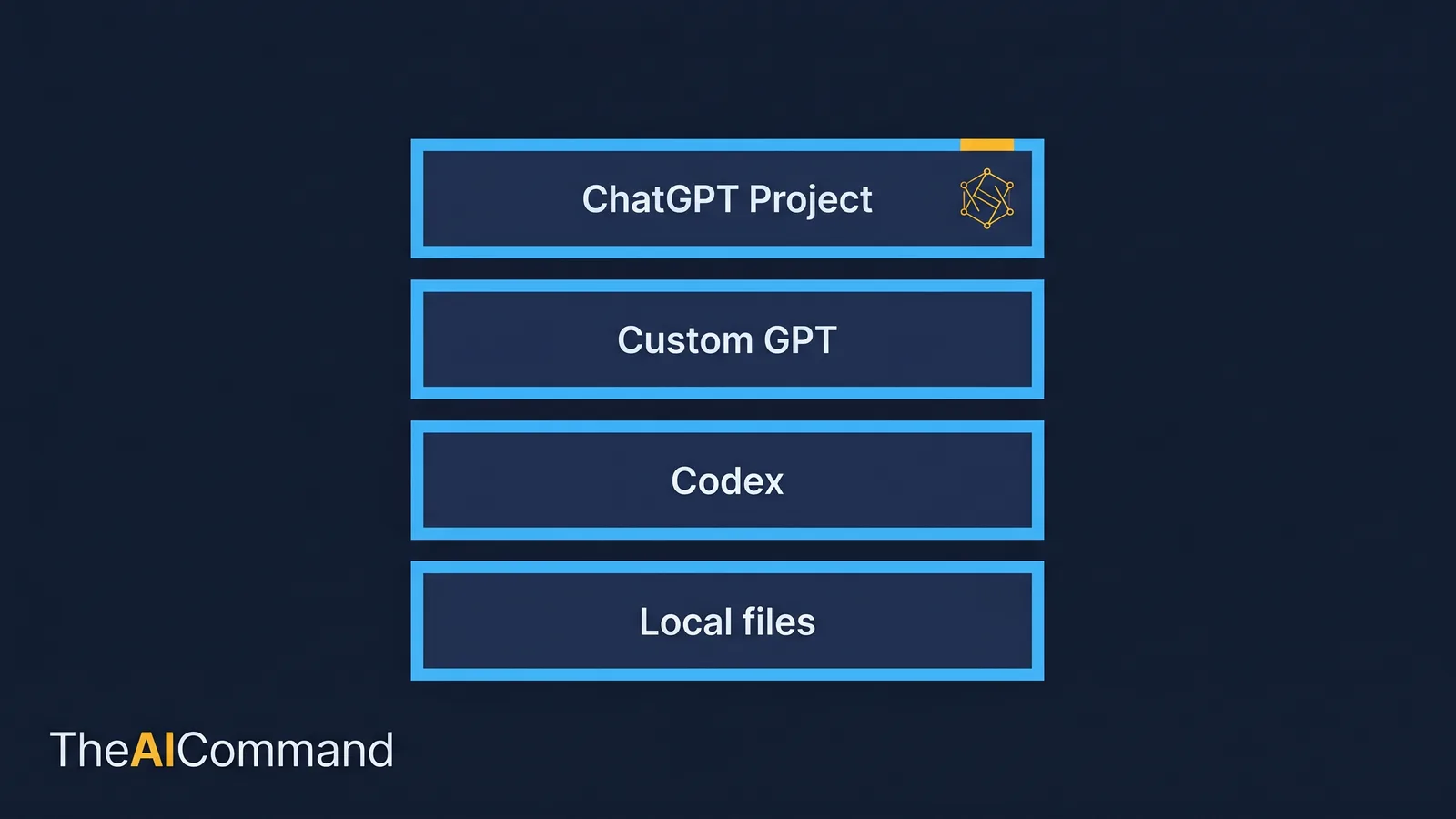
A ChatGPT Project organises chats, files and custom instructions around a single goal, so the model holds the same background across every conversation in that workspace [1]. A Custom GPT is a distinct, reusable assistant with its own instructions, knowledge files and optional capabilities, built for a narrow repeatable task rather than open-ended work [2]. Codex is OpenAI's coding agent for software development, available as a desktop app, an IDE extension, a command-line tool and a cloud surface, with GitHub, Slack and Linear integrations [3]. Local files are the durable source of truth that sits beneath all of them, where sensitive or canonical material stays under your own control.
The blunt version: a Project is for repeated thinking work, a Custom GPT is for one narrow task done the same way every time, Codex is for files and repositories, and local files are the things that should never depend on a chat window to exist. If you are pasting the same brief into a fresh chat for the third time this week, that work belongs in a Project, not in another chat, which is the moment to graduate the workflow from raw chats to a structured Project.
Which ChatGPT surface fits which job?
The table below maps the common jobs to the surface that fits. It is the antidote to the pile-of-chats reflex: before opening anything, name the job, then pick the surface.
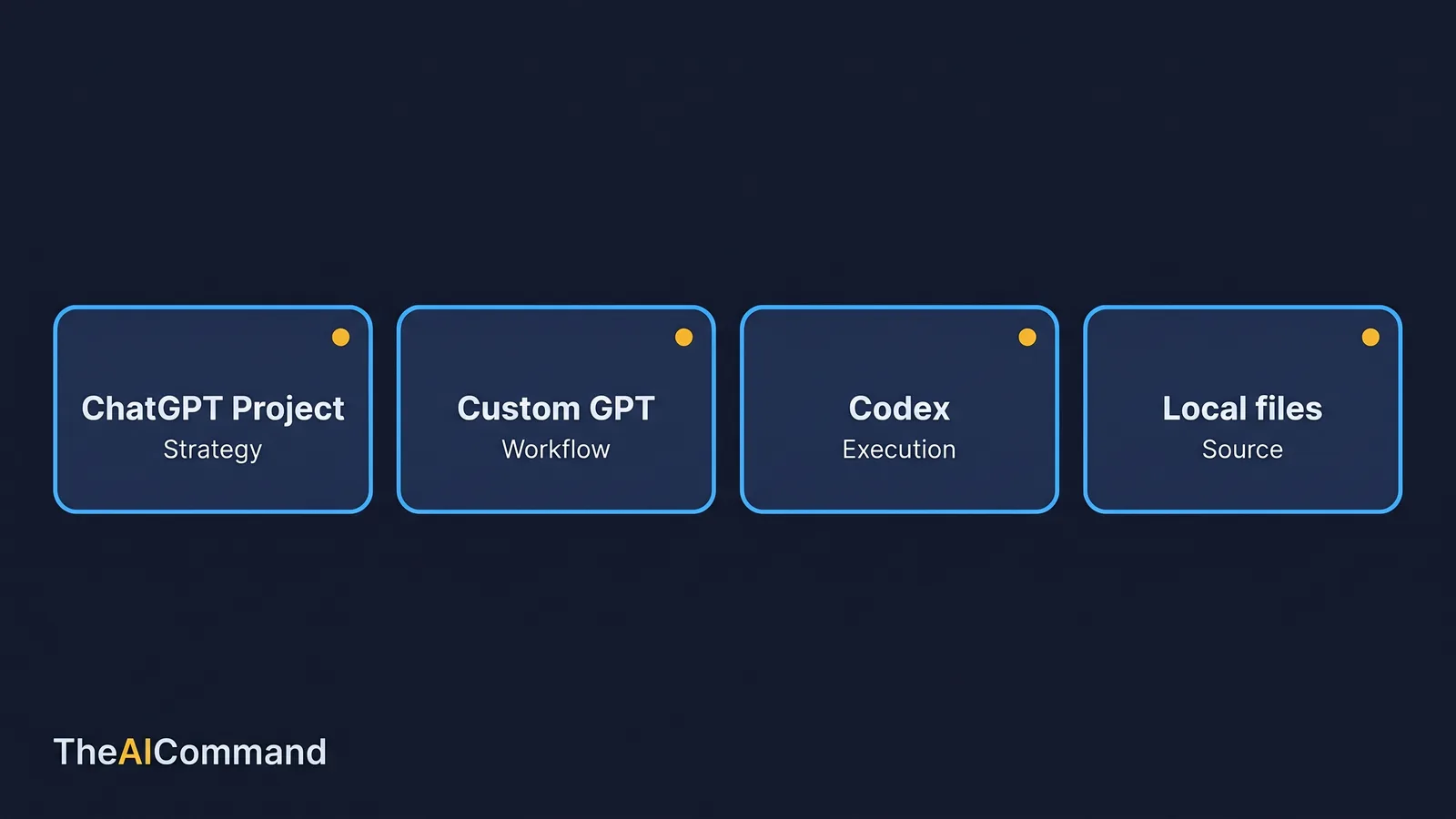
The discipline in this table is simple to state and easy to skip. Give each surface a job. A Project is not a Custom GPT, a Custom GPT is not Codex, and none of them is a safe home for the material that belongs in local files alone.
What lives on each plan: confirm before you build
Before assigning work to a surface, confirm the surface is actually available on the plan your organisation holds. OpenAI offers ChatGPT across Free, Plus, Team and Enterprise tiers, and feature availability differs between them. Projects and Custom GPTs are documented features of ChatGPT, and Codex is OpenAI's separate coding-agent product with its own access path [1][2][3]. Exact tier eligibility, seat counts and admin controls change over time and by region, so treat the table below as a prompt to check rather than a guarantee.
The reason this matters for enterprise is sharing. A Project or a Custom GPT that several people can open is shared context, and anything placed in it is visible to everyone with access. That makes the plan tier a governance decision, not just a billing one. Settle who can see what before you load anything that matters.
A worked example: an Australian enterprise content workspace
Abstract advice rarely survives contact with real work, so here is a concrete one. Picture a mid-sized Australian organisation with a small internal communications and risk team. They produce regulatory explainers, internal training material and manager guidance, and they also maintain the intranet pages those documents live on. They want ChatGPT and Codex to help, without re-teaching voice, audience and boundaries every single time.
Their gold standard setup has a clear shape, one job per surface. The ChatGPT Project holds the stable thinking layer: a brief, a voice profile, a writing-styles file, source rules, a few approved examples and a lessons log. A single Custom GPT does one narrow job, scoring draft social posts against the brand rubric, and nothing else. Codex works inside the repository that builds the intranet, reading an AGENTS.md file before it touches anything, running the project's checks, and reporting what it changed. Local files hold the canonical and sensitive material that should never sit in a shared workspace. The people on the team still review everything, but every surface now starts from the right mental model rather than a blank one.
The point of the example is not that AI removes the work. It changes the shape of the work. Instead of staring at a blank page or tidying a messy table by hand, the team spends its time validating structure, improving evidence, asking sharper questions and deciding what an output is allowed to mean. The pile of chats produced motion. The operating system produces compounding output.
What should each surface contain?
A surface is only as good as what you put in it. Each one has a job, and the contents follow from the job. Mixing them, putting voice rules in Codex or repository commands in a Custom GPT, is how an operating system decays back into scattered chats.
The numbering and naming convention you choose matters less than the separation. Voice lives in the Project. The rubric lives in the Custom GPT. Repository rules live in AGENTS.md. Canonical material lives in local files. When a rule changes, you update one source, not ten stale copies scattered across chats.
How to build each one: an interview, not a blank page
Staff freeze at "write a voice profile" the same way they freeze at a blank document. The fix is to stop writing the file and start answering questions. Each part of the operating system can be produced by a short elicitation that applies ordinary prompt-engineering fundamentals: the model asks, you answer, the model drafts, you correct. Set it up once, and the surface is built.
For ChatGPT Project instructions, paste samples the team likes and dislikes, then run a short interview prompt.
A short transcript shows how that plays out in practice.
That conversation produces usable Project instructions in minutes, and it captures rules the team holds but would never have thought to write down.
For a Custom GPT, the interview targets the one narrow job and its boundaries. A Custom GPT earns its keep only when the workflow is stable, narrow and testable.
For the repository, the interview targets how the codebase actually behaves, because Codex reads AGENTS.md before acting. AGENTS.md is an open format for guiding coding agents, supported by Codex and other tools, and is just standard Markdown with the sections an agent needs to work safely [4].
The lessons log is built by the review loop, not a one-off interview. After each serious review, convert the feedback into durable updates and route each one to the correct surface.
The order is the point. Narrow the task first, build or test the artefact in the middle, then review and prune at the end. That sequence reduces the chance of a polished but unsafe output.
The context boundary: know what may be pasted where
The single most important governance decision in this whole setup is also the simplest to state. Not everything may be pasted everywhere. The operating system needs a context boundary that classifies information and tells you where each class may go.
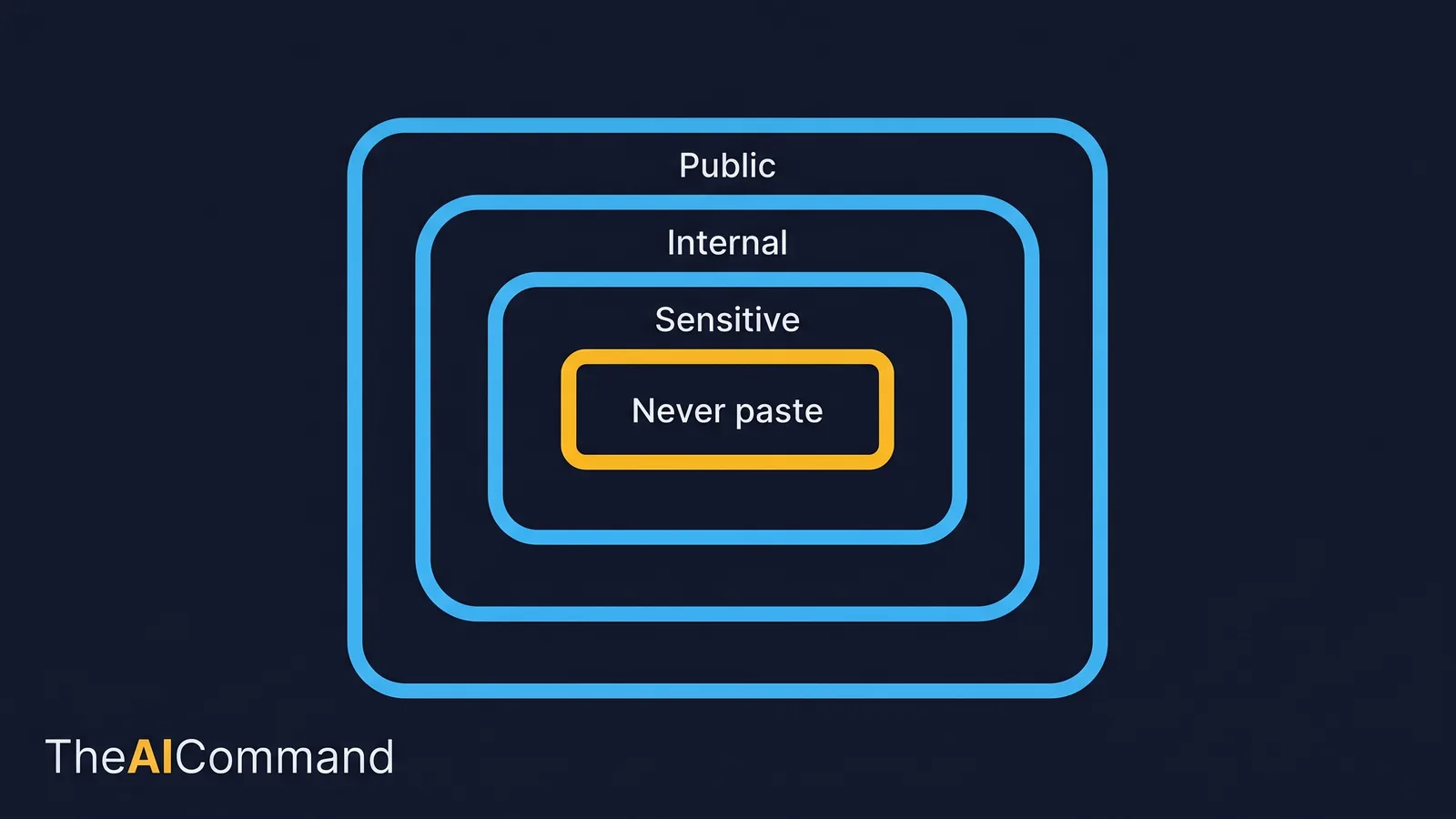
Classify information into four levels and decide, in advance, where each may be used. The table below is the working artefact. Adapt the destinations to your own policy, but make the boundary visible, because busy people make context mistakes when deadlines are close.
For Australian organisations, the relevant baseline is the Australian Privacy Principles. APP 6 limits how personal information can be used and disclosed beyond the purpose it was collected for, and APP 11 requires reasonable steps to protect personal information from misuse and unauthorised access [5][6]. Pasting a spreadsheet of personal information into a shared Project so the wording reads better is exactly the secondary use those principles are designed to catch. De-identify first, place only the de-identified material in shared context, and keep live records in the system that already governs them, following the same privacy-safe habits that regulated work demands.
Enterprise data handling is a procurement question, not an assumption. How OpenAI treats data submitted through ChatGPT differs by plan, and the contractual and data-residency terms that apply to ChatGPT Enterprise are matters to confirm against OpenAI's current terms and with your own security and procurement people before any organisational material goes in. Settle it before, not after, you load anything that matters.
A short never-paste list, pinned where people can see it, prevents most accidents:
- Passwords, API keys, access tokens and connection strings.
- Live personal information that has not been de-identified.
- Anything under a confidentiality or legal hold.
- Whole source systems or exports that should stay in their controlled home.
Secrets and repository hardening for Codex
Codex acts on files, which raises the stakes. The same care that protects a shared Project protects a repository, and most of it is well-established engineering hygiene rather than anything new about AI.
Secrets do not belong in prompts, in AGENTS.md, or in any file Codex can read and echo. GitHub's own guidance on the secure use of Actions is the relevant reference: store secrets as secrets, never as plaintext in workflow files; grant the least privilege necessary and default tokens to read-only; mask sensitive values so they do not appear in logs; and rotate any secret that is ever exposed [7]. The same principles apply when a coding agent is in the loop, with one addition: the agent must be told, in AGENTS.md, what it must never touch.
A few boundaries keep Codex inside safe limits:
- Give it read-only or scoped access by default, and widen only for a specific task.
- List do-not-touch paths and forbidden commands explicitly in AGENTS.md.
- Require verification before "done": tests, link checks, banned-phrase scans, diff review.
- Review the diff every time. An agent that edits files without a visible diff is a pile of chats with write access.
Think, implement, verify, learn: the loop where the gain compounds
The surfaces only become an operating system when they are wired into a loop. ChatGPT shapes the brief. Codex implements against files. Verification runs. Lessons return to the Project. Each pass leaves the system a little smarter than the last, which is the difference between compounding output and a pile of chats that forgets everything overnight.
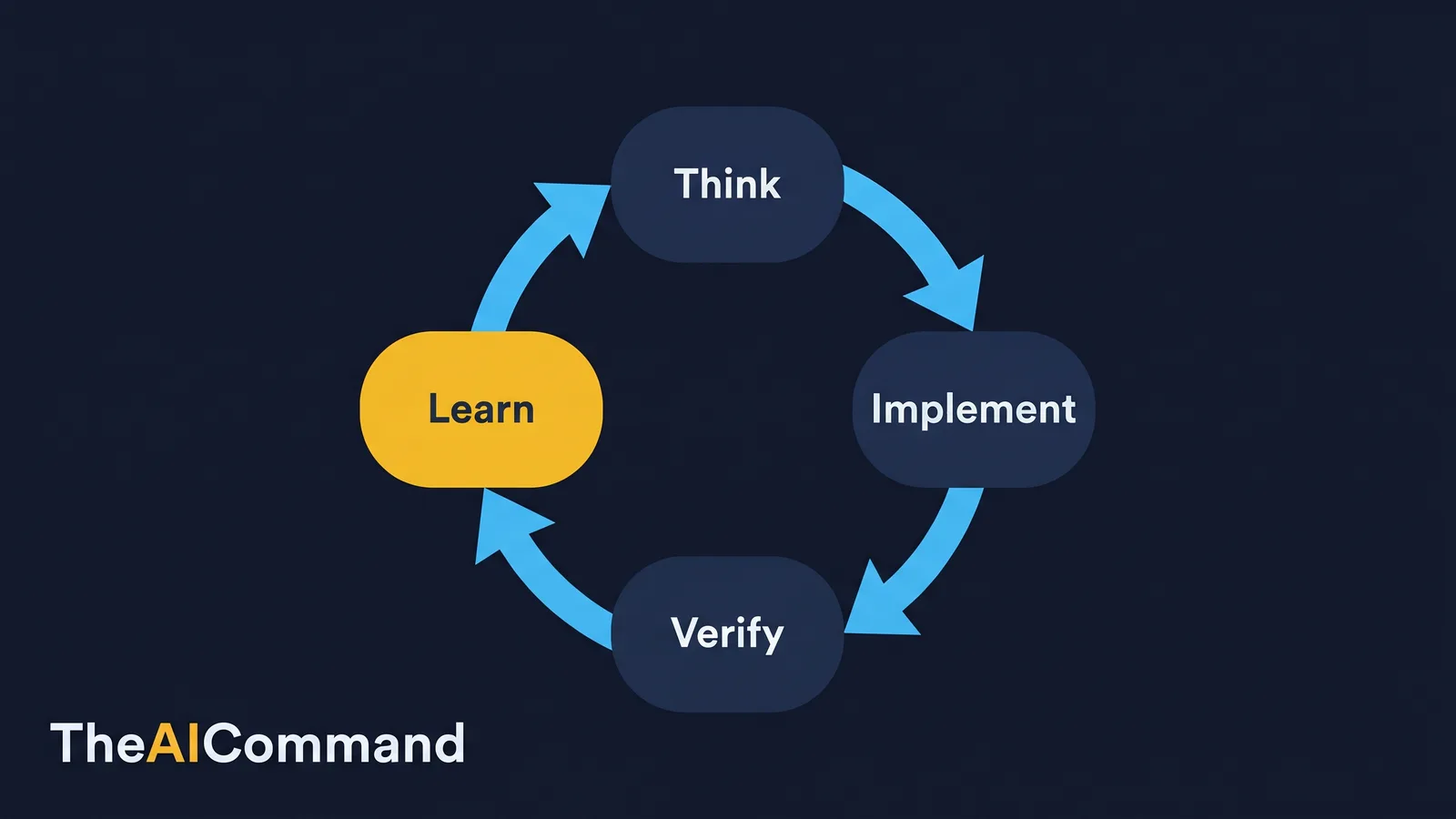
In practice, the handoff has a fixed shape. Use a ChatGPT Project to shape the brief, including file paths, constraints and the exact verification required. Hand that brief to Codex, which reads AGENTS.md, makes the change, runs the checks and reports a diff. Bring the results back into the Project as lessons, examples or source updates. The handoff prompt below makes the brief precise enough for an agent to act on without guessing.
After Codex reports back, close the loop. The point of capturing the lesson is to improve the system, not just fix the one document.
The governance rule that ties the loop together is the one from the Claude sibling guide, and it holds here without change: decide what the model is not allowed to do, and make that boundary visible in the workflow, the prompt and the review checklist. If the only place a boundary lives is in one person's head, it will be missed under time pressure. That standard is consistent with the four functions of the NIST AI Risk Management Framework, which asks organisations to govern, map, measure and manage AI risk rather than rely on individual good intentions [8].
How do you know your operating system has decayed back into chats?
Maturity here is a ladder, not a switch, and it slides backwards if you stop maintaining it. The setup is failing when familiar symptoms appear: every task starts from scratch, feedback disappears after one conversation, Codex changes files without a clear diff, or Custom GPTs multiply faster than anyone can maintain them. These are not minor irritations. They are signs that the system has no memory, no boundary or no review loop. Fix the operating system before adding more prompts.
The maintenance rhythm is light but non-negotiable. After each major project, and monthly during active work, prune. Remove instructions that no longer apply, promote repeated review comments into rules, add one excellent example when a new format is approved, and delete weak ones. Every quarter, run a fuller reset: archive stale material, refresh the context boundary, compress lessons into sharper rules, and check that chats, Projects, Custom GPTs and Codex are still being used for the right jobs.
To make the rhythm stick, name three roles. The domain owner confirms meaning. The operating-system owner maintains the surfaces, files and prompts. The reviewer checks that outputs are grounded, proportionate and safe to use. Small teams can combine the roles, but they should still name the hats, because shared AI setup without editorial ownership becomes noisy fast.
The practical test
The practical test for the whole setup is simple. Could another capable person use it next week without the original author explaining it for ten minutes? Could they find where strategy context lives, which surface does which job, what must never be pasted, and how feedback becomes a durable lesson? If the answer is no, the operating system has clearer labels, stronger files or a shorter user guide still to write. The goal is to reduce handover friction, not to build a private maze of prompts and undocumented assumptions.
A note on what is on shelf, as at 14 June 2026, and this status may change. ChatGPT's surfaces and Codex evolve quickly, and the underlying models behind them change without altering the operating system you have built. That is the entire benefit of setting it up once: the context layer does not change when the model on the shelf does. A workspace built on the surfaces, files and boundaries in this guide is model-agnostic by design.
What to do next
Pick one workflow, one artefact and one review loop. Build the smallest useful version first: one ChatGPT Project with clear instructions, one examples folder, one source register, one AGENTS.md file for the repository and one lessons log. Use the interview prompts to draft the Project instructions and the context boundary. Use synthetic or low-sensitivity information where possible. Run the handoff loop, capture what failed, and convert each correction into a durable instruction, template or lesson. Then repeat with a slightly harder task.
This guide is one half of a pair. The companion gold standard Claude workspace setup applies the same discipline to Anthropic's tools, and the enterprise knowledge spine piece covers the governed body of stable context that sits behind both. Same discipline, different vendor: the goal is not to make everyone a prompt engineer, but to make the organisation remember how it wants AI to behave.
Bottom line
Treat ChatGPT and Codex as one operating system: a Project for repeated thinking, a Custom GPT for one narrow task, Codex for files and repositories, and local files for the sensitive material. Build each surface by interview rather than a blank page, and make the context boundary visible so no one pastes secrets or live personal data into shared context. The gain compounds only when the surfaces are wired into a think, implement, verify, learn loop and pruned on a light monthly and quarterly rhythm.
Do this Monday:
- Name one workflow, then pick the right surface for it: a Project, a Custom GPT, Codex or a local file.
- Use the interview prompt to draft Project instructions instead of staring at a blank page.
- Write the four-level context boundary and pin the never-paste list where the team can see it.
- Give Codex read-only or scoped access by default and list do-not-touch paths in AGENTS.md.
- Run one handoff loop, then convert each correction into a durable lesson routed to the right surface.
This article is general guidance and education only. It is not legal, privacy, compliance or professional advice, and nothing in it should be treated as a substitute for it. Privacy obligations, including the Australian Privacy Principles, apply to how personal information is handled, and the specifics depend on your organisation's circumstances. Plan tiers, surface capabilities, data-handling terms and model availability change, so confirm current details against the official documentation and verify any setup decision, especially anything involving personal, confidential or secret information, with the relevant privacy, security and compliance people in your own organisation before you rely on it.
References
- OpenAI Help Center. Projects in ChatGPT. https://help.openai.com/en/articles/10169521-projects-in-chatgpt
- OpenAI Help Center. Creating a GPT. https://help.openai.com/en/articles/8554397-creating-a-gpt
- OpenAI. Codex (coding agent overview). https://developers.openai.com/codex/
- AGENTS.md. An open format for guiding coding agents. https://agents.md/
- Office of the Australian Information Commissioner. Australian Privacy Principle 6, use or disclosure of personal information. https://www.oaic.gov.au/privacy/australian-privacy-principles/australian-privacy-principles-guidelines/chapter-6-app-6-use-or-disclosure-of-personal-information
- Office of the Australian Information Commissioner. Australian Privacy Principle 11, security of personal information. https://www.oaic.gov.au/privacy/australian-privacy-principles/australian-privacy-principles-guidelines/chapter-11-app-11-security-of-personal-information
- GitHub Docs. Secure use of GitHub Actions (secrets and hardening). https://docs.github.com/en/actions/reference/security/secure-use
- NIST. AI Risk Management Framework (Govern, Map, Measure, Manage). https://www.nist.gov/itl/ai-risk-management-framework
For more practical AI workflow ideas, follow TheAICommand on Instagram at @the_aicommand and X at @TheAICommand.
TheAICommand. Intelligence, At Your Command.