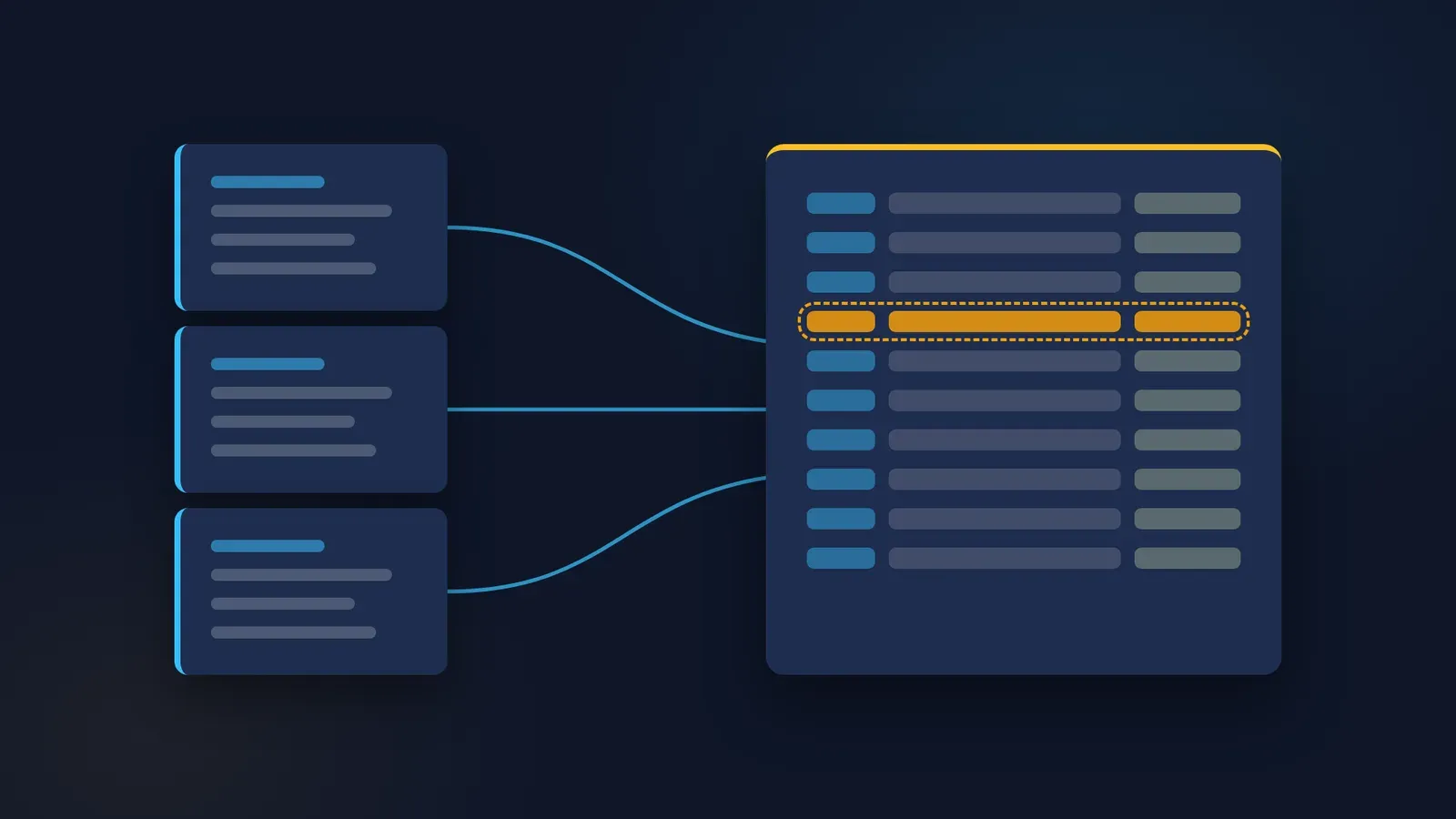
Give the app one job you can check
Picture a manager who opens Claude Desktop, asks for a handover plan and receives a polished document. The next day, a new chat could produce different role names and assume that someone can approve work they have never approved before. The app is available, but the working method is still missing.
Start with a task whose inputs and boundaries can be made explicit. Leave-cover planning is useful because the output can be checked against a roster, task list and authority record. The result can expose uncovered work without deciding leave entitlements or making employment decisions. It also gives a beginner a concrete reason to organise context.
This walkthrough is based on Anthropic's published help documentation as at 24 October 2026 and a constructed example. It does not report a hands-on Claude Desktop run. Menus, features and plan limits can differ by app version, plan and operating system, so check the current help pages and the installed app before relying on any step. The example output describes what a reviewer should look for, rather than a response recorded from Claude.
By the end of the proposed week, aim to have a documented setup, a versioned source pack and one reviewed trial. Avoid measuring progress by how many features are enabled. A small task completed within known limits provides a more useful foundation than a collection of unexplained integrations.
Day one: confirm the environment before adding information
Use Anthropic's official download route and select the installer for the intended operating system. As at 24 October 2026, its installation page lists macOS 13 (Ventura) or higher and Windows 10 or higher, with a Linux beta on Ubuntu 22.04 LTS or later and Debian 12 or later. On Mac, the documented launch point is Applications; on Windows, it is the Start menu. Recheck requirements before installation. Source: Anthropic
Check organisational software approval and account arrangements first. A personally available subscription does not establish permission to process workplace material. For this exercise, use the supplied fictional files. Real employee rosters, absence reasons and internal authority records remain outside the demonstration source pack.
When you run your own trial, record the operating system, installed app version, selected model and account plan. Leave any entry blank until you have checked it. Recording the documentation access date is useful, but it does not replace the installed version or prove that a feature is enabled in a particular account.
Keep the distinction between the app and its working modes clear. Anthropic's availability table describes Chat across its listed plans and Code and Cowork on paid plans. This article's first task is a source-grounded exercise in an ordinary conversation. It does not need extensions, connectors or folder access. Anthropic is rolling out a combined chat and Cowork experience in stages, starting with Pro and Max plans; in that experience there is no separate mode to choose, apps already connected to the account can be used during a task, and a permission setting controls whether Claude asks before acting. For this exercise, check which connectors are enabled and choose the setting that asks before actions. Source: Anthropic Source: Anthropic
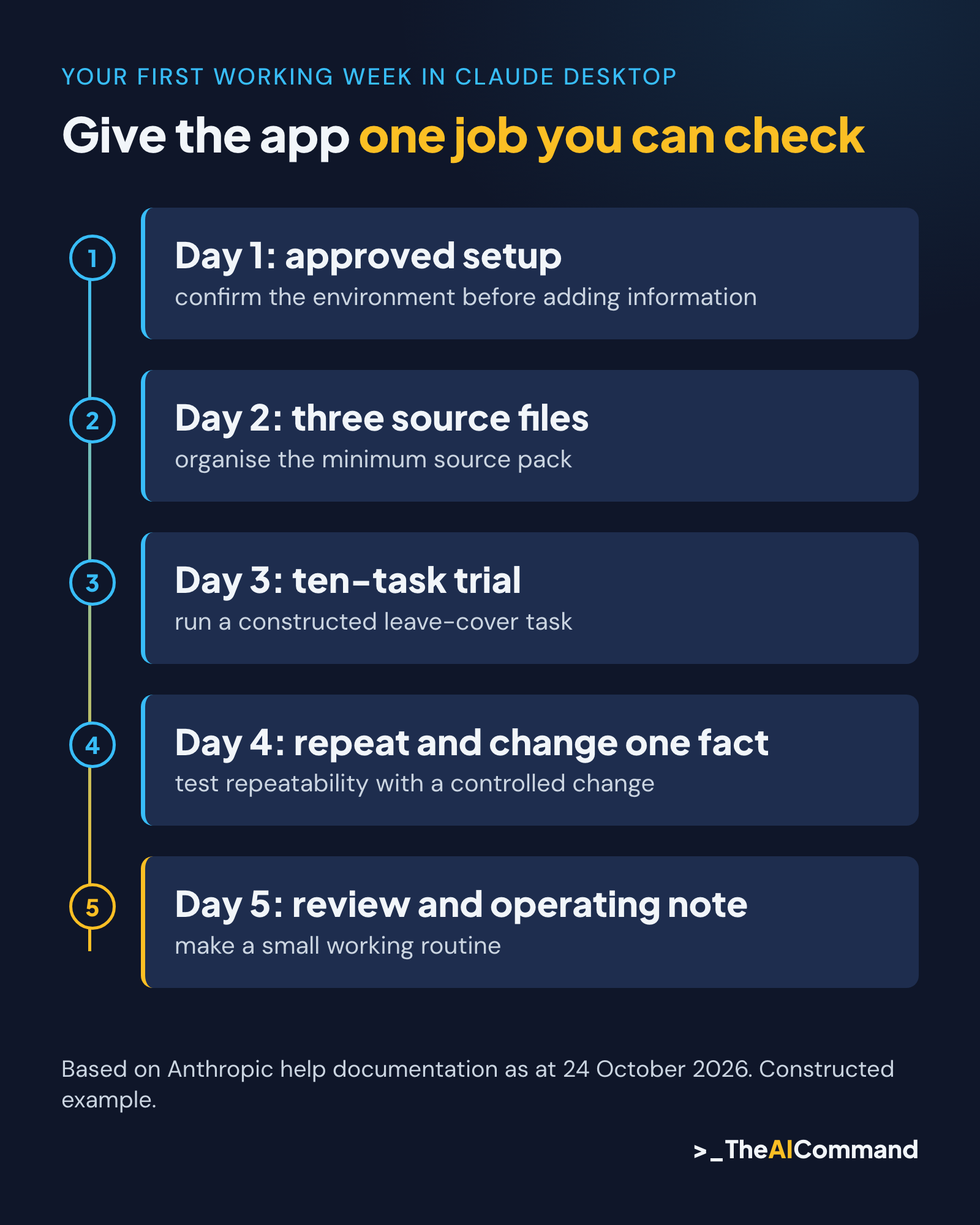
Day two: organise the minimum source pack
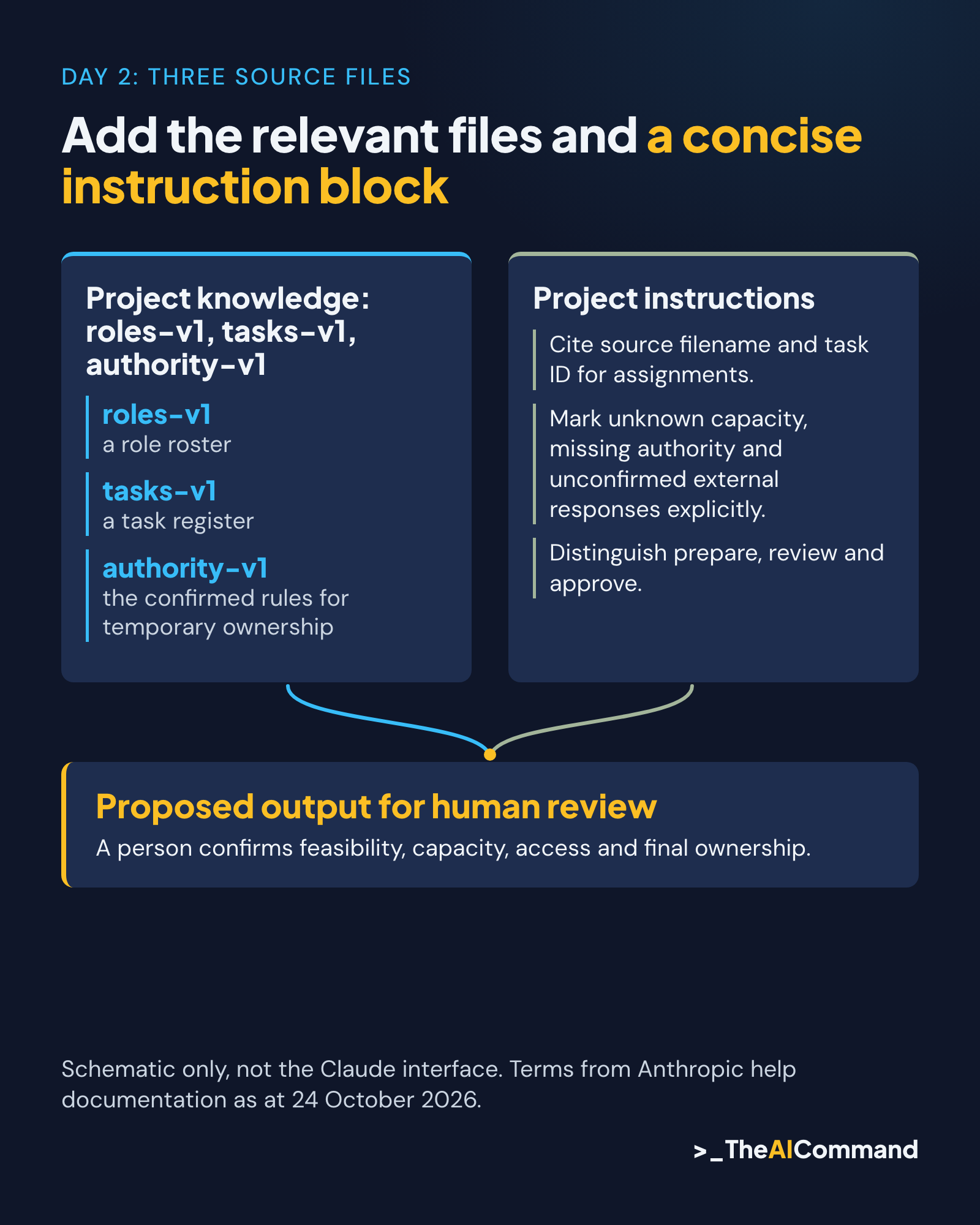
Prepare three short files: a role roster, a task register and the confirmed rules for temporary ownership. Give each a version and a clear title. These files provide the facts the model is allowed to use. Keep the request itself separate so the reviewer can distinguish source information from instructions.
Anthropic's documentation states that projects are available on all plans, including free accounts, which are limited to five projects. A project can help organise repeated work. Anthropic documents project knowledge and project instructions, with reference material used across project chats. It is also rolling out a new version of projects in stages, starting with Claude Code, so the project layout may look different in some Pro and Max accounts. Add the relevant files and a concise instruction block rather than relying on the project name to communicate the task. Source: Anthropic Projects
To set up the project, Anthropic's documentation describes selecting Projects from the left side of the account, choosing "+ New Project", adding files to project knowledge and saving instructions through "Set project instructions". Add only the synthetic files and read back the saved instructions before the first chat. Labels can change between app versions, so follow the labels in the installed app.
Check memory and, on Team or Enterprise plans, project visibility before using the workspace. Anthropic's documentation states that memory is on by default for Free, Pro and Max plans on the web, Claude Desktop and mobile, that a project uses its own memory alongside memory from chats outside projects, and that new project memory can be referenced outside the project when memory is on. Turning off "Use account memory" on the project's page keeps its memory separate. Explicit source versions and a request to identify the files used make the trial easier to review.
Use a narrowly defined instruction block. It should require source references, role names exactly as supplied, unknowns preserved and assignments labelled proposed. A long collection of general preferences can obscure these requirements. The first working setup needs a few enforceable boundaries that a person can recognise in the output.
Day three: run a constructed leave-cover task
The fictional private-sector service team has five roles: service manager, operations coordinator, finance officer, customer liaison and quality reviewer. The operations coordinator is unavailable for a defined week. The source pack lists ten tasks, their deadlines, dependencies and the specific work other roles are permitted to cover.
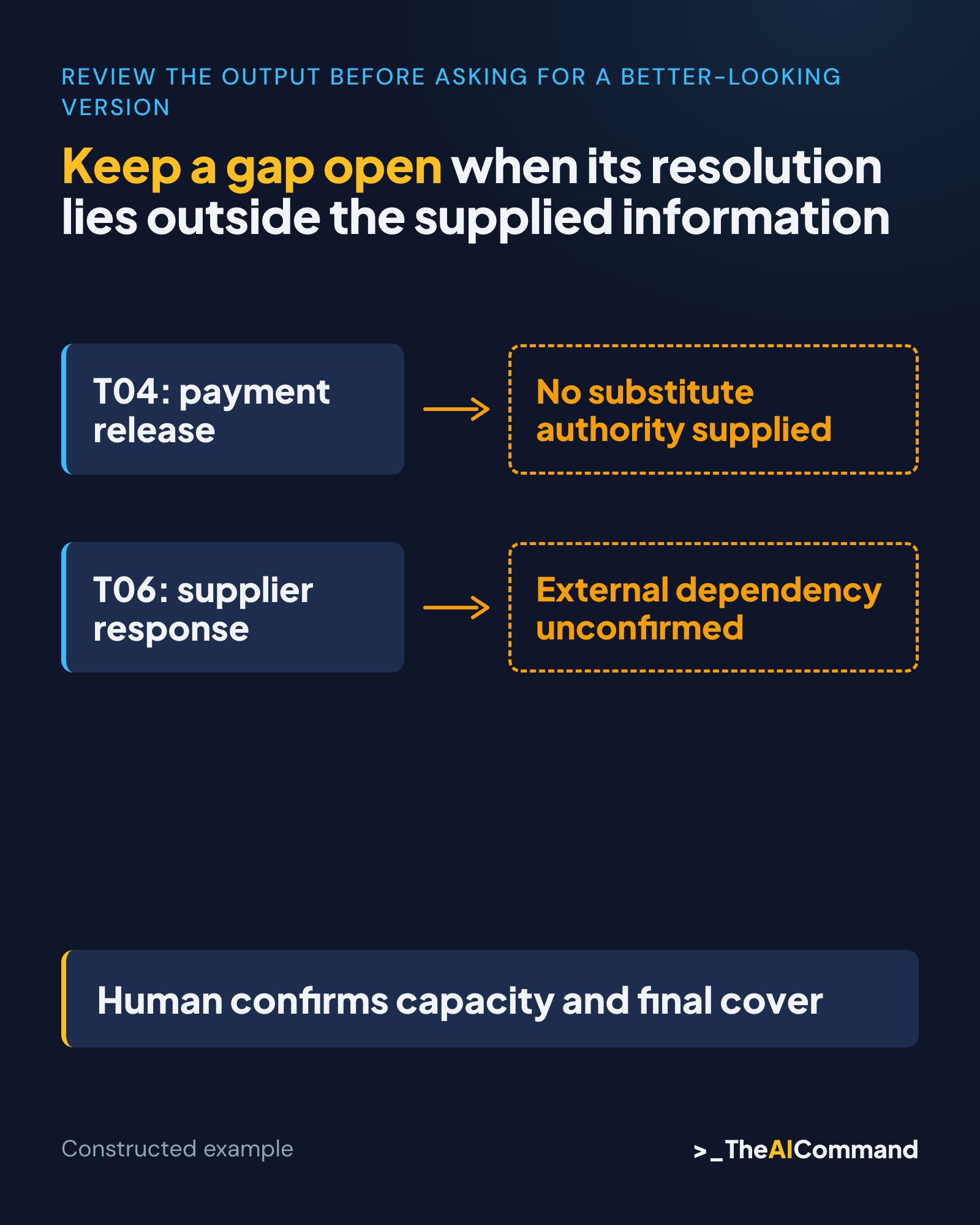
The tasks include daily intake checks, an equipment schedule and a supplier-status follow-up. Some preparation work can be covered by other roles. A payment release has no authorised substitute in the supplied rules. A supplier confirmation is an external dependency, so the model cannot schedule it as though the team controls the response.
The first prompt asks for a proposed cover matrix and a separate gap list. Every assignment must cite a task ID and an authority source. The model must leave unknown availability unresolved, distinguish preparation from approval and state which source version it used. It must not contact anybody or change a calendar.
A useful illustrative output assigns the customer liaison to intake checks, the quality reviewer to the evidence register and the finance officer to payment preparation. It leaves payment release uncovered because the supplied rules do not authorise a substitute. It also records supplier confirmation as outstanding, with the service manager responsible for deciding the next step.
The reusable pack contains the roster, ten tasks, authority rules and expected review points, so the method can be followed without relying on any particular response. When you run the task, save the actual response separately and compare it with those expectations. A similar-looking response does not turn the constructed example into tested evidence.
Review the output before asking for a better-looking version
Check the ten task IDs against the response. Each must appear once in the cover matrix or be explicitly marked unresolved. A missing task can disappear behind a polished summary, especially when the model groups several activities under a broad heading. Keep the detailed task list visible during the review.
Then inspect every proposed owner. The roster shows a role exists; it does not necessarily establish availability, competence or authority. Require a source for each of those facts where the plan depends on them. A sensible assignment still needs human confirmation before it becomes operational cover.
Pay particular attention to verbs. Prepare, check, recommend and approve describe different responsibilities. If the finance officer may prepare a payment, the model must not rewrite that permission as release a payment. The distinction belongs in the task matrix and the narrative handover, where a temporary owner can see it.
Check dates and dependencies independently. A task due on Wednesday may depend on information expected Thursday. The model should expose the conflict, not solve it by inventing an earlier supplier response. Record the actual source dates and the human decision required. Keep a gap open when its resolution lies outside the supplied information.
If the response invents a fact, revise the task instructions and repeat the same trial. Preserve the first output and explain the correction. A useful review record shows what changed and whether the unsupported assumption disappeared. Deleting the earlier result would remove evidence of the behaviour the setup needed to address.
Day four: test repeatability with a controlled change
Start another trial with the same source versions and task. Before comparing wording, compare the facts: ten task IDs, the uncovered approval, the external dependency and the role boundaries. Variation in sentence structure is less important than a change in who is allowed to decide or which work is omitted.
Next, alter one explicit source fact. For example, add a confirmed temporary approval arrangement through the fictional authority file. Ask the model to identify the difference from the previous version. The expected change should follow that new fact alone. Do not ask it to infer that all other approvals have also transferred.
A controlled change tests whether the output remains connected to the supplied sources. It does not establish general reliability or prove that a later model will behave identically. Record the actual inputs, selected model and observations so another reviewer can understand the result and repeat the exercise if needed.
Keep any trial within the approved account and data boundary. There is no need to connect email, a shared drive or a live task system to test this source pack. Those capabilities may be relevant to a different authorised workflow. They introduce access and action questions that the first-week exercise does not need to answer.
Day five: make a small working routine
Turn the successful method into a short operating note. State where the source files live, which role maintains them, how the prompt is used and who reviews the output. Include the stop conditions that mattered in the trial, such as missing authority or conflicting deadlines. Keep the note short enough to consult while working.
Store the prompt and accepted output structure with the source pack. A chat history can help explain the work, but it is a poor substitute for identifying the current instructions and inputs. Someone returning after a month should not have to reconstruct the method from a long sequence of revisions.
Decide when to refresh the sources. A new team responsibility, changed approval arrangement or revised task deadline is a concrete trigger. Check the source pack before reuse rather than assuming that the app's memory contains the latest decision. The maintained file is the place to record an authorised change.
Review the result with the people responsible for the work. They can identify practical constraints absent from the synthetic demonstration, including access, competing commitments and escalation arrangements. The model's draft helps structure that conversation. It does not confirm that the proposed cover is feasible in the real team.
Keep privacy and product changes in view
Use the organisation's approved rules for information handling. The OAIC's commercial AI guidance identifies privacy questions around product settings and data access. That makes checking the intended information flow part of setup, rather than a note added after uploading workplace files. Source: OAIC
Synthetic records support this demonstration because their content was invented for the task. They do not certify an account configuration or authorise later use of real employee information. When the intended use changes, review the new information and access requirements explicitly. Keep absence reasons and medical details out of a task-cover exercise unless an independently authorised process requires them.
Product documentation also changes. Check the installation requirements, project behaviour and plan descriptions against Anthropic's current help pages before following this walkthrough. If you capture the interface for your own team's guide, record the app version and make sure the capture contains only demonstration material. A screenshot must show what happened, including any limitation, rather than an idealised interface.
This article stays focused on the first working week and the leave-cover task, so the exercise can be completed without depending on a longer installation or feature guide.
Finish the week with a checkable result
The useful first-week outcome is a repeatable task with identifiable inputs, visible unknowns and a human review route. Your own trial establishes how the app behaves with your version, model, plan and operating system. Until then, treat the example outputs in this walkthrough as illustrations of what to check.
Begin with the synthetic roster and ten tasks. Check every assignment against authority, leave the uncovered approval visible and record the external dependency. Once the method survives that small review, decide which real task is suitable for an authorised trial. Build the working discipline before widening the app's access.
Reusable materials
First-week Claude Desktop working pack
Constructed example based on Anthropic's published documentation as at 24 October 2026. No app version, model, plan or recorded output is claimed.
File 1: roles-v1.md, constructed private-sector team
File 2: tasks-v1.md
These are illustrative expected assignments for review, not observed Claude output or real delegations.
File 3: authority-v1.md
Preparation, review and approval are distinct. Only the listed preparation, follow-up, drafting and review tasks may be proposed to the named roles. No substitute is authorised for T04. Service manager resolves gaps through the appropriate authorised process. No availability or capacity beyond the roster may be inferred. No external communication is authorised.
Project instruction block
First-task prompt
First-week checklist
- Confirm software/account approval, official installer and current OS requirements.
- Record your app version, OS, model, plan, settings and trial date.
- Add synthetic files and inspect saved project instructions and visibility/memory settings.
- Run the prompt and retain the actual output separately from this illustrative pack.
- Check all ten tasks, uncovered approval, external dependency and role boundaries.
- Repeat with the same inputs, then one explicit source change; retain differences.
- If you capture the interface, use only demonstration material.
Your trial record
Related reading
References
- Anthropic Help Center, Install Claude Desktop, updated 24 October 2026 (accessed 24 October 2026): https://support.claude.com/en/articles/10065433-install-claude-desktop
- Anthropic Help Center, Claude Cowork and chat are one Claude, updated 24 October 2026 (accessed 24 October 2026): https://support.claude.com/en/articles/16761823-claude-cowork-and-chat-are-one-claude
- Anthropic Help Center, How can I create and manage projects? (accessed 24 October 2026): https://support.claude.com/en/articles/9519177-how-can-i-create-and-manage-projects
- Anthropic Help Center, What are projects? (accessed 24 October 2026): https://support.claude.com/en/articles/9517075-what-are-projects
- Anthropic Help Center, Use quick entry with Claude Desktop on Mac (accessed 24 October 2026): https://support.claude.com/en/articles/12626668-use-quick-entry-with-claude-desktop-on-mac
- Office of the Australian Information Commissioner, Guidance on privacy and the use of commercially available AI products, published 21 October 2024 and updated 17 January 2025: https://www.oaic.gov.au/privacy/privacy-guidance-for-organisations-and-government-agencies/guidance-on-privacy-and-the-use-of-commercially-available-ai-products
General information only. Not legal, compliance, financial, or professional advice.
TheAICommand. Intelligence, At Your Command.