
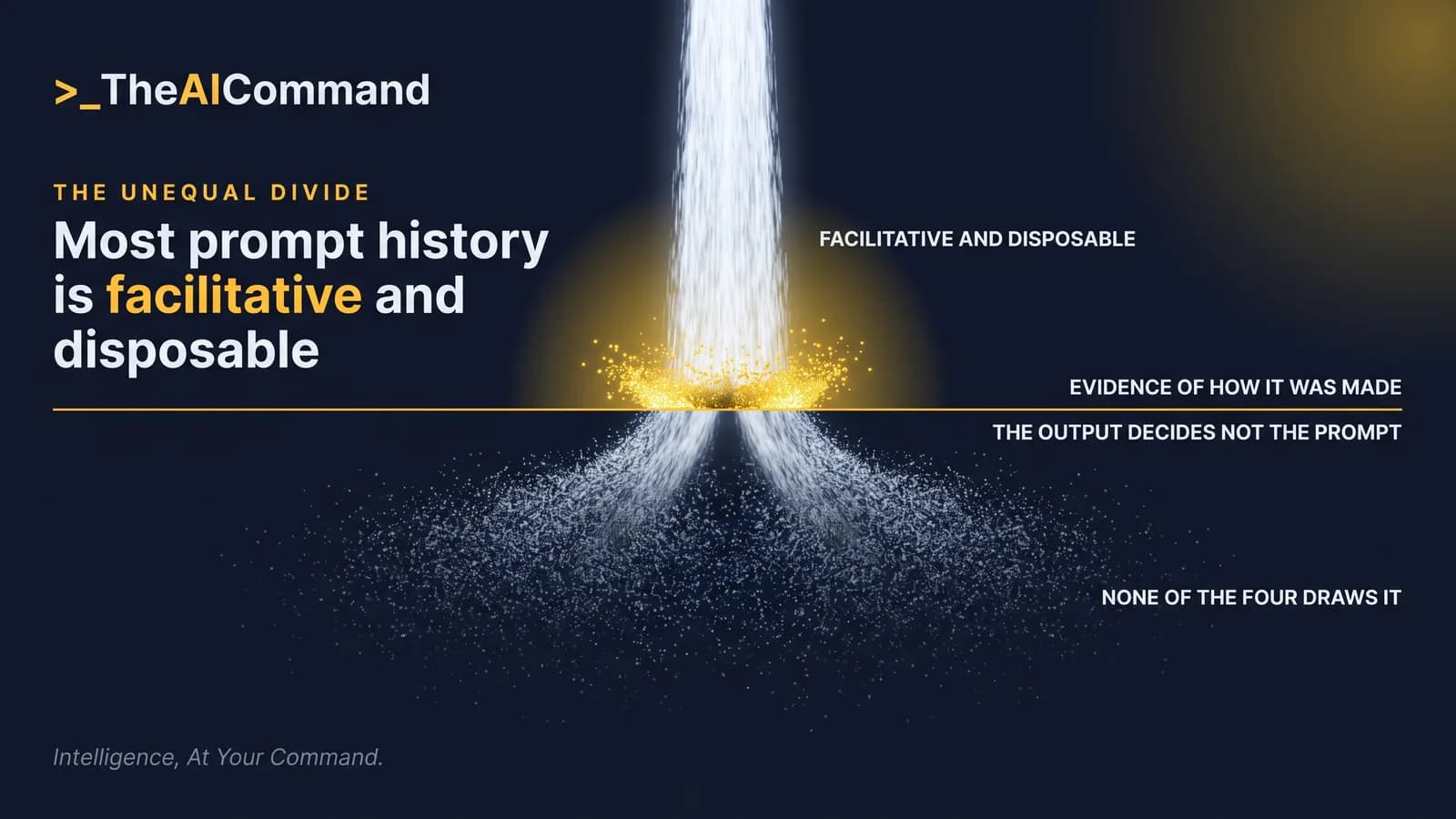
Most prompt logs are disposable. A few are evidence. What happened to the output decides it, and none of the four assistants read for this article draws that line for you.
The instinct to keep everything runs against the obligation
The deliverable here is a table, not a policy: a prompt-to-record trail that classifies each recurring task class, names where the surviving record is kept and records the retention period set on the tool, with an owner and a date checked beside each row. A control with no owner and no date is not evidence.
Two forces pull in opposite directions. The first is the software, which keeps by default. The National Archives of Australia states, on its page for information management for records created using artificial intelligence technologies last updated September 2026, that "The default retention period assigned to AI prompt and response logs varies between the different generative AI assistants, with some common AI assistants retaining logs permanently unless configured otherwise." That page addresses Australian Government agencies, so it is cited here as the public sector comparison only.
The second force is Australian privacy law, which runs the other way. Australian Privacy Principle (APP) 11.2 requires reasonable steps to destroy or de-identify personal information an entity no longer needs, subject to two carve-outs. Between them sits the category the trail exists to classify, being the accumulated prompt and response history of everyone who uses an assistant to draft, summarise, calculate or check.
Which prompts follow the output?
The cleanest formulation comes from the same National Archives page, in its section on disposal of generative AI assistant prompts and inputs. It states that "It is only where generative AI assistant outputs are captured and retained as business records that it may also be necessary to keep the prompts and other inputs to ensure there is credible evidence to demonstrate how the AI outputs were created".
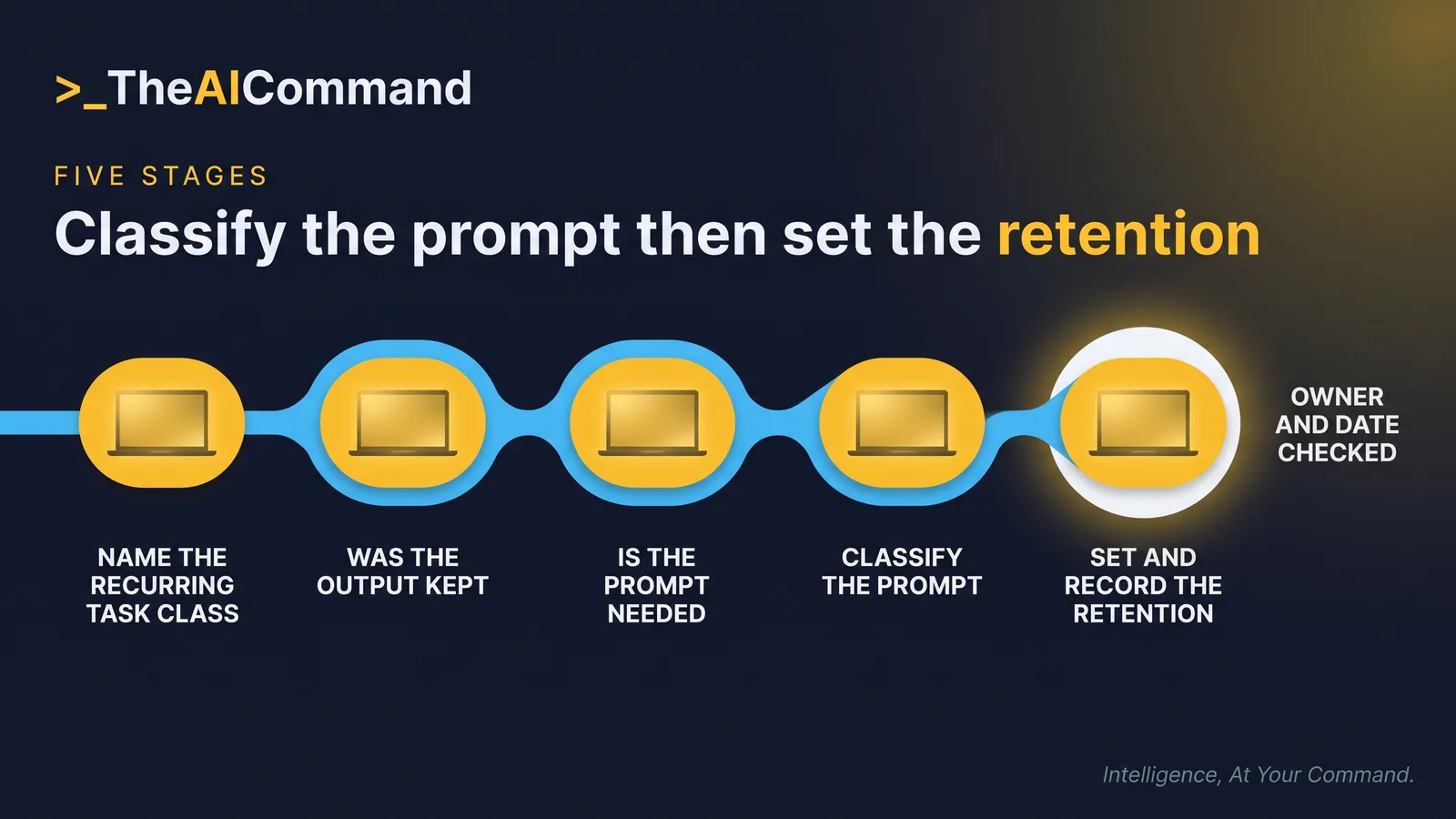
Read that as a two-stage question. Stage one asks whether the output was captured and kept as a business record, or stopped at the screen. Stage two applies only where stage one is yes, and asks whether the prompt may be needed to show how that output came about.
That yields three classes for the second column. A prompt is classified as a record where the output is kept as the record and the prompt may be needed as the credible evidence of how it was made. It is supporting context where the output is kept but the prompt only partly explains it, the common case for a draft a person substantially reworked. It is facilitative where the output was never kept, which covers the research note that went nowhere and the tone rewrite of an approved paragraph.
The same page lists prolonged exposure of sensitive material, harder retrieval and slower access processes among the risks of over-retention. An organisation that keeps every chat has created a searchable corpus of everything its staff pasted in, which is the first of those risks at scale.
What does APP 11.2 require?
The statutory text sits in the Privacy Act 1988 (Cth), Schedule 1, at Compilation No. 104, compilation date 4 June 2026. APP 11.2 applies where, among other conditions, "the entity no longer needs the information for any purpose for which the information may be used or disclosed by the entity under this Schedule". Where the conditions are met, the closing words state that "the entity must take such steps as are reasonable in the circumstances to destroy the information or to ensure that the information is de-identified". APP 11.3 states that, for the purposes of subclauses 11.1 and 11.2, "such steps include technical and organisational measures".
Both carve-outs are in the text. The obligation bites only where "the information is not contained in a Commonwealth record" and where "the entity is not required by or under an Australian law, or a court/tribunal order, to retain the information". Information held inside a Commonwealth record therefore sits outside APP 11.2, and anything held under a statutory retention period or a court or tribunal order stays where it is, whatever a retention setting says.
The regulator reading is in the Office of the Australian Information Commissioner's APP guidelines, Chapter 11: Security of personal information, labelled as updated 3 October 2025, at PDF version 1.3. It states that "An APP entity must take reasonable steps in the circumstances to destroy or de-identify the personal information it holds once the personal information is no longer needed for any purpose for which the personal information may be used or disclosed under the APPs". Paragraph 11.39 extends the step past the visible copy: "it must take reasonable steps to destroy or de-identify all copies it holds of that personal information, including copies that have been archived or are held as back-ups".
That is why the fourth column records a retention setting rather than a deletion habit. Clearing a chat list disposes of one copy, while the regulator reads reasonable steps to reach archived and backed-up copies as well. A retention period set on the tool is the control a person can evidence.
Classifying a prompt never validates the paste that created it. The OAIC's guidance on privacy and the use of commercially available AI products, labelled as updated 17 January 2025, states that "As a matter of best practice, the OAIC recommends that organisations do not enter personal information, and particularly sensitive information, into publicly available AI chatbots and other publicly available generative AI tools". Some task classes are barred from a public tool whatever the retention setting reads. This is general information and education, not legal advice.
What each vendor page states about retention
Every position below was read on the vendor page named, and carries the date that page displays. Where a page shows only a relative update label, no page date is asserted and the figure is written as at 26 September 2026.
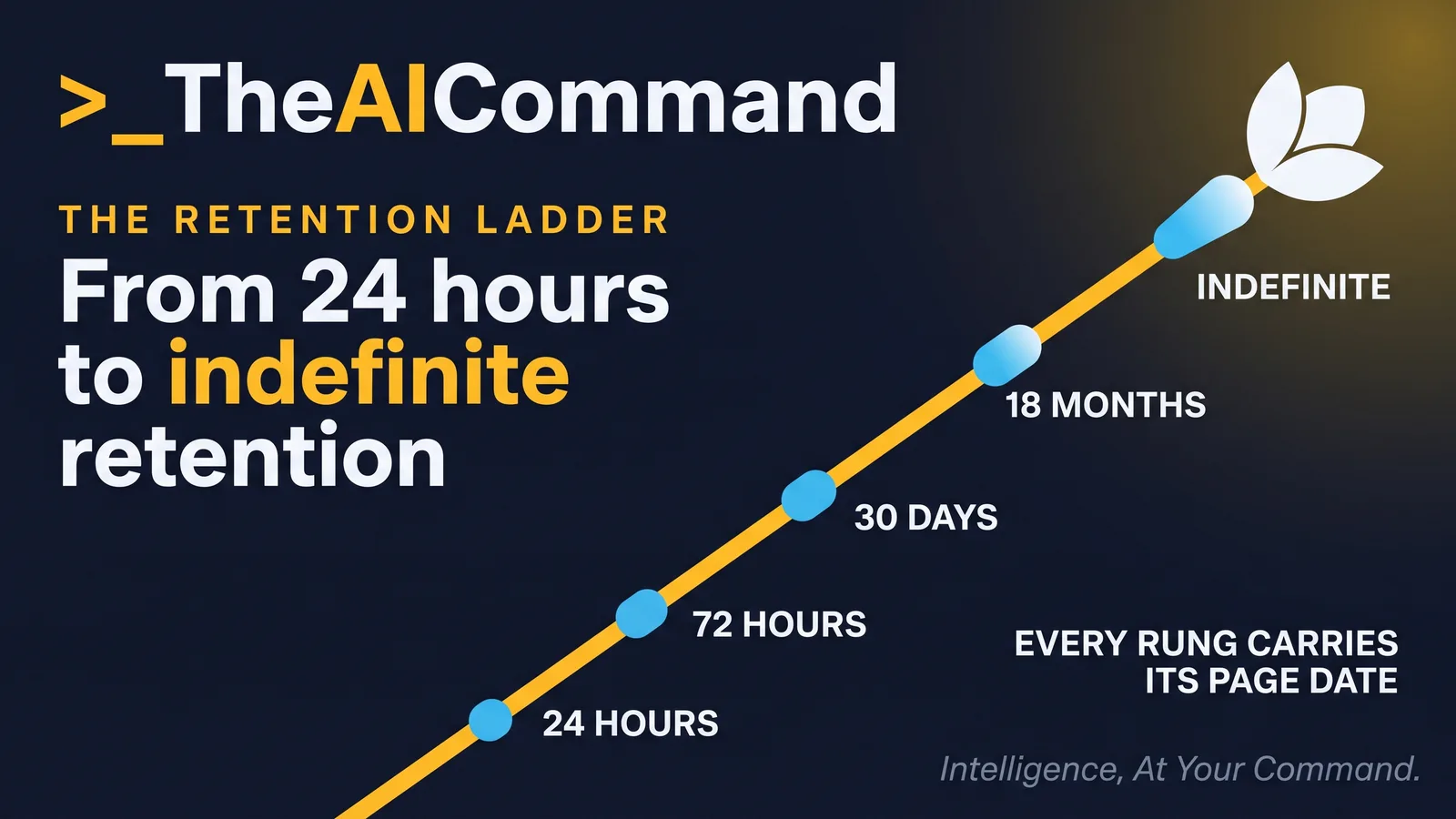
The sharpest row is the enterprise one. Anthropic's privacy centre article on configuring custom data retention controls for Enterprise plans, read as at 26 September 2026, states that "By default, data is retained indefinitely unless a custom retention period is set." The same article sets a 30 day minimum for a custom period and states that a project retention setting overrides the chat setting. An organisation whose administrator has never opened that setting still has a retention position, and it is indefinite.
Google publishes the opposite structure, a default that expires. The Gemini Apps Privacy Notice, last updated 29 June 2026, states that "You can change your auto-delete setting in Gemini Apps Activity from the default of 18 months to 3 months, 36 months, or indefinite." The privacy questions section of the same hub page, last updated 24 September 2026, states that temporary chats, and chats taken with Keep Activity off, are retained with the account for 72 hours. The notice links its export route to takeout.google.com.
OpenAI states one window as a number. Its Data controls in ChatGPT page, read as at 26 September 2026, states that temporary chats may be retained for up to 30 days for safety purposes, and the same page makes clear that turning model training off does not remove the chat from history. Anthropic's consumer page, "How long do you store my data?", dated 1 July 2026, describes a deleted conversation as removed from chat history and deleted from Anthropic back end storage systems within 30 days, while setting far longer windows elsewhere: up to five years in de-identified form in model training pipelines after a consumer opt-in.
Where is the prompt kept?
The obvious answer to column three is the chat list, and the chat list is not the record. Microsoft Learn states it flatly on "Learn about retention for Copilot & AI apps", last updated 26 September 2025: "Messages visible in your AI apps are not an accurate reflection of whether they are retained or permanently deleted for compliance requirements." The same page states that retention policies cover user prompts and responses for Microsoft 365 Copilot and Copilot Studio, and for other generative AI apps only where a collection policy captures the content, that the stored content sits in a hidden folder in the user's mailbox where eDiscovery tools can search it, and that permanent deletion is suspended where another retention policy or a hold applies.
Microsoft's product documentation, "Data, Privacy, and Security for Microsoft Copilot", last updated 18 August 2026, names the stored object as the content of interactions, surfaced to the user as Copilot activity history, and points users to the My Account portal to delete that history. It states that "Admins can also use Microsoft Purview to set retention policies for the data related to chat interactions with Copilot." A user deletion and an administrator retention policy are different mechanisms, and only one survives the user leaving.
Export routes belong in the same column, because a record that cannot be produced is not being kept. OpenAI's help page, "Exporting your ChatGPT history and data", read as at 26 September 2026, states that an export can take up to seven days to arrive and that "The download link expires 24 hours after you receive it." It states that self-service export from settings is "Not available for ChatGPT Business, Enterprise, or ChatGPT for Healthcare workspaces", which makes export an administrator question on the work tiers. For Gemini the notice links to takeout.google.com, and for Copilot the pages read here document only administrator routes, such as the Teams Export APIs.
So column three names a system, not a screen: the matter file, the document management system, the mailbox location or the shared drive holding the surviving record, and never the assistant.
Build the trail, with an owner and a date checked
The artefact in full: four classification columns plus an owner and a date checked, one row per recurring task class, with placeholders so nothing identifying enters the table.
Five rules keep the table honest.
- A cell that cannot be supported reads "not stated", which is an open item rather than a value.
- The fourth column holds one of four values and never a blank: a period a person set, with the value it replaced; the words "vendor default, not changed"; the words "no retention period control available on [PLAN_TIER]"; or the words "not checked yet". The date sits in the sixth column.
- Where the tool offers one period for the whole account, every row carries that period, and the classification then drives what is copied into [RECORD_SYSTEM] rather than what the tool retains.
- The owner is a role, not a name.
- A row is added or re-checked on a new task class, a new assistant or plan tier, or a change to the retention setting, and the whole trail is re-checked at an interval the owner sets, whichever comes first.
TheAICommand works to the Verified Draft Method: de-identify the inputs, ground the model in your own source material, keep a person at the decision point, verify against the primary source, and log what happened.
The prompts below fill the trail. None of them asks the model to recall what a vendor policy says.
What to check: first, that nothing was filled from the model's memory of a vendor policy, which shows up as a retention period appearing in a row where no period was supplied. Second, that no client, case or personnel detail entered the prompt, so re-read the task class lines before running it.
What to check: every reported value is followed by a quoted sentence that appears in the attached text, and each is marked as dated or undated. A value with no quote is memory, and the line is discarded rather than repaired.
What to check: the note contains no task class that was not in the table, and it recommends nothing, because the retention decision belongs to the owner. Confirm that both statutory carve-outs appear as written, and that the review interval and next review date are the owner's to set. The approval block reaches the owner blank.
Do this Monday
The artefact is the Prompt-to-Record Trail. The owner is the records or compliance lead who already owns the disposal schedule, because this is a disposal question that happens to involve software. Where no records or compliance function exists, the owner is the role that approves the output the task produces.
The first step fits inside an hour. List the three tasks most often taken to an assistant in the past fortnight, as task classes rather than by content. Answer the two-stage test by hand for each: was the output kept as a record, and may the prompt be needed to show how it was made. Then run the first prompt, which lays those answers out as rows and returns the cells nobody can yet fill. Then open the retention control on the assistant used most. On the pages read here that is the Gemini Apps Activity auto-delete, the Anthropic Enterprise custom retention setting, and a Microsoft Purview retention policy, the last two held by an administrator, while the OpenAI pages read here state no retention period, only organisation-level retention settings for managed workspaces and the 30 day Temporary Chat window. Where an administrator holds the control, the fourth column reads "[CONTROL_OWNER] holds the retention setting on [ASSISTANT_NAME], value requested [DATE_CHECKED]" and the hour's step is one question to that administrator: what period is set, and when it last changed. Where you hold it, record the value it shows, set a period deliberately, and write both into the fourth column with the date into the sixth. Where the plan exposes no period control at all, that cell reads "no retention period control available on [PLAN_TIER], as at [DATE_CHECKED]".
The check that proves it worked is a single read down that column. Every row for the assistant just opened holds one of the first three values above, rows for any other assistant read "not checked yet" with the date they are due, and the trail is complete when none does. Repeat for the second assistant the following week.
The bottom line
The prompt follows the output, so most prompt history is facilitative and disposable and only a narrow class may be needed as evidence of how a record was made. APP 11.2 requires reasonable steps to destroy or de-identify personal information no longer needed, carving out information in a Commonwealth record and information a law or court or tribunal order requires to be retained, and the regulator reads reasonable steps to reach archived and backed-up copies. The vendor defaults run the other way, from an 18 month auto-delete under the Gemini notice last updated 29 June 2026 to indefinite retention on the Anthropic Enterprise default read as at 26 September 2026, none of it decided by anyone at the organisation. That 72 hour window exists only where a person chose a temporary chat or turned Keep Activity off. Record the task class, the classification, the record system and the period a person set, with an owner and a date checked, and treat a blank fourth column as the finding it is.
TheAICommand. Intelligence, At Your Command.