
To build a workers compensation evidence chronology safely with AI, use an LLM to create a small, offline, de-identified tool that organises the facts while the delegate keeps every SRC Act decision. Most workers compensation matters turn on the chronology. What happened, when it happened, who said what, which document supports each event, and which questions stay open. Building that chronology by hand is slow. Pasting claimant material into a consumer chatbot to speed it up is the wrong shortcut, because that material is sensitive health information and the matter ends in a statutory decision under the Safety, Rehabilitation and Compensation Act 1988 [1]. There is a safer pattern. Use an LLM to build a small, offline, de-identified chronology tool that organises evidence and surfaces gaps, then keep every determination with the delegate who is authorised to make it.
General guidance and education only. This is not legal, medical or claims determination advice. Verify any approach with the relevant people in your own organisation before relying on it.
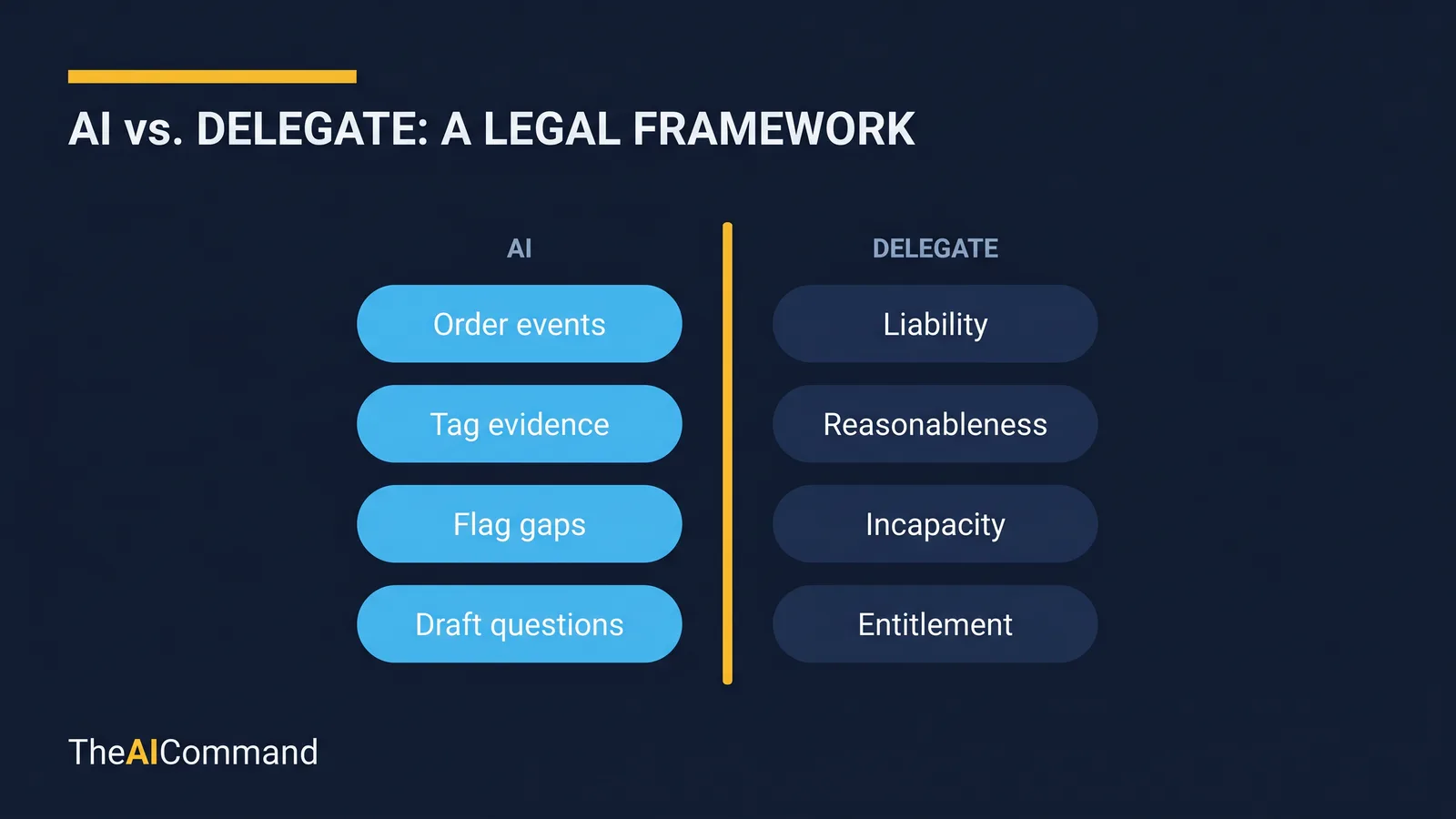
The through-line of this article is one sentence: the tool organises facts, and the delegate decides outcomes. Everything below is built around that boundary. The model can structure dates, tag evidence types, flag where a source is missing, and draft review questions for a human. It cannot decide liability, reasonableness, incapacity, impairment, treatment or rehabilitation. Those decisions sit inside the SRC Act and stay with the people the scheme makes accountable for them. This is the same safe offline-tool pattern set out for GRC controls testing, applied to a workstream where the stakes are higher: see the companion piece on building an offline GRC controls testing console.
Why is the chronology the right place to start but the wrong place to automate?
A clean chronology is the spine of reconsideration preparation and Administrative Review Tribunal (ART) preparation. It is also where teams are most tempted to let a model do too much. A chatbot will happily produce a confident timeline that reads like a finding, because confident prose is what these systems are tuned to generate. That is precisely the risk. A neat paragraph that says an injury "arose out of employment" or that a refusal was "unreasonable" looks settled, even when the underlying source records have not been checked and the delegate has made no decision.
The boundary is statutory, not stylistic. Liability is determined under section 14, which is the provision that makes Comcare liable to pay compensation in respect of an injury [1]. Whether something is an injury at all, including the carve-out for reasonable administrative action taken in a reasonable manner, is worked through the definition of injury in section 5A [1]. Disease questions, including when a disease is taken to have been contracted, run through the definition of disease in section 5B [1]. None of these are organising tasks. They are decisions, and a chronology tool has no business reaching them.
So the design goal is narrow on purpose. Build something that orders evidence, references its source, flags what is missing, and hands a human better questions. Resist every prompt that would turn it into an outcome generator. A recognised governance frame helps keep that discipline honest. The NIST AI Risk Management Framework asks teams to govern, map, measure and manage the risk of an AI use [8]; for this tool, the highest-value control is the map step, which is to be explicit about the task boundary before anything is built.
What does the tool prepare, and what does the delegate decide?
The cleanest way to keep a team safe is to write the boundary down before any code is generated. The tool owns the organising and preparation tasks. The delegate owns the SRC Act decisions. The table below maps the two lanes against the relevant provisions.
Read the table left to right and the discipline is obvious. Every left-hand cell is verifiable organising. Every right-hand cell is a judgement the scheme reserves for an accountable person. If a proposed feature lands in the right-hand column, it does not belong in the tool.
How do you de-identify before the model ever sees the matter?
WC claimant data is sensitive health information. The Privacy Act employee-records exemption does not rescue you here, because that exemption is about employee records held by an employer in connection with the employment relationship, and it does not cover the sensitive health information that sits at the centre of a compensation claim [5]. The Australian Privacy Principles apply [2]. Collection is governed by APP 3 [3], use and disclosure by APP 6 [4], and security by APP 11 [6]. Comcare's own published privacy guidance sets the expectation for how claims information is handled across the scheme [7]. The practical conclusion is simple: de-identify the material before any model touches it, and design the tool so that real claimant data never needs to reach an external service at all.
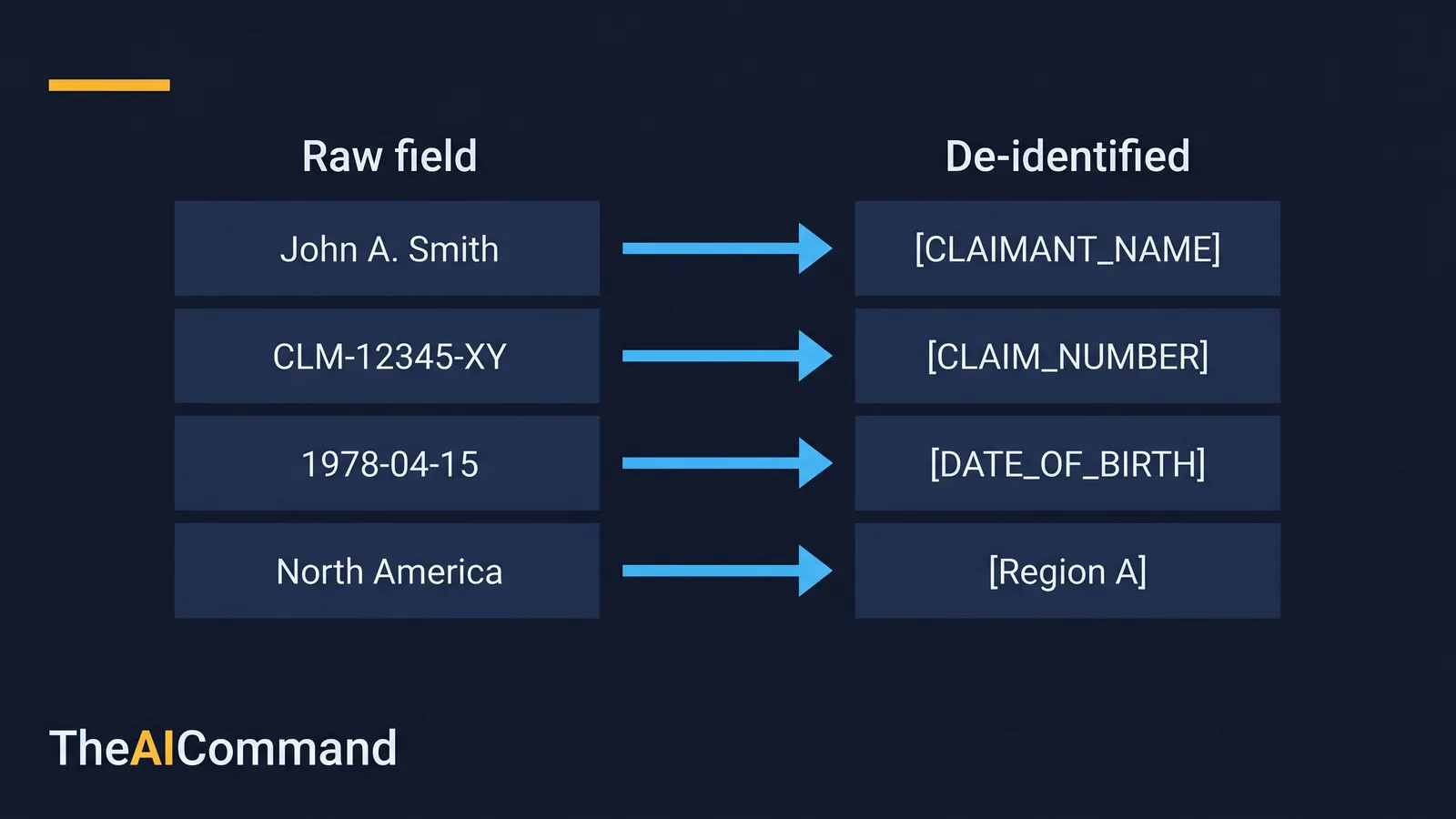
De-identification is a fixed step, not a judgement call made under time pressure. Use the standard placeholder convention set out in the de-identification toolkit for case managers so the pattern is consistent across the team. The table below shows a synthetic before-and-after row.
The left column never leaves the local environment. Only the right column appears in any prompt, any synthetic test, or any draft the model produces. Everything is mapped back to the source record by a human at review time, not by the model.
A scenario, strictly as preparation: getting ready for an ART review
Consider a team preparing for an ART review of a reconsidered decision. The material is scattered across certificates, contact notes, employer correspondence and internal action records. The temptation is to feed the lot into a chatbot and ask for a summary. The safer path takes one extra step at the start and pays it back many times over.
First, the team defines a de-identified schema: event date, source type, source reference, neutral summary, issue tag, evidence gap, reviewer question and follow-up owner. The LLM is used only to generate the offline tool and its user guide, tested entirely with synthetic rows. Once the tool passes a network-call and validation review, the team enters de-identified summaries locally. The output is a chronology pack plus a question list. A delegate then returns to the source records, checks each event against the original document, and applies the relevant scheme process. The model never sees a real name, a real claim number or a date of birth. The preparation is faster and the decision authority is untouched.
The point of the scenario is not that AI removes the work. It changes the shape of it. Less time spent tidying a messy table, more time spent verifying structure, improving the evidence base, asking sharper questions, and deciding what the output is permitted to mean.
The working table: safe field design versus the field design to avoid
Keep this table as a working artefact. Copy it into a planning document, adapt the fields, and use it to brief a manager, analyst or implementation team. Each row is a small decision that either protects the privacy and judgement boundaries or quietly erodes them.
The export row is the one that catches teams out. The moment an export starts to read like a determination letter, the tool has crossed from preparation into a decision artefact, and that requires different authority, controls and professional review entirely.
A neutral chronology, with gaps flagged for a human
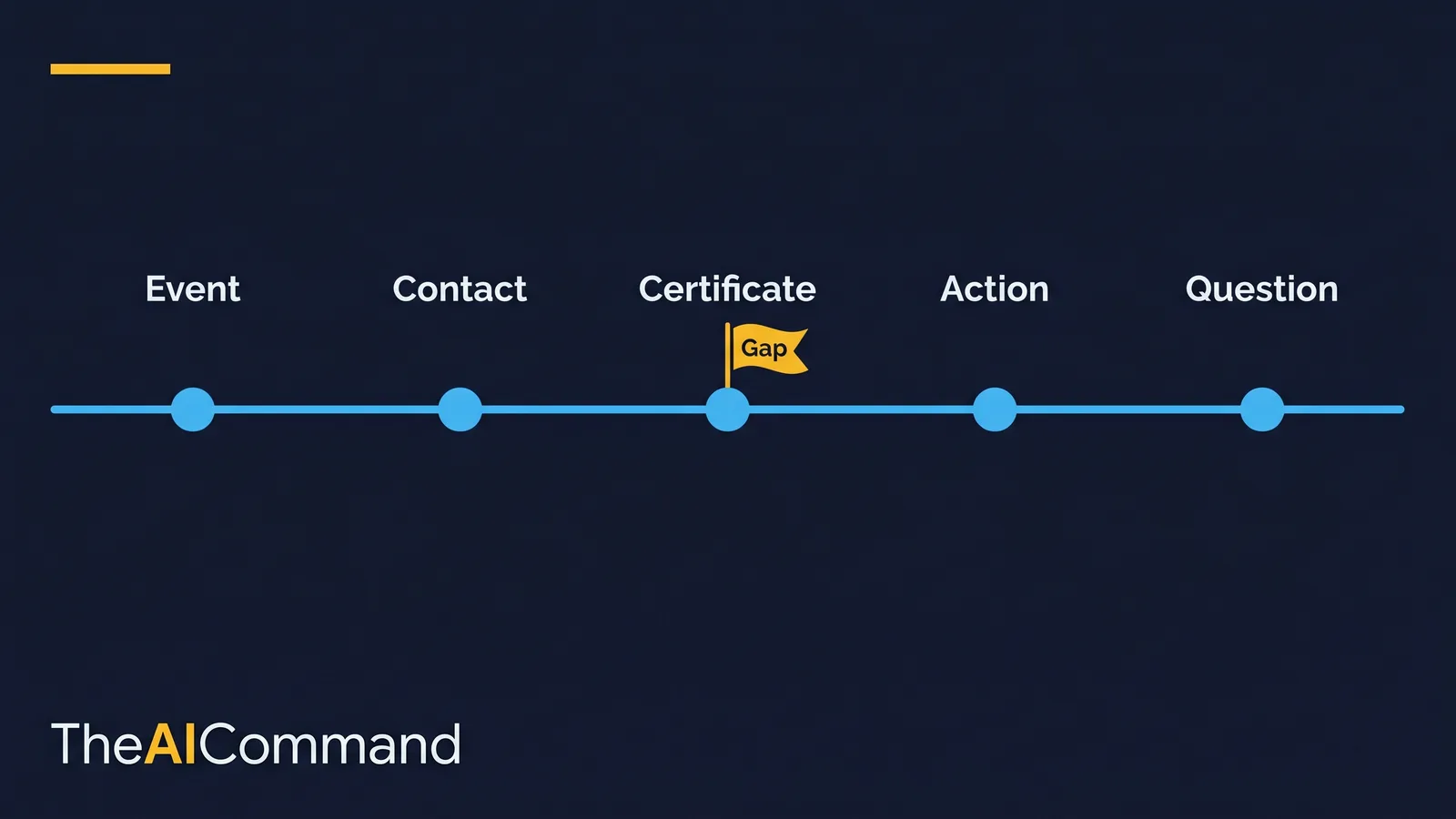
Neutral language is a design control, not a stylistic preference. The chronology records what a source says and when, plus what is missing and what needs checking. It does not characterise the merits. Use labels such as event, contact, certificate, correspondence, action, question and gap. Avoid labels that read like findings.
Some output terms are prohibited inside the tool because they imply a determination the delegate has not made. The table below lists the terms to block and the neutral alternative.
There is a related language rule that WC practitioners already know from determination writing. Outcomes are written in deterministic language, not advisory language. A determination states a position and the basis for it. It does not say what someone "should" do. The chronology tool inherits the spirit of that rule by staying out of outcome language altogether: it never advises, never recommends, and never concludes. It records, references, flags and questions, and then it stops.
The prompt stack
The prompt stack is staged on purpose. The first prompt narrows the task. The middle prompts build and test the artefact. The final prompts add review, validation and user guidance. That order reduces the chance of a polished but unsafe output, because the safety review happens before the tool is ever used on de-identified data.
A note on the build itself before the prompts. A single offline file that keeps data on the local machine is a local-first design, which keeps the sensitive material under the team's control rather than on someone else's server [10]. If the tool needs CSV parsing or a richer table, embed a small library such as PapaParse [11] or Tabulator [12] locally inside the file, and never load it from a content delivery network, because a CDN request is a network call and a place for data to leak. Build the interface to a recognised accessibility standard so reviewers using assistive technology can work the chronology; the Web Content Accessibility Guidelines 2.2 are the reference point [9].
Define the data model
Generate the single-file offline tool
Add local validation and an export gate
Review privacy, dependency and language risks
Create the user guide and version log
Notice what is absent from the stack. There is no prompt that asks the model to assess a claim, weigh evidence, or draft a decision. The model builds the workbench. People do the work.
Failure modes worth blocking before launch
A short list of the ways this goes wrong, and the control that stops each one.
- Real claimant data reaching an external model. Build prompts and test rows must stay synthetic and de-identified, and the tool must make no network calls. Verify the latter in the review prompt.
- Chronology labels drifting into conclusions. The prohibited-terms list is the control. Accepted, rejected, liable, unreasonable and non-compliant do not appear in the interface or the export.
- Skipping source-record verification. A neat timeline is not evidence until a human checks it against the source. The export gate enforces this with a required reviewer note.
- Using the tool outside the approved process. The tool prepares for reconsideration or ART review. It does not replace the determination, the delegate or the scheme process.
A reliable governance test is to ask what the model is not allowed to do, and then check that the answer is visible in the workflow, the prompt, the interface and the review checklist. If that boundary only lives in someone's head, it will be missed under deadline pressure.
The safe pattern, end to end
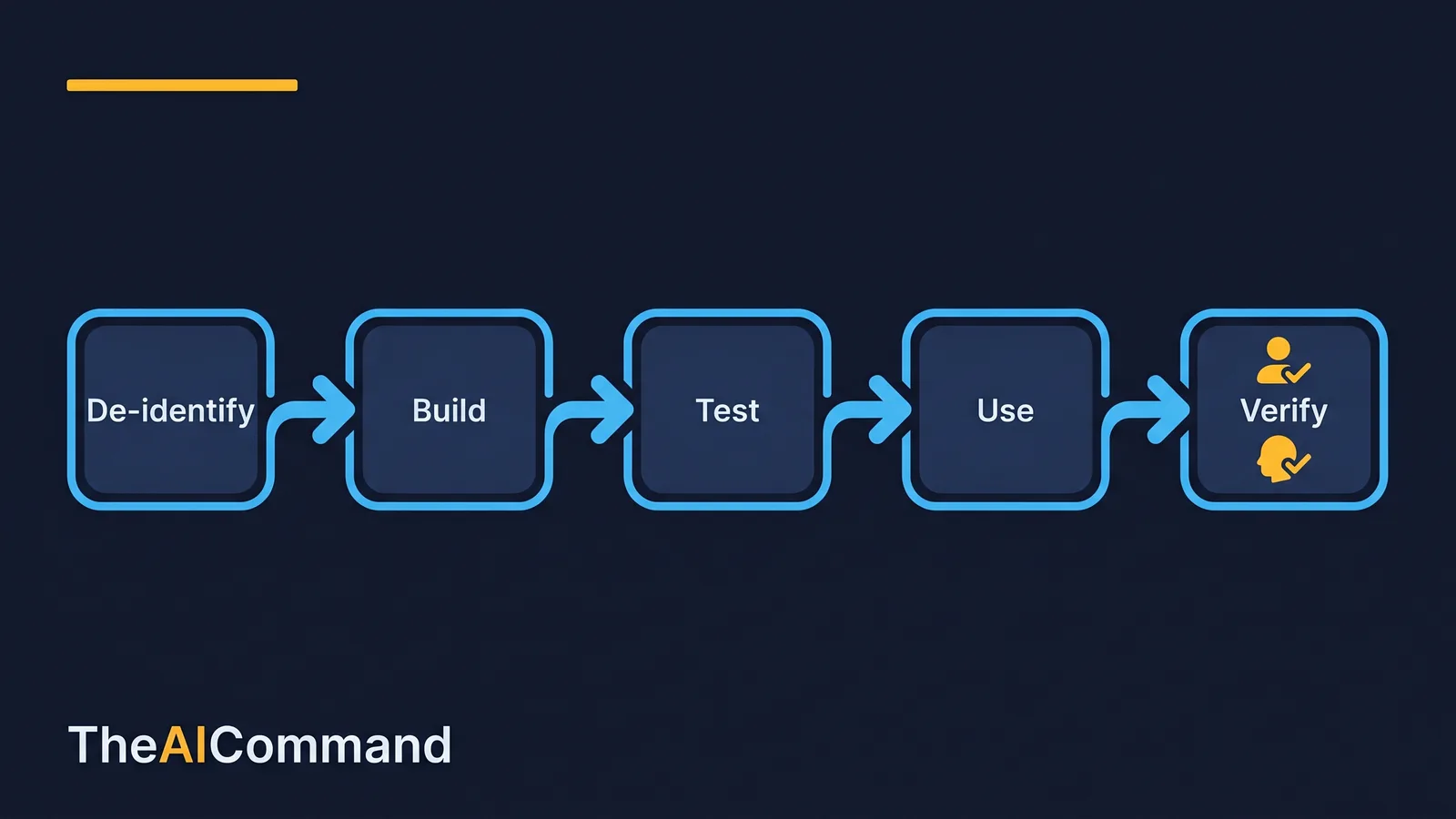
The implementation sequence is deliberately linear. Each step gates the next, and the last step is always human verification against the source.
- Write the safe-use and boundary statement first, including the prohibited-terms list and the organise-versus-decide table.
- Design the de-identified schema and have a senior practitioner confirm it.
- Generate the offline tool with synthetic, de-identified data only.
- Run the privacy, dependency and language review prompt, and fix every issue before any real use.
- Test with deliberately incomplete rows to confirm gap warnings fire and the export gate blocks.
- Use the exported chronology only as a preparation artefact, then verify every event against the source records before any review, advice or decision activity.
For accountability, name three roles even in a small team: the domain owner confirms meaning, the AI workflow owner maintains the prompts and the tool, and the reviewer checks that outputs are grounded, proportionate and safe to use. The roles can be combined, but the hats should still be named.
Using the tool in a review meeting
Run the review meeting with the chronology on screen and use it to filter unresolved gaps first, not to argue conclusions. Ask which events are unsupported, which source documents need checking, which dates are uncertain and which follow-ups are overdue. Then assign owners. Treat the chronology like a junior analyst draft: quick, useful and incomplete until verified. Record each correction as a source issue, a prompt issue, a process issue or a judgement issue, so the team improves the system rather than just fixing one pack. If the conversation drifts toward an outcome, return to the source records and the approved decision process. The tool supports preparation only.
There is a quiet test that separates impressive output from professional output. Could another capable colleague use the exported chronology next week without a ten-minute verbal briefing? If not, the labels need to be clearer, the gaps better flagged, or the user guide shorter and sharper. The output should reduce handover friction, not create a private maze of undocumented assumptions.
What to do next
Pick one matter heading to reconsideration or ART review preparation. Build the smallest useful version of the tool. Keep the build synthetic and de-identified. Run the prompt stack in order. Capture what failed and convert it into a durable instruction or a tightened field. Then repeat on a slightly harder matter. Capability compounds through small, verified iterations, not through one ambitious prompt.
A fuller word on the boundary, because WC work earns it. This article does not provide legal, medical or claims determination advice. Every tool, prompt and chronology described here assumes de-identified or synthetic material during build and testing, and any real-world use remains subject to source-record verification, statutory process under the Safety, Rehabilitation and Compensation Act 1988, organisational policy, the Australian Privacy Principles and Comcare's privacy guidance, and accountable human decision-making. The tool can organise information. It must not decide entitlement, the existence of an injury, the date of a disease, reasonableness, incapacity, permanent impairment, medical treatment or rehabilitation. Those decisions stay with the delegate, expressed in deterministic language, on the balance of probabilities, against the relevant provision. Verify everything here with the right people in your own organisation before you rely on it.
Bottom line
The tool organises facts and the delegate decides outcomes, and that boundary is statutory, not stylistic. Build a small, offline, de-identified chronology tool with synthetic data, run the prompt stack in order, and verify every event against the source records before any decision. Keep liability, injury, disease, incapacity, impairment, treatment and rehabilitation decisions with the authorised delegate under the SRC Act.
Do this Monday:
- De-identify all claimant material first, using placeholders such as [CLAIMANT_NAME] and [CLAIM_NUMBER].
- Write the organise-versus-decide boundary and the prohibited-terms list before generating any code.
- Build the offline single-file tool with synthetic rows only, and confirm it makes no network calls.
- Add an export gate that blocks export until a reviewer confirms the source records were checked.
- Verify every chronology event against the source before using it for reconsideration or ART review preparation.
For more practical AI workflow ideas, follow TheAICommand on Instagram at @the_aicommand and X at @TheAICommand.
References
- Safety, Rehabilitation and Compensation Act 1988 (Cth). https://www.legislation.gov.au/C2004A03668/latest/text
- OAIC, Australian Privacy Principles. https://www.oaic.gov.au/privacy/australian-privacy-principles
- OAIC, Australian Privacy Principle 3, Collection of solicited personal information. https://www.oaic.gov.au/privacy/australian-privacy-principles/australian-privacy-principles-guidelines/chapter-3-app-3-collection-of-solicited-personal-information
- OAIC, Australian Privacy Principle 6, Use or disclosure of personal information. https://www.oaic.gov.au/privacy/australian-privacy-principles/australian-privacy-principles-guidelines/chapter-6-app-6-use-or-disclosure-of-personal-information
- OAIC, Employee records exemption. https://www.oaic.gov.au/privacy/privacy-guidance-for-organisations-and-government-agencies/organisations/employee-records-exemption
- OAIC, Australian Privacy Principle 11, Security of personal information. https://www.oaic.gov.au/privacy/australian-privacy-principles/australian-privacy-principles-guidelines/chapter-11-app-11-security-of-personal-information
- Comcare, Privacy. https://www.comcare.gov.au/site-information/privacy
- NIST AI Risk Management Framework. https://www.nist.gov/itl/ai-risk-management-framework
- W3C, Web Content Accessibility Guidelines (WCAG) 2.2. https://www.w3.org/TR/WCAG22/
- Ink and Switch, Local-first software. https://www.inkandswitch.com/essay/local-first/
- PapaParse. https://github.com/mholt/PapaParse
- Tabulator. https://github.com/olifolkerd/tabulator
TheAICommand. Intelligence, At Your Command.