
A Claude Cowork Project remembers context from the tasks you run inside it and reuses it, so you stop re-explaining yourself. That memory is scoped to the Project, kept apart from your ordinary chat memory, and fully editable. Knowing exactly what it keeps, forgets and separates is the difference between a workspace you trust and one you have to second-guess.
Before reading this. It helps to know when to graduate a workflow from a raw chat into a Project, but this article stands on its own. This is the memory model underneath that decision.
After reading this article, you will be able to. Say what a Cowork Project retains and what it does not, tell Project memory apart from Claude's general chat memory, and run the day-one steps that govern it before a team relies on it.
Why the memory model is worth an hour of your attention
Claude Cowork reached general availability across all paid plans in April 2026, and its Projects feature turned a chat tool into something closer to a workspace: a place with its own files, standing instructions and persistent memory. The pitch is simple and real: you never have to re-explain the same context twice.
The catch is that almost nobody reads what that memory actually does. They turn a Project on and assume it works like a colleague who remembers everything and shares nothing they should not. It does not. It remembers less than some people fear in one direction, and more than they expect in another, and before a team leans on it for real work the memory model deserves a plain read.
What a Cowork Project actually remembers
Three things persist inside a Project, and they compound.
The first is task context. As you run tasks in a Project, Claude builds up knowledge of your work and applies it to future tasks in the same Project. Ask it to draft this month's report, and next month it already knows the shape you like.
The second is anything you explicitly save. Tell Claude directly, for example "save in memory that our reporting period ends on the 20th," and it references that fact automatically inside the Project from then on. Explicit memory is the most reliable kind, because you chose it.
The third is the standing setup: the Project's instructions and attached files. These are not learned, they are configured, and they load into every task without being retyped. You govern them differently from memory: edit instructions like a policy, curate memory like a record.
Crucially, that memory is something you can see and change. Claude keeps it as a plain, readable file you can open, and you can tell it to update or forget specific items in conversation. It is a document you own, not a black box.
What it does not remember, and why that matters
The forgetting is as important as the remembering, and it runs in your favour more often than against you.
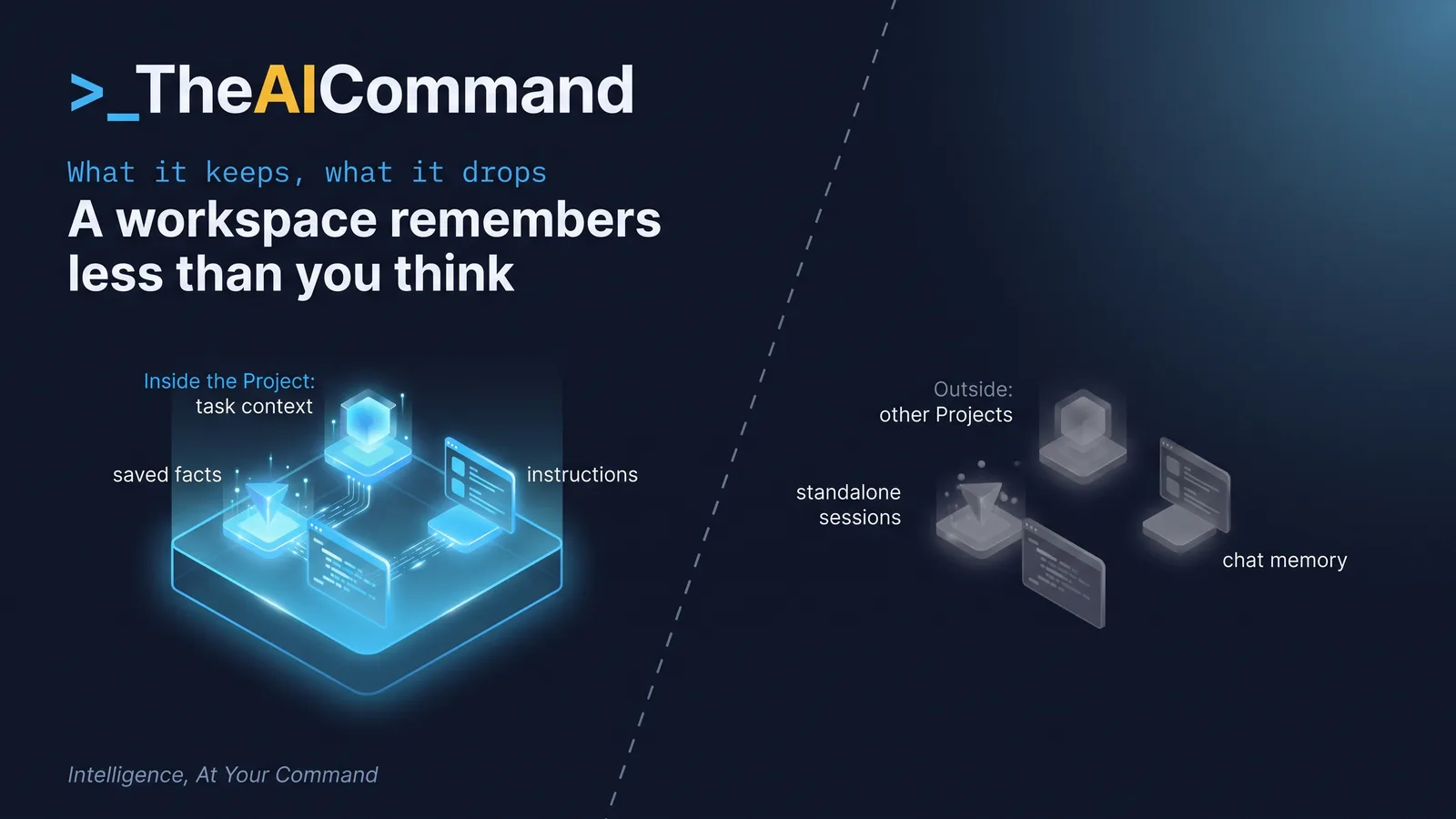
A Project's memory is scoped to that Project. What Claude learns in your board-reporting Project does not surface in your recruitment Project, which stops context from one stream of work bleeding into another. The convenience does not travel either: a fresh, standalone Cowork session outside any Project has no prior context at all.
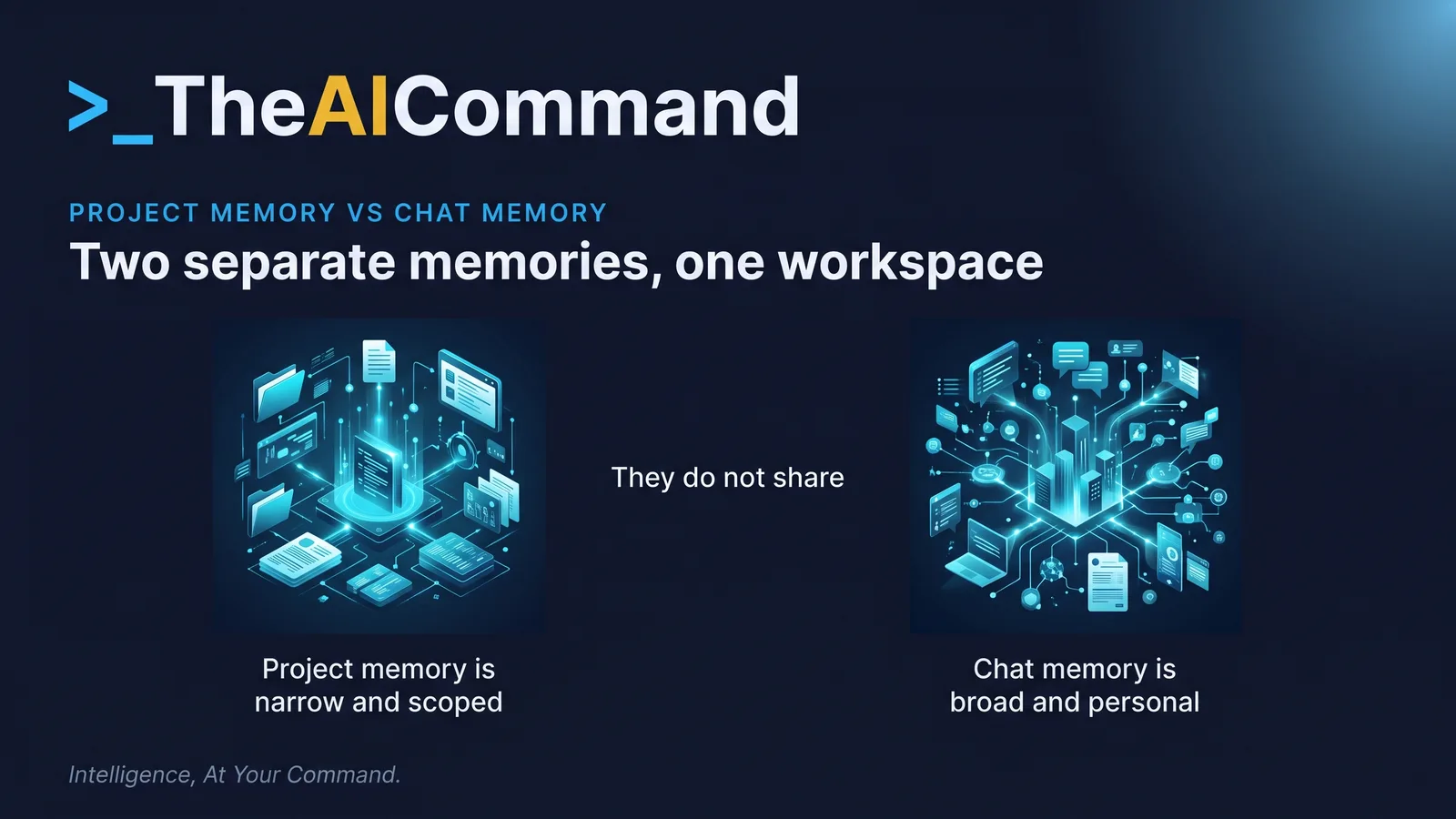
It is also kept apart from your ordinary chat memory. That general memory, the running summary Claude builds from your everyday conversations at claude.ai, reaches across all your chats and is on by default on the consumer apps. It is a separate store: a Project does not read it and does not write to it. So a fact you told Claude in a normal chat is not automatically in your Project, and the Project's memory is not leaking into your chats. For sensitive work, that narrower, defined boundary is usually the safer one.
And a Project's memory is yours, not the team's, by default. Cowork Projects and their memory are scoped to your own account, not pooled into a shared team brain. Team and Enterprise plans add collaborative sessions, but the memory model stays per Project and per account. Do not assume a teammate's Project knows what yours does.
A Project remembers what you did and saved inside it, and nothing from outside it. That boundary is where the surprises live, in both directions.
Set up a Project's memory well: six steps
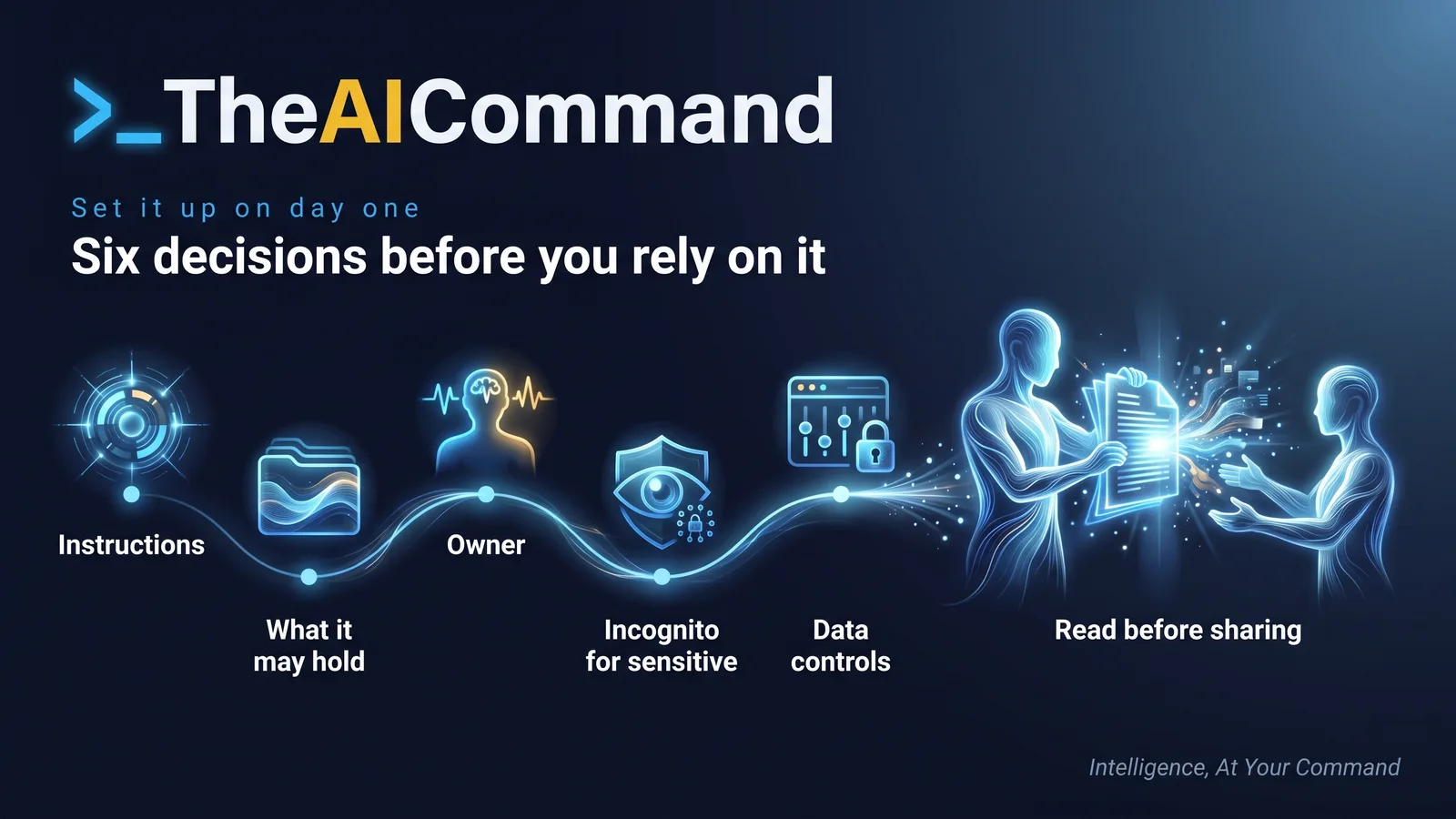
The features take minutes; these six decisions are the actual work.
- Write the standing instructions. Set the role, tone and house rules once, including a standing "never invent names, dates or figures" line. A blank instructions field starts from nothing every time.
- Decide what memory may hold. Name what the Project should remember to be useful, and what it must never learn. Anything sensitive that lands in memory persists until someone removes it.
- Name a memory owner. Give one person responsibility for reviewing the memory file on a set cadence, so it is curated rather than left to accumulate.
- Route sensitive one-offs to incognito. Send genuinely sensitive, one-off work to an incognito chat, which is saved to no memory store, rather than a persistent Project.
- Confirm the data controls. On consumer plans, check that training on your prompts is off in the privacy settings, and confirm the plan tier before any confidential material goes near a Project. Regulated data still follows the privacy-safe rules.
- Read the memory before you share. A Project is per account by default, so before handing one to a colleague, open its memory and remove anything that should not travel.
Two prompts to run first
Paste these into your AI tool, fill the placeholders, and treat the output as a draft for a human decision, never the decision itself.
A day-one memory checklist
Run this before a team relies on a Project for anything that matters.
- Each active Project has written standing instructions, not a blank field.
- What the Project may remember, and what it must never store, is decided rather than left to accumulate.
- One named person owns each Project's memory and reviews it on a set cadence.
- Sensitive one-off work uses an incognito chat, not a persistent Project.
- The plan tier and training-data setting are confirmed before confidential material goes near a Project.
- No one assumes a Project shares memory with an ordinary chat, or that a teammate inherits it.
A worked example
A finance team runs a monthly board-pack summary in a Cowork Project. Over three months it has learned the reporting calendar and the preferred structure, and, because someone pasted a draft in a hurry, a director's home email and a note about a supplier dispute.
The wrong move is to share the Project with a new analyst as is, handing over context that was never meant to travel. The right move is the review prompt above. It flags the email and the dispute note as sensitive and out of scope. The owner tells Claude to forget both, confirms they are gone from the memory file, and adds one instruction: "summarise figures from the attached pack only, never from memory." The calendar and structure stay, because those are what a Project should remember. The analyst then inherits a workspace that remembers the shape of the work and nothing it should not. The memory was doing its job. It just needed someone to read it.
Try this
Open one Claude Cowork Project you already use and read its saved memory in full. Remove one thing you would not want it to keep, then write the single standing instruction the Project should carry into every task. Five minutes tells you more about your workspace than a month of using it blind.
Where to go next
- Custom Projects vs Raw Chats: When to Graduate Your AI Workflow
- Gold Standard Claude Workspace Setup
- Your Team's First Shared AI Identity Is a Decision, Not a Toggle
- Privacy-Safe AI for Regulated Work
Bottom line
A Cowork Project remembers what you do and save inside it, applies that to future tasks, and keeps it scoped: away from your other Projects, away from standalone sessions, and separate from your general chat memory. That memory is yours to see, edit and delete. Decide its instructions, what it may hold, who curates it, and where sensitive work goes instead, before the memory fills up rather than after.
Do this Monday:
- Open one Project and read its full saved memory, then delete anything that should not be there.
- Write clear standing instructions for that Project, including a rule never to invent names, dates or figures.
- Name one owner to review the Project's memory on a set cadence.
- Agree that sensitive one-off work goes in an incognito chat, not a persistent Project.
- Confirm the plan tier and training-data setting before any confidential material goes near a Project.
TheAICommand. Intelligence, At Your Command.