
A shared AI identity is one AI that a whole team channel uses together, with its own channel memory and admin-scoped access, and Anthropic's Claude Tag is the clearest example. It is a decision your team makes once and lives with. Most teams are about to make it by clicking a button.
Before reading this. Nothing essential. If your team is new to shared AI tools, it helps to have used a normal AI chat at work first, but this article stands alone.
After reading this article, you will be able to. Tell a shared AI identity apart from a private chat and a personal project, make the five decisions to settle before enabling one, and choose a low-risk first use case to trial.
What is a shared AI identity?
On 23 June 2026, Anthropic released Claude Tag, a way to run a single shared Claude inside a Slack workspace. The design choice that matters is captured in Anthropic's own words: "within a given Slack channel, there's one Claude that interacts with everyone." Anyone can tag it, hand it a task, see what it is working on, and pick up where the last person left off. It is in beta for Claude Enterprise and Team customers and runs on Opus 4.8.
Two things make this more than a chatbot in a sidebar. First, it has memory of the channel, building context so it stops needing to be re-briefed. Second, it has standing, admin-scoped access to whatever tools and data an administrator connects. It can also act unprompted when a setting called ambient mode is on, flagging updates and following up on quiet threads, as VentureBeat reported at launch. The old Claude in Slack app retires on 3 August 2026, with a short window to migrate.
This is a new pattern, and switching one on is a design decision, not a button. The same shift, read from a compliance angle, is why a shared AI teammate means governing the channel it lives in. Before any hands-on setup, start with the decision itself.
Why it is different from a private chat or a personal project
Line the three up and the difference is clear.
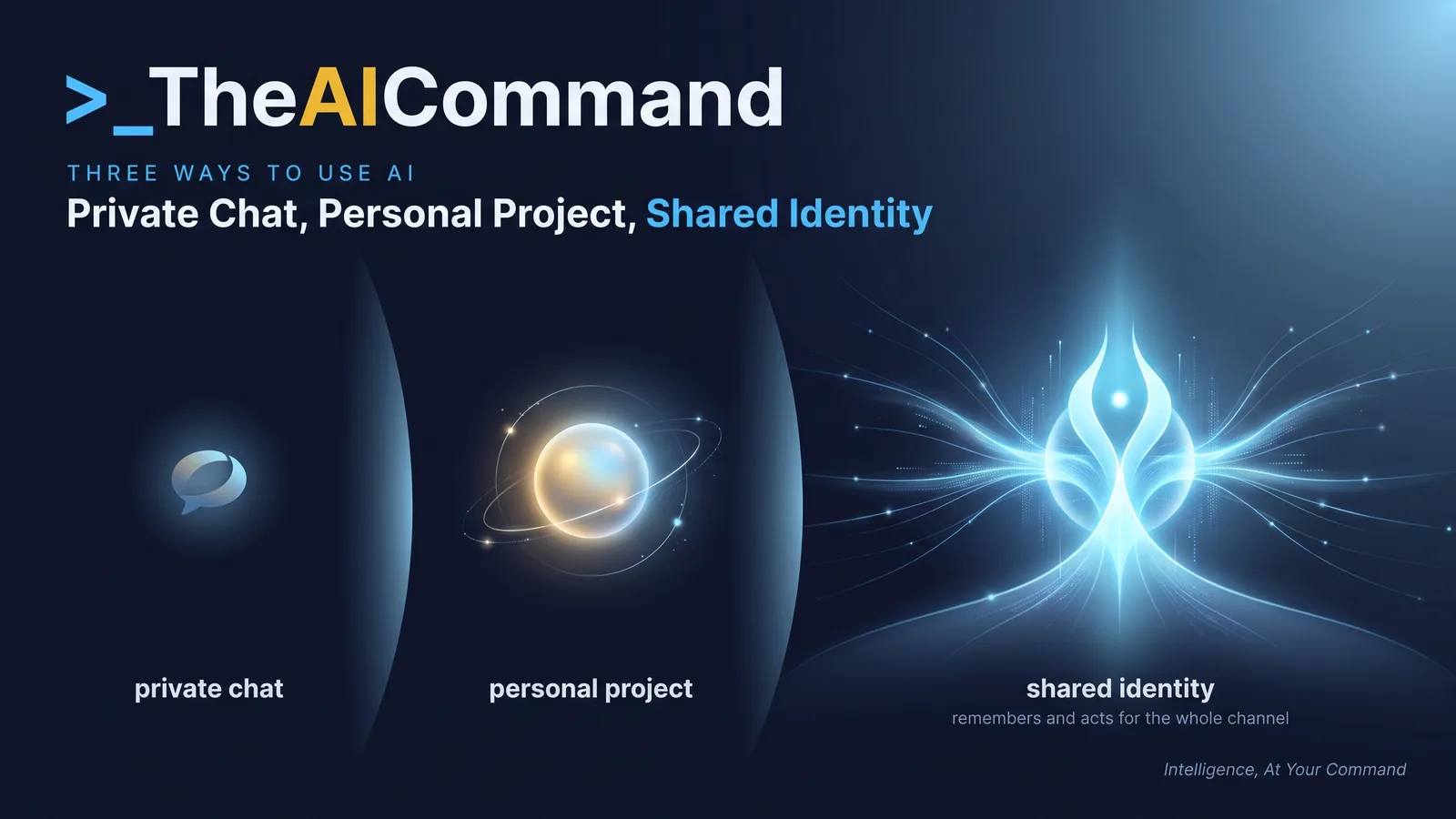
A private chat is yours alone. It forgets you when you close the tab, no one else sees it, and it cannot act while you are away. The only thing to govern is what you paste in.
A personal project persists for you. It keeps saved instructions and files across your own sessions, but it is still scoped to you alone.
A shared AI identity persists for the whole channel. It remembers on behalf of the group, it is visible to everyone, and, with ambient mode on, it acts in the gaps where nobody is watching. The unit is no longer the person at the keyboard. It is the channel.
That is why switching one on is a design decision. You are placing a standing, memory-holding presence into a room where your team already works, and deciding what it can see, keep and do.
The levers for that are real and administrator-level. Anthropic states that everything, including its memories, stays scoped to the channels administrators define. Its own example: an identity set up for sales will not pass its memories to one set up for engineering, and will not give engineers sales data or tools. That separation is available, not automatic. Someone has to choose it.
Which five decisions should you make before enabling one?
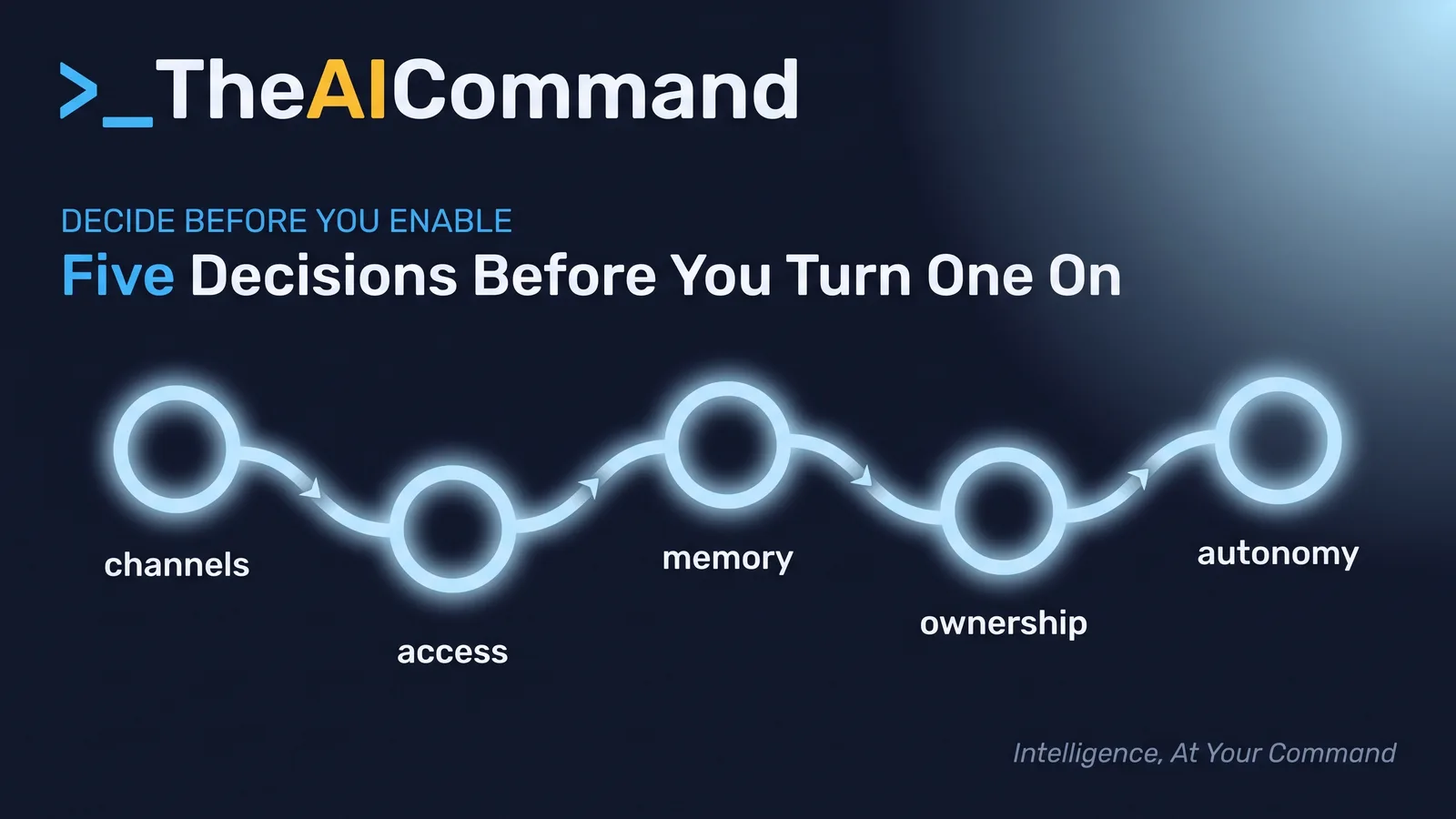
Settle these five before the identity is live, not after. Each has a safe default you move away from only on purpose.
- Channels: where does it live. Start narrow, with one channel chosen because the work there is repetitive and low-sensitivity. Keep a shared identity out of channels carrying customer, health, claim or commercially sensitive material until someone has cleared it.
- Access: what can it reach. Connect it to the tools and data a defined job needs, and nothing more. Least access, reviewed, beats "connect everything and see what happens." Every connection widens what a mistake can touch.
- Memory: what may it remember. Decide what to retain and what it should never learn. Administrators can view, edit and delete channel memory, so curate it rather than let it accumulate.
- Ownership: who owns it, and its limit. Name one accountable person. Set the channel token limit and the organisation limit above it, so cost and blast radius are known quantities.
- Autonomy: does it act unprompted. Leave ambient mode off at first. Let it respond when asked, watch what it does, and enable proactive behaviour only once you trust its scope. Async is fine for drafting. It is not fine for anything that sends, commits or decides, which needs an approval gate before it needs autonomy.
If you cannot answer all five, you are not ready to enable one. The five answers are the setup, not the prompt that follows.
How do you get ahead of this before you deploy?
You do not need to deploy anything to get ahead of this. You need the decision made on purpose, on one page, with the right people in the room.
- Name the candidate channel. Pick the single channel where a shared identity would most obviously help, and write why in one sentence.
- Classify what flows through it. If any of the information there is customer, health, claim or sensitive commercial data, choose a different channel to start.
- Draft the five decisions. Use the first prompt below to turn the five headings into written answers your team can review.
- Scope the access explicitly. Write down the exact tools and data the identity may reach, and exclude everything else by default.
- Assign the owner and the limits. Name the accountable person and set the channel and organisation token limits before go-live.
- Keep it reactive for week one. Enable it with ambient mode off, give it its narrow job, and tell the channel it is there.
- Review after a week. Use the second prompt to check what it remembered and reached, then decide whether to widen the scope or turn ambient mode on.
Two prompts to run first
These are working prompts. Paste them into your AI tool, fill the placeholders, and treat the output as a structured draft for a human decision, never the decision itself.
A setup checklist
Run this list before any shared identity is switched on. It is deliberately about scope and ownership, not features, because the features are the easy part.
- A single starting channel is named, chosen because its work is repetitive and low-sensitivity.
- That channel's information is classified, and none of it is customer, health, claim or sensitive commercial data.
- The tools and data the identity may reach are written down, with everything else excluded by default.
- What it may remember, and what it must never learn, is decided rather than left to accumulate.
- One accountable owner is named, and the channel and organisation token limits are set.
- Proactive, unprompted behaviour is off for the trial period.
- A review date is booked before the scope is widened.
- If any line is unchecked, the answer this week is wait, not enable.
A worked example
An operations team at a mid-sized services firm wants to trial a shared AI identity. The temptation is the busiest channel, where client work, supplier issues and internal coordination all mix. That channel carries client details and a few commercially sensitive threads, so it fails the classification step.
Instead, the team lead picks the internal project-coordination channel: status updates, scheduling and action tracking, with no client or personal data. The identity gets one job, keeping a running summary of open actions and flagging ones that have gone quiet. Access is scoped to the project tool and nothing else. The lead names themselves the owner, sets a modest channel token limit, and leaves ambient mode off.
After a week, they run the review prompt. The identity has done the job well and remembered only project actions. Its scope held. On that evidence, the lead turns ambient mode on so it can flag stale actions unprompted, and books a date to consider a second channel. What they avoided was dropping a memory-holding, tool-connected presence into a channel full of client material because enabling it was one click. The click was easy. The decision was the point.
The effort ratio is worth noticing too. The technical enablement took minutes, and the five decisions took most of an hour of honest conversation. That is the shape of doing this well: the setup is small, and the thinking is the work.
Try this
Pick one channel where your team already coordinates repetitive work, and write the five decisions for it on a single page: which channels, what access, what it remembers, who owns it, and whether it acts unprompted. If you cannot answer one of them yet, that is the conversation to have before you enable anything. A shared identity is only as safe as the decisions made before turning it on.
Bottom line
A shared AI identity is a standing, memory-holding presence in a team channel, so switching one on is a design decision, not a button. How safe it is comes down to five decisions you settle before go-live: channels, access, memory, ownership and autonomy. Write all five answers down, or wait until you can.
Do this Monday:
- Name one low-sensitivity, high-repetition channel to start, and classify what flows through it.
- Write the five decisions on a single page: channels, access, memory, ownership and autonomy.
- Scope access to the minimum tools and data the job needs, and exclude everything else by default.
- Name one accountable owner, and set the channel and organisation token limits.
- Keep ambient mode off for week one, then review what it remembered before widening scope.
Where to go next
- Your AI agent can remember now: govern what it keeps
- Gold Standard Claude Workspace Setup
- Privacy-Safe AI for Regulated Work
TheAICommand. Intelligence, At Your Command.