
Microsoft 365 Copilot Vision turns an entire screen, a specific window or a mobile camera view into model input. For regulated teams, the share picker now needs a purpose, a boundary and a stop condition before anyone starts talking.
The next Copilot prompt may begin before you speak. Microsoft 365 Copilot Vision lets a licensed user share an entire desktop screen, a specific window or a mobile camera during a voice conversation. Copilot can combine that visual input with available Microsoft 365 work data to answer questions aloud (Microsoft Support).
Microsoft announced on 30 June that Vision would roll out in July, after an administrative control for Vision rolled out in June (Microsoft's June update). Do not assume every tenant has it. Microsoft's voice FAQ still says Vision features are not currently available for any commercial customers, and that there is no feature-specific toggle for administrators to turn off voice features (Microsoft voice FAQ). Prefer the June rollout notice and the dedicated Vision pages, then verify your tenant, Message Centre notice and admin setting.
The practical verdict is simpler. The visual boundary needs approval before the prompt. A polished prompt cannot repair an over-broad screen share, an exposed notification or a camera view that includes another person's information.
What does Copilot Vision actually receive?
Vision is not a single screenshot attached to a chat. Microsoft says shared screen or camera content is processed as a series of images. It converts what appears in that stream into data it can analyse, including text, images, charts and on-screen interfaces, then grounds its response in available work data such as documents, emails, meetings and earlier discussions (Microsoft: how Vision works).
On desktop, the user can choose an entire screen or a specific window. On mobile, the input comes from the camera. Selecting Stop sharing ends the visual share but does not end the voice conversation (Microsoft: use Vision). That last distinction belongs in training. A person who intends to end all input can otherwise leave the microphone session running.
The capability also has useful limits. Vision currently works only through voice chat. It cannot read videos or animated GIFs, cannot take action or directly manipulate the screen, and does not reuse screen or camera input from an earlier session. Microsoft also warns that switching windows too quickly can lead to an answer based on the wrong screen content (Microsoft: how Vision works).
Do not turn those limits into broader claims. No long-term visual recall does not mean nothing is stored. No direct screen manipulation does not mean the answer is safe to use. A session-bound image stream can still expose customer, employee, claims, health, transaction or authentication information while the session is active. If your organisation already governs AI workplace monitoring, the same discipline applies to what a shared screen reveals about the people in it.
This is why the control surface is the share picker. The user chooses the visual aperture before the model interprets anything. In a financial-services workflow, that choice can be the difference between showing one approved dashboard and exposing the surrounding inbox, browser tabs, customer identifiers or other applications.
Why does the share picker need its own approval?
Treat each approved Vision use case as having a Visual Input Boundary. This is narrower than a generic AI use policy and more operational than a reminder to be careful. It states what may enter the image stream, what must remain outside it and exactly when sharing stops.
The boundary should contain seven fields:
- the permitted business purpose and user group
- whether a specific window, whole screen or mobile camera is allowed
- permitted and prohibited information classes
- the required preparation, including masking fields, closing unrelated applications and suppressing notifications
- the permitted navigation path while sharing remains active
- the stop-share trigger and unexpected-exposure route
- the human reviewer who verifies any output before it is recorded or used
This is a proposed control, not a Microsoft feature or a regulator-prescribed form. It converts a fleeting user action into something a team can teach, test and evidence.
Where a frame contains personal information and the organisation is an APP entity, the current compilation of the Privacy Act 1988 provides the binding legal framework. The OAIC's commercially available AI guidance is guidance on applying privacy obligations, not legislation. It says personal information may appear in both AI inputs and outputs, recommends due diligence and embedded human oversight, and tells organisations to minimise the amount of personal information entered into an AI product (OAIC AI privacy guidance). Whether a particular image is personal or sensitive information depends on its content and whether a person is identified or reasonably identifiable.
For an APRA-regulated entity, this also belongs in existing prudential processes. CPS 234 requires information assets, including third-party-managed assets, to be classified by criticality and sensitivity and protected with controls proportionate to threats, lifecycle and consequences (APRA CPS 234). The current CPS 230 determination, in force from 1 July 2026, requires effective operational-risk controls, monitoring and service-provider risk management (APRA CPS 230). Neither standard names a Visual Input Boundary. The technique is a practical way to feed this change into controls that already exist.
Use this prompt to draft the boundary without exposing the source content. Privacy, security, records and the business owner must review it before the use case is enabled.
The strongest default is a specific window, where supported, prepared before sharing begins. Close unrelated material. Mask fields not needed for the task. Suppress notification previews. For camera use, scan the physical background for people, badges, whiteboards, paper files and other screens. Stop sharing before changing systems, opening another record or moving the camera.
What record should a Vision session leave?
Do not put “deleted after 48 hours” in a control without naming the data. Microsoft's dedicated Vision page says shared content is processed as a series of images, audio and video data are temporarily stored to allow feedback and deleted after 48 hours, and text transcripts are stored and managed like text conversations in the Microsoft 365 Copilot app (Microsoft: how Vision works).
Microsoft's voice FAQ uses narrower wording. It says user and Copilot audio is not stored, but when feedback is turned on, conversation audio is stored temporarily and deleted after 48 hours (Microsoft voice FAQ). Those statements should not be blended into a promise that every part of every session disappears after two days. Confirm the signed terms, tenant configuration, feedback setting and Vision-specific treatment with Microsoft or your authorised provider.
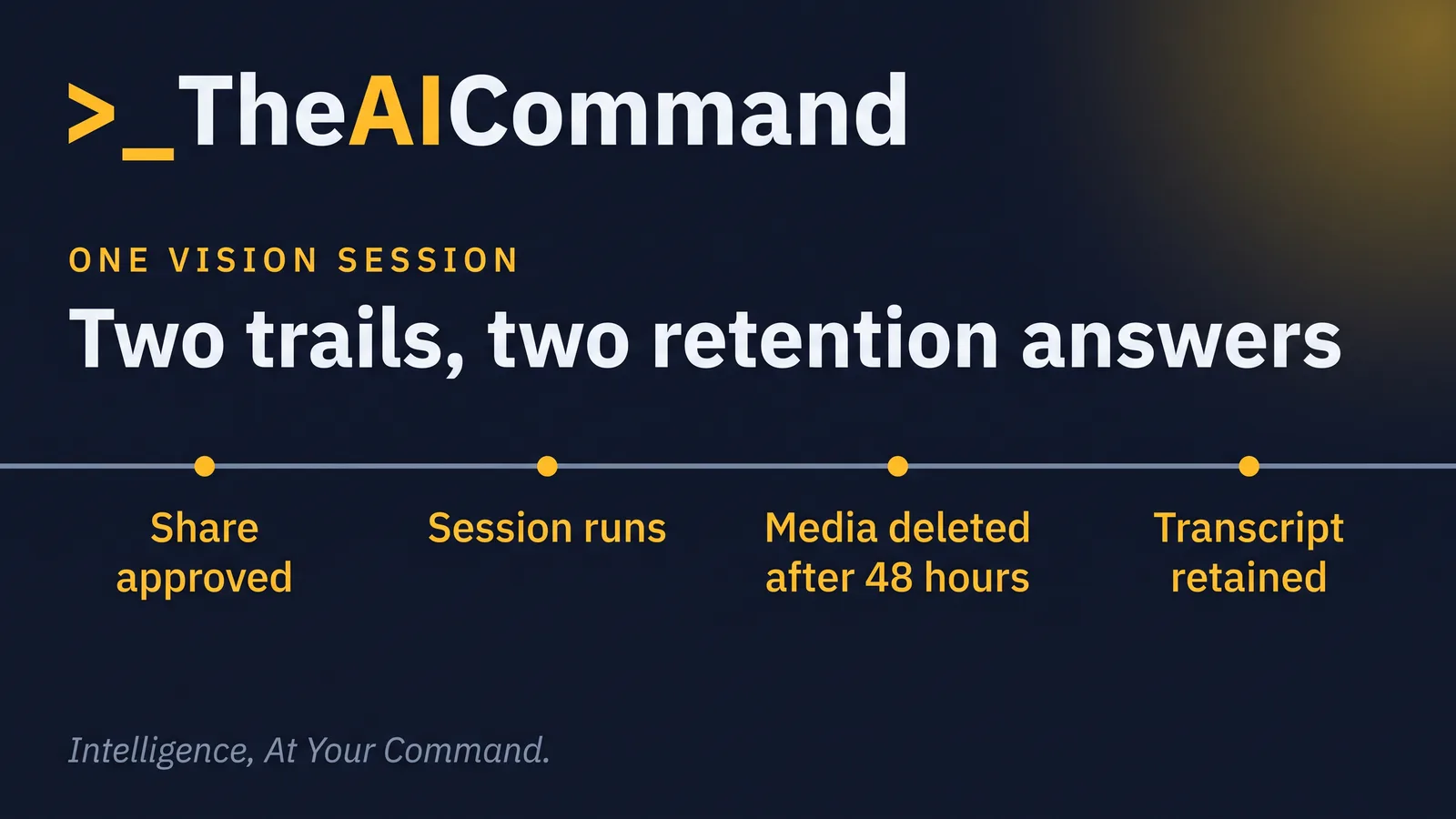
The transcript belongs on a separate retention path. Microsoft says admins can use Microsoft Purview to set retention policies for Copilot interaction data, and that prompts, responses and data accessed through Microsoft Graph are not used to train foundation models (Microsoft data, privacy and security). These are vendor and contractual claims, the same class of statement your team already verifies before relying on a vendor-operated agent platform. They do not decide which transcript or approved outcome your organisation must retain under its own obligations and schedules.
Create a Two-Trail Session Receipt:
The receipt should describe the boundary, not copy the sensitive content into another register. Keep the evidence proportionate. A low-risk training demonstration with synthetic data needs less detail than a session that assists an analyst to interpret a live operational dashboard.
Consider a fictional insurer using Vision to help an analyst understand a claims backlog dashboard. The approved test displays a synthetic window containing [REPORT_ID], [REPORT_DATE] and aggregate queues only. Notification previews are off, no customer record is open, and the analyst is not permitted to switch windows while sharing.
Vision points out a change in one queue. The analyst stops the share, checks the figure against the source report and asks the operational owner why it moved. A human writes the final note. Copilot does not determine claim priority, customer treatment or staffing action. The session receipt records that the observation was accepted only after source verification. This is a fictional worked example.
Use this prompt to draft the receipt from approved metadata and a redacted transcript. The session user and records owner must verify it, while the accountable professional decides whether any outcome enters the official record.
Do this Monday
- Check deployment truth. Confirm whether Vision is present in your tenant, capture the Message Centre notice and record the current Vision admin setting.
- Choose two bounded trials. Start with synthetic or de-identified content, one specific window and no need to move between systems while sharing.
- Write the Visual Input Boundary. Name the allowed share mode, prohibited data, preparation steps, stop trigger, incident route and human reviewer.
- Separate the retention trails. Verify the media, feedback and transcript handling against signed terms and tenant controls, then map the transcript and approved outcome to existing records rules.
- Rehearse the stop. Test wrong-window switching, an unexpected notification, camera background spill and the difference between stopping visual sharing and ending voice chat.
- Review the evidence. Have privacy, security, records, risk and the business owner decide whether the control works before expanding access.
Bottom line
Copilot Vision makes the share picker a data-control decision, not a user-interface detail. Approve the visual aperture before the prompt, stop sharing before the frame changes and keep media handling separate from transcript retention. Use a Two-Trail Session Receipt to prove what was intended, what was verified and what a human chose to use. Roll out only when the tenant setting, contractual treatment and Australian control owners agree.
This article is general information and education only. It is not legal, compliance, financial or professional advice. Obligations vary by organisation and circumstance. Verify current requirements against the primary sources cited and seek advice specific to your situation.
References
- Microsoft, “What's New in Microsoft 365 Copilot, June 2026”: https://techcommunity.microsoft.com/t5/microsoft-365-copilot-blog/what-s-new-in-microsoft-365-copilot-june-2026/ba-p/4529572
- Microsoft Support, “How vision in Microsoft 365 Copilot works”: https://support.microsoft.com/en-us/microsoft-365-copilot/how-vision-microsoft-365-works
- Microsoft Support, “Use vision in Microsoft 365 Copilot”: https://support.microsoft.com/en-us/microsoft-365-copilot/use-vision-microsoft-365-copilot
- Microsoft Support, “Frequently asked questions about voice features in Microsoft 365 Copilot”: https://support.microsoft.com/en-us/microsoft-365-copilot/frequently-asked-questions-about-voice-features-in-microsoft-365-copilot
- Microsoft Learn, “Data, Privacy, and Security for Microsoft 365 Copilot”: https://learn.microsoft.com/en-us/microsoft-365/copilot/microsoft-365-copilot-privacy
- Federal Register of Legislation, “Privacy Act 1988, latest compilation”: https://www.legislation.gov.au/C2004A03712/latest/text
- Office of the Australian Information Commissioner, “Guidance on privacy and the use of commercially available AI products”: https://www.oaic.gov.au/privacy/privacy-guidance-for-organisations-and-government-agencies/guidance-on-privacy-and-the-use-of-commercially-available-ai-products
- APRA, “CPS 234 Information Security”: https://www.apra.gov.au/standards/cps-234
- APRA, “CPS 230 Operational Risk Management”: https://www.apra.gov.au/standards/cps-230
TheAICommand. Intelligence, At Your Command.