
Yes, you can use AI note-takers in HR meetings, but only if you treat the note-taker as a listening device: default capture off for HR meetings, ask for consent on the record every time, and let AI draft only from a consented, de-identified copy that a person verifies. An AI is taking notes in your HR meetings, and often nobody in the room agreed to it. The meeting assistant has quietly become the most common AI tool in Australian workplaces, and HR sits at the centre of its blast radius. The conversations HR runs are the ones people most need to feel safe in: a grievance, a return-to-work discussion, a performance conversation, a disciplinary meeting, an exit interview. Those are exactly the conversations an AI assistant is now most likely to be recording, transcribing and storing by default.
This is not a hypothetical risk to plan for later. It is the live setting on tools your organisation already pays for. The question is no longer whether AI will be in the room. It is whether anyone in the room consented, where the transcript goes, and who can read it next week. Get that wrong and a single return-to-work chat becomes a privacy breach, a recording-law problem, and the kind of workplace trust test HR cannot outsource, all at once. Get it right and you keep the genuine time savings without any of that.
What is actually happening with AI note-takers in HR meetings?
Two things changed at the same time. The tools turned themselves on, and the law around them did not get any softer.
On the tooling side, the meeting assistant is now an enforced default in mainstream enterprise software, not an add-on a few keen people switch on. Microsoft's official documentation describes Microsoft 365 Copilot in Teams meetings as "an artificial intelligence (AI) tool that captures important conversation points", and sets the default meeting policy to "On with saved transcript required", which Microsoft states "is the default value" and is "enforced" so that "organizers can't change this value" away from running during and after the meeting (Microsoft Learn, "Manage Microsoft 365 Copilot in Teams meetings and events", updated June 2026). The after-the-meeting features depend on that saved transcript. Microsoft notes that turning Copilot off "also" turns off recording and transcription, and that the lighter "only during the meeting" mode "relies on speech-to-text audio processing data that isn't saved after the meeting or event ends". The plain-English version for HR: unless someone deliberately changes the setting, the meeting is captured and the transcript persists.
That persistence is the part that matters and the part most people forget. A transcript is not a fleeting set of notes. It is a durable, searchable, copyable record that lives somewhere after the meeting ends, can be forwarded, and can be produced later in a dispute or an information-access request. When the meeting is a grievance or a medical conversation, you have manufactured a sensitive document, automatically, and you may not have decided where it sits, how long it is kept, or who can open it.
The same pattern now repeats across every platform an organisation runs, from the built-in assistants in major meeting software to standalone note-taking tools that staff connect to their calendars themselves. HR is rarely the function that approved the rollout, but it is the function that owns the conversations most affected by it. That gap, between who switched the tool on and who carries the duty, is the real exposure.
The regulator has already named this product class. The Office of the Australian Information Commissioner's "Guidance on privacy and the use of commercially available AI products", published 21 October 2024, lists "productivity assistants that augment writing, coding, note-taking, and transcription" as common AI tools Australian entities are deploying, and warns that "as a matter of best practice, the OAIC recommends that organisations do not enter personal information, and particularly sensitive information, into publicly available generative AI tools, due to the significant and complex privacy risks involved". An HR meeting is a firehose of exactly that information.
So the real HR problem is not "should we use AI to summarise meetings". It is that AI is already summarising meetings whether or not HR has set the rules, and the meetings it captures most readily are the sensitive ones HR is responsible for protecting.
The practitioner play: a consent-and-records protocol
The discipline is to deal with consent and records before the transcript exists, then let AI do only the safe part of the work, on a record people actually agreed to. Here is an operating pattern you can stand up this week.
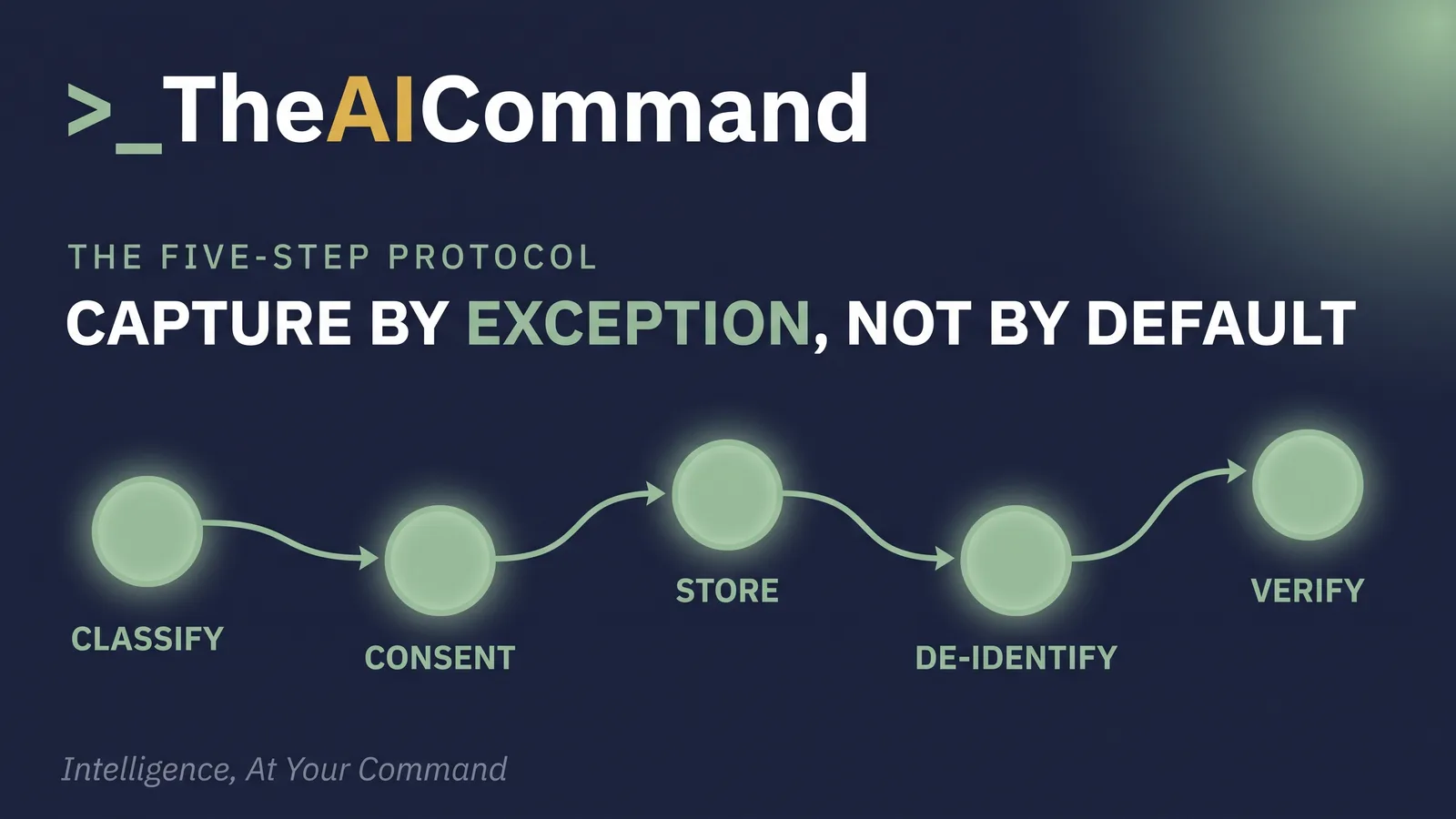
- Classify the meeting before you book it. Sort recurring HR meetings into two buckets. "Never auto-record" covers grievances, complaints intake, disciplinary meetings, terminations, and anything touching health or a medical condition. "Record only with consent" covers project updates, policy briefings and working sessions. Make the default for HR-run meetings off, and turn capture on deliberately rather than by inertia.
- Ask for consent on the record, every time, before the assistant runs. Open with a short scripted line: "An AI note-taker will record and transcribe this meeting so we have an accurate summary. Are you comfortable with that? You can say no, and we will take manual notes instead." Capture the answer in the minutes. If anyone declines, the assistant stays off. Consent is not a one-time signature buried in a policy; it is asked at the start of each meeting that records, and it can be withdrawn.
- Decide where the transcript lives before you create one. Name the single system of record, usually your HRIS or the case file, and set who can access it and for how long. A transcript that auto-saves to an organiser's personal drive and rides along on a calendar invite to every attendee is a privacy incident waiting to happen. The record needs an owner, a location and a retention period, decided up front.
- Use AI only on a consented, de-identified record, and only to draft. This is where ChatGPT or Claude earns its place, and it is the same discipline that turns a Teams transcript into a controlled HR document. Take the consented transcript, remove names and identifiers, and paste it into your organisation's enterprise ChatGPT or Claude workspace, not a public consumer tool, with a prompt that produces a fact-only action summary: decisions made, actions agreed, owners, due dates and open questions. The model drafts the structure. It does not characterise anyone and it does not decide anything.
- A person verifies, and a person decides. The manager or HR lead reads the draft against what was actually said, corrects it, removes anything sensitive that does not belong in an action summary, and signs off. The verified summary becomes the record. The raw transcript is then deleted or locked down according to your retention rule, not left lying in a chat history.
Sort your recurring HR meetings before the calendar invite goes out. This is the classification step at a glance.
Worked example. [EMPLOYEE_NAME] in [TEAM] raises a workload concern in a one-to-one. Because it is a sensitive conversation, it sits in the "record only with consent" bucket. The manager asks the consent question. [EMPLOYEE_NAME] agrees to a summary but asks that no recording be kept. The assistant runs in summary-only mode, the manager strips the names, pastes the de-identified notes into the enterprise Claude or ChatGPT workspace, and gets back a clean list: review [TEAM] workload allocation, owner the manager, due in two weeks, with one open question about whether additional headcount is needed. The manager checks it line by line against the conversation, confirms [EMPLOYEE_NAME] is comfortable with the wording, files the verified summary in the case record, and discards the transcript. AI saved twenty minutes of typing. It made no decision about the person, and it left no stray copy of a private conversation behind.
The point of the protocol is that it is a standing rule, not a per-meeting act of willpower. Configure the defaults at the admin level where you can, write the consent script into your meeting templates, and make "capture by exception, with consent" the shape of how HR meets. The tool then helps you without quietly creating your next breach.
What laws and duties apply to AI note-takers in Australia?
Four obligations sit under this protocol, and HR is the function that has to hold them.
Recording consent is a legal line, not a courtesy. The Privacy Act does not do the heavy lifting here. As the OAIC's own workplace-monitoring guidance states plainly, "the Privacy Act 1988 doesn't specifically cover surveillance in the workplace", and "generally, state laws cover" it. Those state surveillance and listening-device laws are strict. In New South Wales, the Surveillance Devices Act 2007 (section 7) makes it an offence to use a listening device to record a private conversation even one you are a party to, unless "all of the principal parties to the conversation consent". The rules vary between states and territories, and they sit alongside the wider question of what HR can and cannot do when it monitors staff, so the safe operating rule everywhere is identical: get every participant's consent before anything records. An AI note-taker is a listening device with a friendly name.
Sensitive information raises the bar again. HR conversations routinely capture health information, and the OAIC confirms health information "is also 'sensitive information'" under the Privacy Act. Sensitive information attracts stronger protection. Under Australian Privacy Principle 3.3, "an APP entity may only solicit and collect sensitive information if the individual consents to the sensitive information being collected, unless an exception applies", and the OAIC notes that "APP 3 contains different requirements for the collection of sensitive information compared to other types of personal information". A transcript of a return-to-work meeting is sensitive information collection, and the OAIC's AI guidance is blunt about not feeding that kind of content into public tools.
Procedural fairness and trust. If a transcript later feeds into a performance or disciplinary outcome, the employee is entitled to a fair process. A raw, unverified AI transcript is not a finding and must never stand in for one. The human assessment of what was said, and what it means, stays with HR. This article is general guidance, not legal advice, so check your own policies and your jurisdiction before you rely on any of it.
The psychosocial duty. Being recorded by default, in every meeting, changes how people speak. Under the model WHS laws, as Safe Work Australia sets out, a person conducting a business or undertaking "must manage the risk of psychosocial hazards in the workplace", and the recognised hazards include "low job control". Always-on capture erodes job control and autonomy and can make people feel watched in the very conversations that should feel safe. Managing that risk is a work health and safety duty NSW teams already hold, not an optional nicety, and the control is the same one the protocol already gives you: capture by exception, with consent, never by default.
What should you never automate in an HR meeting?
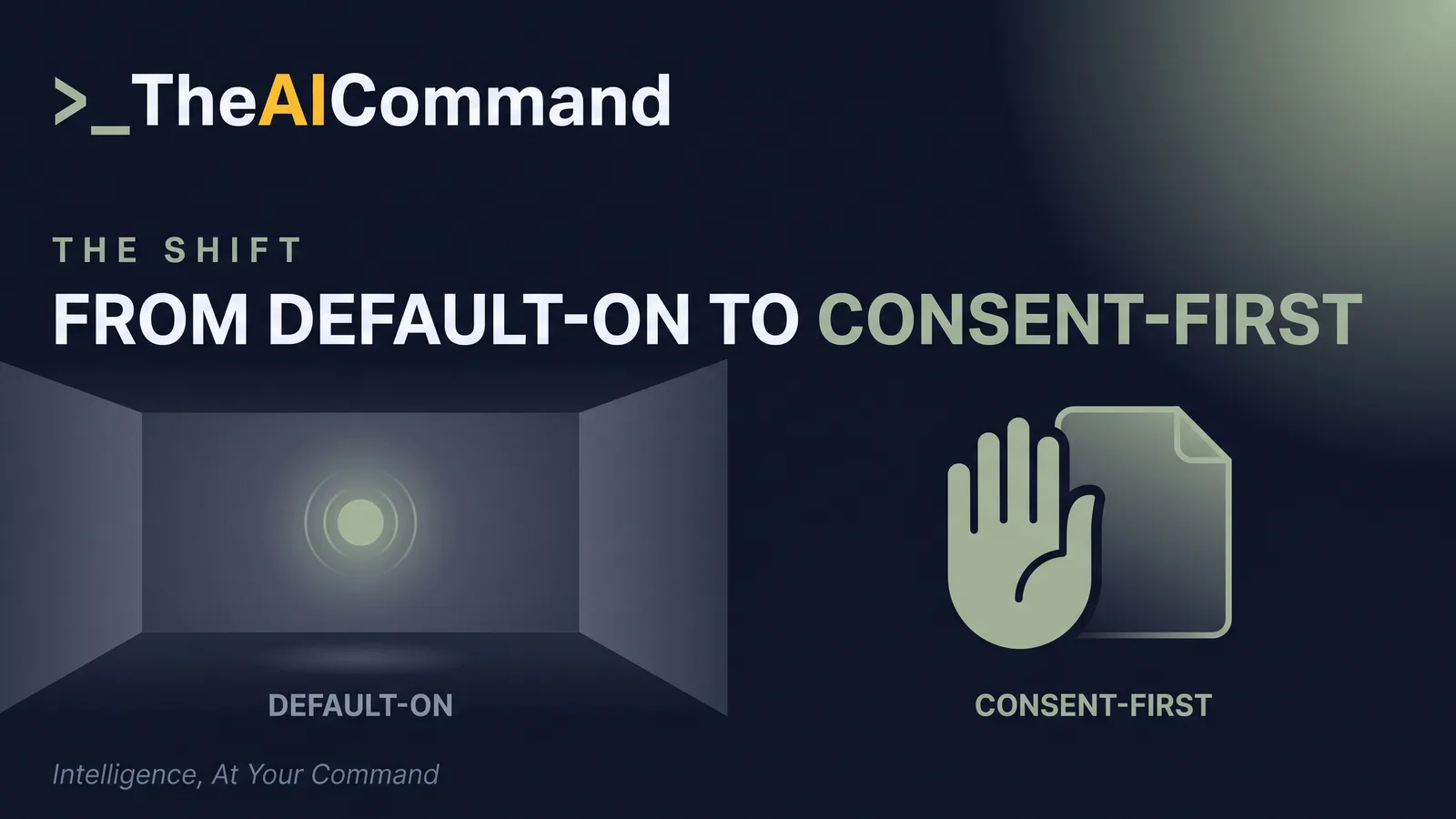
Some lines stay bright. Never let an AI note-taker run on autopilot in a grievance, complaint, disciplinary or termination meeting; those are consent-first and often manual-notes-only. Never treat a raw transcript as the record of a sensitive conversation, because the verified, human-checked summary is the record and the transcript is just working material. Never paste an identifiable HR transcript into a public AI tool, exactly as the OAIC's own advice warns. Never let the model assess credibility, weigh evidence, or characterise someone's conduct or intent; capturing words is administration, and judging them is the job, the same line an AI-assisted workplace investigation has to hold when it organises the file but not the finding. And never let "it was on by default" become your answer to "who consented".
AI can take the notes. It cannot give the consent, hold the duty, or make the call. Set the protocol first, and the note-taker becomes a genuine help instead of a quiet liability.
The ready-to-paste prompt
Paste this into your organisation's enterprise ChatGPT or Claude workspace, never a public consumer tool. Use it only on a transcript people consented to, with names and identifiers already removed.
How to run it. Create a dedicated project in ChatGPT Projects or a Claude Project called "HR meeting summaries", paste this prompt into the custom instructions so it applies to every chat, and keep the project to enterprise-tier access only. Each time, start a new chat, paste one de-identified transcript with the meeting type and consent status, then read the draft against the transcript and reply with one-line corrections (for example, fix an owner or move a medical detail out of the actions and into the sensitive flags). When it is right, copy the verified summary into your HRIS or case file and discard the transcript per your retention rule.
Bottom line
AI note-takers now record HR's most sensitive meetings by default, and the exposure is not the summary, it is the durable, searchable transcript nobody agreed to and nobody owns. Deal with consent and records before the transcript exists, then let AI draft only from a consented, de-identified copy that a person verifies. Consent, storage and the human decision stay with HR; the model only takes the notes.
Do this Monday:
- Sort your recurring HR meetings into a never-auto-record bucket (grievances, complaints, discipline, terminations, anything touching health) and a record-only-with-consent bucket.
- Turn HR-run meeting capture off by default at the admin level and write the consent script into your meeting templates.
- Ask the scripted consent question on the record before any assistant runs, and note the answer in the minutes.
- Name one system of record for any transcript, with an owner, a location and a retention period, before you create one.
- Use enterprise ChatGPT or Claude only on a de-identified copy to draft a fact-only action summary, then have a person verify it and discard the raw transcript.
References
- Office of the Australian Information Commissioner (OAIC), "Guidance on privacy and the use of commercially available AI products", published 21 October 2024. https://www.oaic.gov.au/privacy/privacy-guidance-for-organisations-and-government-agencies/guidance-on-privacy-and-the-use-of-commercially-available-ai-products
- Office of the Australian Information Commissioner (OAIC), "Workplace monitoring and surveillance" (your privacy rights). https://www.oaic.gov.au/privacy/your-privacy-rights/surveillance-and-monitoring/workplace-monitoring-and-surveillance
- Office of the Australian Information Commissioner (OAIC), "What is personal information" and Australian Privacy Principles Guidelines, Chapter 3 (APP 3, collection of solicited personal information). https://www.oaic.gov.au/privacy/australian-privacy-principles/australian-privacy-principles-guidelines/chapter-3-app-3-collection-of-solicited-personal-information
- Surveillance Devices Act 2007 (NSW) No 64, section 7 (prohibition on installation, use and maintenance of listening devices), current in-force version. NSW Government, NSW legislation. https://legislation.nsw.gov.au/view/whole/html/inforce/current/act-2007-064
- Safe Work Australia, "Psychosocial hazards" (model WHS laws). https://www.safeworkaustralia.gov.au/safety-topic/managing-health-and-safety/mental-health/psychosocial-hazards
- Microsoft, "Manage Microsoft 365 Copilot in Teams meetings and events", Microsoft Learn (official documentation), page updated 1 June 2026. https://learn.microsoft.com/en-us/microsoftteams/copilot-teams-transcription
TheAICommand. Intelligence, At Your Command.