
You build your first AI workflow without code by chaining three prompts, Extract, Transform and Polish, in a chat tool you already have, then saving them as a reusable recipe you rerun each week. The fastest productivity wins do not need automation tools.
Why this matters
Most professionals try AI by typing a one-off question and walking away with a one-off answer. The compounding sits one level up: stitching two or three prompts together so the same task runs faster every Monday than it did the Monday before.
You do not need n8n, Zapier, or a developer. You need a chat tool you already have, a task you already do, and 30 minutes to design the workflow once. After that the work runs in five minutes a week.
This is the most reliable way to lift your hourly value with AI in 2026.
The mental model: workflows are recipes, not robots
Think of a workflow the way a chef thinks about a recipe. Same ingredients, same steps, same result. The point is not novelty. The point is reliability. Once a recipe works, you do not redesign it every time you cook.
Your job is to write the recipe once and then run it next week.
Which task makes a good first AI workflow?
A good first AI workflow has four properties.
It recurs. You do this every week or every fortnight. One-off tasks are not worth the design time.
It is text-heavy. Reading, writing, summarising, drafting, comparing. The model is not helping you photocopy.
It has a defined input. A meeting transcript, a list of emails, a project status form. You know where the raw material comes from.
It has a defined output. A status update for your manager, a stakeholder summary, a weekly review email, a board paper one-pager. You know what "done" looks like.
Three good candidates for most readers:
- Weekly status update from notes and Slack messages
- Meeting summary with decisions, owners and dates from a transcript
- Fortnightly stakeholder digest from project trackers
If you can name the input and the output in one sentence each, you have a workflow candidate.
The three-step pattern
Almost every useful first workflow fits this shape.
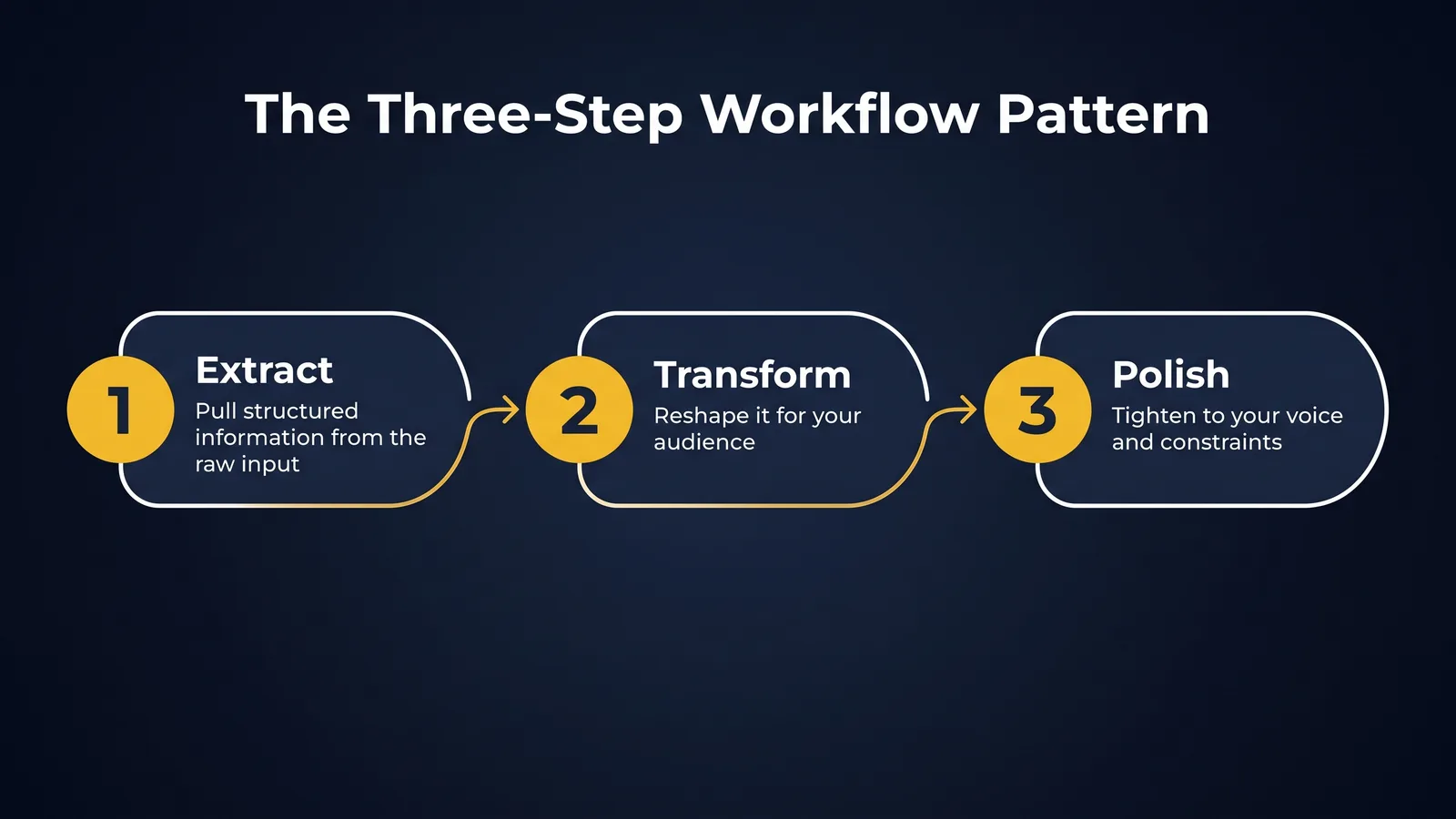
Step 1: Extract
Take the raw input and pull the structured information out of it. The model is good at this and most professionals undervalue it.
You are a careful note-taker. From the transcript below, extract: every decision made, every action item with owner and due date, and every open question. Output as three bulleted lists. Do not invent owners. If the transcript does not name an owner, write "Unassigned".
Step 2: Transform
Take the structured information and turn it into the shape your audience needs.
You are a senior project manager. Using the bullet points below, draft a four-paragraph weekly status email to a non-technical executive sponsor. Tone: confident, brief, no jargon. Structure: progress, blockers, decisions needed, next week.
Step 3: Polish
Tighten the output to your voice and constraints.
Make this email shorter (max 150 words). Use British/Australian spelling. Do not use the word "leverage". Do not start any paragraph with "I".
You can run the three steps as three separate prompts in the same chat. Or you can fold them into one well-written prompt once you have the pattern down. Run as three for the first month. Compress later.
How do I save an AI workflow so I do not rebuild it each week?
This is the step almost everyone skips, and it is the step that turns a clever afternoon into a permanent productivity gain.
Open a plain document. Title it with the workflow name. Paste the three prompts in order. Add one line at the top noting the input you bring in each week and the expected output. Save it somewhere you will find it next Monday.
That document is the recipe. Next week you do not redesign anything. You open the recipe, run the three prompts in order, and you are done.
If your tool supports Custom Projects (Claude Projects, ChatGPT Projects), promote the recipe into one once it has run cleanly twice, the move covered in Custom Projects vs Raw Chats. The prompts move into the project's system prompt and you save another minute a week.
Common mistakes
Picking a one-off task. If you only do this once a quarter, the design time is not paid back. Pick something weekly.
Trying to chain ten steps. Three is the sweet spot for the first one. You can extend later.
Not saving the prompts. If you reinvent the prompts every week, you have not built a workflow. You have just been chatting.
Skipping a sanity read. The model will be confidently wrong sometimes. Five seconds of human review on the final output is non-negotiable for anything you send.
Designing the recipe well
The difference between a recipe that ages well and one that does not is in three small choices, each of them a prompt engineering fundamental.
Name the role at the top of every step. Each prompt should start with a one-sentence role statement. "You are a careful note-taker." "You are a senior project manager." "You are a brand-voice editor." Roles are cheap and they steady the output.
State the input shape and the output shape on every step. "Below is a meeting transcript. Output as three bulleted lists." The model will pick a default if you do not. Pick for it.
Use negative instructions on the final polish step. "Do not use bullet points. Do not use the word 'leverage'. Do not include a closing summary paragraph." Negative instructions on the last step prevent the most common rework.
These three choices take an extra 30 seconds when you write the recipe. They save five to ten minutes of editing every subsequent run.
When should an AI workflow have more than three steps?
Three is the floor. For some tasks, four or five steps fit better.
A common four-step pattern is Extract, Analyse, Transform, Polish. The Analyse step sits between Extract and Transform when the task involves judgement (ranking risks, scoring evidence, identifying themes). The model treats this as a separate prompt, not a tag-along sentence inside Extract.
A common five-step pattern is Extract, Analyse, Transform, Polish, Critique. The Critique step asks the model to review its own draft before you accept it.
Act as a senior reviewer of the draft you just produced. List three weaknesses and one specific fix for each.
For everyday workflows, three steps remain the right starting point. Add steps only when the work demands it.
Sharing a recipe with a team
A recipe in a personal document is good. A recipe shared across a team is better.
If you are leading a team, build the recipe yourself. Run it for a fortnight. Tweak the prompts until they produce work you would publish. Then share the recipe with the team. Two outcomes follow. First, every team member produces consistent work on this task. Second, you have a tangible artefact for any AI policy review or audit conversation. Recipes are the most underrated form of shared institutional knowledge in 2026.
A worked example
A senior HR business partner spends 45 minutes every Friday writing a weekly update from two meetings, three Slack channels, and her own notes. Her three-step recipe:
- Paste raw notes into Claude. Prompt: extract decisions, action items with owners, and open questions as bulleted lists.
- Paste the bulleted lists. Prompt: turn this into a four-paragraph weekly update email to my Director, max 200 words, focused on what changed this week.
- Paste the draft. Prompt: tighten this. Australian English. Drop generic adjectives. Lead with the most important point.
Time after recipe in place: eight minutes. Saved time per week: 37 minutes. Saved time per year: roughly 30 hours.
That is what a no-code AI workflow buys you.
Where workflows fit in your role
Different professional roles get different first wins from no-code workflows.
Workers compensation case management. The most useful first workflow is a structured file note from a meeting transcript. Extract decisions, action items and follow-up dates. Transform into your team's house file-note format. Polish into the voice your decision-maker reads. The de-identification rule applies as it does anywhere else in WC work.
Governance, risk and compliance. A weekly risk-register update is a strong first workflow. Extract change events from emails and meeting notes. Transform into a structured risk-register addendum. Polish for the audience your committee receives. The first run usually reveals which inputs are reliable and which need to be tightened.
HR practice. A monthly people-update is a good candidate. Extract metrics from your HRIS exports and qualitative items from manager check-ins. Transform into the executive update your CEO receives. Polish for tone.
Managers and people leaders. Weekly status update for your direct manager. Almost everyone in this group writes one. Almost no one has built a recipe for it.
The pattern is the same across roles. The substance differs. The compounding is the same.
Try this
Pick one recurring task you did this week. Build a three-step Claude or ChatGPT chain for it. Save the prompts in a single document. Note the input and the output at the top. Next Monday, rerun it. The second run is when the workflow earns its keep.
Glossary
Workflow. A sequence of steps that turns one input into one output. The point is reliability and repeatability.
Chain. Two or more prompts run in order, where the output of one becomes the input of the next.
Prompt template. A saved prompt with placeholders for the bits that change each time.
Custom Project. A feature in Claude and ChatGPT that lets you save a system prompt, files and a context for a chat.
Where to go next
- Custom Projects vs Raw Chats: when to graduate a workflow into its permanent home
- Choosing Claude, ChatGPT, Gemini or Copilot for your job
- Prompt Engineering Fundamentals 2026
Bottom line
A no-code AI workflow is three prompts, Extract, Transform and Polish, run in a chat tool you already have and saved as a recipe you rerun each week. The design takes about 30 minutes once, then the task runs in a few minutes, and the saved recipe is the difference between a permanent gain and a clever afternoon. Pick a weekly, text-heavy task with a defined input and output, keep it to three steps, and always give the final output a human read before you send it.
Do this Monday:
- Pick one recurring, text-heavy task with an input and an output you can each name in one sentence.
- Build the three prompts, Extract, Transform and Polish, in a chat tool you already have.
- Run them as three separate prompts in the same chat.
- Save the three prompts in one titled document, with the weekly input and expected output noted at the top.
- Give the final output a five-second human review before anything goes out.
TheAICommand. Intelligence, At Your Command.